
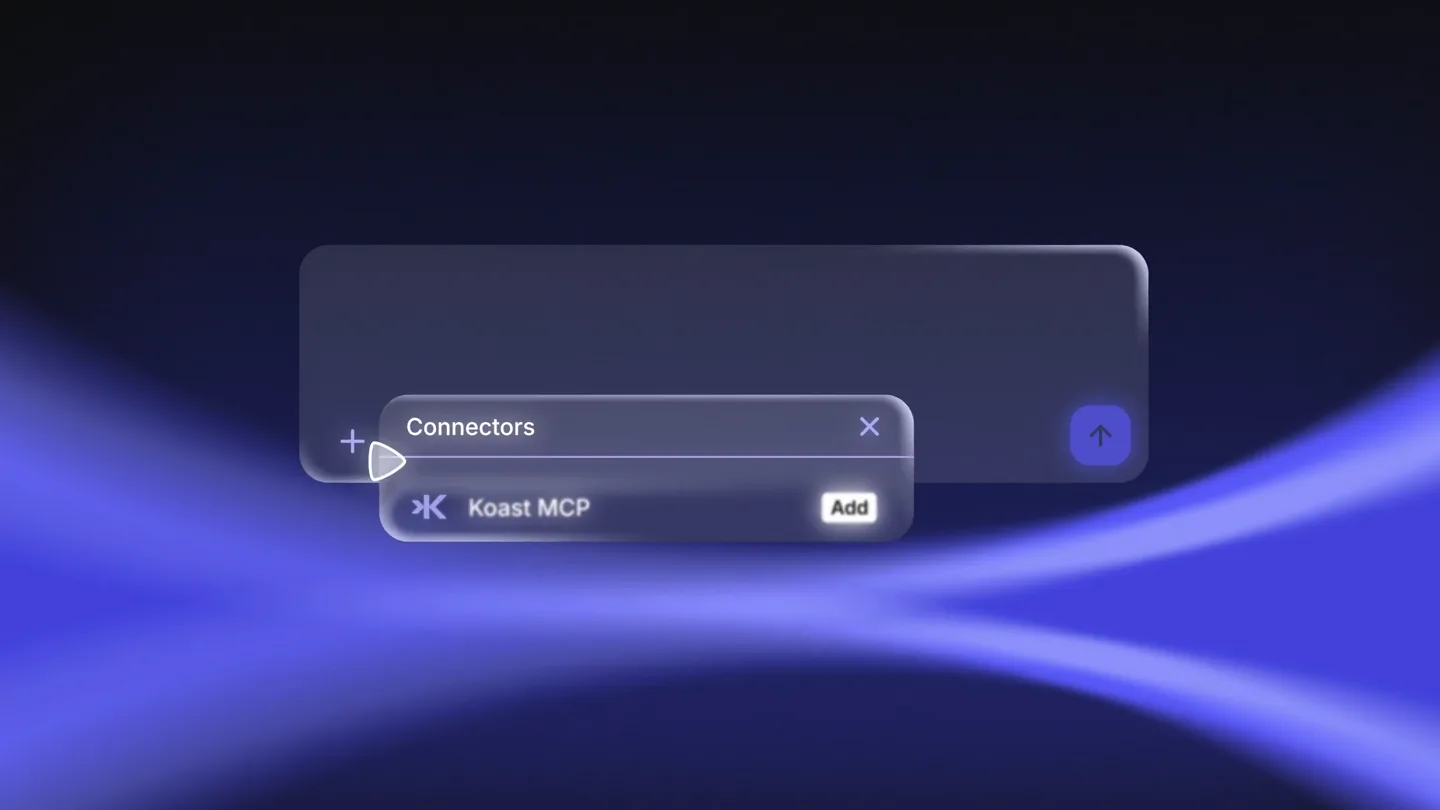
Koast.ai · Launch Video Breakdown: Hook, Pacing & Motion Design
The Koast MCP runs an ad operating system from Claude, Cursor, ChatGPT, or any agent that speaks MCP. You can launch ads from a sentence, pull account numbers, push creative, or create ad accounts without opening a tab.
Scene-by-scene timeline & spoken transcript
The Hook
Introducing Koast.ai: Your AI Agent for Ads
“(No spoken dialogue — Prominent sub-bass drop/impact, followed by rhythmic, glitchy percussion and a high-energy audio riser.)”
- On screen
- Introducing Now inside Now inside your| AI Agent ADD NOW
- Camera
- Static wide shot, then a slight zoom into the UI element.
- Motion
- Text reveal with a subtle glow, UI element pop-in with a soft bounce, cursor interaction.
Product Reveal
Intelligent Ad Management with Koast
“(No spoken dialogue — Driving electronic beat with rhythmic percussion. High-energy audio transition at 0:05 and 0:10.)”
- On screen
- w| + Koast Winning ads this week Your best ad this week is UGC Hook v2, at 4.8x ROAS on $2.1k spend. Total Earnings $19,768.37 Ask anythi Turn these images into Meta ads wl
- Camera
- Static wide shot, focusing on the interactive UI.
- Motion
- Typing animation, data visualization pop-up, card stack reveal with subtle parallax.
Feature Teaser
Automated Ad Creation and Optimization
“(No spoken dialogue — Consistent electronic beat. High-energy audio transition at 0:16.)”
- On screen
- Story ads from your images, each with its own copy. Koast Sponsored Your ad spend has an efficiency score. Sign up Koast Sponsored You shouldn't need more hires to run more ad accounts. Learn more Koast Sponsored Protect your margin. Learn more Ask anything... Pause ad sets| Done. I'll check your ad sets every hour and act on any that drop below 2x ROAS. When ROAS < 2 Any ad set, over the last 24 hours Edit trigger Then Pause Stop the spend on that ad set Edit step
- Camera
- Static wide shot, then a slight pan to reveal more UI elements.
- Motion
- Horizontal card scroll, typing animation, flowchart build-up with connecting lines.
Call to Action
Koast: Your Ad Operating System
“(No spoken dialogue — Driving electronic beat intensifies. High-energy audio transition at 0:21, 0:26, and a final impactful sub-bass drop/impact at 0:30.)”
- On screen
- The first run paused 3 ad sets and moved $420 to Spring Launch, your best campaign at 3.8x ROAS. Next check MCP K FF YOUR AD OPERATING SYSTEM koast.ai/mcp
- Camera
- Static wide shot, then a quick cut to a close-up of the logo, followed by a wide shot of the final branding.
- Motion
- Flowchart expansion, toggle switch animation, 3D logo reveal with metallic sheen, text fade-in.
Motion design primitives
Synthesizable in Remotion · key components of the glassmorphism-ai-platform-launch template.
GlassmorphismUIReveal
UI elements (buttons, input fields, cards) appear with a translucent, frosted glass effect, often accompanied by a subtle glow or shadow. They typically animate in with a soft scale and fade.
+ Code construction recipe
Utilize CSS `backdrop-filter: blur()` for the glass effect. Animate `opacity` and `transform: scale()` with a `spring()` or `cubic-bezier()` easing for a smooth, bouncy entrance. Apply subtle `box-shadow` for depth.
DynamicTypingCursor
Text appears character by character as if being typed, with a blinking cursor following the input. This is often used within input fields or chat interfaces.
+ Code construction recipe
Implement character-by-character text rendering using `map()` over a string and `delay()` for each character. A `blink()` animation for the cursor (using `opacity`) can be achieved with `loop()` and `durationInFrames()`.
FlowchartPathAnimator
Interconnected boxes representing steps or conditions appear sequentially, with animated lines drawing between them to illustrate a workflow or process.
+ Code construction recipe
Render SVG paths for the connecting lines. Animate the `stroke-dasharray` and `stroke-dashoffset` properties of the SVG paths to create a 'drawing' effect. Each box can animate in with a `GlassmorphismUIReveal` primitive.
Style DNA & aesthetic system
Visual aesthetic
Typography
Motion
Special effects
Pacing & rhythm
Conceptual story rhythm
- 1
The AI Agent Hook
Purpose. Immediately establish the core concept: AI integration into ad management.
Execution. Rapid text reveals 'Introducing' then 'Now inside your AI Agent', followed by a quick UI element pop-in.
- 2
Interactive Problem/Solution
Purpose. Demonstrate the product's intuitive interaction and immediate value proposition.
Execution. Typing animations in a chat interface, showing how simple commands yield powerful results like ad performance insights.
- 3
Automated Workflow Power
Purpose. Showcase the product's ability to automate complex tasks and optimize campaigns.
Execution. Flowchart animation illustrating automated ad pausing and budget reallocation based on performance triggers.
- 4
Brand & Call to Action
Purpose. Reinforce brand identity and direct users to learn more.
Execution. Dramatic 3D logo reveal and a clear call to action with the product's tagline and URL.
Remix in Animatiq Studio
Master remix prompt · agent-ready
Sample remix
Objective
Launch an AI-powered data analytics platform called Synapse.ai.How the recipe adapts
The glassmorphism UI will display interactive data dashboards. Dynamic typing will show users querying complex datasets with natural language. Flowchart animations will illustrate automated data pipeline creation. The color palette will shift to deep blues and purples with a vibrant green for charts and graphs. The final logo reveal will feature the Synapse.ai logo in a metallic 3D style, leading to synapse.ai/platform.Remix blueprint · glassmorphism-ai-platform-launch
Scene durations (4 scenes, 35s)
Key Remotion components
Related Developer Tools Product Launches
Explore all Developer Tools launches →
Agentic CLI for coding, building apps, and automating workflows.

New in Claude Code: your sessions can now message each other. Tell Claude to send a summary (not your history or files), and the other session picks it up mid-task.

Meet Qwen3.8-Max: A New Bar for Coding and Cowork. https://t.co/mJaA8vr6xT