
Scene-by-scene timeline & spoken transcript
The Hook
AI Agent Prompting & Generation
“(No spoken dialogue — A driving, four-on-the-floor kick drum and sub-bass line establish an energetic, anticipatory mood.)”
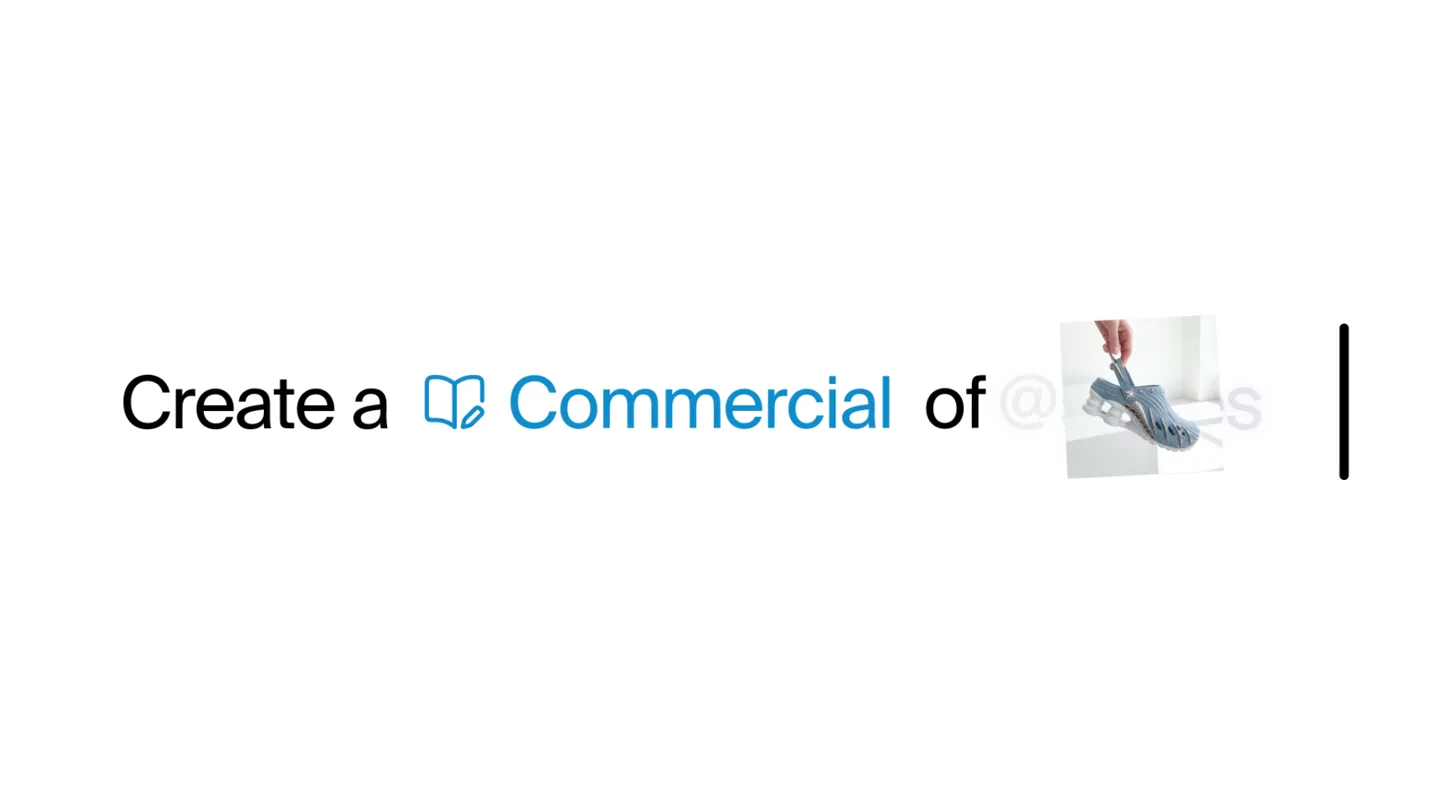
- On screen
- Cre | Create a Commercial of @sses |
- Camera
- Static, centered text input field perspective.
- Motion
- Typing animation with a blinking cursor, image insertion, and text color changes to highlight generated content.
Product Reveal
Automated Creative Workflow
“(No spoken dialogue — Percussive synth elements and a consistent hi-hat pattern build intensity, culminating in a high-energy riser and sweep at 0:12-0:14.)”
- On screen
- Thinking Product sheet done Researching trends Research done Creating commercials Commercials done
- Camera
- Static, top-down view of a digital workspace.
- Motion
- Checkmark animations, fading text, and grid-based image transitions simulate a rapid, automated workflow progression.
Feature Teaser
Seamless Integration & Deployment
“(No spoken dialogue — A sub-bass drop/impact at 0:14 marks a transition, followed by a filtered 'wah' like synth effect and continued electronic rhythm.)”
- On screen
- Cre + Create anything... Fire! Run Fire! Run it on ∞ Meta Fire! Run it on ∞ Meta ads
- Camera
- Close-up on a chat-like interface, with a mouse cursor interacting.
- Motion
- Interactive UI elements, typing animation, and a glowing send button emphasize ease of use and integration.
Call to Action
Access Krea Agents Beta
“(No spoken dialogue — The electronic track fades out with lingering synth elements.)”
- On screen
- krea.ai/agents-beta
- Camera
- Static, centered full-screen text.
- Motion
- Simple text reveal with a subtle glow effect, ensuring clear readability of the call to action.
Motion design primitives
Synthesizable in Remotion · key components of the ai-creative-workflow-launch template.
TypingCursorReveal
Text appears character by character, accompanied by a blinking vertical line cursor. Images can be inserted mid-sentence, pushing subsequent text.
+ Code construction recipe
Use `Sequence` and `spring` for character reveal. Implement a `blink` animation for the cursor. Image insertion can be handled by dynamically adjusting text content and layout.
WorkflowCheckmarkGrid
A list of tasks appears, each fading in and then being replaced by a checkmark. Below, a grid of images dynamically updates and transitions, reflecting the task completion.
+ Code construction recipe
Utilize `interpolate` for text fade-in/fade-out and checkmark scaling. Implement a `Grid` component with `TransitionSeries` for image swaps and `spring` for subtle bounce on new images.
InteractiveChatPrompt
A chat-like input field with a plus icon and send button. Text is typed into the field, and an image thumbnail can be dragged and dropped into it. The send button glows upon interaction.
+ Code construction recipe
Create a `TextField` component with `Sequence` for typing. Implement `DragAndDrop` functionality for image thumbnails. Use `spring` for the send button's glow and scale on click.
Style DNA & aesthetic system
Visual aesthetic
Typography
Motion
Special effects
Pacing & rhythm
Conceptual story rhythm
- 1
Prompting the Agent
Purpose. Introduce the core interaction mechanism: instructing the AI agent.
Execution. Typing animation in a text input field, showing a creative prompt being formed and an image being inserted.
- 2
Agent at Work
Purpose. Demonstrate the AI agent's speed and capability in executing creative tasks.
Execution. Rapid succession of checkmarks on a task list, accompanied by a dynamic grid of generated images, simulating a fast workflow.
- 3
Refining & Deploying
Purpose. Show the ease of iterating on results and deploying them to platforms.
Execution. Interactive chat interface where the user refines the output and initiates deployment to a platform like Meta ads.
- 4
Call to Action
Purpose. Direct viewers to where they can access the product.
Execution. Clear, full-screen display of the beta access URL.
Remix in Animatiq Studio
Master remix prompt · agent-ready
Sample remix
Objective
Launch an AI-powered video editing assistant that generates short-form content from long-form videos.How the recipe adapts
The TypingCursorReveal primitive would show a user typing 'Create 15s TikTok from podcast episode 12'. The WorkflowCheckmarkGrid would display 'Transcribing audio done', 'Identifying key moments done', 'Generating cuts done', with a grid of generated video clips. The InteractiveChatPrompt would allow the user to type 'Add captions, export to YouTube Shorts', with a glowing send button.Remix blueprint · ai-creative-workflow-launch
Scene durations (4 scenes, 21s)
Key Remotion components
Related AI Agents Product Launches
Explore all AI Agents launches →
To ensure that artificial general intelligence benefits all of humanity

Gopuff introduces Go, an AI shopping assistant built with SpaceXAI: say what you need and the order is placed.

Iliad (Troy) trailer made by Grok Imagine 1.5, which was just released