
Scene-by-scene timeline & spoken transcript
The Hook
The Typing Burden & Interruption Problem
“(No spoken dialogue — Energetic electronic music with a driving beat and pizzicato synths. A high-energy audio transition with a riser and sub-bass impact occurs at 0:03.)”
- On screen
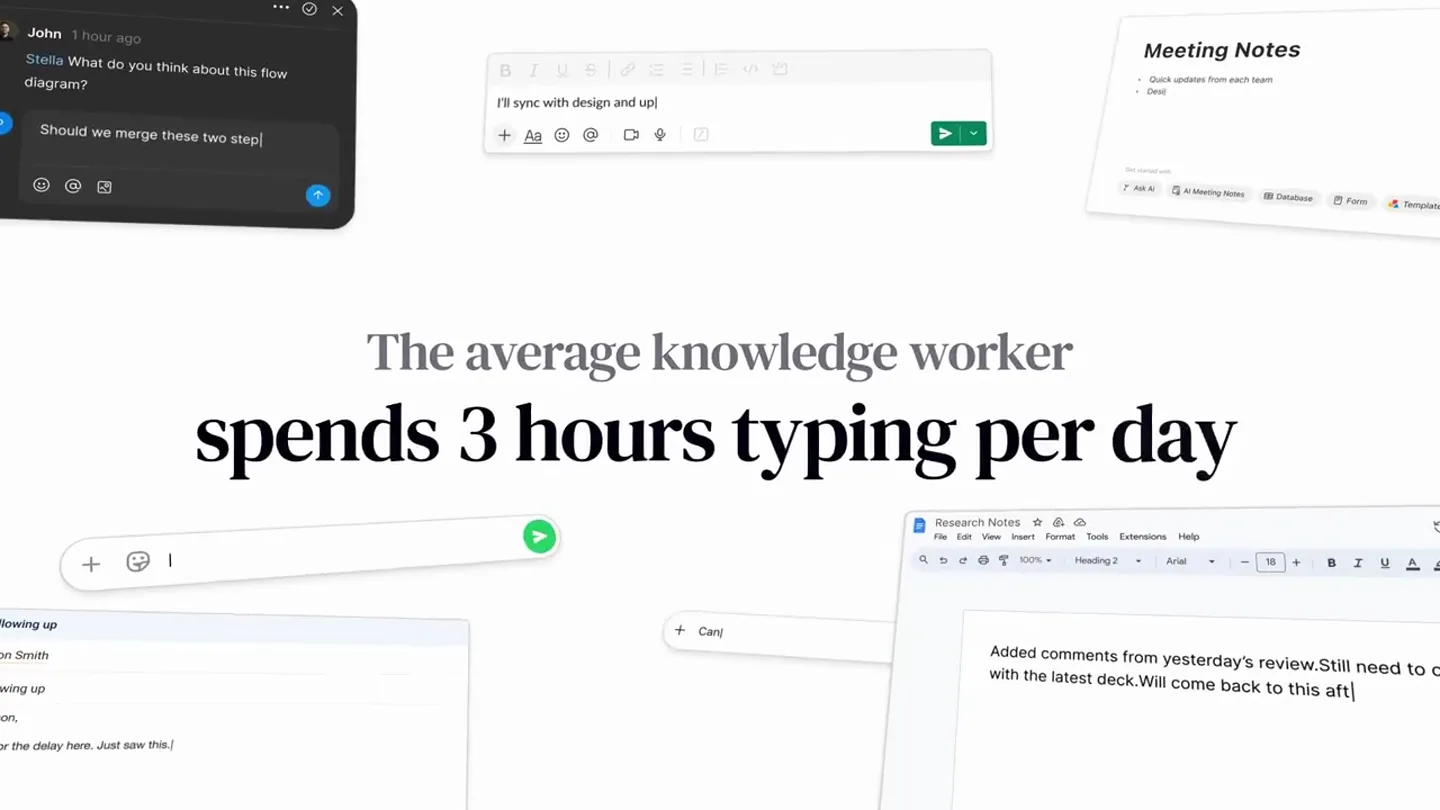
- The average knowledge worker spends 3 hours typing per day You're interrupted
- Camera
- Static wide shot of multiple application windows, then a full-screen text reveal.
- Motion
- Text reveal with a subtle underline animation, followed by a quick cut to a new text screen. Application windows are static initially, then disappear.
Product Reveal
Introducing Lemon: Voice-to-Action Agent
“Turn what you say into finished work. Just press the fn key. Describe your task. Can you please summarize this for me?”
- On screen
- Lemon Turn what you say Just press the fn key Describe your task Can you please summarize this for me?
- Camera
- Close-up on a minimalist UI element (Lemon's voice input bar) appearing from the top of the screen, then a wider shot of a desktop with app icons.
- Motion
- UI element slides down with a smooth ease-out. Text appears with a subtle fade-in and scale. App icons animate in a circular formation with a slight bounce.
Feature Teaser
Seamless Integration & Task Automation
“Lemon works everywhere you do. Hey Lemon, I forgot to do the report he's asking about. Make up an excuse and tell him I'll send. Create a new Google Doc. Research. Based on. Then turn that research into polished slides, reports and more. Great. Add those suggestions to the research doc and turn. Open Google Calendar and set a reminder for me to send this report to the team at 4 PM today.”
- On screen
- Lemon works everywhere you do Hey Lemon, I forgot to do the report he's asking about. Make up an excuse and tell him I'll send Create a new Google Doc research Based on Then turn that research into polished slides, reports Then turn that research into polished slides, reports and more Great. Add those suggestions to the research doc and turn Open Google Calendar and set a reminder for me to send this report to the team at 4 PM today.
- Camera
- Dynamic camera movements, zooming into specific application windows (Gmail, Google Docs) and then pulling back to show the Lemon UI overlay. The camera often pans and zooms to highlight the interaction.
- Motion
- Rapid cuts between application screens. UI elements (Lemon bar, email replies, document content) animate in and out with quick, precise movements. Text typing animation is used for generated content. Smooth camera pans and zooms follow the user's interaction flow.
Call to Action
Your Voice is Your Workflow
“Your voice is. Lemon.”
- On screen
- Your voice is Lemon
- Camera
- Close-up on text, then a full-screen reveal of the Lemon logo.
- Motion
- Text appears with a subtle fade and scale, accompanied by animated sound wave bars. Final logo reveal with a clean, impactful animation.
Motion design primitives
Synthesizable in Remotion · key components of the ai-voice-agent-ui-showcase template.
TypingReveal
Text appears as if being typed out character by character, often with a subtle cursor animation. This is used for AI-generated responses or user input.
+ Code construction recipe
Use `interpolate` to animate `opacity` and `width` of a text layer, revealing characters sequentially. A blinking cursor can be achieved with a `spring` animation on its `opacity`.
UISlideInOverlay
A minimalist UI bar (Lemon's voice input) slides smoothly from the top of the screen, often with a slight overshoot, and then settles into position.
+ Code construction recipe
Implement with `spring` animation for `translateY` property, ensuring a natural bounce. Combine with `opacity` fade-in for a polished appearance. Use `z-index` to ensure it overlays other content.
AppIconGridPop
Multiple application icons animate into view, often in a circular or grid formation, with a slight scale-up and bounce effect.
+ Code construction recipe
Animate `scale` and `opacity` using `spring` for each icon, with a staggered delay for a ripple effect. Position icons using `map` function over an array of coordinates.
Style DNA & aesthetic system
Visual aesthetic
Typography
Motion
Special effects
Pacing & rhythm
Conceptual story rhythm
- 1
Problem Identification
Purpose. Establish the pain points of manual work and interruptions for knowledge workers.
Execution. On-screen text statistics and a single word 'interrupted' with a highlight, set against a clean white background.
- 2
Solution Introduction
Purpose. Introduce Lemon as the intuitive, voice-powered solution.
Execution. Minimalist UI element (Lemon bar) sliding into view, followed by a clear call to action to 'press the fn key' and 'describe your task'.
- 3
Feature Demonstration
Purpose. Showcase Lemon's capabilities across various applications and complex workflows.
Execution. Rapid-fire demonstrations of Lemon interacting with Gmail, Google Docs, and Calendar, highlighting summarization, email drafting, document creation, and scheduling.
- 4
Empowerment & Call to Action
Purpose. Reinforce the core benefit of voice-driven productivity and brand identity.
Execution. Text reveal 'Your voice is' followed by the Lemon logo, emphasizing the product's name and its core value proposition.
Remix in Animatiq Studio
Master remix prompt · agent-ready
Sample remix
Objective
An AI-powered design tool that generates mood boards and design concepts from spoken descriptions.How the recipe adapts
The video would open with a problem statement about design ideation bottlenecks, using the Editorial Serif. The AI design tool's minimalist UI would slide in, similar to Lemon's bar, as a user speaks a prompt like 'Create a mood board for a futuristic eco-friendly brand.' Rapid cuts would then show the tool generating images, color palettes, and typography suggestions within a simulated design software interface. Spring animations would be used for generated elements popping into place, and the overall pacing would match the energetic electronic music, culminating in a final brand logo reveal.Remix blueprint · ai-voice-agent-ui-showcase
Scene durations (4 scenes, 96.9s)
Key Remotion components
Related AI Agents Product Launches
Explore all AI Agents launches →
To ensure that artificial general intelligence benefits all of humanity

Gopuff introduces Go, an AI shopping assistant built with SpaceXAI: say what you need and the order is placed.

Iliad (Troy) trailer made by Grok Imagine 1.5, which was just released