
Design Chief Priest · Launch Video Breakdown: Hook, Pacing & Motion Design
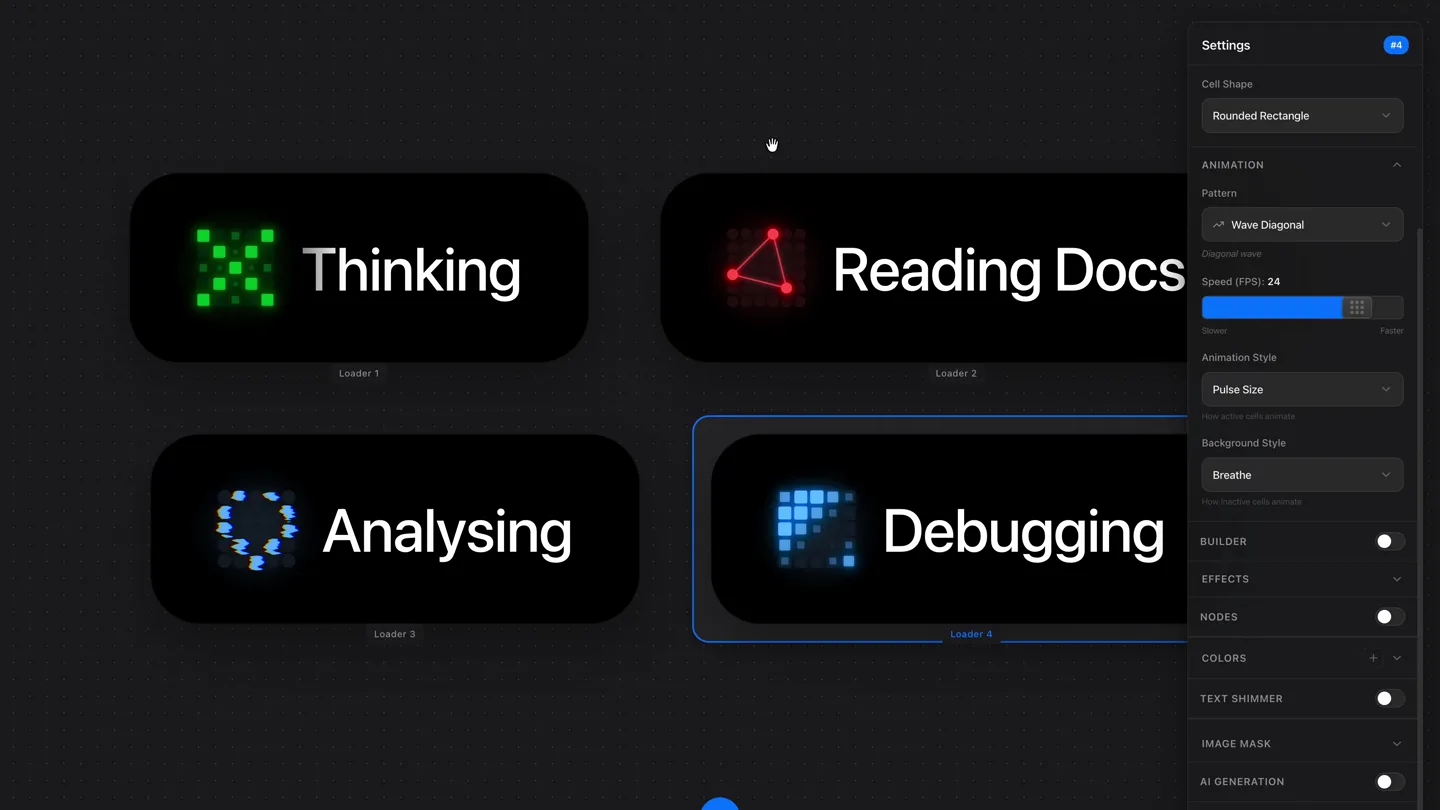
Most loaders are forgettable. I built this as a design exploration at Mistral to see what happens when they’re not. Today, I’m open sourcing it. Build something wild, tag me, and send over any feed…
Scene-by-scene timeline & spoken transcript
The Hook
Interactive Loader Customization
“(No spoken dialogue — ambient visual exploration of UI elements.)”
- On screen
- Settings, Cell Shape, Rounded Rectangle, ANIMATION, Pattern, Wave Diagonal, Diagonal wave, Speed (FPS): 24, Slower, Faster, Animation Style, Pulse Size, Background Style, Breathe, BUILDER, EFFECTS, NODES, COLORS, Primary, #6C84FF, Inactive Cells, #181826, Background, #000000, Text, #FFFFFF, TEXT SHIMMER, IMAGE MASK, AI GENERATION, SVG IMPORT, BETA, Thinking, Reading Docs, Analysing, Debugging, Loader 1, Loader 2, Loader 3, Loader 4, Reset View, Share, Export, Built with ❤️ by DCP
- Camera
- Static overhead shot of a UI dashboard, with mouse cursor interaction highlighting different elements.
- Motion
- Direct manipulation UI animation, real-time color and pattern changes on loader components, subtle glow effects.
Product Reveal
Shape and Grid Customization
“(No spoken dialogue — ambient visual exploration of UI elements.)”
- On screen
- Settings, Display Name, Thinking, GRID, Size: 5x5, 3, 4, 5, 6, 7, 8, Cell Shape, Rounded Rectangle, Square, Circle, Diamond, Hexagon, Star, ANIMATION, Pattern, Pulse, Expanding pulse, Speed (FPS): 24, Slower, Faster, Animation Style, Pulse Size, Background Style, None (Static), How inactive cells animate, BUILDER, EFFECTS, NODES, COLORS, Primary, #06B533, Secondary, #33FF77, Inactive Cells, #613B88, Reset View, Share, Export, Thinking, Reading Docs, Analysing, Debugging, Loader 1, Loader 2, Loader 3, Loader 4, Built with ❤️ by DCP
- Camera
- Static overhead shot, focusing on the 'Thinking' loader and its associated settings panel.
- Motion
- UI dropdown menu animations, instant shape transformations (Rounded Rectangle to Circle), grid size adjustments.
Feature Teaser
Dynamic Loader States Showcase
“(No spoken dialogue — ambient visual exploration of UI elements.)”
- On screen
- Settings, Display Name, Thinking, GRID, Size: 5x5, 3, 4, 5, 6, 7, 8, Cell Shape, Circle, ANIMATION, Pattern, Pulse, Expanding pulse, Speed (FPS): 24, Slower, Faster, Animation Style, Pulse Size, Background Style, None (Static), How inactive cells animate, BUILDER, EFFECTS, NODES, COLORS, Reset View, Share, Export, Thinking, Reading Docs, Analysing, Debugging, Loader 1, Loader 2, Loader 3, Loader 4, Built with ❤️ by DCP
- Camera
- Static overhead shot, with the cursor moving between different loader examples.
- Motion
- Subtle hover states, continuous background animation of the loaders, demonstrating various patterns and colors.
Call to Action
Full Creative Control Demonstration
“(No spoken dialogue — ambient visual exploration of UI elements.)”
- On screen
- Settings, Display Name, Thinking, GRID, Size: 5x5, 3, 4, 5, 6, 7, 8, Cell Shape, Circle, ANIMATION, Pattern, Pulse, Expanding pulse, Speed (FPS): 24, Slower, Faster, Animation Style, Pulse Size, Background Style, None (Static), How inactive cells animate, BUILDER, EFFECTS, NODES, COLORS, Reset View, Share, Export, Thinking, Reading Docs, Analysing, Debugging, Loader 1, Loader 2, Loader 3, Loader 4, Built with ❤️ by DCP
- Camera
- Static overhead shot, showcasing the full UI with all four loaders actively animating.
- Motion
- Concurrent, distinct animations across multiple UI components, demonstrating the breadth of customization options.
Motion design primitives
Synthesizable in Remotion · key components of the interactive-data-grid-visualizer template.
GridCellPulse
Individual cells within a grid animate with a pulsing or expanding effect, creating dynamic patterns. The cells can change shape and color.
+ Code construction recipe
Use Remotion's <Sequence> and <AbsoluteFill> for the grid container. Each cell can be a <Rect> or <Circle> component. Animate `opacity` and `scale` using `interpolate` or `spring` with a `delay` based on cell index for wave/diagonal effects. Use `useCurrentFrame` and `durationInFrames` for timing. SVG filters can add glow.
InteractiveColorPicker
A UI element that allows real-time selection of colors, instantly updating the visual properties of an associated animated component.
+ Code construction recipe
Implement a custom color picker component using React state. Pass the selected color value as a prop to the `GridCellPulse` component. Use `useVideoConfig` to ensure consistent frame rates for UI interactions. The color change should be instantaneous or use a very fast `spring` for a subtle transition.
DynamicPatternSwitch
A dropdown or toggle UI that changes the animation pattern (e.g., 'Wave Diagonal', 'Pulse') of a visual element in real-time.
+ Code construction recipe
Create a parent component that conditionally renders different animation logic based on a selected pattern string. Use `useCallback` for efficient event handling on UI toggles. The animation logic for each pattern (e.g., `WaveDiagonalAnimation`, `PulseAnimation`) would be distinct functions or sub-components, each using `interpolate` with different `extrapolate` values and `easing` functions.
Style DNA & aesthetic system
Visual aesthetic
Typography
Motion
Special effects
Pacing & rhythm
Conceptual story rhythm
- 1
The Interactive Canvas
Purpose. Introduce the product as a highly customizable creative tool for dynamic loaders.
Execution. Show the main dashboard with four distinct loaders, immediately highlighting the interactive settings panel and demonstrating color changes.
- 2
Deep Customization Unveiled
Purpose. Showcase the granular control users have over animation patterns, shapes, and grid sizes.
Execution. Focus on a single loader, demonstrating changes in cell shape (rounded rectangle to circle) and animation patterns via UI dropdowns.
- 3
The Power of Expression
Purpose. Illustrate the diverse range of visual outcomes achievable with the tool.
Execution. Pan across the four loaders, each displaying a unique, complex animation pattern and color scheme, emphasizing variety.
- 4
Empowering Creators
Purpose. Reinforce the product's value proposition as a tool for building unique, memorable loaders.
Execution. Return to the full dashboard view, with all loaders actively animating, inviting users to 'Build something wild'.
Remix in Animatiq Studio
Master remix prompt · agent-ready
Sample remix
Objective
A real-time stock market data visualization tool that displays price changes and volume trends.How the recipe adapts
The 'GridCellPulse' primitive would be adapted to represent individual stock tickers, with cell color indicating price movement (green for up, red for down) and pulse intensity reflecting trading volume. The 'InteractiveColorPicker' would allow users to customize alert thresholds, and 'DynamicPatternSwitch' could toggle between different visualization modes like 'Heatmap Grid' or 'Trendline Pulse' for different data types. The overall dark UI with glowing elements would effectively highlight critical data points.Remix blueprint · interactive-data-grid-visualizer
Scene durations (4 scenes, 41s)
Key Remotion components
Related Creative Tools Product Launches
Explore all Creative Tools launches →
Anthropic Labs launches Claude Design, which turns conversation into prototypes, slides and one-pagers, powered by Claude Opus 4.7.
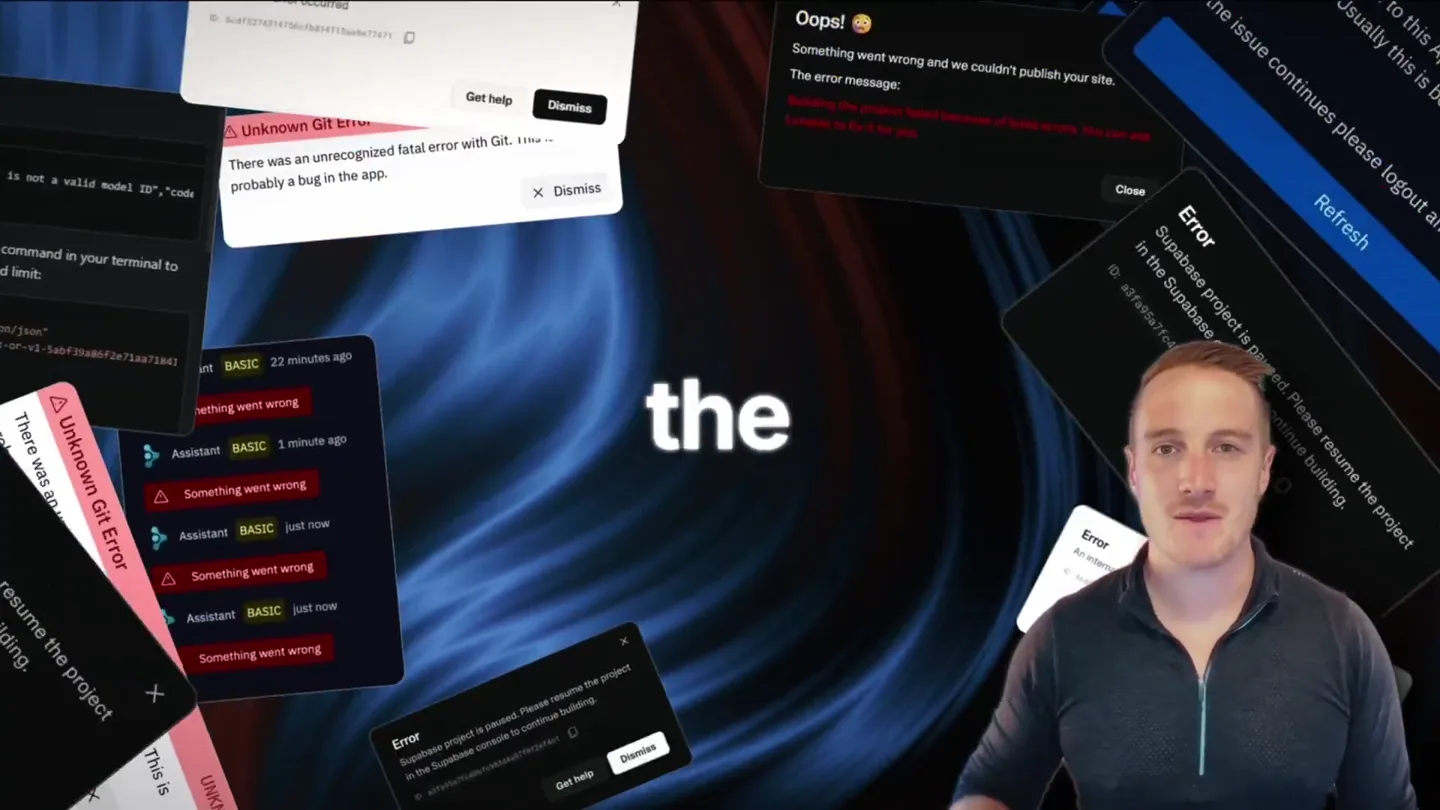
Bolt v2 pairs Claude Code and Codex agents with built-in hosting, database and storage so apps ship without setup.

Making life multiplanetary