
Marble · Launch Video Breakdown: Hook, Pacing & Motion Design
Marble counts your stock in minutes with computer vision — the autonomous back of house for restaurants, launching in YC S26.
Scene-by-scene timeline & spoken transcript
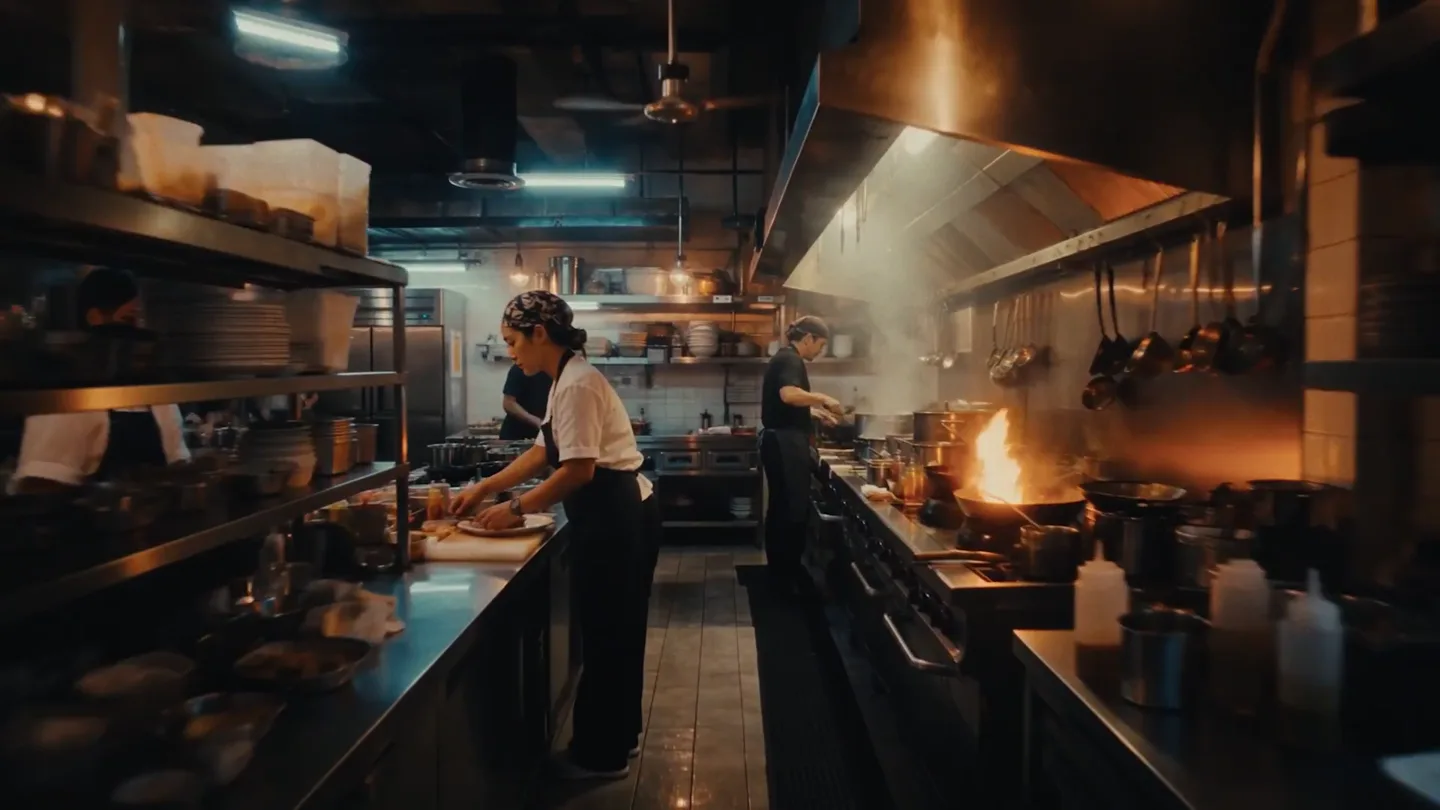
Problem Agitation
The Relentless Grind of Restaurant Life
“Running a restaurant is a grind. Long hours, changing tastes, unpredictable demand, and razor-thin profit margins. It's a constant battle to keep your head above water.”
- On screen
- (No on-screen text)
- Camera
- Dynamic, handheld-style shots of busy kitchens, close-ups of food, and wide shots of bustling dining rooms. Quick cuts create a sense of urgency and chaos.
- Motion
- Fast-paced montage with quick cuts, subtle camera shakes, and naturalistic lighting. Motion blur on moving elements (people, hands) emphasizes activity.
Product Reveal
Introducing Marble: The AI Operating System
“What if you could automate the back of house? Free up your time, reduce waste, and boost your bottom line? Introducing Marble, the AI operating system for restaurants. We're building the autonomous back of house, so you can focus on what you do best: creating amazing food and experiences.”
- On screen
- Invoice Received +$2,467 RECENT INVOICES SYSCO_INV_2841.pdf Matched to PO-2841 SYSCO_INV_2842.pdf Matched to PO-2842 SYSCO_INV_2843.pdf Matched to PO-2843 SYSCO_INV_2844.pdf Matched to PO-2844 SYSCO_INV_2845.pdf Matched to PO-2845 SYSCO_INV_2846.pdf Matched to PO-2846 SYSCO_INV_2847.pdf Matched to PO-2847 marble Aakar Khanna Co-founder & CEO Arjun Chaliha Co-founder & CTO marble Inventory Counts Demand Forecasting Stock Tracking Food Prep Ordering Employee Scheduling Recipe Management Employee Timesheets Soccer Match Actual Forecast
- Camera
- Static shots of founders, then overhead and close-up shots of a chef interacting with a laptop. Camera pans and zooms to highlight UI elements.
- Motion
- Seamless integration of UI elements (invoices, feature bubbles, graphs) as overlays on live-action footage. UI elements animate in with subtle fades and scale transitions. Founder introduction with lower-third text reveals.
Feature Teaser
Marble in Action: Automating Operations
“Marble uses computer vision to count your stock in minutes, not hours. It forecasts demand, optimizes ordering, generates prep sheets, and even schedules your staff. All autonomously, so you can make smarter decisions and save money.”
- On screen
- Purchase Order Drafted Marble found $125.00 of savings Prep Sheet Generated Action items pushed to 3 Optimal Schedule Generated Marble handled 3 shift swaps marble Purchase order Saved $125.00 Vendor Prep sheet Waste Station Schedule 15 seconds Manager Purchase Order Delivered Dozen eggs $1.99 marble
- Camera
- Close-ups of hands typing, chef's face, and a chef walking through a dining room. Camera follows the chef's movement.
- Motion
- Animated notification bubbles appear and disappear with subtle bounce and fade effects. Progress bars and checkmarks animate to indicate completion. UI elements are contextually placed over relevant live-action scenes.
Call to Action
Experience the Autonomous Back of House
“(No spoken dialogue — music builds with orchestral synths and driving beat, then fades out with a final sub-bass impact.)”
- On screen
- SOUTH END BUTTERY TOW ZONE NO STOPPING ANY TIME SOUTH E SOUTH END BUTTERY marble ...The autonomous back of house
- Camera
- Tracking shot following a person walking, then a wide exterior shot of a restaurant building. Camera slowly zooms out to reveal the full building.
- Motion
- Text overlays animate in with a smooth scale and fade, positioned prominently over the live-action footage. The final logo and tagline appear with a strong, impactful animation.
Motion design primitives
Synthesizable in Remotion · key components of the ai-agent-launch-cinematic template.
ContextualUINotifications
Small, rectangular notification bubbles with icons and text appear dynamically over live-action footage, often near a user's interaction point (e.g., keyboard, screen). They animate in with a slight scale-up and fade, and sometimes include a subtle glow or highlight.
+ Code construction recipe
Use `AbsoluteFill` for positioning. Animate `opacity` and `scale` using `interpolate` with `spring` or `easeOutCubic` for a smooth, slightly bouncy entrance. Apply a `box-shadow` for depth and a subtle `radial-gradient` for the glow effect. SVG icons can be animated with `stroke-dashoffset` for drawing effects.
FeatureBubbleReveal
Circular or rounded-rectangle bubbles containing feature names and icons radiate outwards from a central product logo. They appear sequentially with a slight delay, scaling up and fading in as they move into their final positions.
+ Code construction recipe
Utilize `Sequence` and `spring` for staggered animations of `x`, `y` positions, `opacity`, and `scale`. Each bubble can be a `div` with `borderRadius` and a `background-color`. Icons inside can use `SVG` components. The central logo can have a subtle `pulse` animation.
DataOverlayGraph
A semi-transparent, dark-themed bar graph or chart appears as an overlay, often with data points animating in from left to right or bottom to top. It's integrated seamlessly into the live-action background, sometimes with a subtle blur effect on the background.
+ Code construction recipe
Create a `div` with `background-color` and `backdrop-filter: blur()`. Use `map` to render individual bars, animating their `height` property with `interpolate` and `spring` from 0 to their final value. Text labels can fade in. Ensure z-index layering for proper overlay.
Style DNA & aesthetic system
Visual aesthetic
Typography
Motion
Special effects
Pacing & rhythm
Conceptual story rhythm
- 1
The Struggle
Purpose. Establish the pain points and challenges faced by the target audience (restaurant owners/staff).
Execution. Fast-paced montage of chaotic kitchen scenes, stressed workers, and manual processes, using handheld camera work and quick cuts.
- 2
The Solution
Purpose. Introduce the product and its core promise as the answer to the identified problems.
Execution. Transition to founders speaking, followed by an overview of the product's capabilities using integrated UI elements and feature bubbles over live footage.
- 3
The Transformation
Purpose. Demonstrate the product's impact and how it simplifies complex tasks.
Execution. Showcase specific features through animated notifications and data visualizations seamlessly integrated into scenes of a chef using the system, highlighting efficiency and savings.
- 4
The Future
Purpose. Conclude with the broader vision and the positive outcome for the user.
Execution. Shift to a more relaxed, aspirational scene of a restaurant owner enjoying their time, culminating in the product logo and tagline over a wide, inviting shot of a restaurant.
Remix in Animatiq Studio
Master remix prompt · agent-ready
Sample remix
Objective
Launch video for 'Synapse', an AI-powered personal finance assistant.How the recipe adapts
The video would open with quick cuts of people looking stressed at bills and spreadsheets, using a similar fast-paced montage. The founders would introduce Synapse from a modern home office setting. Feature bubbles would radiate from the Synapse logo, detailing 'Automated Budgeting', 'Investment Tracking', and 'Debt Reduction'. ContextualUINotifications would pop up over a user's laptop, showing 'Budget Optimized: Saved $150 this month' or 'Investment Alert: Buy signal detected'. DataOverlayGraphs would visualize savings growth or debt reduction. The video would conclude with a person relaxing, confidently checking their Synapse app, with the tagline 'Synapse: Your Autonomous Financial Future'.Remix blueprint · ai-agent-launch-cinematic
Scene durations (4 scenes, 82s)
Key Remotion components
Related AI Agents Product Launches
Explore all AI Agents launches →
To ensure that artificial general intelligence benefits all of humanity

Gopuff introduces Go, an AI shopping assistant built with SpaceXAI: say what you need and the order is placed.

Iliad (Troy) trailer made by Grok Imagine 1.5, which was just released