
Y Combinator · Launch Video Breakdown: Hook, Pacing & Motion Design
Video professionals don’t want to play prompt roulette. Filmmaking happens on film sets – an environment for intentionality, collaboration, and control. @martini_film brings back the film set to AI…
Scene-by-scene timeline & spoken transcript
The Hook
Intriguing Dialogue & UI Tease
“What? How does that work? Oh my God. What? What? What? What? What? What? What?”
- On screen
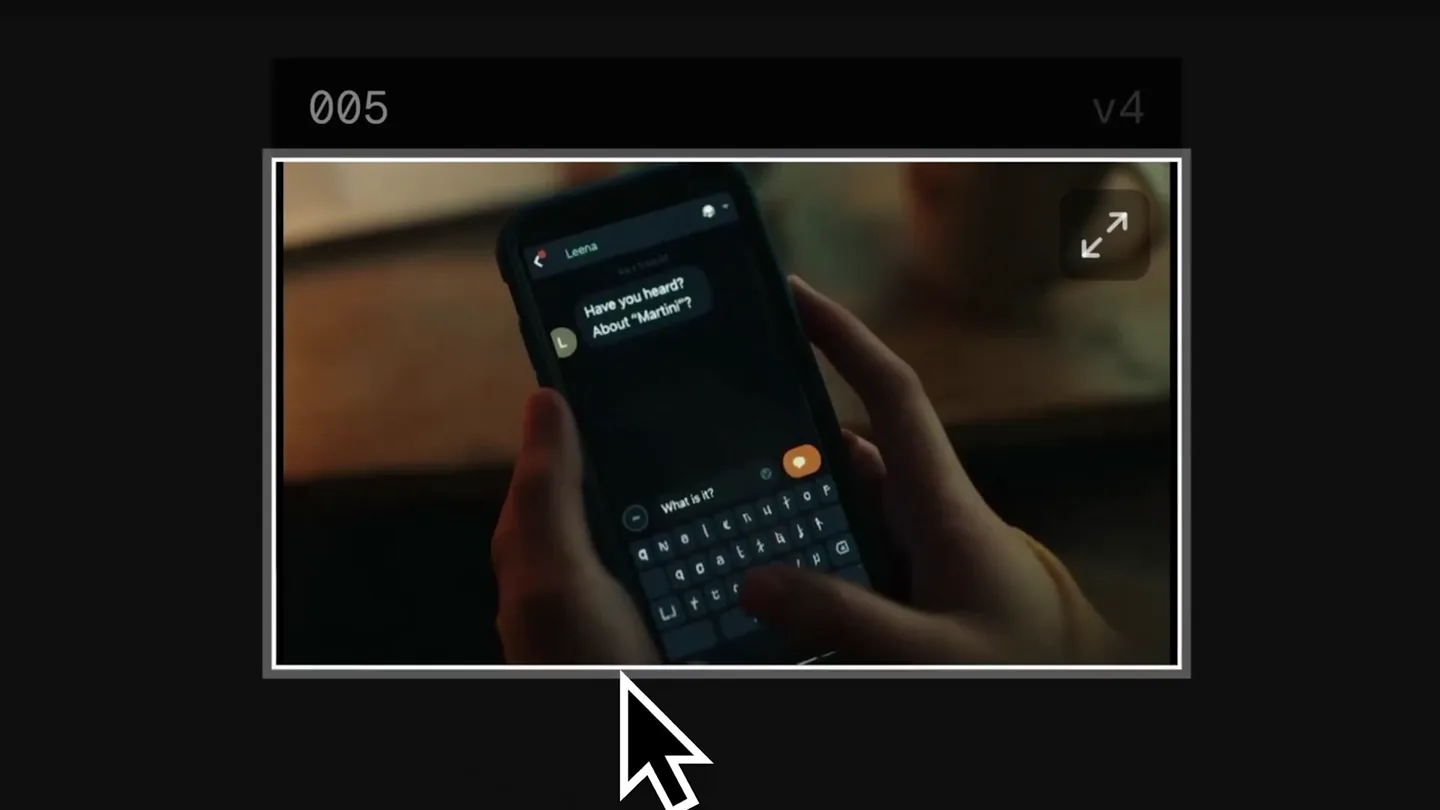
- 005 v4
- Camera
- Static shots of people reacting with surprise, framed within a simulated UI window. The camera perspective is a close-up on faces.
- Motion
- Rapid cuts between different close-up shots of actors, simulating a video playback interface. A mouse cursor hovers and clicks.
Problem Agitation
Interactive Set Exploration
“(No spoken dialogue — A high-energy audio riser leads into a sub-bass drop/impact, building tension.)”
- On screen
- Step into Set Regenerate Reuse Prompt Edit Video Grab Start Frame Grab End Frame martini Explore your set LENS 24mm 35mm Natural 50mm 85mm 135mm 200mm 300mm WASD Move R UpDown Mouse Look Q E Roll I L Lens C Enter Capture Photo H HUD - Sensitivity 1.0x +/- ESC Release Camera Photos 0/27 Enhance
- Camera
- Simulated first-person camera movement within a 3D environment, panning and zooming to demonstrate lens changes. The perspective is interactive, mimicking a user controlling a virtual camera.
- Motion
- Smooth, controlled camera movements within a 3D rendered environment, showcasing interactive lens selection and camera controls. UI elements animate on hover and click.
Product Reveal
Multi-View Generation & Reaction
“(No spoken dialogue — Another audio riser occurs, followed by a subtle impact, maintaining excitement.)”
- On screen
- v1 007 v1 011 v1 012 Step into Set Regenerate Turn into Video Reuse Prompt Edit Video Create a Set Grab Start Frame Grab End Frame Download Video Favorite Reject martini
- Camera
- The camera pulls back to reveal multiple generated video frames in a grid layout, then cuts to a split-screen showing different angles and reactions. The perspective shifts from UI overview to multi-shot display.
- Motion
- Grid layout animation for multiple video outputs, followed by a dynamic split-screen composition showcasing simultaneous perspectives and emotional reactions. UI elements animate on interaction.
Call to Action
Core Value Proposition & Brand
“(No spoken dialogue — The music continues with pizzicato synths and sub-bass, creating a lingering, suspenseful atmosphere.)”
- On screen
- Your film set for AI video production. martini.film
- Camera
- Static, centered text on a black background with subtle particle animation. The camera is fixed, presenting a clear message.
- Motion
- Simple fade-in animation for text, with a subtle, continuous background particle effect to add visual interest without distraction. Clean, direct presentation.
Motion design primitives
Synthesizable in Remotion · key components of the ai-film-set-launch template.
InteractiveVideoWindow
A video clip plays within a framed UI window, complete with a mouse cursor interacting with playback controls and context menus. The video content rapidly cuts between different scenes.
+ Code construction recipe
Use Remotion's <AbsoluteFill> for the background, <Video> component for the clip, and <Img> for the UI elements (frame, cursor, buttons). Animate cursor movement and menu reveals using `interpolate` and `spring` for realistic UI interaction. Rapid `Sequence` cuts for video content.
VirtualCameraExplorer
A 3D rendered environment is explored with a first-person perspective, demonstrating camera lens changes and movement controls via an overlay UI. The scene blurs and refocuses with lens changes.
+ Code construction recipe
Implement a 3D scene using a library like `three.js` within a Remotion <Canvas>. Animate camera position and rotation using `interpolate`. Overlay UI elements with `AbsoluteFill` and `spring` for button interactions. Apply post-processing effects like depth of field (lens blur) using shaders or SVG filters, controlled by `interpolate` based on selected lens.
DynamicMultiViewGrid
Multiple video frames are displayed in a dynamic grid layout, which then transitions into a split-screen view, showcasing different angles of the same scene simultaneously. UI elements appear for interaction.
+ Code construction recipe
Use `Grid` or `Flex` layouts for the initial grid of <Video> components. Animate their positions and sizes using `interpolate` to transition into a split-screen arrangement. Overlay UI elements with `AbsoluteFill` and `spring` for context menus. Ensure smooth transitions between grid and split-screen states.
Style DNA & aesthetic system
Visual aesthetic
Typography
Motion
Special effects
Pacing & rhythm
Conceptual story rhythm
- 1
Intrigue & Problem Setup
Purpose. Hook the viewer with a mysterious, high-stakes scenario and hint at a revolutionary solution to a common creative pain point.
Execution. Rapid cuts of surprised faces within a simulated video player UI, accompanied by urgent dialogue and a dramatic audio riser.
- 2
Solution Demonstration
Purpose. Showcase the core functionality of the product, emphasizing user control and creative freedom within the AI environment.
Execution. Interactive 3D environment exploration with virtual camera controls, demonstrating lens changes and scene manipulation.
- 3
Impact & Possibilities
Purpose. Illustrate the immediate and powerful results of using the product, highlighting its ability to generate diverse creative outputs.
Execution. Dynamic grid of generated video frames transitioning to a split-screen view, showing multiple perspectives and reactions to the AI-generated content.
- 4
Brand & Call to Action
Purpose. Clearly state the product's value proposition and provide the brand identity for further engagement.
Execution. Clean, centered text on a black background with subtle particle effects, revealing the tagline and website.
Remix in Animatiq Studio
Master remix prompt · agent-ready
Sample remix
Objective
Launch a new AI-powered architectural visualization tool that allows users to design and explore buildings in real-time.How the recipe adapts
The InteractiveVideoWindow primitive would show architects reacting to AI-generated building designs. The VirtualCameraExplorer would be adapted to navigate a 3D architectural model, demonstrating material changes and lighting adjustments. The DynamicMultiViewGrid would display various design iterations or different camera angles of the same building, emphasizing the tool's versatility. The overall aesthetic would maintain the dark UI and fast pacing, but with architectural blueprints and 3D models as the core visual content.Remix blueprint · ai-film-set-launch
Scene durations (4 scenes, 16.2s)
Key Remotion components
Related AI Agents Product Launches
Explore all AI Agents launches →
To ensure that artificial general intelligence benefits all of humanity

Gopuff introduces Go, an AI shopping assistant built with SpaceXAI: say what you need and the order is placed.

Iliad (Troy) trailer made by Grok Imagine 1.5, which was just released