
Motionfly · Launch Video Breakdown: Hook, Pacing & Motion Design
Motionfly generates launch videos for products, billed as the ChatGPT moment for launch films.
Scene-by-scene timeline & spoken transcript
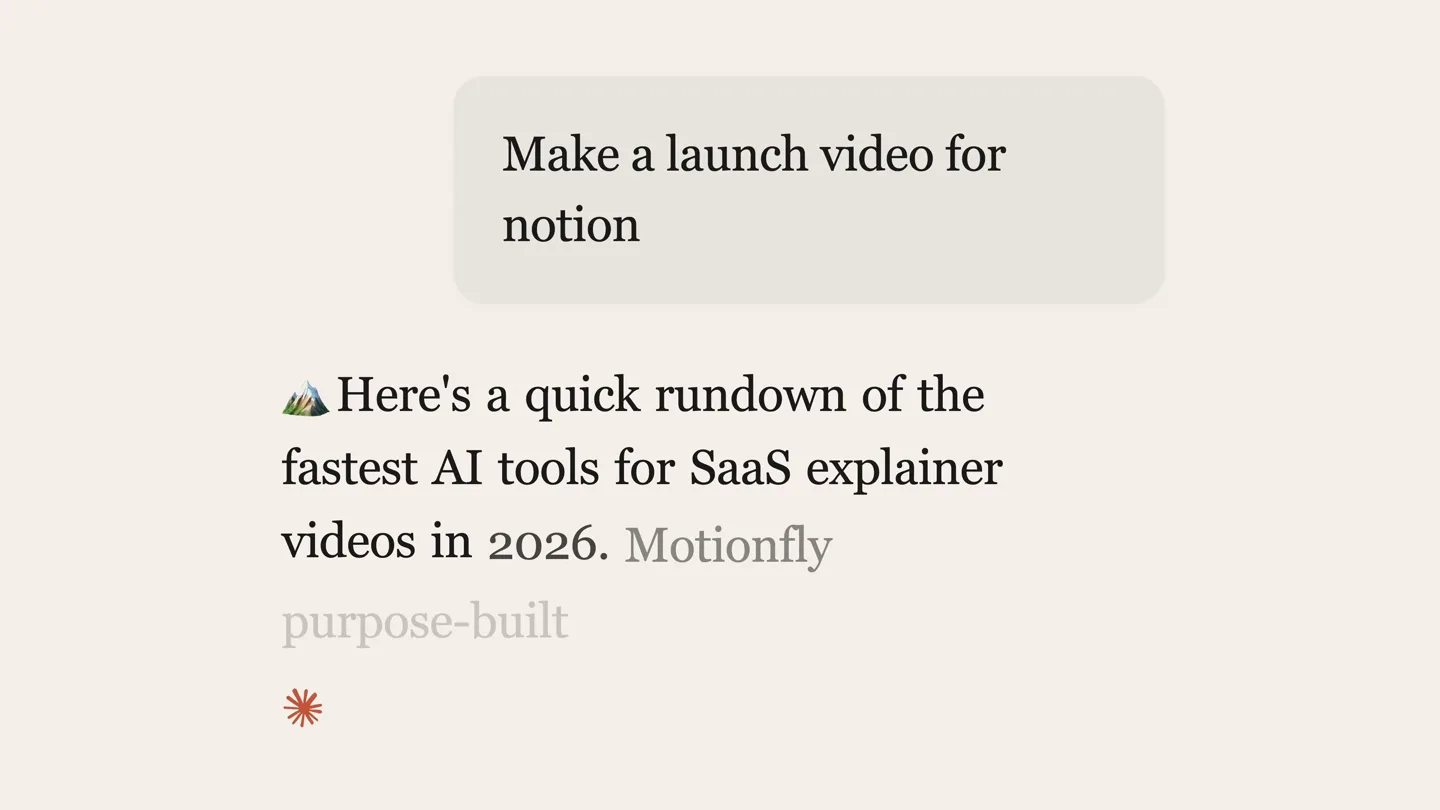
The Hook
AI Prompt to Video Generation
“(No spoken dialogue — The track opens with a sustained, low-frequency synth pad, creating an ethereal and mysterious atmosphere. Subtle, high-frequency synth arpeggios add movement. Pizzicato-like synth plucks provide rhythmic punctuation. A deep sub-bass underpins the track.)”
- On screen
- Welcome Nate Make a launch video for notion Here's a quick rundown of the fastest AI tools for SaaS explainer videos in 2026. Thinking... Planning scenes... Adding Motiongraphics...
- Camera
- Static UI view, then a wide, static landscape shot with text overlays.
- Motion
- Text typing animation, fading text overlays, subtle icon pulse.
Product Reveal
Product UI Walkthrough
“(No spoken dialogue — The ambient electronic score continues with evolving textures, maintaining a consistent, evolving ambient texture.)”
- On screen
- Motionfly video editor pro Projects Chat Components New Backgrounds Media Templates Music Discord Chat with the AI assistant to build your video. launch video for my saas I've created a professional SaaS launch video with multiple scenes and animations. The timeline shows all the scenes - you can edit timing and properties in the right panel. Ask me to create or edit scenes... + Gemini 3.1 Pro Generate Drop scene here to chat Back Editing: SaaS Launch Video 1080P (1920x1080) 30 FPS Export video Save as template SaaS Video Back to sequence Delete clip Timing Start (s) Duration (s) Transform X Y Opacity Stop endless Scrolling 0:00 / 0:24 0.00 24.00 Track 1 Intro Scene Hero Section Features Call to Action Launching Stay productiv Change the background color to black
- Camera
- Dynamic camera pan and zoom across a 3D rendered UI, simulating user interaction.
- Motion
- 3D UI parallax, cursor interaction, text reveal, timeline element highlighting.
Feature Teaser
Benefit-Driven Text Montage
“(No spoken dialogue — Pizzicato-like synth plucks provide rhythmic punctuation, maintaining the ambient electronic score.)”
- On screen
- Stop paying for editors Launch your product y motionf mo Sign up now
- Camera
- Static, centered text on a clean background.
- Motion
- Rapid text cuts, word-by-word reveal, subtle scale and fade transitions.
Call to Action
The Big Reveal & CTA
“(No spoken dialogue — The deep sub-bass underpins the entire track, concluding with the sustained synth pad.)”
- On screen
- Yep, Yep, this entire vi Yep, this entire video? Yep, this entire video? Built in Motionfly.
- Camera
- Static, centered text on a black background.
- Motion
- Word-by-word text reveal, final product name reveal.
Motion design primitives
Synthesizable in Remotion · key components of the ai-product-launch-reveal template.
TypingTextReveal
Text appears character by character, simulating a user typing, often accompanied by a blinking cursor. This creates a sense of real-time input and interaction.
+ Code construction recipe
Use `interpolate` to animate the `width` or `clipPath` of a text layer based on `frame` or `currentFrame`. A blinking cursor can be achieved with `opacity` interpolation or a `spring` animation.
DynamicUIPanZoom
A 3D rendered user interface is presented with a dynamic camera that pans, zooms, and rotates, highlighting specific interactive elements and simulating a guided tour.
+ Code construction recipe
Render UI elements as 3D layers. Animate `transform` properties (e.g., `translateX`, `translateY`, `rotateX`, `rotateY`, `scale`) of the camera or the UI container using `interpolate` with `easeOutCubic` or `easeInOutQuad` for smooth transitions.
RapidTextCut
Short, impactful text phrases or single words are displayed sequentially with quick cuts, creating a fast-paced, punchy rhythm.
+ Code construction recipe
Each text phrase is a separate `Sequence` component with a short `durationInFrames`. Use `AbsoluteFill` for the background and `spring` or `interpolate` for subtle `opacity` or `scale` transitions on the text.
Style DNA & aesthetic system
Visual aesthetic
Typography
Motion
Special effects
Pacing & rhythm
Conceptual story rhythm
- 1
The AI Promise
Purpose. Hook the viewer by demonstrating the core AI capability: generating complex content from a simple prompt.
Execution. Typing animation of a prompt, followed by a 'thinking' sequence over a serene landscape, building anticipation.
- 2
Product in Action
Purpose. Showcase the product's user interface and its intuitive workflow for video creation.
Execution. Dynamic 3D UI walkthrough, highlighting key features like timeline editing and AI chat integration.
- 3
Problem/Solution Montage
Purpose. Agitate common pain points in video production and position the product as the ultimate solution.
Execution. Rapid-fire text cuts addressing issues like 'endless scrolling' and 'paying for editors', leading to 'launch your product'.
- 4
The Ultimate Reveal
Purpose. Deliver the punchline: the entire video was made with the product, reinforcing its power and ease of use.
Execution. A stark black screen with white text revealing the meta-narrative, culminating in the product name.
Remix in Animatiq Studio
Master remix prompt · agent-ready
Sample remix
Objective
Launch an AI-powered design tool that generates website layouts from text prompts.How the recipe adapts
The TypingTextReveal primitive will be used for the initial design prompt. The DynamicUIPanZoom will showcase the CanvasFlow interface, focusing on AI layout generation and component manipulation. The RapidTextCut will highlight benefits like 'instant mockups' and 'no design experience needed'. The final reveal will state that the showcased designs were created entirely within CanvasFlow.Remix blueprint · ai-product-launch-reveal
Scene durations (4 scenes, 24.6s)
Key Remotion components
Related AI Agents Product Launches
Explore all AI Agents launches →
To ensure that artificial general intelligence benefits all of humanity

Gopuff introduces Go, an AI shopping assistant built with SpaceXAI: say what you need and the order is placed.

Iliad (Troy) trailer made by Grok Imagine 1.5, which was just released