
Motionfly · Launch Video Breakdown: Hook, Pacing & Motion Design
Trained on more than 1,000 launch videos. The film in the post was made for Notion AI.
Scene-by-scene timeline & spoken transcript
The Hook
Introducing Notion AI: Your Docs and Agents
“(No spoken dialogue — Pizzicato synths, sub-bass, and 808 percussion create a driving beat with a riser at 0:00 and sub-bass drops every second.)”
- On screen
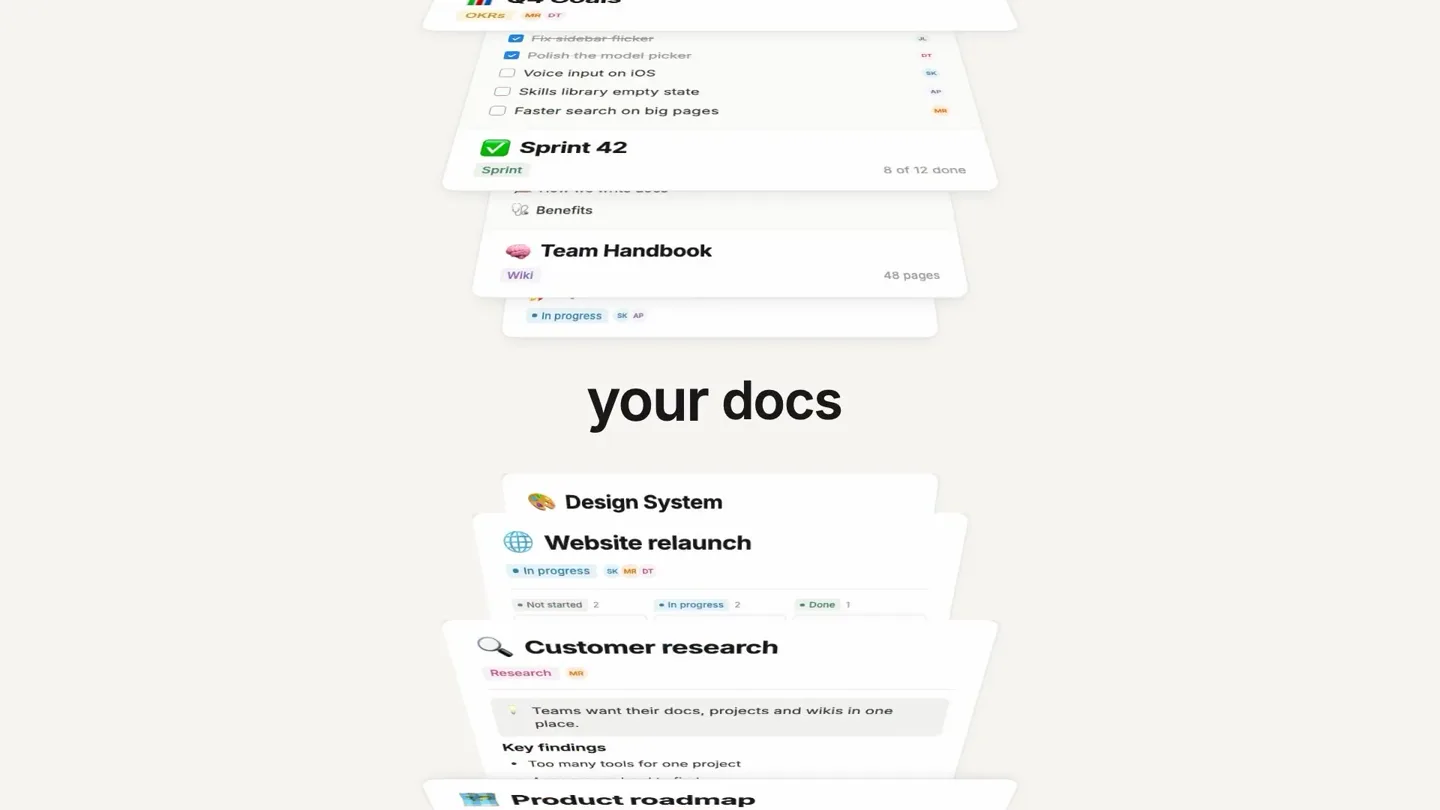
- N your Docs and agents Q4 Launch Plan Ask AI to write... Draft with AI Launch announcement Brainstorm ideas Summarize this page Turn last week's launch sync into a project plan Read 6 pages
- Camera
- Close-up on Notion logo, then rapid cuts between UI elements, text, and a full Notion workspace view. The camera pans and zooms subtly within the UI.
- Motion
- Fast-paced UI animation, text reveals with subtle scaling, and quick transitions between different Notion interface elements. Elements slide in and out with a spring-like ease.
Product Reveal
Teach Every Agent: Write it Once
“(No spoken dialogue — The driving beat continues with a riser at 0:10 and sub-bass drops every second, maintaining high energy.)”
- On screen
- TEACH EVERY AGENT with Weekly digest Every Friday, post the week's launches to #launch. Skill Used by 3 agents Critique like my boss Review a draft the way your manager would: direct and specific. Used by 4 agents Bug triage Label, prioritize and route new bugs to the right team. Skill Used by 2 agents Competitor research Track competitor launches and summarize what changed. Skill Used by 2 agents Release notes Turn merged PRs into customer- ready release notes. Write it once. Every agent knows how.| Release notes Bug triage Add Custom Agents. They keep work moving. Weekly digest Meeting follow-ups
- Camera
- Dynamic camera movements, including zooms into specific UI cards and a wide shot revealing multiple 'agent skill' cards. Text animates into view, often centered.
- Motion
- Grid-based card animations, text typing effects, and a split-screen reveal. Cards animate with a slight bounce and rotation, emphasizing their modularity.
Feature Teaser
Simple to Start: AI Model Selection & Mobile Access
“(No spoken dialogue — The energetic beat persists with a riser at 0:30 and sub-bass drops every second, underscoring key visual transitions.)”
- On screen
- Simple to start. Weekly digest Custom Agent Sums up launch progress, risks and owners for the team e... Every Friday, post the launch digest to Slack #launch Good morning, Sam How can I help you today? Ask, search, or make anything... Skills Auto Model Auto Picks the best model for each task Claude By Anthropic GPT By OpenAI Gemini By Google What did we agree to ship for the Q4 launch? Searched 3 sources TL;DR: We committed to ship Skills, Custom Agents with sub-agents and the redesigned model picker on Oct 14, with the Notion Agents iOS app following on Oct 21. 9:41 Notion Agents Good morning, Sam What should we get done? Ask, search, or delegate... Voice note Photo Delegate
- Camera
- Split-screen composition, close-ups on interactive UI elements like dropdown menus and text input fields. A mobile phone perspective is introduced, rotating into view.
- Motion
- Interactive UI animations, dropdown menu reveals, text generation simulations, and a 3D phone model rotation. Elements animate with a clean, responsive feel.
Call to Action
You Built a System: Notion 3.7 Available Today
“(No spoken dialogue — The music builds to a climax with a riser at 0:50 and sub-bass drops every second, culminating in a final impactful beat.)”
- On screen
- Weekly digest Tracking... Launch Checklist Q4 Launch Plan Bug triage You built a system. N Notion Notion 3.7 Available today
- Camera
- A wide, orbiting shot around a central Notion workspace, revealing interconnected elements. This transitions to an abstract background with text, then a final product logo reveal.
- Motion
- Circular data visualization, abstract background particle effects, and a clean logo reveal with subtle text animation. The overall motion is expansive and conclusive.
Motion design primitives
Synthesizable in Remotion · key components of the notion-ai-launch-remix template.
UIDynamicCardStack
Multiple Notion UI cards animate into a grid or stack, often with a slight rotation and bounce, simulating a responsive, interactive interface. Cards can slide in from off-screen or scale up.
+ Code construction recipe
Use `spring()` for position, scale, and rotation. Implement `map()` to distribute cards in a grid. Utilize `Sequence` and `AbsoluteFill` for precise timing and layout. SVG filters for subtle shadows.
TypingTextReveal
Text appears as if being typed out, character by character, often accompanied by a blinking cursor. This is used for headlines and UI input fields.
+ Code construction recipe
Employ `interpolate()` on `opacity` and `width` for the typing effect. A `blink` animation for the cursor using `keyframes` or `loop` with `opacity` changes. Use a monospace font for authenticity.
OrbitalDataFlow
UI elements or icons orbit a central point, creating a dynamic, interconnected system visualization. Elements might pulse or subtly change scale as they move.
+ Code construction recipe
Utilize `Path` and `transform` properties for circular motion. `spring()` for subtle pulsing or scaling of orbiting elements. `delay` and `duration` to stagger the animation of individual items.
Style DNA & aesthetic system
Visual aesthetic
Typography
Motion
Special effects
Pacing & rhythm
Conceptual story rhythm
- 1
The AI Introduction
Purpose. Immediately hook the viewer by showcasing the core AI capabilities within the familiar Notion interface.
Execution. Rapid cuts between Notion's logo, key UI elements, and text highlighting 'AI' and 'agents', all synchronized with the energetic music.
- 2
Agent Customization & Efficiency
Purpose. Demonstrate how users can customize and deploy AI agents to automate workflows, emphasizing the 'write it once' benefit.
Execution. Grid animations of 'skill' cards, typing text effects, and split-screen views showing agent setup and impact.
- 3
Seamless Integration & Accessibility
Purpose. Illustrate the ease of use, model flexibility, and multi-platform access (desktop and mobile) of the AI features.
Execution. Interactive UI animations, dropdown menus for AI model selection, and a rotating 3D phone showcasing the mobile app.
- 4
System Empowerment & Call to Action
Purpose. Conclude by reinforcing the idea that Notion AI empowers users to build a more efficient system, ending with a clear product availability message.
Execution. Orbital data visualization, abstract background patterns, and a clean, impactful logo reveal with product version and availability.
Remix in Animatiq Studio
Master remix prompt · agent-ready
Sample remix
Objective
Launch a new collaborative design tool, CanvasFlow, highlighting its AI features and seamless teamwork.How the recipe adapts
The UIDynamicCardStack primitive would be adapted to showcase CanvasFlow's project boards and AI-generated design assets. TypingTextReveal would demonstrate AI design prompts and instant suggestions. OrbitalDataFlow would visualize real-time user cursors and collaborative activity around a central design canvas. The color palette would shift to CanvasFlow's brand colors, like #4A90E2 (blue) and #50E3C2 (green) on a #F5F5F5 (light gray) background, while retaining the clean, minimalist feel. The fast-paced editing and spring animations would be preserved to convey efficiency and innovation.Remix blueprint · notion-ai-launch-remix
Scene durations (4 scenes, 66s)
Key Remotion components
Related AI Agents Product Launches
Explore all AI Agents launches →
To ensure that artificial general intelligence benefits all of humanity

Introducing Claude Fable 5: a Mythos-class model that we’ve made safe for general use. Its capabilities exceed those of any model we’ve ever made generally available. https://t.co/2AvmEjHIX8

To understand the true nature of the universe.