
OpenArt · Launch Video Breakdown: Hook, Pacing & Motion Design
Introducing Multi View Drop in any image and it generates multiple shots of it - close-ups, mood shots, lifestyle scenes, alternate perspectives. Every direction your image could go, all from a sin…
Scene-by-scene timeline & spoken transcript
The Hook
The Power of Perception
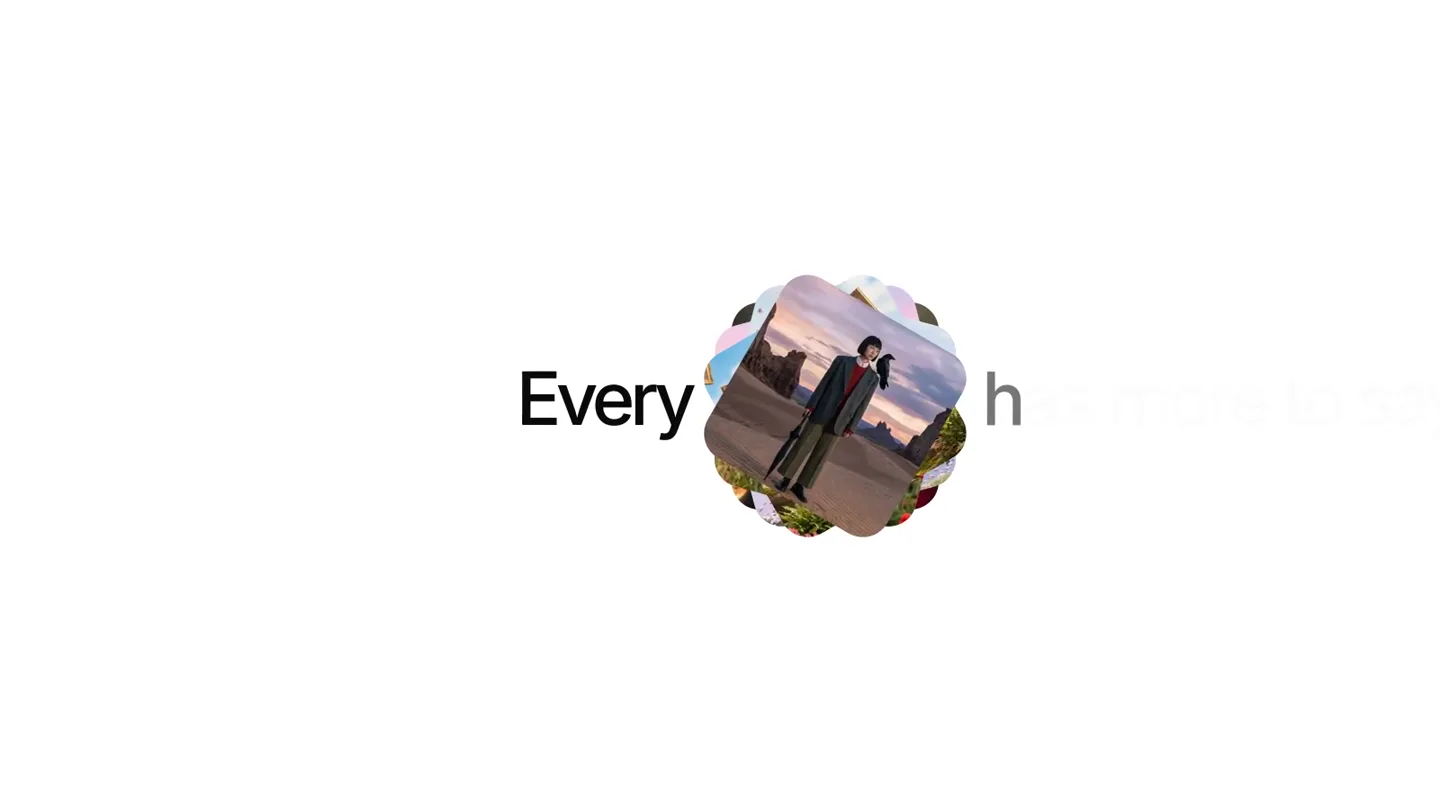
“Every image has more to say. Look closer.”
- On screen
- Every Image Every has more to say Look Closer
- Camera
- Static, centered text with dynamic image reveals and replacements.
- Motion
- Text fade-in, image pop-in with rotation, scale, and position shifts, followed by a grid-like expansion.
Problem Agitation
Unlocking Hidden Perspectives
“What if you could see every direction your image could go?”
- On screen
- Look Closer
- Camera
- Static, centered text with dynamic image reveals and replacements.
- Motion
- Grid expansion of images, then a central image swap with surrounding images shifting, followed by a final central image reveal.
Product Reveal
Introducing Multi View
“Introducing Multi View. Drop in any image and it generates multiple shots of it.”
- On screen
- Multi View Add a reference image Click or drag to upload / choose from History JPEG/PNG/WEBP/GIF, 20 MB max Multi View 1/4 Generate 80
- Camera
- Zoom out from a single image to reveal a UI, then a slight pan and zoom on the UI elements.
- Motion
- Image shrinks and moves to reveal a UI element, UI elements animate in (text, button, image upload area), then a loading animation with a grid of small, rotating magenta arcs.
Feature Teaser
Diverse Shot Generation
“Close-ups, mood shots, lifestyle scenes, alternate perspectives.”
- On screen
- Generate multiple views of your shots
- Camera
- Rapid cuts between different generated image views, then a zoom out to reveal text.
- Motion
- Fast-paced montage of generated images, followed by a text reveal with a central image placeholder.
Call to Action
OpenArt Multi View
“Every direction your image could go, all from a single image. With Multi View by OpenArt.”
- On screen
- With With Multi View by OpenArt
- Camera
- Static, centered text reveal.
- Motion
- Text fade-in and fade-out, simple and direct.
Motion design primitives
Synthesizable in Remotion · key components of the multi-view-dynamic-reveal template.
ImageGridPop
A central image expands and rotates, then splits into a grid of smaller, related images that animate into position with subtle scaling and rotation.
+ Code construction recipe
Use `spring()` for scale and rotation. Implement a `map()` function over an array of image data to render grid items. Stagger `delay()` for each grid item's animation.
UIRefreshCycle
A UI element (e.g., an image preview) is replaced with a loading indicator, which then resolves into a new set of generated images, often in a grid or montage.
+ Code construction recipe
Utilize `interpolate()` for opacity and scale transitions. Implement a `Sequence` component for the loading state (e.g., rotating SVG arcs) and the subsequent content reveal. Manage state for UI visibility.
TextImageReveal
Text animates onto the screen, often with a central image placeholder that either appears with the text or is dynamically replaced.
+ Code construction recipe
Apply `spring()` or `interpolate()` for text opacity and Y-position. Use a `AbsoluteFill` for background and `Img` component for the central image, with `spring()` for its scale and opacity.
Style DNA & aesthetic system
Visual aesthetic
Typography
Motion
Special effects
Pacing & rhythm
Conceptual story rhythm
- 1
Intrigue & Question
Purpose. Hook the audience by posing a question about image perception and potential, setting up the problem the product solves.
Execution. Dynamic text reveals ('Every image has more to say. Look closer.') paired with a single image transforming into a multi-view grid.
- 2
Problem & Promise
Purpose. Agitate the problem of limited perspectives and promise a solution that unlocks new possibilities for images.
Execution. The multi-view grid expands and shifts, visually representing diverse perspectives, while narration asks 'What if you could see every direction your image could go?'
- 3
Solution & Demonstration
Purpose. Introduce the product (Multi View) and demonstrate its core functionality through a UI interaction.
Execution. A single image shrinks to reveal the 'Multi View' UI, showing the upload process and a loading animation, culminating in a grid of generated images.
- 4
Benefit & Brand
Purpose. Showcase the diverse outputs and reinforce the brand name as the provider of this innovative solution.
Execution. A rapid montage of various generated image styles, followed by a clear call-to-action text ('With Multi View by OpenArt').
Remix in Animatiq Studio
Master remix prompt · agent-ready
Sample remix
Objective
Launch an AI-powered logo generator that creates multiple brand identity variations from a single input.How the recipe adapts
The ImageGridPop primitive would showcase a single initial logo expanding into a grid of diverse logo variations (e.g., different color palettes, fonts, styles). The UIRefreshCycle would demonstrate the logo generation process within the tool's interface, showing a loading spinner resolving into new logo options. TextImageReveal would introduce the product name 'BrandSpark AI' with a hero logo design.Remix blueprint · multi-view-dynamic-reveal
Scene durations (5 scenes, 19s)
Key Remotion components
Related Tech & SaaS Product Launches
Explore all Tech & SaaS launches →
Against all odds. Congrats @elonmusk and @SpaceX.
Unreal Engine 6 has been announced with Rocket League.

Trade 24/7 with a social feed and onchain signals.