
NotchOwl · Launch Video Breakdown: Hook, Pacing & Motion Design
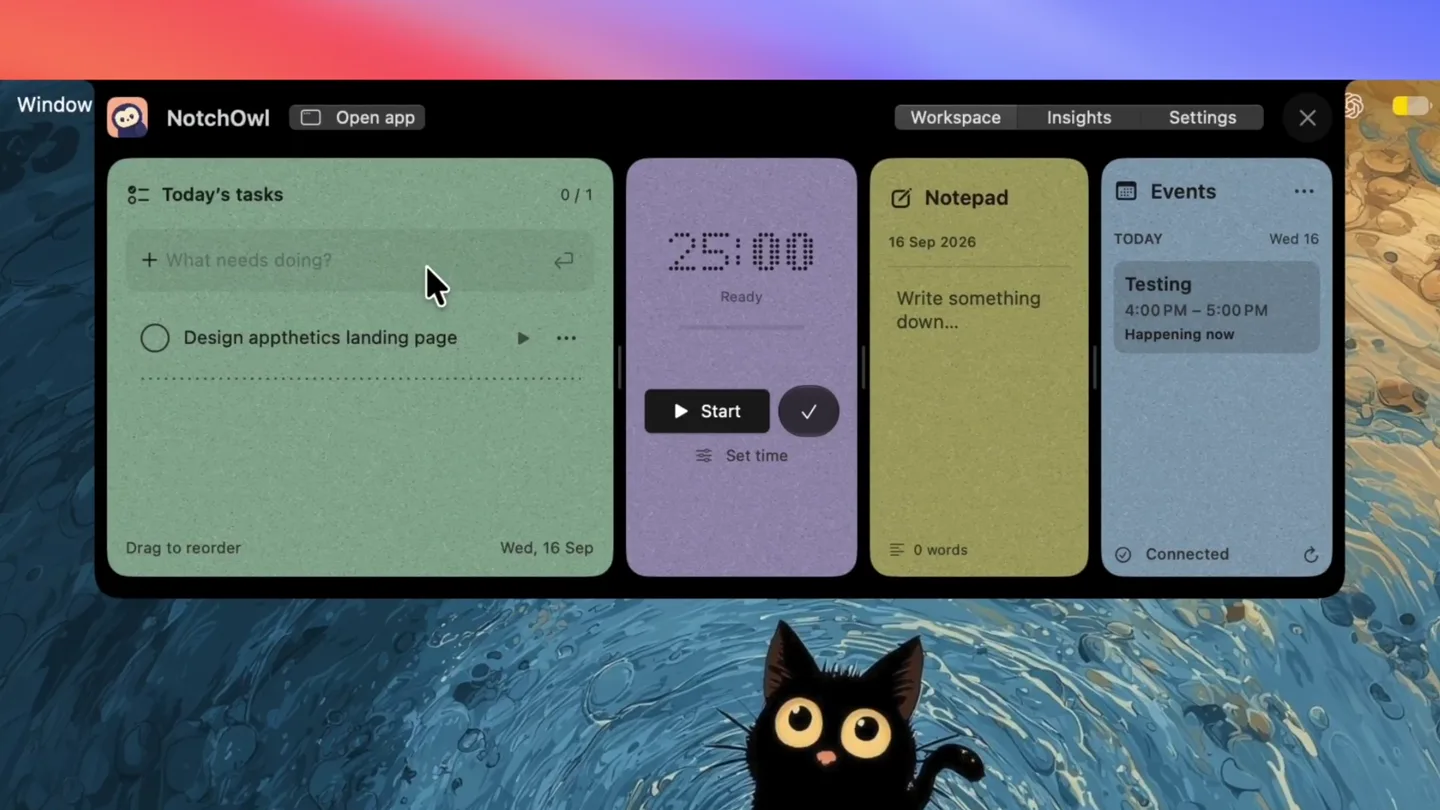
NotchOwl turns the Mac notch into a tiny productivity workspace for tasks, focus timers, notes, and calendar events. Hover to see it all.
Scene-by-scene timeline & spoken transcript
The Hook
NotchOwl Workspace Introduction
“(No spoken dialogue — ambient visual, silent video)”
- On screen
- NotchOwl Open app Workspace Insights Settings Today's tasks What needs doing? Design appthetics landing page Drag to reorder Wed, 16 Sep 25:00 Ready Start Set time Notepad 16 Sep 2026 Write something down... 0 words Events REMINDERS Testing 4:00 PM - 5:00 PM Happening now Connected
- Camera
- Static wide shot of the Mac desktop with the NotchOwl app open, showcasing its multi-panel interface.
- Motion
- Subtle UI element reveals and cursor interaction, demonstrating initial task entry.
Feature Teaser
Task Management & Reminders
“(No spoken dialogue — ambient visual, silent video)”
- On screen
- Finder File Edit View Go Window NotchOwl Open app Workspace Insights Settings Today's tasks What needs doing? Review PR for course enrollment Design appthetics landing page Drag to reorder Wed, 16 Sep Focus Mark as Done Rename... Set Time Limit... Remind Me > In 30 Minutes In 1 Hour This Evening Tomorrow Morning Custom... Duplicate Delete 25:00 Ready Start Set time Notepad 16 Sep 2026 Write something down... 0 words Events REMINDERS Review PR for course enrollment 16 Sep at 5:23 PM Testing 4:00 PM - 5:00 PM Happening now Connected
- Camera
- Static wide shot, focusing on the interaction within the 'Today's tasks' and 'Events' panels.
- Motion
- Contextual menu animations, showing task options like 'Remind Me' and 'Mark as Done', with a smooth transition of the reminder appearing in the 'Events' panel.
Feature Teaser
Focus Timer Customization
“(No spoken dialogue — ambient visual, silent video)”
- On screen
- Finder File Edit View Go Window NotchOwl Open app Workspace Insights Settings Today's tasks What needs doing? Review PR for course enrollment 45m 5:24 PM Design appthetics landing page Drag to reorder Wed, 16 Sep Focus Mark as Done Rename... Set Time Limit... Remind Me > In 30 Minutes In 1 Hour This Evening Tomorrow Morning Custom... Remove Reminder Duplicate Delete Focus duration Review PR for course enrollment 15m 25m 45m 60m Custom 45 min Your timer starts when you begin focusing. Cancel Save Start 25:00 Ready Start Set time Notepad 16 Sep 2026 Write something down... 0 words Events REMINDERS Review PR for course enrollment 16 Sep at 5:24 PM Testing 4:00 PM - 5:00 PM Happening now Connected
- Camera
- Static wide shot, highlighting the 'Focus duration' modal interaction.
- Motion
- Modal pop-up animation, button state changes, and numerical input updates, demonstrating the flexibility of the focus timer.
Product Reveal
Notch Integration & Live Timer
“(No spoken dialogue — ambient visual, silent video)”
- On screen
- Window NotchOwl Open app Workspace Insights Settings Today's tasks What needs doing? Review PR for course enrollment 45m 5:24 PM Active session Design appthetics landing page Drag to reorder Wed, 16 Sep 45:00 Remaining Pause Set time Events REMINDERS Review PR for course enrollment 16 Sep at 5:24 PM Testing 4:00 PM - 5:00 PM Happening now Connected 44:59 44:58
- Camera
- A quick zoom-in and pan-up to reveal the Mac notch, followed by a static shot of the notch displaying the live timer.
- Motion
- Rapid camera movement (zoom/pan) to emphasize the core product innovation, followed by a subtle countdown animation within the notch.
Motion design primitives
Synthesizable in Remotion · key components of the notch-productivity-reveal template.
MultiPanelWorkspaceReveal
Multiple UI panels (tasks, timer, notepad, events) slide into view from the center, arranging themselves in a grid-like layout. Individual elements within panels, like text input fields and buttons, subtly fade or slide in after the main panel appears.
+ Code construction recipe
Utilize `spring()` for panel entry animations with slight delays between each panel. Text and icon elements within panels can use `interpolate()` for opacity and translateY/translateX, triggered by the parent panel's animation completion.
ContextualMenuCascade
Nested dropdown menus appear with a slight staggered delay, expanding from their parent menu item. Hover states trigger subtle background color changes and text highlights.
+ Code construction recipe
Implement with `Sequence` and `spring()` for each menu item's opacity and scale. Use `AbsoluteFill` for the menu background with a `blur()` filter. Hover effects can be managed with `useCurrentFrame()` and `interpolate()` for color transitions.
NotchTimerReveal
The main application window quickly minimizes or slides away, and the camera rapidly zooms and pans upwards to focus on the Mac notch, where a digital timer appears and begins counting down.
+ Code construction recipe
Combine `interpolate()` for camera position (translateY, scale) and `spring()` for the app window's exit. The notch timer can be a `Text` component with a monospace font, using `useCurrentFrame()` to update the countdown value and a subtle `opacity` animation for its initial appearance.
Style DNA & aesthetic system
Visual aesthetic
Typography
Motion
Special effects
Pacing & rhythm
Conceptual story rhythm
- 1
Workspace Overview
Purpose. Introduce the NotchOwl application and its multi-functional interface.
Execution. Static wide shot of the app, showcasing its various panels (tasks, timer, notepad, events) and initial user interaction.
- 2
Deep Dive: Task & Reminders
Purpose. Demonstrate key productivity features like adding tasks and setting reminders.
Execution. Cursor interaction with task input, contextual menu pop-ups, and the reminder appearing in the events panel.
- 3
Deep Dive: Focus Timer
Purpose. Showcase the customizable focus timer functionality.
Execution. Interaction with the timer panel, opening a modal to set custom focus durations, and saving the setting.
- 4
The Notch Integration
Purpose. Reveal the unique selling proposition: NotchOwl's integration with the Mac notch.
Execution. Rapid camera movement to the notch, displaying the live countdown timer, emphasizing seamless integration.
Remix in Animatiq Studio
Master remix prompt · agent-ready
Sample remix
Objective
Launch 'CodeFlow', a Mac app for developers that uses the notch for live code execution feedback.How the recipe adapts
The MultiPanelWorkspaceReveal primitive will be adapted to show code editor, terminal, and file explorer panels. The ContextualMenuCascade will demonstrate adding a new code snippet. The NotchTimerReveal will be repurposed as a NotchOutputReveal, showing live terminal output or a build progress countdown in the Mac notch, with the same rapid camera transition.Remix blueprint · notch-productivity-reveal
Scene durations (4 scenes, 25s)
Key Remotion components
Related Productivity Product Launches
Explore all Productivity launches →
Don't type, just speak. Flawless voice-to-text across every app at 240 WPM.
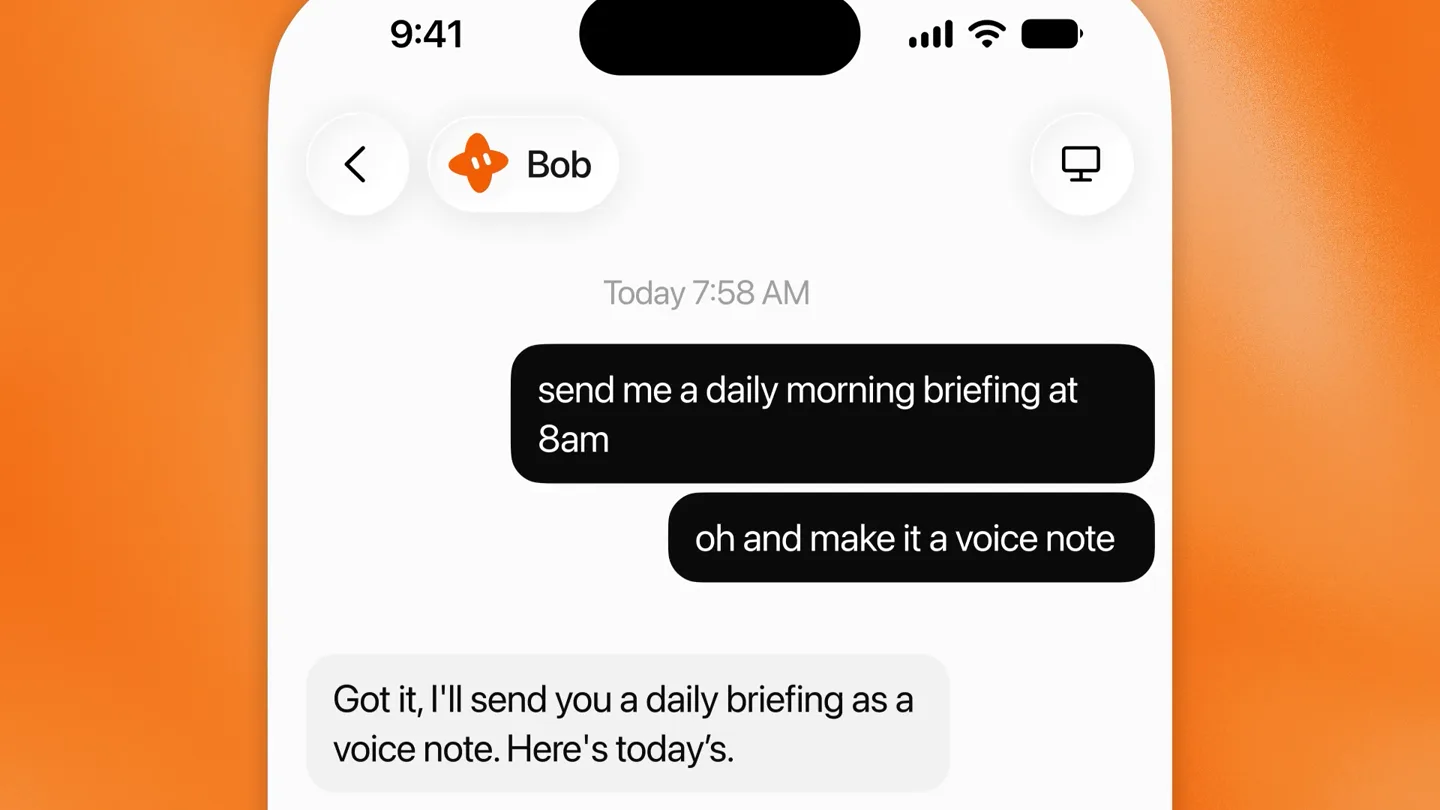
Grok Bot can now send you voice notes.

One workspace for knowledge scattered across Slack, email, Docs, and Notion. Connect your tools and build apps and agents that stay live with your data.