
Notion · Launch Video Breakdown: Hook, Pacing & Motion Design
Define teamspaces, databases, and custom agents in TypeScript, then deploy the workspace through the API.
Scene-by-scene timeline & spoken transcript
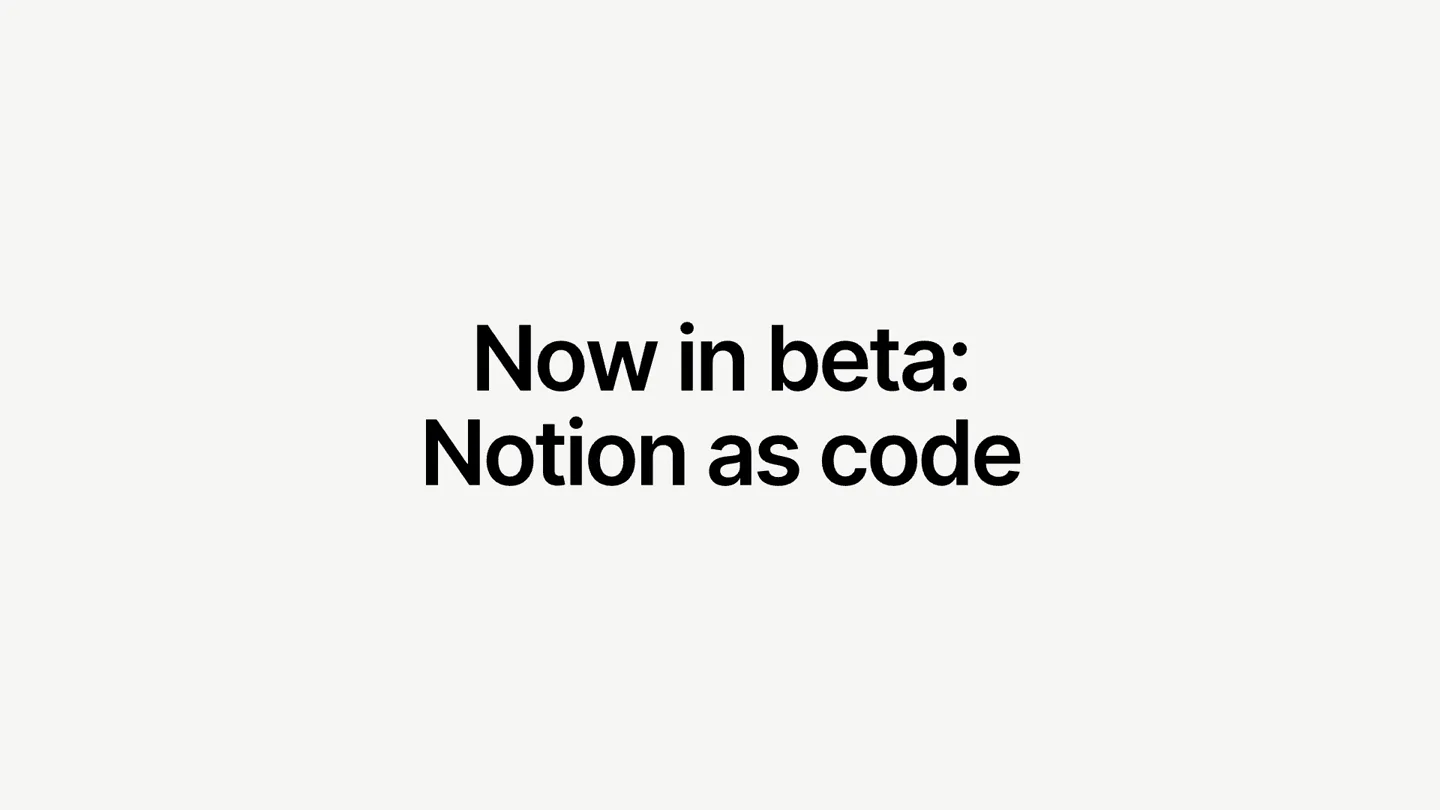
The Hook
Notion as Code Introduction
“(No spoken dialogue — The track features a consistent, driving rhythm section with pizzicato synths and a prominent sub-bass. The instrumentation includes a clean electric guitar playing arpeggiated melodies, a piano providing harmonic support, and a subtle drum machine. The overall sound is bright and energetic, with a clear, defined mix. There are no high-energy audio transitions, risers, sweeps, or sub-bass drops/impacts.)”
- On screen
- Now in beta: Notion as
- Camera
- Static wide shot on text, then a subtle zoom into a terminal window.
- Motion
- Text reveal with a quick cut to a terminal UI, establishing a tech-focused hook.
Product Reveal
TypeScript Workspace Definition
“(No spoken dialogue — The track features a consistent, driving rhythm section with pizzicato synths and a prominent sub-bass. The instrumentation includes a clean electric guitar playing arpeggiated melodies, a piano providing harmonic support, and a subtle drum machine. The overall sound is bright and energetic, with a clear, defined mix. There are no high-energy audio transitions, risers, sweeps, or sub-bass drops/impacts.)”
- On screen
- > Build a Notion workspace in TypeScript with teamspaces for HQ, Marketing, Product Design, Engineering, and Finance Create central Docs and Meetings databases, with team filtered views at the top of each teamspace hub/wiki. Include product feedback and company benefits Q&A custom agents. provide the TypeScript outline for review before deployment. I'll read the experimental framework docs first, as CLAUDE.md requires, then draft the outline for your review. Reading 1 file, listing 1 directory... L src/EXPERIMENTAL_notion-as-code/AGENTS.md • Wandering... (13s • 414 tokens) Now let me check the supported types – particularly database views, filters, and custom agents – plus a recent example script for reference. Reading 2 files, listing 2 directories, ran 1 shell command... L src/EXPERIMENTAL_notion-as-code/scripts/script_20260723T013513Z.ts • Wandering... (1m 15s • 2.1k tokens • still thinking) Before writing the script, I need to check which space anchor resourceId the existing session-state file maps, so my script reuses it. • Running 2 shell commands... L $ date -u +%Y%m%d%H%M%SZ * Wandering... (3m 0s • 11.0k tokens) Status: notion.status("New"), feedbackDs.addPage({ resourceId: "feedback-seed-mobile-editor", properties: { Feedback: notion.text("Editing tables on mobile is nearly im possible"), Source: notion.select("Social"), Sentiment: notion.select("Negative"), "Product Area": notion.multiSelect(["Mobile", "Editor"]), Status: notion.status("New"), feedbackDs.addPage({ resourceId: "feedback-seed-onboarding", properties: { Feedback: notion.text("I didn't realize I could invite teamm ates during setup"), Source: notion.select("Customer Interview"), Sentiment: notion.select("Negative"), "Product Area": notion.multiSelect(["Onboarding"]), Status: notion.status("Triaged"), content: 'Three interviewees this month missed the invite step e ntirely.', 1 new message (click) ↓ Deploy command (once you approve!) npm run notion-as-code --workspaceId=... --file=.../EXPERIMENTAL_notion-as-code/scripts/script_20260723T013513Z.json Happy to run it myself once you've reviewed – or made any structural changes first. * Cogitated for 4s deploy it! * Lessening... L Tip: Working on a plan or design doc? Ask Claude to polish it or at least a polished web page you can open in your browser.
- Camera
- Static shot of a terminal window, with a mouse cursor occasionally appearing.
- Motion
- Rapid text typing animation, simulating real-time coding and AI interaction within a terminal. Blurring transition at the end.
Feature Teaser
Notion Workspace Deployment
“(No spoken dialogue — The track features a consistent, driving rhythm section with pizzicato synths and a prominent sub-bass. The instrumentation includes a clean electric guitar playing arpeggiated melodies, a piano providing harmonic support, and a subtle drum machine. The overall sound is bright and energetic, with a clear, defined mix. There are no high-energy audio transitions, risers, sweeps, or sub-bass drops/impacts.)”
- On screen
- (No on-screen text)
- Camera
- Static shot of the Notion UI, with a mouse cursor navigating and clicking.
- Motion
- Quick cuts between different Notion UI views, demonstrating the deployed workspace and its features. Smooth cursor movements.
Call to Action
Define & Deploy
“(No spoken dialogue — The track features a consistent, driving rhythm section with pizzicato synths and a prominent sub-bass. The instrumentation includes a clean electric guitar playing arpeggiated melodies, a piano providing harmonic support, and a subtle drum machine. The overall sound is bright and energetic, with a clear, defined mix. There are no high-energy audio transitions, risers, sweeps, or sub-bass drops/impacts.)”
- On screen
- Define in TypeScript Deploy via API N Notion
- Camera
- Static wide shot on text, then a subtle zoom out to reveal the Notion logo.
- Motion
- Text reveal with a quick cut to the Notion logo, reinforcing the brand and core message.
Motion design primitives
Synthesizable in Remotion · key components of the typescript-workspace-deploy template.
TerminalTypewriter
Text appears character by character within a terminal window, simulating real-time typing, often with a blinking cursor. Lines of code or commands are revealed sequentially.
+ Code construction recipe
Use Remotion's <Sequence> and <AbsoluteFill> components. Implement character-by-character text reveal using `interpolate` for `opacity` and `text-overflow: hidden` with `width` animation. A blinking cursor can be achieved with a `spring` animation on `opacity` for a small rectangle.
CodeScrollReveal
Blocks of code or terminal output scroll into view, often with new lines appearing from the bottom or existing content shifting upwards.
+ Code construction recipe
Utilize Remotion's `useCurrentFrame` and `interpolate` to animate the `transform: translateY` property of text blocks within a scrollable container. Ensure `overflow: hidden` on the parent container to create the scrolling effect. Dynamic content loading can be simulated by conditionally rendering text based on frame number.
UIHotspotHighlight
A mouse cursor moves purposefully across a UI, highlighting specific elements or performing clicks, drawing attention to key features or interactions.
+ Code construction recipe
Animate the `left` and `top` CSS properties of a cursor SVG or image using `spring` or `interpolate` to simulate natural mouse movement. Use `delay` and `duration` to control pacing. Highlighted elements can have `scale` or `box-shadow` animations triggered on cursor hover/click frames.
Style DNA & aesthetic system
Visual aesthetic
Typography
Motion
Special effects
Pacing & rhythm
Conceptual story rhythm
- 1
The Code Canvas
Purpose. Introduce the core technical capability: defining Notion workspaces via TypeScript.
Execution. A terminal window fills the screen, showcasing rapid, automated typing of complex commands and code, establishing a developer-first approach.
- 2
AI Orchestration
Purpose. Demonstrate the intelligent automation and processing power behind the code generation.
Execution. The terminal displays AI 'thinking' and 'wandering' messages, interspersed with code generation and file reading, emphasizing the smart agent functionality.
- 3
Seamless Deployment
Purpose. Show the immediate, tangible results of the code deployment within the Notion UI.
Execution. A quick, blurred transition from the terminal to the live Notion application, where newly defined teamspaces and databases are instantly visible and navigable.
- 4
The Power Statement
Purpose. Reiterate the core value proposition and brand identity.
Execution. Bold, concise text summarizing the 'Define in TypeScript, Deploy via API' message, followed by a clean reveal of the Notion logo.
Remix in Animatiq Studio
Master remix prompt · agent-ready
Sample remix
Objective
A new cloud infrastructure provisioning tool that allows users to define their entire stack in YAML and deploy it instantly.How the recipe adapts
The TerminalTypewriter primitive would be used to show YAML configuration being rapidly typed and validated. The CodeScrollReveal primitive would display logs of infrastructure components being provisioned. UIHotspotHighlight would demonstrate navigating a dashboard where the newly deployed services appear. The overall pacing would remain fast, with quick cuts between the YAML editor and the cloud dashboard, all set to a similar energetic electronic track.Remix blueprint · typescript-workspace-deploy
Scene durations (4 scenes, 20s)
Key Remotion components
Related Productivity Product Launches
Explore all Productivity launches →
Anthropic introduces Cowork, which brings the Claude Code way of delegating tasks to everyday, non-technical work.

Don't type, just speak. Flawless voice-to-text across every app at 240 WPM.

One workspace for knowledge scattered across Slack, email, Docs, and Notion. Connect your tools and build apps and agents that stay live with your data.