
Notion · Launch Video Breakdown: Hook, Pacing & Motion Design
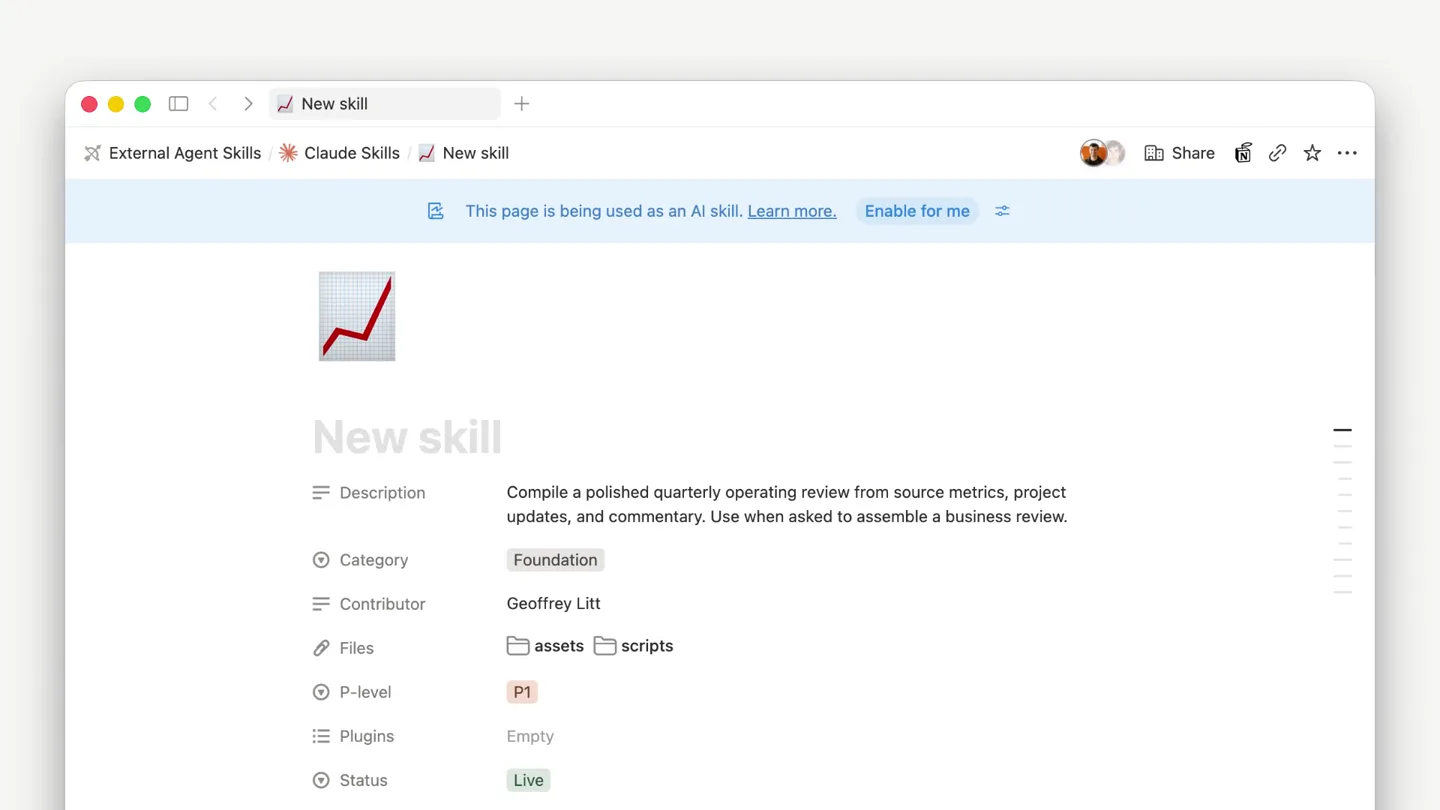
The Notion Skills API lets you edit your team's skills in Notion and use them in ChatGPT, Claude, and your agents.
Scene-by-scene timeline & spoken transcript
The Hook
Collaborative Skill Editing in Notion
“(No spoken dialogue — Upbeat, jazzy electronic score with pizzicato synths and walking sub-bass.)”
- On screen
- Edit skills together in Notion
- Camera
- Static wide shot of text, then a zoom into a Notion UI showing skill editing.
- Motion
- Text reveal with character-by-character animation, followed by a quick cut to a UI demonstration with subtle cursor interaction.
Product Reveal
Seamless GitHub Synchronization
“(No spoken dialogue — Upbeat, jazzy electronic score with pizzicato synths and walking sub-bass.)”
- On screen
- Sync them to GitHub
- Camera
- Static wide shot of text, then a zoom into a GitHub UI showing file synchronization.
- Motion
- Text reveal with character-by-character animation, followed by a quick cut to a UI demonstration highlighting new file additions.
Feature Teaser
Universal Agent Compatibility
“(No spoken dialogue — Upbeat, jazzy electronic score with pizzicato synths and walking sub-bass.)”
- On screen
- Use skills with any agent
- Camera
- Static wide shot of text, then a series of quick cuts showcasing different AI agent UIs (JimBot, Claude, ChatGPT).
- Motion
- Text reveal with character-by-character animation, followed by rapid UI transitions demonstrating plugin integration across multiple platforms.
Call to Action
Notion: The Central Skill Hub
“(No spoken dialogue — Upbeat, jazzy electronic score with pizzicato synths and walking sub-bass.)”
- On screen
- One home for every skill Notion
- Camera
- Static wide shot of text, then a zoom out to reveal the Notion logo.
- Motion
- Text reveal with character-by-character animation, followed by a subtle logo animation with a slight scale and fade.
Motion design primitives
Synthesizable in Remotion · key components of the notion-skills-api-launch template.
CharacterTypewriterReveal
Text appears character by character, simulating a typewriter effect, often accompanied by a subtle scale or bounce.
+ Code construction recipe
Utilize Remotion's 'interpolate' function with 'spring' easing for character opacity and position, staggering the animation start time for each character based on its index.
UIDetailZoomCut
A rapid cut from a full screen text title to a close-up, focused view of a specific UI element, often with a slight camera push-in.
+ Code construction recipe
Implement a hard cut (duration 0 frames) between a text composition and a UI composition. The UI composition should use 'scale' and 'translate' transforms to simulate a zoom and pan, potentially with a 'spring' animation for a subtle landing.
MultiPlatformCarousel
Multiple application interfaces are rapidly presented in sequence, often with a slight horizontal or depth-based transition, emphasizing broad compatibility.
+ Code construction recipe
Create a sequence of compositions, each displaying a different UI. Use 'AbsoluteFill' for each UI and animate their 'translateX' or 'scale' properties with 'easeInOut' easing for quick, smooth transitions between them.
Style DNA & aesthetic system
Visual aesthetic
Typography
Motion
Special effects
Pacing & rhythm
Conceptual story rhythm
- 1
The Setup
Purpose. Introduce the core problem and Notion's role as the central hub for skill management.
Execution. Opening text 'Edit skills together in Notion' followed by a quick cut to Notion UI demonstrating skill editing.
- 2
The Integration
Purpose. Showcase the seamless integration with developer tools like GitHub.
Execution. Text 'Sync them to GitHub' followed by a UI demonstration of a skill being synced to a GitHub repository.
- 3
The Expansion
Purpose. Highlight the broad compatibility with various AI agents and platforms.
Execution. Text 'Use skills with any agent' followed by a rapid montage of different AI agent UIs (JimBot, Claude, ChatGPT) integrating the skill.
- 4
The Resolution
Purpose. Reinforce Notion's position as the ultimate solution and call to action.
Execution. Concluding text 'One home for every skill' leading to the Notion logo reveal.
Remix in Animatiq Studio
Master remix prompt · agent-ready
Sample remix
Objective
Launch a new project management tool called 'TaskFlow' that centralizes tasks and integrates with Slack and Google Calendar.How the recipe adapts
The video would open with 'Manage projects together in TaskFlow' using CharacterTypewriterReveal, then cut to a TaskFlow UI showing task creation. Next, 'Sync them to Slack' would appear, followed by a UIDetailZoomCut to a Slack integration. 'Use tasks with any device' would introduce a MultiPlatformCarousel showing TaskFlow on desktop and mobile. The video would conclude with 'One home for every project' and the TaskFlow logo, maintaining the light, playful audio and fast cuts.Remix blueprint · notion-skills-api-launch
Scene durations (4 scenes, 24s)
Key Remotion components
Related Productivity Product Launches
Explore all Productivity launches →
Don't type, just speak. Flawless voice-to-text across every app at 240 WPM.

One workspace for knowledge scattered across Slack, email, Docs, and Notion. Connect your tools and build apps and agents that stay live with your data.

Notion positions itself as the backbone of your dock — a brand film of the Notion icon among everyday apps, ending on “Works with everything.”