
0xMarioNawfal · Launch Video Breakdown: Hook, Pacing & Motion Design
NVIDIA CEO JUST SHOWED A $249 DESKTOP AI COMPUTER THAT CAN RUN LARGE LANGUAGE MODELS LOCALLY
Scene-by-scene timeline & spoken transcript
The Hook
Unexpected Product Reveal
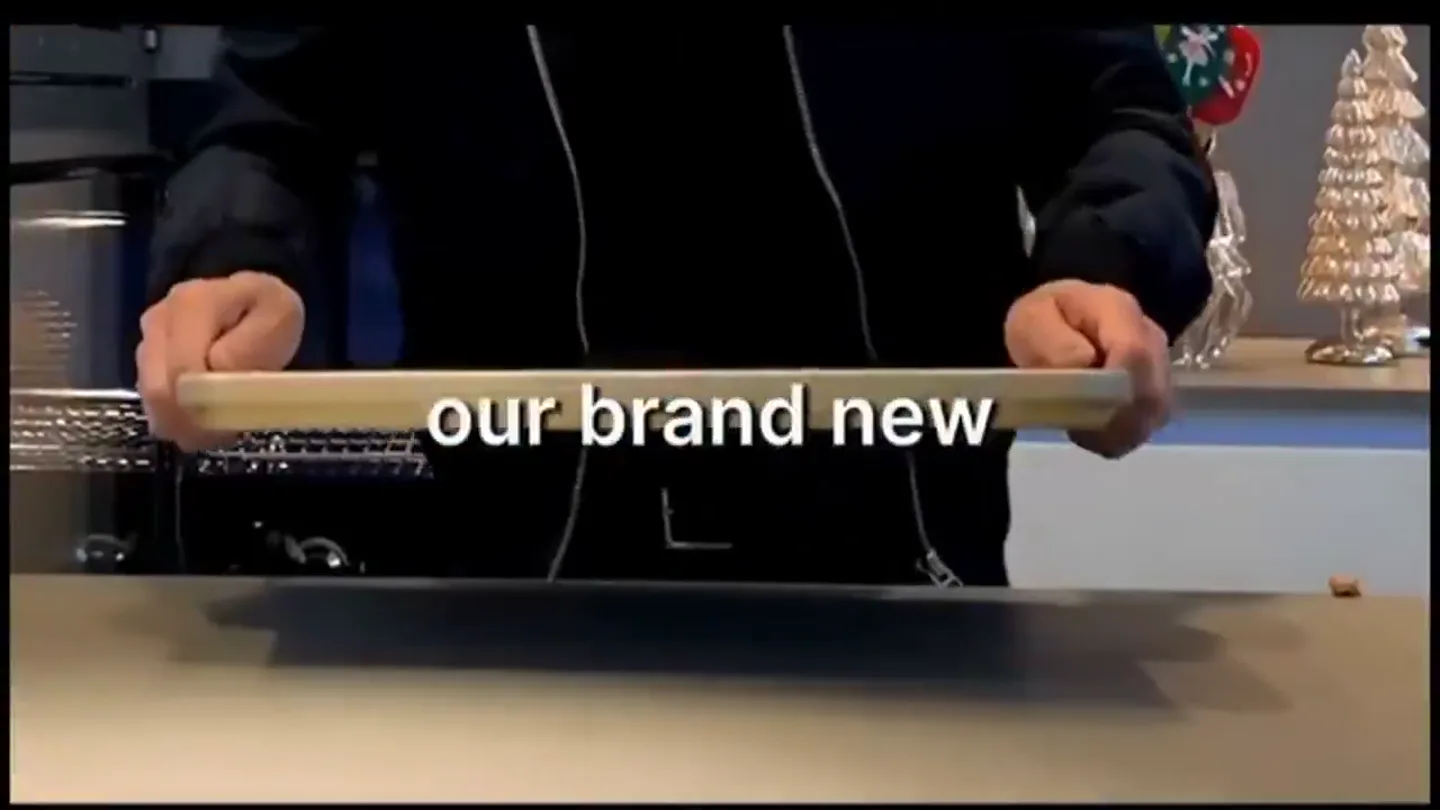
“Ladies and gentlemen, our brand new AI computer.”
- On screen
- Ladies and gentlemen our brand new AI computer
- Camera
- Medium shot of presenter, then close-up on hands revealing the product, then back to medium shot.
- Motion
- Rapid cuts synchronized with dialogue, text overlays appear and disappear with each phrase.
Product Reveal
Introducing Jetson Nano
“a little bit, the little tiny Jetson Nano, a brand new Jetson Nano super, almost 70 trillion operations per second.”
- On screen
- a little bit the little tiny Jetson Nano a brand new Jetson Nano super almost 70 trillion operations per second
- Camera
- Alternating between medium shot of presenter holding the product and a close-up on the product itself.
- Motion
- Text overlays animate in with a subtle scale and fade, emphasizing key product names and specifications.
Feature Teaser
Power and Price Point
“25 Watts and $249, everything that the HGX does, language models, for all of you, it's available.”
- On screen
- 25 Watts and $249 everything that the HGX does language models for all of you it's available
- Camera
- Consistent medium shot of the presenter, holding and gesturing with the product.
- Motion
- Text overlays continue to appear and disappear, highlighting numerical specs and key features with a quick, clean animation.
Call to Action
Brand & Availability
“(No spoken dialogue — The music features pizzicato synths, a prominent sub-bass, and orchestral synth pads. There's a high-energy audio transition with a riser and sweep at [00:28], followed by a sub-bass drop/impact at [00:29]. Another subtle riser and sweep occur at [00:36].)”
- On screen
- enjoyRobotics NVIDIA
- Camera
- Static shot of a light grey background, then a quick zoom into the NVIDIA logo.
- Motion
- Text elements 'enjoyRobotics' and 'NVIDIA' appear with a glitchy, overlapping effect, then resolve into the clean NVIDIA logo with a subtle scale and fade. The background remains static.
Motion design primitives
Synthesizable in Remotion · key components of the founder-product-reveal-sync-text template.
SynchronizedTextReveal
Text overlays appear and disappear in sync with spoken dialogue, often with a subtle scale-in and fade-out effect, emphasizing key words or phrases.
+ Code construction recipe
Use Remotion's <Sequence> and <AbsoluteFill> components. Animate 'opacity' and 'scale' properties of text elements using 'interpolate' or 'spring' functions, triggered by currentFrame and duration. Ensure precise timing with audio cues.
ProductHeroZoom
Quick cuts between a medium shot of the presenter and a tight close-up on the product, highlighting its physical details as features are mentioned.
+ Code construction recipe
Implement multiple <Video> components for different camera angles. Use 'offset' and 'duration' props on <Sequence> to manage rapid scene cuts. Consider 'scale' and 'position' animations for a dynamic zoom effect on the product shots.
GlitchyLogoReveal
Brand logos and text appear with a digital glitch or overlapping effect before settling into their final, clean state.
+ Code construction recipe
Utilize Remotion's <Img> and <Text> components. Apply CSS 'filter' properties (e.g., 'hue-rotate', 'saturate') or SVG filters for glitch effects. Animate 'transform' properties (e.g., 'translateX', 'skewX') and 'opacity' with 'spring' or 'interpolate' for the chaotic-to-clean transition.
Style DNA & aesthetic system
Visual aesthetic
Typography
Motion
Special effects
Pacing & rhythm
Conceptual story rhythm
- 1
The Surprise Reveal
Purpose. Immediately capture attention with an unexpected, hands-on product introduction.
Execution. Quick cuts from a wide shot to a close-up of the product being unveiled, with synchronized text.
- 2
Feature Spotlight
Purpose. Detail key specifications and capabilities of the product.
Execution. Alternating shots of the presenter and close-ups of the product, with text highlighting numbers and features.
- 3
Comparative Advantage
Purpose. Position the product against existing solutions and emphasize its unique benefits.
Execution. Presenter directly addresses the camera, explaining the product's power and cost-effectiveness, with text reinforcing claims.
- 4
Brand & Availability
Purpose. Conclude with brand reinforcement and a clear call to action regarding product access.
Execution. Transition to a clean brand screen with animated logos and a final availability statement.
Remix in Animatiq Studio
Master remix prompt · agent-ready
Sample remix
Objective
Launch a new smart coffee maker that brews personalized drinks based on user preferences.How the recipe adapts
Remix blueprint · founder-product-reveal-sync-text
Scene durations (4 scenes, 40.3s)
Key Remotion components
Related AI Agents Product Launches
Explore all AI Agents launches →
To ensure that artificial general intelligence benefits all of humanity

Gopuff introduces Go, an AI shopping assistant built with SpaceXAI: say what you need and the order is placed.

Iliad (Troy) trailer made by Grok Imagine 1.5, which was just released