
Scene-by-scene timeline & spoken transcript
The Hook
Founder Introduction
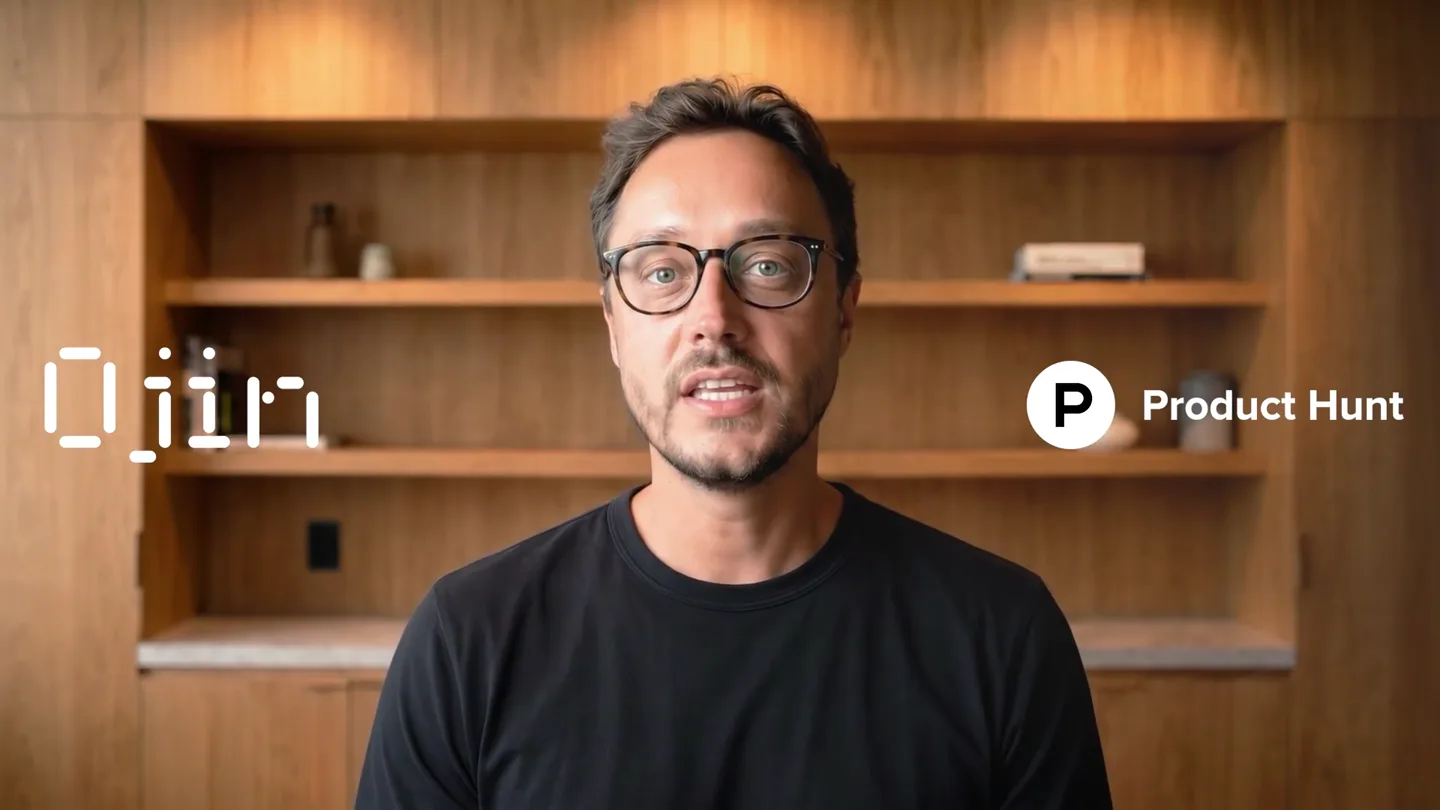
“Hey Product Hunt, I'm Mio, CEO of Ojin.”
- On screen
- Ojin P Product Hunt
- Camera
- Static medium close-up shot
- Motion
- Direct-to-camera founder delivery with lower-third branding
Product Reveal
Human Agent Web Showcase
“In this video, I'll show you how to create an AI human agent and get it live on your website. The whole thing takes a few minutes. A human agent is someone on the other side of the screen who can talk to your visitors, answer their questions, and actually feel like a real conversation.”
- On screen
- Sofia PRIVATE TRAVEL Journeys, composed around you. Hiro Get strong with Hiro. Solstice Build the renewable grid. Ojin The Human AI Company Powering the World's Most Natural AI Agents through Blazing-Fast APIs.
- Camera
- Screen captures with interactive widgets and animated grid
- Motion
- Fast UI cuts showcasing live interactive avatar widgets
Product Reveal
Logging In and Dashboard
“Once you log into Ojin.ai, you'll land on the dashboard.”
- On screen
- Get Started Welcome to Ojin <100ms Latency 100k+ Sessions 99.9% Uptime
- Camera
- Static founder cut followed by dashboard UI overview
- Motion
- Picture-in-picture founder overlay on UI transition
Feature Teaser
Free Credits Value Proposition
“And by the way, every new account gets free credits to start with. So everything I'm about to show you, you can try right now without paying anything.”
- On screen
- Every new account gets free credits
- Camera
- Full-screen typographic card to talking head
- Motion
- Minimalist text slide with key accent color highlight
Feature Teaser
Templates and Configurations
“On the left side, you'll see Human Agents. Go ahead and open that up. Now, the first thing you'll see is templates. These are pre-built agent configurations you can start from. They're a great way to see what's possible and get something running fast. But if you want to build yours from scratch, head over to My Configurations. From here, click Create Agent.”
- On screen
- Human Agents Templates (80) My Configurations (0) Search by name New Agent Anouk - Roleplay: Tough Feedback Create Agent
- Camera
- Direct UI screen recording with cursor tracking
- Motion
- Cursor guided workflow demonstration with modal previews
Feature Teaser
Face Selection & System Prompt
“And this is where it gets fun. The first thing you'll want to do is give your agent a face. Upload an image. This is the person your visitors are going to see and interact with. Next, open the system prompt. This is where you tell your agent who they are, how they talk, and what they know. Write your prompt, save it, and your agent is ready.”
- On screen
- And this is where it gets fun New Agent Select a Face System Prompt Save
- Camera
- Card transition into split UI view with live agent preview
- Motion
- Form selection workflow with responsive avatar preview update
Feature Teaser
Publish and Embed
“And just like that, you're ready to go live. Hit the publish button, grab the embed code, and paste it into your website. You'll also want to head over to the deployment settings tab and add your website domain. Your agent is now fully deployed and active.”
- On screen
- Publish Widget Settings Code Deployment Settings Allowed Hostnames
- Camera
- UI zoom on publish action and code snippets
- Motion
- Quick copy-paste and domain security configuration demo
Feature Teaser
Live Capabilities & Customization
“That's it. Your human agent is live. 24/7, real time, real voice, empathic, and scalable. Now it's ready to talk to your visitors. And you can always come back to the configuration to fine-tune the voice, update the system prompt, or swap out the look entirely.”
- On screen
- 24/7 Realtime Real Voice Empathic and Scalable Select a Voice
- Camera
- Talking head with animated kinetic type beside founder, then UI
- Motion
- Staggered text fade-in alongside host followed by modal tweaks
Call to Action
Outro CTA and Logo
“Sign in now to Ojin.ai and get started!”
- On screen
- Sign in now to Ojin.ai and get started! Ojin
- Camera
- Static text slide transitioning to animated digital logo
- Motion
- Segmented digital pixel display animation
Motion design primitives
Synthesizable in Remotion · key components of the saas-walkthrough-pip-flow template.
PiPCameraFrame
Rounded rectangle presenter video frame floating in the bottom-right corner over dashboard UI.
+ Code construction recipe
Absolute positioned container with border-radius, overflow-hidden, and smooth spring scale entrance using Remotion useCurrentFrame.
SegmentedTextCard
Full-bleed dark title card with crisp sans-serif text and bold orange-red highlight accents.
+ Code construction recipe
Centered flex container with opacity interpolation and span-level color highlights driven by frame timing.
DigitalSegmentLogo
Segmented digital glyphs animating consecutively into the brand wordmark.
+ Code construction recipe
SVG segment group revealing individual bar strokes through staggered stroke-dashoffset or opacity delays.
Style DNA & aesthetic system
Visual aesthetic
Typography
Motion
Special effects
Pacing & rhythm
Conceptual story rhythm
- 1
Founder Hook
Purpose. Establish credibility and introduce core value proposition directly to community.
Execution. Warm natural studio medium shot with minimal brand overlays.
- 2
Social & Product Proof
Purpose. Demonstrate practical implementations across customer verticals.
Execution. Rapid cuts across multiple client websites showing active video agents.
- 3
Guided Product Walkthrough
Purpose. Demystify setup complexity and prove deployment takes only minutes.
Execution. Step-by-step dashboard interaction with picture-in-picture commentary.
- 4
Feature Affirmation & Call to Action
Purpose. Summarize key attributes and direct immediate traffic to sign up.
Execution. Kinetic text list on founder frame followed by high-contrast CTA card and logo reveal.
Remix in Animatiq Studio
Master remix prompt · agent-ready
Sample remix
Objective
Launch video for an AI voice-agent platform for dental clinics.How the recipe adapts
Replace studio founder with clinic founder, swap general avatars for receptionist personas, show clinic CRM dashboard integration, and highlight HIPAA-compliant 24/7 call handling.Remix blueprint · saas-walkthrough-pip-flow
Scene durations (8 scenes, 97s)
Key Remotion components
Related AI Agents Product Launches
Explore all AI Agents launches →
To ensure that artificial general intelligence benefits all of humanity

Gopuff introduces Go, an AI shopping assistant built with SpaceXAI: say what you need and the order is placed.

Iliad (Troy) trailer made by Grok Imagine 1.5, which was just released