
OmniNotch · Launch Video Breakdown: Hook, Pacing & Motion Design
OmniNotch 2.0 is a Mac notch app, revised a week after the first release from feedback on noise and what felt off.
Scene-by-scene timeline & spoken transcript
The Hook
The Mac Notch: An Empty Canvas
“The best places keep everything within reach. The cafe. The workshop. Your Mac has a spot like that. It's been empty.”
- On screen
- The best places The cafe. Your Mac has a spot like that. It's been empty.
- Camera
- Static text on white background, followed by close-up shots of hands interacting with objects (coffee machine, wrenches), then a full shot of a MacBook Pro with the notch highlighted.
- Motion
- Rapid cuts between real-world analogies and product context, using text reveals and subtle camera zooms.
Product Reveal
Introducing OmniNotch 2.0
“But now, there's OmniNotch 2.0.”
- On screen
- OmniNotch
- Camera
- A MacBook Pro with the OmniNotch app displayed, then a dynamic grid of various OmniNotch modules rotating and scaling into view.
- Motion
- Zoom-in on the Mac notch, followed by a dynamic grid reveal with 3D rotation and scaling of app modules, creating a sense of abundance and versatility.
Feature Teaser
Comprehensive Feature Showcase
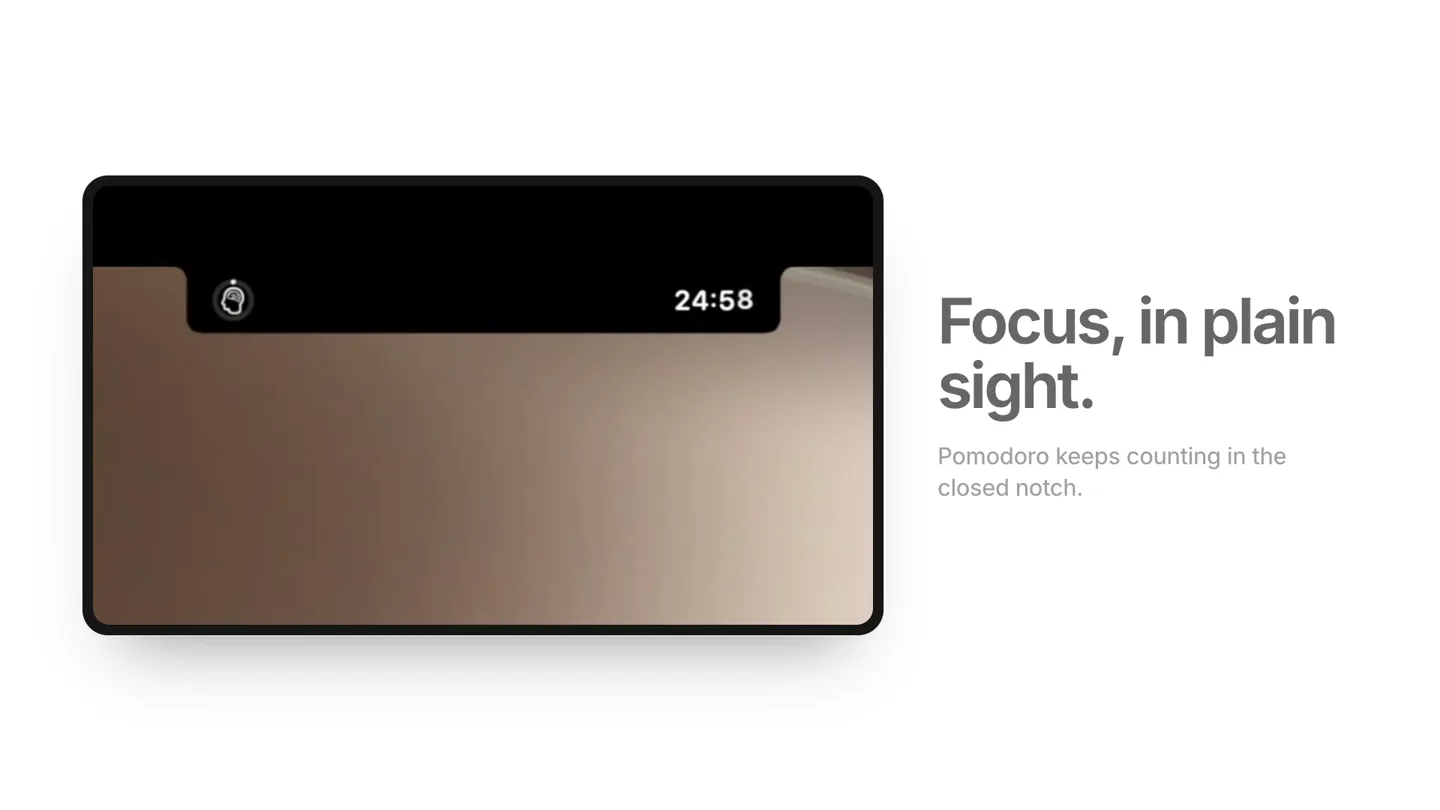
“Your music, with the lyrics. How much AI you have left. Nothing you type leaves your Mac. Every store you sell on. Everything you copied. A mirror before the call. Focus, in plain sight. Every shortcut. One click. Hide the rest. Any display. Any size.”
- On screen
- Your music, with the lyrics. Now Playing, time-synced, in the notch. How much AI you have left. Claude Codex Cursor Copilot Grok Nothing you type leaves your Mac. Powered by Apple Intelligence Every store you sell on. Stripe Everything you copied. Text Links Images Files A mirror before the call. Check your camera, right from the notch. Focus, in plain sight. Pomodoro keeps counting in the closed notch. Every shortcut. One click. Run your Shortcuts from the notch, like Shazam. Hide the rest. Any display. Any size. Choose where the notch lives, and how big it is.
- Camera
- Series of close-up shots of the OmniNotch app on a MacBook, showcasing different features. The camera often pans or zooms slightly to highlight specific UI elements.
- Motion
- Rapid, clean transitions between feature demonstrations. UI elements animate smoothly, with text appearing and disappearing to emphasize key benefits. Subtle parallax scrolling and scaling of app windows.
Call to Action
Pricing and Availability
“OmniNotch 2.0. Everything, within reach. Get it now for a limited time at $14.99.”
- On screen
- Limited-time launch price $14.99 $19.99 after launch OmniNotch Everything, within reach. omninotch.app • $14.99 for a limited time
- Camera
- Static shot of pricing information, then a full shot of the OmniNotch logo and tagline, followed by the website and final call to action.
- Motion
- Clean text reveals for pricing, followed by a smooth fade-in of the product logo and tagline, culminating in a clear call to action with website and price.
Motion design primitives
Synthesizable in Remotion · key components of the omninotch-fast-cut-feature-showcase template.
DynamicModuleGridReveal
Multiple app modules (represented as cards) appear from various angles and depths, rotating and scaling into a grid formation, then one module zooms forward to fill the screen.
+ Code construction recipe
Utilize `spring()` for rotation, scale, and position interpolation. Implement a `map()` function over an array of module data, applying `transform` CSS properties for 3D effects. Stagger `delay()` for each module's animation start.
FeatureHighlightZoom
A specific UI element or section within the OmniNotch app smoothly zooms in and out, or pans across, to draw attention to its functionality while accompanying text appears.
+ Code construction recipe
Use `interpolate()` for `scale` and `translate` CSS properties on the target UI element. Synchronize text opacity and position animations with the UI zoom using `sequence()` and `spring()`.
TextFadeSlide
Headline text fades in while simultaneously sliding slightly from the left or bottom, often followed by a smaller descriptive text that fades in below it.
+ Code construction recipe
Combine `interpolate()` for `opacity` from 0 to 1 and `translateY` or `translateX` from a small offset (e.g., 20px) to 0. Apply `spring()` for a smooth, slightly bouncy feel. Use `delay()` for the secondary text.
Style DNA & aesthetic system
Visual aesthetic
Typography
Motion
Special effects
Pacing & rhythm
Conceptual story rhythm
- 1
The Unused Potential
Purpose. Establish a relatable problem: an underutilized space (the Mac notch) that could be more productive.
Execution. Starts with abstract text, transitions to real-world analogies of organized spaces, then reveals the Mac notch as an 'empty' space.
- 2
The Solution Unveiled
Purpose. Introduce OmniNotch 2.0 as the definitive solution to unlock the notch's potential.
Execution. A quick, impactful reveal of the OmniNotch app, followed by a dynamic grid of its diverse modules, showcasing its breadth.
- 3
Feature Deep Dive
Purpose. Demonstrate the breadth and depth of OmniNotch's features, highlighting key benefits.
Execution. Rapid-fire sequence of UI demonstrations, each focusing on a specific feature with accompanying text and voiceover, maintaining high energy.
- 4
Call to Action & Value Proposition
Purpose. Conclude with pricing, a strong value statement, and clear instructions for purchase.
Execution. Clean display of pricing, followed by the product logo, tagline, and website, reinforcing the brand and guiding the viewer to act.
Remix in Animatiq Studio
Master remix prompt · agent-ready
Sample remix
Objective
Launch a new macOS app called 'FlowState' that helps users manage deep work sessions, track focus metrics, and integrate with project management tools.How the recipe adapts
Remix blueprint · omninotch-fast-cut-feature-showcase
Scene durations (4 scenes, 64s)
Key Remotion components
Related Productivity Product Launches
Explore all Productivity launches →
Don't type, just speak. Flawless voice-to-text across every app at 240 WPM.

One workspace for knowledge scattered across Slack, email, Docs, and Notion. Connect your tools and build apps and agents that stay live with your data.

Notion positions itself as the backbone of your dock — a brand film of the Notion icon among everyday apps, ending on “Works with everything.”