
Opacity · Launch Video Breakdown: Hook, Pacing & Motion Design
Opacity rebuilds the pen tool for the first time since 1987, with early access now open.
Scene-by-scene timeline & spoken transcript
The Hook
The Pen Tool Reimagined
“(No spoken dialogue — Pizzicato synths and sub-bass create a contemplative, slightly mysterious mood.)”
- On screen
- Pen P The free path tool, a point at a time. Click to place, drag to curve.
- Camera
- Close-up on UI element, then zooms out slightly to reveal more of the canvas. Static camera.
- Motion
- UI element reveal, cursor interaction, path drawing animation.
Problem Agitation
The Limitations of Traditional Tools
“The pen tool was invented in 1987. It's been 36 years since then, and it hasn't really changed.”
- On screen
- (No on-screen text)
- Camera
- Medium shot of the speaker, slightly off-center. Static camera.
- Motion
- Direct address to camera, minimal motion.
Product Reveal
Introducing Opacity's New Approach
“We're rebuilding the pen tool from the ground up. We're rethinking how vector graphics work.”
- On screen
- Layers Variables Path Position X 272 px Y 316.5 px Constraints Curvature Curve x1 Curve x0 Coincident Curve x0 Curve x1 Analysis Curvature Region area Degrees of freedom Heat colors Scale 1 Offset E A parallel copy of a run at the distance you set. Boolean A container that combines its shapes with one operation. Wraps the selected rows.
- Camera
- Dynamic camera pans and zooms across the Opacity UI, highlighting different features and tools. Close-ups on specific interactions.
- Motion
- UI walkthrough, interactive demonstrations of new tools (Offset, Boolean), subtle glitch effect overlay.
Call to Action
Early Access & Future Vision
“We're excited to open early access to Opacity. Join us in reimagining the future of design.”
- On screen
- (No on-screen text)
- Camera
- Static shot of the Opacity logo (a black square with a white circle inside) on a black background. Fades in and out.
- Motion
- Logo reveal, simple fade transition.
Motion design primitives
Synthesizable in Remotion · key components of the opacity-ui-precision-launch template.
UIDrawingReveal
A cursor interacts with a clean UI, drawing vector paths and shapes with real-time numerical feedback and dynamic guides. UI elements like tooltips and property panels animate into view.
+ Code construction recipe
Use Remotion's <AbsoluteFill> for the UI background. Implement cursor movement with `interpolate` and `spring` for natural acceleration/deceleration. SVG paths can be drawn using `stroke-dasharray` and `stroke-dashoffset` for a 'drawing' effect. UI elements can use `spring` for opacity and transform animations.
InteractiveConstraintDisplay
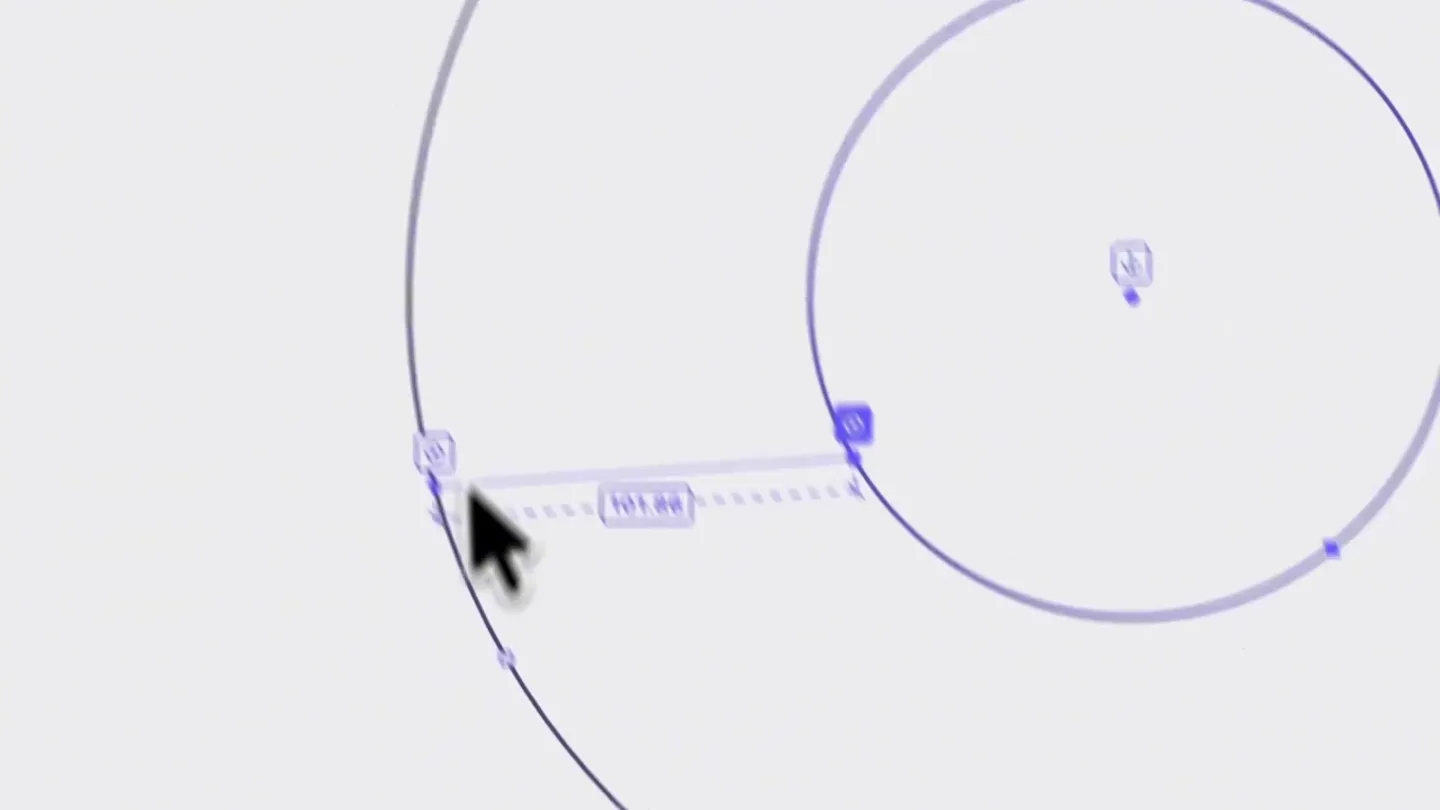
Geometric shapes (circles, lines) are manipulated on a canvas, displaying dynamic measurement labels (e.g., 'R 12.8', '150') and dashed constraint lines that appear and disappear as the user interacts.
+ Code construction recipe
Render SVG shapes and lines. Use `interpolate` to animate the `opacity` and `stroke-dasharray` of constraint lines and measurement labels based on user interaction (simulated). Position text elements dynamically using `measureText` for accurate placement relative to the shapes.
GlitchTransitionOverlay
A subtle, horizontal scanline glitch effect with slight chromatic aberration overlays the screen during transitions or to emphasize a 'digital' feel, quickly fading in and out.
+ Code construction recipe
Apply a CSS filter (e.g., `filter: hue-rotate(angle) blur(px)`) or an SVG filter for chromatic aberration. For scanlines, use a repeating linear gradient background with `background-size` and animate its `opacity` or `transform` property. Use `interpolate` with a fast easing curve for quick in/out.
Style DNA & aesthetic system
Visual aesthetic
Typography
Motion
Special effects
Pacing & rhythm
Conceptual story rhythm
- 1
The Legacy Problem
Purpose. Establish the historical context and highlight the stagnation of existing tools.
Execution. Initial UI demonstration of the old pen tool, followed by the founder speaking directly to the camera, articulating the problem.
- 2
The Opacity Solution
Purpose. Introduce Opacity as the innovative answer to the long-standing problem.
Execution. Seamless transition from founder to dynamic UI demonstrations of Opacity's new, intuitive vector tools and features.
- 3
Precision & Control
Purpose. Showcase the granular control and advanced capabilities Opacity offers.
Execution. Detailed close-ups of specific tool interactions, highlighting real-time measurements, constraints, and complex shape manipulations.
- 4
The Future of Design
Purpose. Inspire viewers with the potential of Opacity and invite them to join the movement.
Execution. Founder's concluding remarks, followed by a clean logo reveal and call to action, reinforcing the product's vision.
Remix in Animatiq Studio
Master remix prompt · agent-ready
Sample remix
Objective
Launch a new AI-powered code refactoring tool called 'SyntaxFlow'.How the recipe adapts
The video would open with a code editor showing messy code, then transition to the SyntaxFlow UI. The founder would explain the pain points of manual refactoring. UI demonstrations would show the cursor interacting with code, highlighting refactored sections with dynamic annotations and constraint lines, similar to Opacity's vector guides. The glitch effect would be used during transitions between problem and solution. The audio would maintain a contemplative tech mood, and the typography would remain a clean Grotesque Sans-serif for code and UI elements.Remix blueprint · opacity-ui-precision-launch
Scene durations (13 scenes, 119s)
Key Remotion components
Related Creative Tools Product Launches
Explore all Creative Tools launches →
Anthropic Labs launches Claude Design, which turns conversation into prototypes, slides and one-pagers, powered by Claude Opus 4.7.
Bolt v2 pairs Claude Code and Codex agents with built-in hosting, database and storage so apps ship without setup.

Making life multiplanetary