
OpenArt · Launch Video Breakdown: Hook, Pacing & Motion Design
Chat Mode in OpenArt: tell it what to create, ask for images and videos in one message, or paste a URL and turn it into creative.
Scene-by-scene timeline & spoken transcript
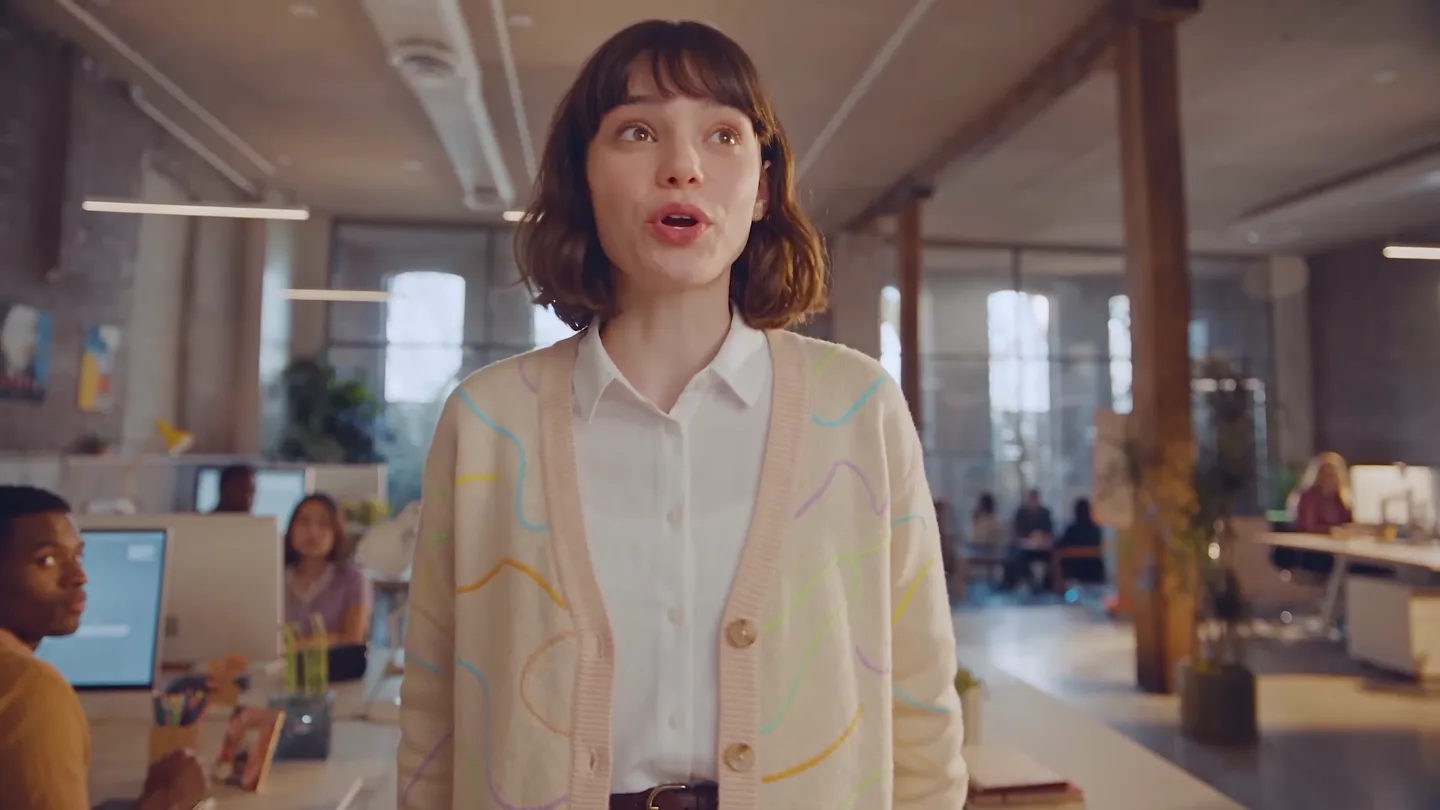
The Hook
Relatable Creative Struggle
“So no struggle”
- On screen
- So no struggle
- Camera
- Medium shot of a woman in an office, looking frustrated, then a quick pan to another woman speaking directly to the camera.
- Motion
- Quick cuts and a handheld camera feel to establish a relatable, dynamic opening.
Product Reveal
Introducing Chat Mode: Effortless Creation
“(No spoken dialogue — Electronic pizzicato synths and sub-bass create a high-energy, anticipatory mood.)”
- On screen
- New chat Say it, and it's made Sell my product on camera Design my AI influencer Music for my reel More ideas What do you want to create? Ask first I'll make four separate variations of the same oriocat cat food package concept, keeping the casual, candid home-photo direction consistent.
- Camera
- Close-up on a digital interface, then a zoom out to reveal a grid of AI-generated images. The camera tracks a mouse cursor interacting with the UI.
- Motion
- UI animation with cursor interaction, rapid display of AI-generated content, and smooth transitions between different UI states.
Feature Teaser
Iterative Design & Multimodal Output
“(No spoken dialogue — High-energy audio transitions, risers, sweeps, and sub-bass drops punctuate the visual changes.)”
- On screen
- I'll make one fresh variation of the same perfume-bottle concept, anchored to the original hero image so the bottle stays consistent. Creating one fresh perfume variation Director sheet for the video ad GPT Image 2 16:9 1024x1280 1k Here's the director sheet for your Oriocat commercial — a 4-shot breakdown covering ingredients, product reveal, and the mascot's wave-to-camera moment, along with the color palette, camera movements, and music/sound View MUSIC: upbeat, light, acoustic-pop or marimba-led cue, gentle build through the sequence, soft swell on the reveal. SFX: water splash (0-1.5s), soft whoosh (1.5-3s), warm chime (3-4s), cheerful bop/boop synced to the "hit" bubble (4.5-5s). Edit video for illustrated textures style PREMIUM DAILY NUTRITION Salmon & Sweet Potato Potataia - Adut Cat Food 2kg
- Camera
- Dynamic UI showcasing text input, image generation, and video editing. The camera focuses on the evolving creative output.
- Motion
- Text typing animation, image transformation (background swaps, style changes), and simulated video generation with a focus on the product.
Feature Teaser
Personalized Content Creation
“Remake with @image1 and my voice”
- On screen
- Remake with @image1 and my voice PREMIUM DAILY NUTRITION Salmon & Sweet Potato Potataia - Adut Cat Food 2kg
- Camera
- A user interacting with the chat interface, then a seamless transition to a personalized video featuring a new presenter.
- Motion
- Smooth morphing between presenters, demonstrating the AI's ability to adapt content to different individuals and voices.
Call to Action
OpenArt: Your Creative Partner
“(No spoken dialogue — A final sweep and sub-bass impact lead into a clear brand reveal.)”
- On screen
- Chat to create anything. A creative partner who gets it. OpenArt
- Camera
- Static shots of on-screen text, culminating in a full-screen display of the OpenArt logo.
- Motion
- Clean text reveals with subtle fades, leading to a bold, centered brand logo for a strong call to action.
Motion design primitives
Synthesizable in Remotion · key components of the ai-creative-workflow-launch template.
UITextTypewriter
Text appears character by character in a chat input field, simulating real-time typing, often followed by a blinking cursor.
+ Code construction recipe
Use Remotion's `Sequence` and `spring` for character reveal, controlling `opacity` and `transform` (e.g., `translateX`) for a smooth typing effect. A `blink` animation for the cursor can be achieved with `keyframes` on `opacity`.
ImageGridReveal
A grid of images or content cards animates into view, often with a slight delay and scale-up effect for each item, creating a dynamic mosaic.
+ Code construction recipe
Implement with `map` over an array of image data, applying `spring` animations to `scale` and `opacity` for each grid item. Stagger the `delay` for each item using its index to create a cascading reveal.
ContentMorphTransition
A seamless visual transformation where one image or video content smoothly transitions into another, often with a subtle zoom or pan, demonstrating content adaptation.
+ Code construction recipe
Utilize `interpolate` for `opacity` and `transform` (e.g., `scale`, `translate`) on two overlapping `Image` or `Video` components. Cross-fade and scale one out while scaling and fading the other in, ensuring a fluid visual blend.
Style DNA & aesthetic system
Visual aesthetic
Typography
Motion
Special effects
Pacing & rhythm
Conceptual story rhythm
- 1
The Pain Point
Purpose. Establish a relatable problem in creative production to set up the product as the solution.
Execution. Live-action scene of a frustrated creative, quickly cutting to a clean UI to introduce the solution.
- 2
The AI Solution
Purpose. Demonstrate the core functionality of the AI chat mode for generating diverse content.
Execution. UI walkthrough showing text input, rapid image generation, and iterative design changes.
- 3
Advanced Capabilities
Purpose. Showcase the AI's ability to handle complex requests, multimodal outputs, and personalization.
Execution. Transitions from image editing to video script generation, then to personalized video creation with different presenters.
- 4
Empowerment & Brand
Purpose. Conclude by reinforcing the product's value proposition and solidifying brand recognition.
Execution. Clear, concise on-screen text summarizing benefits, followed by a prominent display of the OpenArt logo.
Remix in Animatiq Studio
Master remix prompt · agent-ready
Sample remix
Objective
Launch an AI-powered personal finance assistant that simplifies budgeting and investment planning.How the recipe adapts
The video would open with a live-action scene of someone stressed about finances, then transition to the AI assistant's clean UI. The UITextTypewriter primitive would show a user typing 'Create a budget for my salary and expenses.' The ImageGridReveal would display various financial reports and investment options. The ContentMorphTransition would demonstrate how the AI adapts a financial plan based on new user input or market data, seamlessly transforming charts and projections. The color palette would shift to professional blues and greens, and the typography would remain a clean sans-serif for clarity in displaying financial figures.Remix blueprint · ai-creative-workflow-launch
Scene durations (5 scenes, 50s)
Key Remotion components
Related AI Agents Product Launches
Explore all AI Agents launches →
To ensure that artificial general intelligence benefits all of humanity

Gopuff introduces Go, an AI shopping assistant built with SpaceXAI: say what you need and the order is placed.

Iliad (Troy) trailer made by Grok Imagine 1.5, which was just released