
Overlay · Launch Video Breakdown: Hook, Pacing & Motion Design
Overlay is an open-source, self-hostable control plane that brings agents into one place and deploys them to Slack, Teams, and elsewhere.
Scene-by-scene timeline & spoken transcript
The Hook
The Agent Problem
“(No spoken dialogue — Driving electronic rhythm and ambient sound design.)”
- On screen
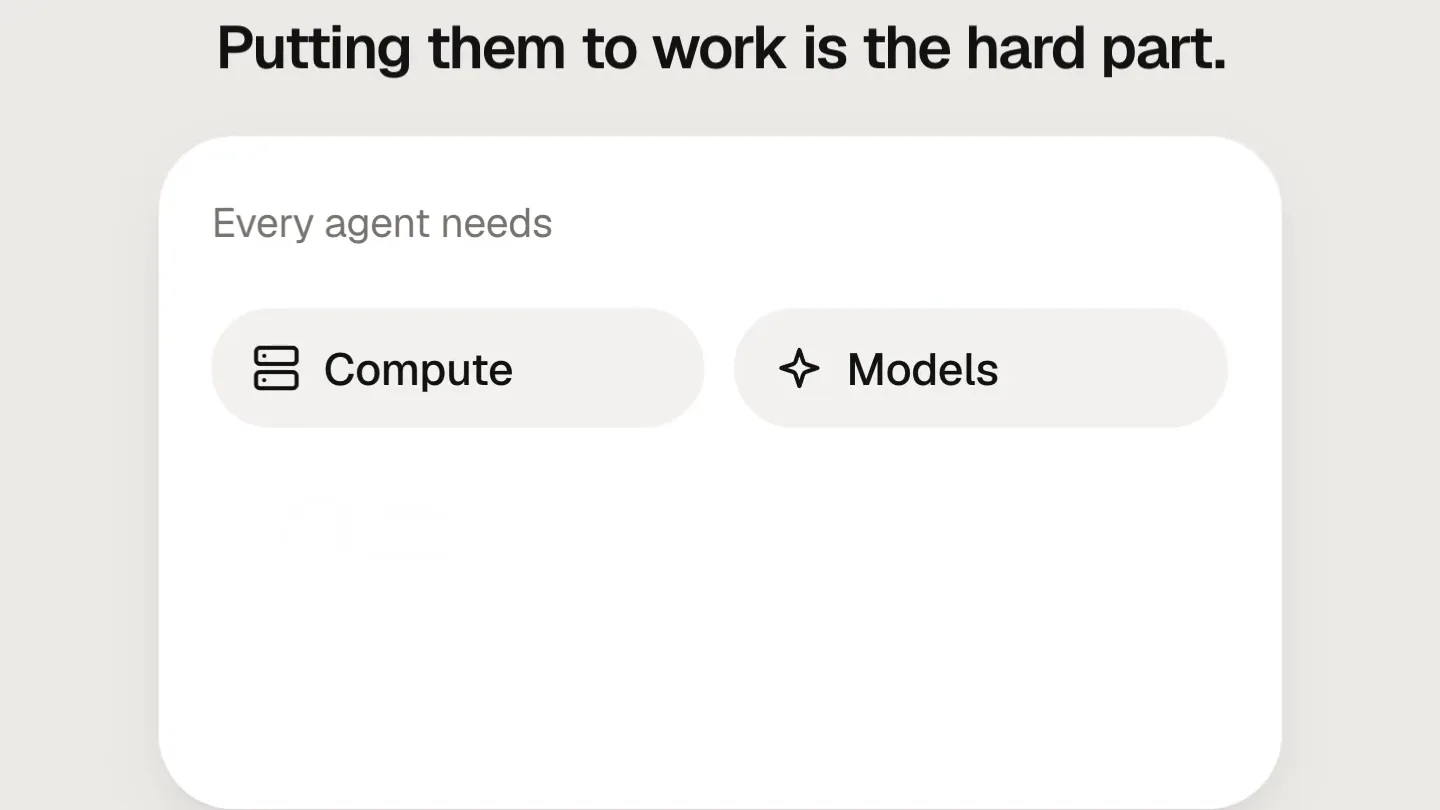
- AI agents can do real work. Run agent Putting them to work is the hard part. Every agent needs Compute Models Tools Credentials Memory Cost controls
- Camera
- Static, centered framing on UI elements.
- Motion
- Click-driven UI state changes, expanding lists, and button animations.
Product Reveal
Introducing Overlay
“(No spoken dialogue — Driving electronic rhythm and ambient sound design.)”
- On screen
- Meet Overlay. overlay The open source control plane for AI agents
- Camera
- Static, centered framing on UI elements.
- Motion
- Text reveal, button state change, and subtitle fade-in.
Feature Teaser
Unified Agent Control & Deployment
“(No spoken dialogue — Driving electronic rhythm and ambient sound design.)”
- On screen
- One place in the cloud to run every agent. Agents Overlay Cloud research-agent Claude Code · Claude reviewer Codex · GPT Running Bring any model. Model Claude GPT Gemini Llama Kimi GLM Any agent. Any tool. Agents Claude Code Codex OpenCode Hermes OpenClaw Pi Tools MCP servers GitHub Google Drive With the right context and permissions. Company memory Scoped credentials Autonomy Ask first Act on its own Deploy where your team already works. # pharma-ops @re @research-agent summarize this week's trials @-tag an agent. It gets it done. research-agent working research-agent in #pharma-ops Digest posted: 12 trials, 3 flagged.
- Camera
- Static, centered framing on UI elements.
- Motion
- List expansion, toggle switches, text input simulation, and progress indicators.
Call to Action
Transparency & Availability
“(No spoken dialogue — Driving electronic rhythm and ambient sound design.)”
- On screen
- See the work, usage and cost. Activity Usage Cost Spend this week $212 Fri $36 Mon Tue Wed Thu Fri Sat Sun Open source. Self-host anywhere. Self-hosted Your cloud On-prem Available today. overlay
- Camera
- Static, centered framing on UI elements.
- Motion
- Interactive chart hover, toggle switch, and final product branding reveal with blur effect.
Motion design primitives
Synthesizable in Remotion · key components of the overlay-ui-interaction-template template.
ClickDrivenUIExpansion
A UI element, often a button or a list item, is clicked, triggering a smooth expansion or reveal of additional related content or options within the same card-like container.
+ Code construction recipe
Use `spring` for smooth position and size transitions. Animate `height` and `opacity` of child elements. Utilize `interpolate` for staggered reveals of new list items or options, triggered by a click event.
ToggleSwitchInteraction
A toggle switch animates from an 'off' to 'on' state, often accompanied by a color change and the reveal of sub-options or related settings below it.
+ Code construction recipe
Implement with `spring` for the knob's horizontal movement and the background color change. Use `interpolate` for the fade-in and slide-up/down of associated content, controlled by the toggle's state.
DynamicDataVisualization
A line graph dynamically draws itself, and then a simulated mouse hover highlights a specific data point, revealing its value.
+ Code construction recipe
Render an SVG path for the line graph, animating the `stroke-dashoffset` property to create a 'drawing' effect. Use `interpolate` for the hover state, animating a circle's position and a tooltip's opacity and scale.
Style DNA & aesthetic system
Visual aesthetic
Typography
Motion
Special effects
Pacing & rhythm
Conceptual story rhythm
- 1
Problem Setup
Purpose. Establish the challenge of deploying AI agents effectively.
Execution. Initial text overlay and interactive button demonstrating the 'hard part' of agent management through expanding lists of requirements.
- 2
Solution Introduction
Purpose. Introduce Overlay as the answer to the agent deployment problem.
Execution. Product name reveal with a tagline, transitioning from the problem statement.
- 3
Feature Demonstration
Purpose. Showcase Overlay's core capabilities through interactive UI flows.
Execution. Series of UI interactions demonstrating agent management, model integration, tool access, permissions, and team deployment.
- 4
Impact & Call to Action
Purpose. Highlight the benefits and availability of Overlay.
Execution. Data visualization of usage/cost, emphasis on open-source and self-hostable nature, concluding with a clear 'Available today' message and product logo.
Remix in Animatiq Studio
Master remix prompt · agent-ready
Sample remix
Objective
A new API management platform called 'Nexus' that simplifies API deployment and monitoring.How the recipe adapts
The initial hook would show a complex API deployment process, then transition to 'Meet Nexus' with its elegant serif logo. Feature demonstrations would involve interactive UI elements for selecting API endpoints, configuring security, and monitoring real-time traffic with dynamic line graphs. Toggle switches would control features like caching or rate limiting. The final call to action would highlight Nexus's open-source nature and ease of integration.Remix blueprint · overlay-ui-interaction-template
Scene durations (4 scenes, 24s)
Key Remotion components
Related Developer Tools Product Launches
Explore all Developer Tools launches →
Agentic CLI for coding, building apps, and automating workflows.

New in Claude Code: your sessions can now message each other. Tell Claude to send a summary (not your history or files), and the other session picks it up mid-task.

Meet Qwen3.8-Max: A New Bar for Coding and Cowork. https://t.co/mJaA8vr6xT