
Eon (Yulheon) Seung · Launch Video Breakdown: Hook, Pacing & Motion Design
Introducing PAI 1.0: The First Version of Personal Super Intelligence PAI is the world's first context-aware, widget based AI agent that floats over your screen to read your context in real time and proactively suggest next steps, ensuring safety by executing actions only with https://t.co/gMbwwOIwmx
Scene-by-scene timeline & spoken transcript
The Hook
Introducing PAI: The First Personal Super Intelligence
“your existing context and workflow.”
- On screen
- (No on-screen text)
- Camera
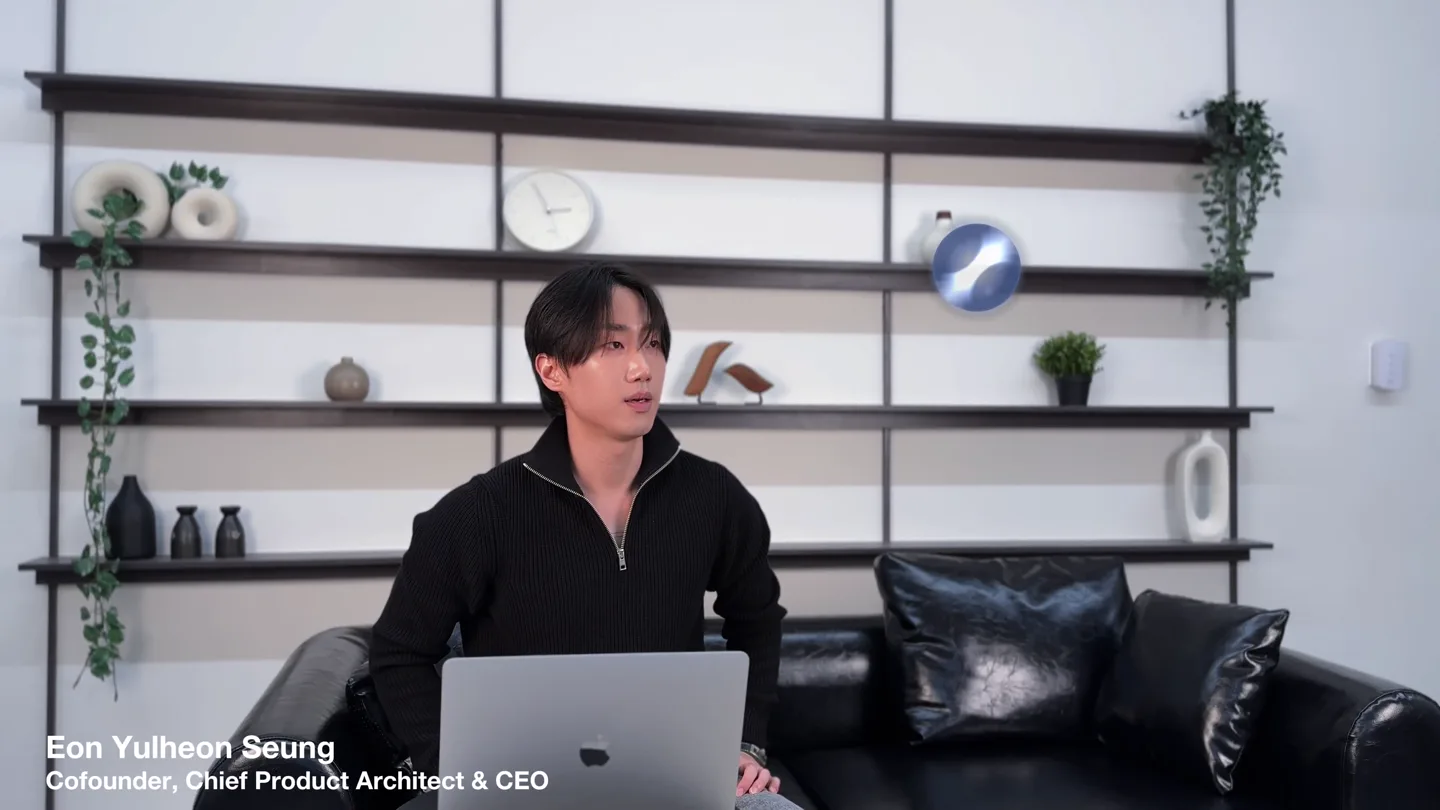
- Medium shot of presenter on a couch, slightly off-center, looking left. Static camera.
- Motion
- Subtle product logo overlay (PAI) appears and fades over the presenter's shoulder, indicating integration.
Problem Agitation
The Problem of Context Disconnection
“but the structure is the same. So you need to write your prompt manually.”
- On screen
- User workflow, Productivity & Creative, Web Browsing, Multimedia & Gaming, Context Disconnection
- Camera
- Static shot of presenter, then a graphic overlay takes over the screen, obscuring the presenter.
- Motion
- Animated boxes representing 'User workflow' and 'Context Disconnection' slide in, connected by a dashed line, highlighting the problem visually.
Product Reveal
PAI: Persistent Floating Layer
“Personal Super Intelligence, PAI, above all applications seamlessly.”
- On screen
- PAI — Persistent Floating Layer, Real-time context workflow · unbounded · proactive · always-on, Creative, Premiere · Figma · PS, Development, VS Code · Terminal, Productivity, Excel · Docs · Slides, Any Other Apps, Gaming · Entertainment ..., Operating System — Windows · macOS · Linux, PAI floats all layers simultaneously — seamless infrastructure, always present
- Camera
- Returns to presenter, then transitions to a full-screen animated infographic.
- Motion
- Layered infographic animates in, showing PAI as a top layer floating above various applications and operating systems, using smooth vertical and horizontal transitions.
Feature Teaser
Context-Aware Proactive Suggestions
“It redefines the collaborative by which humans use AI altogether. it starts to analyze your current context ... into a single, Now, here's a really important point.”
- On screen
- Market Performance Overview: April 19, 2026, Selected Market Data, Auto-prompt helper for next actions, Ask me what you need help with..., sales vs COGS, Monthly Trends, Regional Distribution, purpose
- Camera
- Close-up screen capture of a desktop environment, then back to presenter.
- Motion
- Simulated UI elements (floating PAI widget) appear over a spreadsheet and market data, demonstrating real-time context analysis and proactive suggestions with subtle fades and slides.
Motion design primitives
Synthesizable in Remotion · key components of the eon-seung-pai-launch-template template.
LayeredInfographicStack
Multiple horizontal rectangular layers representing software components (OS, Apps, PAI) animate in sequence, stacking vertically with a slight parallax effect.
+ Code construction recipe
Use `Sequence` component for staggered entry. Each layer is a `Absolute` positioned `Div` with `spring` animation for `y` position and `opacity`. Apply `background-gradient` and `box-shadow` for depth.
ContextualWidgetOverlay
A semi-transparent, rounded rectangular widget appears over live application footage, displaying dynamic text and interactive buttons, then fades out.
+ Code construction recipe
Implement as a `Absolute` positioned `Div` with `backdrop-filter: blur()` for transparency. Animate `scale` and `opacity` using `interpolate` for a smooth pop-in/out effect. Text content updates dynamically.
TimelineProgressionBlocks
Chronological blocks representing different eras (e.g., 'Keyboard era', 'Chat AI era', 'PAI Approving era') slide horizontally into view, with the current era highlighted.
+ Code construction recipe
Use `Absolute` positioned `Div` elements for each block. Animate `x` position with `spring` for a smooth horizontal slide. Apply `background-color` and `border-radius` for distinct visual styling. Highlight current block with a `scale` and `glow` effect.
Style DNA & aesthetic system
Visual aesthetic
Typography
Motion
Special effects
Pacing & rhythm
Conceptual story rhythm
- 1
The Current State & Problem
Purpose. Establish the existing challenges in human-AI interaction and current workflows.
Execution. Presenter introduces the problem, followed by simple, clear diagrams illustrating 'context disconnection' and manual prompting.
- 2
The PAI Solution & Vision
Purpose. Introduce PAI as the revolutionary solution and articulate its core value proposition.
Execution. Animated layered infographics showcase PAI's architecture and its 'floating layer' capability, visually explaining its seamless integration.
- 3
Feature Deep Dive & Safety
Purpose. Demonstrate key features with real-world examples and address user concerns about control and safety.
Execution. Screen recordings with PAI widget overlays illustrate context-aware suggestions and task execution, followed by a clear 'Mandatory Decision Layer' diagram.
- 4
Future Impact & Call to Action
Purpose. Project the transformative impact of PAI on productivity and human-AI collaboration, concluding with an invitation.
Execution. A timeline graphic visualizes the 'PAI Approving era', followed by a summary of benefits and a subtle call to action (e.g., 'Learn More').
Remix in Animatiq Studio
Master remix prompt · agent-ready
Sample remix
Objective
Launch a new cloud-based data orchestration platform for enterprises.How the recipe adapts
The LayeredInfographicStack primitive would be used to visualize the data pipeline, showing how the platform integrates with various data sources and destinations. The ContextualWidgetOverlay would demonstrate real-time data flow monitoring and anomaly detection within a simulated dashboard. The TimelineProgressionBlocks would illustrate the evolution from manual data processing to automated orchestration. The overall aesthetic would maintain the professional, informative tone, using similar color gradients and typography to convey reliability and innovation.Remix blueprint · eon-seung-pai-launch-template
Scene durations (4 scenes, 505s)
Key Remotion components
Related AI Agents Product Launches
Explore all AI Agents launches →
To ensure that artificial general intelligence benefits all of humanity

Gopuff introduces Go, an AI shopping assistant built with SpaceXAI: say what you need and the order is placed.

Iliad (Troy) trailer made by Grok Imagine 1.5, which was just released