
Pause · Launch Video Breakdown: Hook, Pacing & Motion Design
Pause 1.0 Flash is introduced as a way to do a 20-hour edit in one prompt.
Scene-by-scene timeline & spoken transcript
The Hook
Introducing Pause 1.0 Flash
“(No spoken dialogue — Driving electronic beat with pizzicato synths and a sub-bass drop at 0:01.)”
- On screen
- Ready to turn perfect edits Pause 1.0 Flash
- Camera
- Static text, then dynamic text reveal with a pixel art cat mascot.
- Motion
- Kinetic typography, character animation, path animation for text reveal.
Problem Agitation
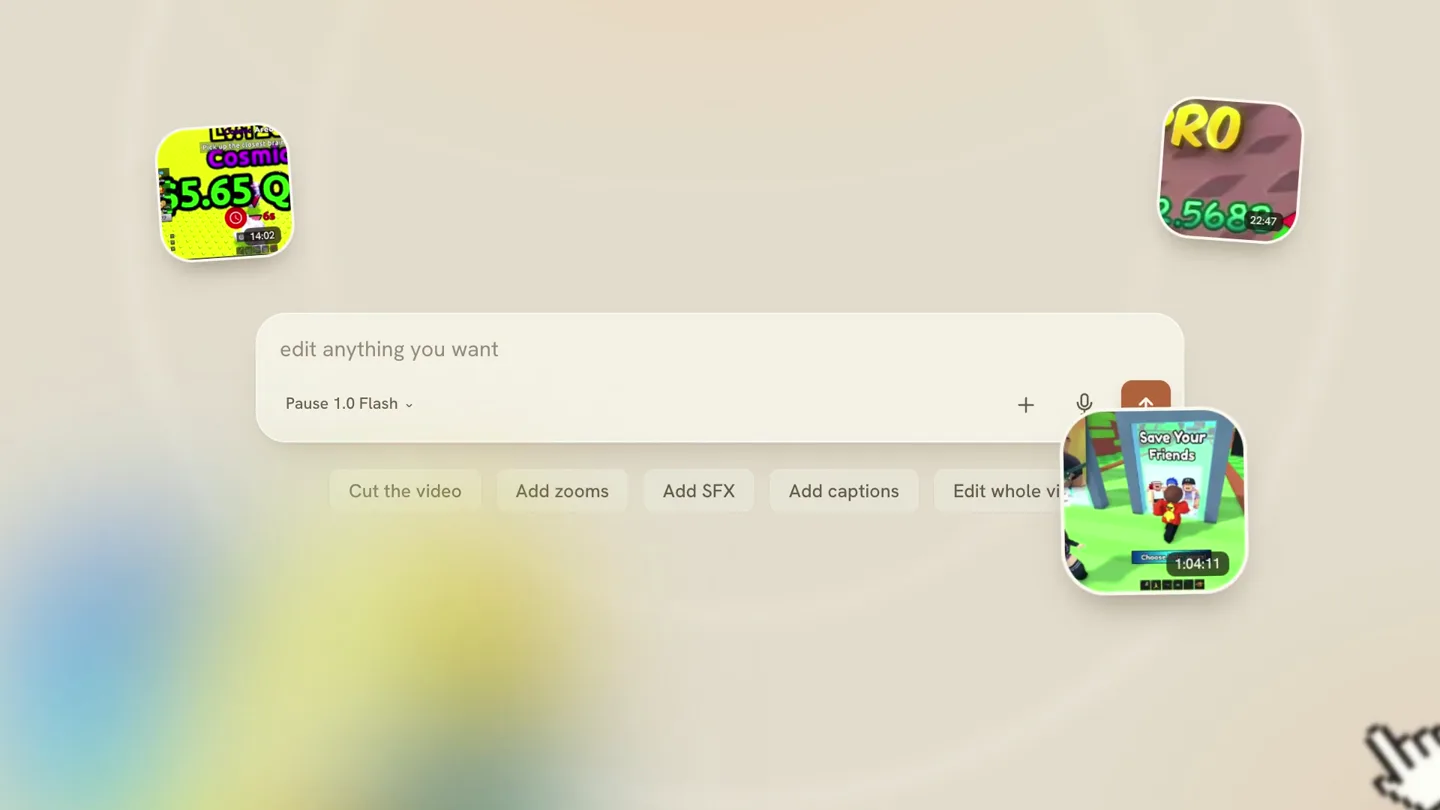
The AI that edits anything you want
“(No spoken dialogue — Energetic synth arpeggios build with a high-energy riser at 0:05.)”
- On screen
- Pause the owner edit anything you want Pause 1.0 Flash Cut the video Add zooms Add SFX Add captions Edit whole video
- Camera
- Zoom into a game-like interface, then a static shot of a prompt bar with interactive elements.
- Motion
- Zoom transition, UI element animation, cursor interaction simulation.
Product Reveal
Automated Editing Workflow
“(No spoken dialogue — Sub-bass drop at 0:12, rhythmic beat continues with a riser at 0:18.)”
- On screen
- cut the cut the dead air, add zooms + Working for 1:25 Thinking Watching the footage Cutting the sequence Reframing Adding zooms A real Premiere project Every zoom. All of it, editable.
- Camera
- Text typing animation, then a vertical scroll through a task list, followed by a blurred then focused view of a video editing timeline.
- Motion
- Typing effect, list reveal animation, blur-to-focus transition, timeline UI reveal.
Call to Action
Time-Saving Power & Beta Access
“(No spoken dialogue — Sub-bass drop at 0:19, driving beat, high-energy riser at 0:23, and final sub-bass impact at 0:24.)”
- On screen
- You take 20 hours. You take 20 hours. Pause takes 20 minutes. Done — check the receipt. Worked for 4:20 Pr PROJ Your project file is ready .proj Pause.zip Pause 1.0 Flash The AI that actually edits. Beta Access pausevfx.com
- Camera
- Static text, text strike-through, text reveal, UI notification pop-up, then a final static product title and call to action.
- Motion
- Text animation (strike-through, underline), UI notification animation, final branding reveal.
Motion design primitives
Synthesizable in Remotion · key components of the ai-flash-launch-template template.
KineticTextReveal
Individual words or characters animate into view with a slight bounce or rotation, often following a curved path or appearing sequentially.
+ Code construction recipe
Utilize Remotion's 'spring' or 'interpolate' functions for position, rotation, and opacity. SVG path animation can guide character movement. Stagger animations using 'delay' based on character index.
UIPromptInteraction
Simulates user interaction with a UI element, such as a text input field, dropdown menu, or button click, with a responsive visual feedback.
+ Code construction recipe
Implement 'Sequence' and 'AbsoluteFill' for UI elements. Use 'interpolate' for cursor movement, text typing effects, and button hover/click states. Employ 'spring' for subtle bounce on element appearance.
DynamicTimelineReveal
A blurred or obscured view of a complex UI (like a video editor timeline) transitions to a sharp, detailed view, often accompanied by text highlighting specific features.
+ Code construction recipe
Apply SVG 'filter' for blur effects. Animate the 'filter' property or 'opacity' to reveal details. Use 'AbsoluteFill' for the timeline background and 'Rect' or 'Line' components for timeline elements, animating their 'width' or 'height' to simulate activity.
Style DNA & aesthetic system
Visual aesthetic
Typography
Motion
Special effects
Pacing & rhythm
Conceptual story rhythm
- 1
Intrigue & Introduction
Purpose. Hook the viewer with a bold claim and introduce the product name playfully.
Execution. Kinetic typography revealing the product name 'Pause 1.0 Flash' with a charming pixel art mascot, set against a clean background.
- 2
Problem & Solution Tease
Purpose. Agitate the pain point of complex editing and hint at the AI's intuitive solution.
Execution. Simulated UI interaction with a prompt bar, showing various editing commands being selected, implying ease of use.
- 3
Process & Proof
Purpose. Demonstrate the AI's capability by showing its automated workflow and the professional output.
Execution. Animated task list showing the AI 'working' and a detailed reveal of a professional video editing timeline, emphasizing its editable nature.
- 4
Impact & Call to Action
Purpose. Quantify the product's benefit (time-saving) and guide users to the next step.
Execution. Direct comparison of manual vs. AI editing time, a UI notification of project completion, and a clear final screen with product name, tagline, and website.
Remix in Animatiq Studio
Master remix prompt · agent-ready
Sample remix
Objective
Launch an AI-powered logo design tool called 'BrandSpark AI' that generates professional logos in minutes.How the recipe adapts
The 'KineticTextReveal' primitive will introduce 'BrandSpark AI' and its tagline 'Design Your Brand in a Flash'. The 'UIPromptInteraction' will show a user typing 'create a minimalist tech logo with a blue and green gradient' into a prompt bar, followed by a quick animation of design options appearing. The 'DynamicTimelineReveal' will be adapted to show a 'working' animation for the AI generating logo variations, culminating in a grid of editable SVG logos. The final call to action will be 'Get Your Logo Instantly at brandspark.ai'.Remix blueprint · ai-flash-launch-template
Scene durations (4 scenes, 28s)
Key Remotion components
Related Creative AI & Video Product Launches
Explore all Creative AI & Video launches →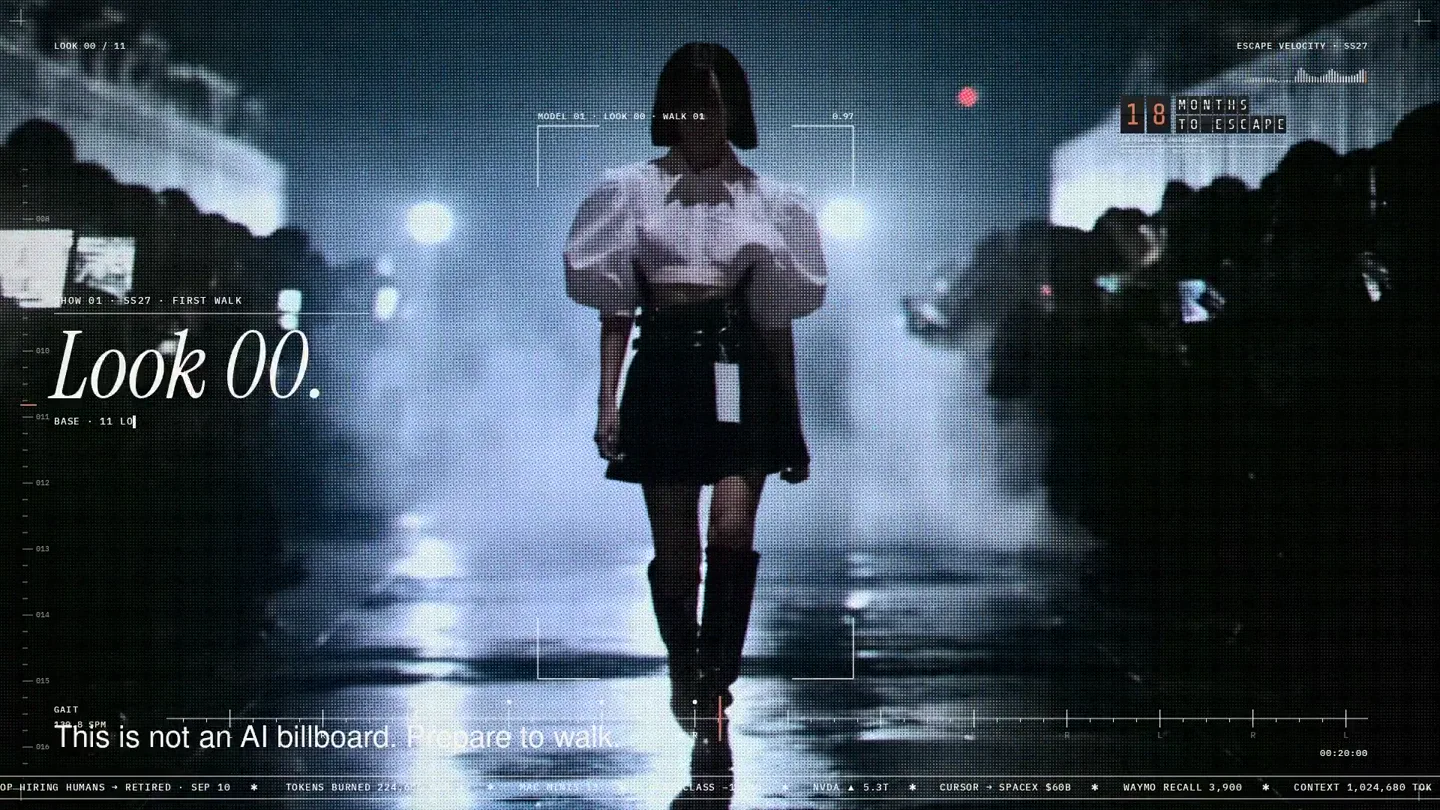
An overnight film made by giving Opus 5.5 Donald's prompt, Midjourney, and a moodboard. The piece is titled Look 00.
The new Grok Bot icon animated entirely in code — every state, shape and expression morphs smoothly into the next. Made with Grok Build.

The payment infrastructure for creators. Turn courses, ebooks, and apps into a live store in minutes.