
Perplexity · Launch Video Breakdown: Hook, Pacing & Motion Design
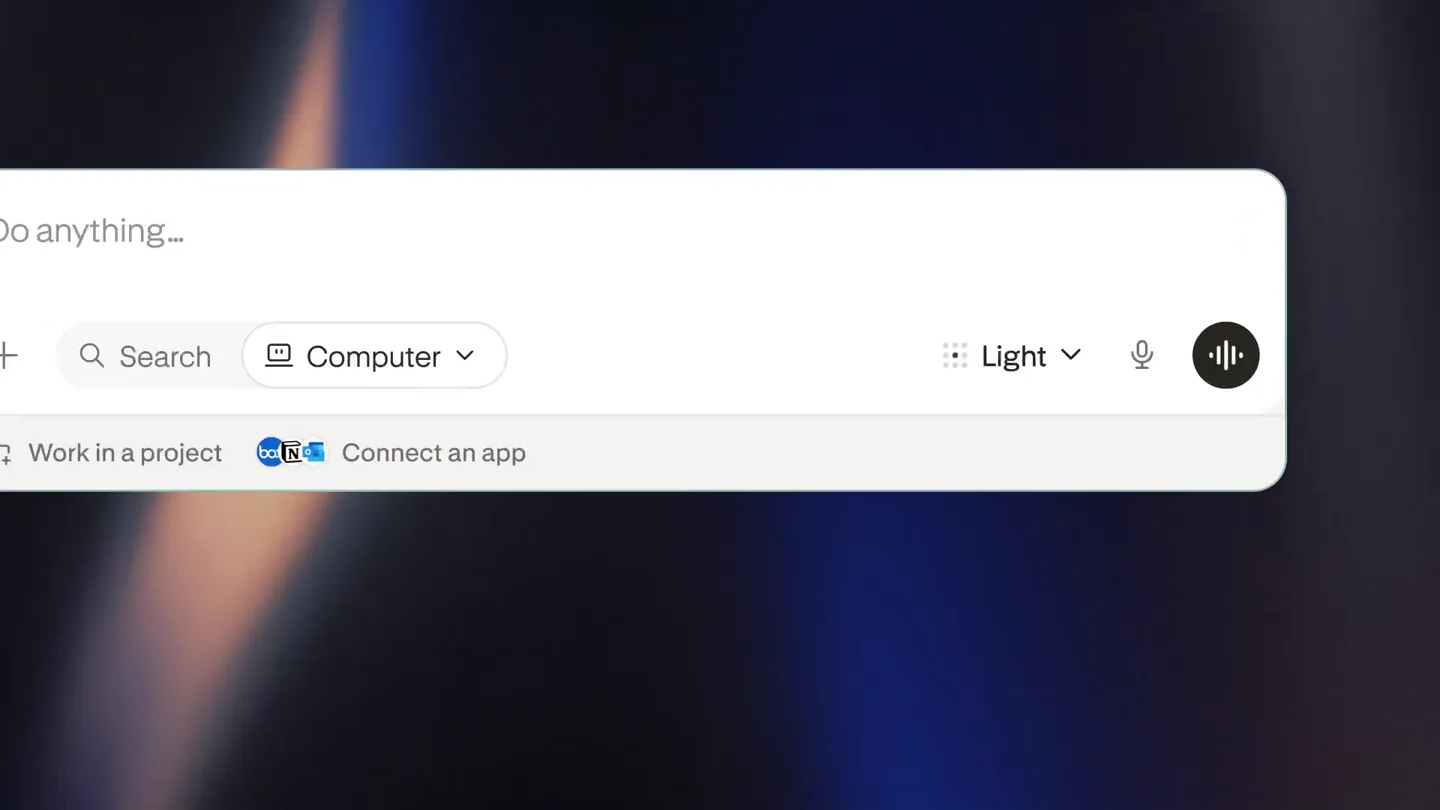
Perplexity Computer is rolling out effort controls in the model selector. Presets combine the orchestrator model and reasoning depth.
Scene-by-scene timeline & spoken transcript
The Hook
Logo Reveal & UI Intro
“(No spoken dialogue — High-energy audio transition/riser, sub-bass drop/impact at 0:01)”
- On screen
- (No on-screen text)
- Camera
- Static shot, centered on a glowing abstract logo, then a quick zoom out to reveal a UI element.
- Motion
- Subtle glow effect, quick scale transition, UI element slide-in.
Product Reveal
Effort Control Introduction
“(No spoken dialogue — Energetic electronic beat with sub-bass and synth arpeggios. Riser builds from 0:03 to 0:04, culminating in a sub-bass drop/impact.)”
- On screen
- Do anything.. Search Computer Light GLM 5.3 for straightforward, everyday tasks. Custom
- Camera
- Static, slightly zoomed-in view of the UI, focusing on the model selector dropdown.
- Motion
- Dropdown menu animation, cursor interaction, slider fill animation.
Feature Teaser
Reasoning Depth Selection
“(No spoken dialogue — Consistent energetic electronic beat. Riser builds from 0:06 to 0:07, with a sub-bass drop/impact.)”
- On screen
- Do anything.. Search Computer Standard Claude Opus 5 for balanced reasoning and cost. Custom High GPT-6 Astra for deep thinking on complex tasks.
- Camera
- Static, focused on the UI dropdown, tracking the cursor's movement.
- Motion
- Slider interaction, text update animation, subtle glow on selected elements.
Feature Teaser
Max Effort & Thoroughness
“(No spoken dialogue — Consistent energetic electronic beat.)”
- On screen
- Do anything.. Search Computer Ultra Claude Fable 5.1 for max effort and thoroughness. Highest credit usage. Custom
- Camera
- Static, focused on the UI dropdown, tracking the cursor's movement.
- Motion
- Slider interaction, text update animation, quick transition to a new abstract logo.
Call to Action
Perplexity Branding
“(No spoken dialogue — Consistent energetic electronic beat, fading out slightly.)”
- On screen
- perplexity
- Camera
- Quick zoom out and center on the Perplexity logo and text.
- Motion
- Logo reveal, text fade-in, subtle background animation.
Motion design primitives
Synthesizable in Remotion · key components of the ai-effort-control-launch template.
GlowFadeIn
An abstract geometric logo appears from a blurred state, gradually sharpening and emitting a soft, ethereal glow before transitioning or scaling.
+ Code construction recipe
Implement with a 'scale' and 'opacity' interpolation, combined with a 'filter: blur()' property that animates from a high value to 0. Use a 'box-shadow' or 'text-shadow' with a subtle color and spread for the glow effect, also animating its opacity.
UISliderInteraction
A UI slider component animates its fill progress in response to a simulated cursor drag, accompanied by dynamic text updates and subtle visual feedback.
+ Code construction recipe
Utilize 'interpolate' for the slider's 'width' property to simulate filling. Implement 'spring' for the cursor's position to give it a natural, responsive feel. Text updates can be handled by conditional rendering or 'opacity' and 'transform' interpolations for a fade/slide effect.
ContextualDropdownReveal
A contextual dropdown menu smoothly expands from a UI element, revealing options with associated descriptions and interactive components like sliders.
+ Code construction recipe
Animate 'height' and 'opacity' for the dropdown container using an 'ease-out' interpolation. Individual items within the dropdown can use 'staggered' 'opacity' and 'translateY' animations for a cascading reveal effect.
Style DNA & aesthetic system
Visual aesthetic
Typography
Motion
Special effects
Pacing & rhythm
Conceptual story rhythm
- 1
Abstract Intrigue
Purpose. Capture attention immediately with a mysterious, glowing logo and a high-energy audio cue.
Execution. Blurred, glowing logo on a dark, gradient background, followed by a sharp reveal and quick UI slide-in.
- 2
Feature Demonstration
Purpose. Showcase the core functionality of effort controls and reasoning depth selection in a clear, interactive manner.
Execution. Close-up UI interaction with a cursor dragging a slider, dynamically updating text descriptions for different AI models.
- 3
Progressive Revelation
Purpose. Build understanding of the product's capabilities by demonstrating increasing levels of complexity and control.
Execution. Sequential slider adjustments, each revealing a more advanced AI model and its specific use case, synchronized with audio risers.
- 4
Brand Reinforcement
Purpose. Conclude with strong brand recognition and a sense of the product's power and sophistication.
Execution. Transition from detailed UI to a clean, centered display of the Perplexity logo and name, with a subtle background animation.
Remix in Animatiq Studio
Master remix prompt · agent-ready
Sample remix
Objective
Launch an AI code generation tool called 'SyntaxFlow' that allows users to control code complexity and choose programming languages.How the recipe adapts
The GlowFadeIn primitive will be used for the SyntaxFlow logo reveal. The UISliderInteraction will be adapted for 'Complexity' (e.g., 'Basic', 'Intermediate', 'Advanced') and 'Language' (e.g., 'Python', 'JavaScript', 'Go') selectors, with dynamic text describing the generated code's characteristics. The ContextualDropdownReveal will show language options. The background will feature shifting blue and green gradients, and the overall pacing will match the original's energetic cuts and sound design.Remix blueprint · ai-effort-control-launch
Scene durations (5 scenes, 11.1s)
Key Remotion components
Related AI Agents Product Launches
Explore all AI Agents launches →
To ensure that artificial general intelligence benefits all of humanity

Introducing Claude Fable 5: a Mythos-class model that we’ve made safe for general use. Its capabilities exceed those of any model we’ve ever made generally available. https://t.co/2AvmEjHIX8

To understand the true nature of the universe.