
Scene-by-scene timeline & spoken transcript
The Hook
AI Agent App Introduction
“(No spoken dialogue — Pizzicato synths and evolving pads introduce a futuristic, suspenseful tone.)”
- On screen
- What are you thinking? Chat with Claude
- Camera
- Close-up shot of a hand holding a smartphone, slightly tilting to reveal the app interface. The camera then zooms out slightly and pans to the left, revealing more of the app's content.
- Motion
- Subtle camera pan and zoom, combined with on-screen text reveal and content expansion, creating a dynamic introduction to the app's capabilities.
Product Reveal
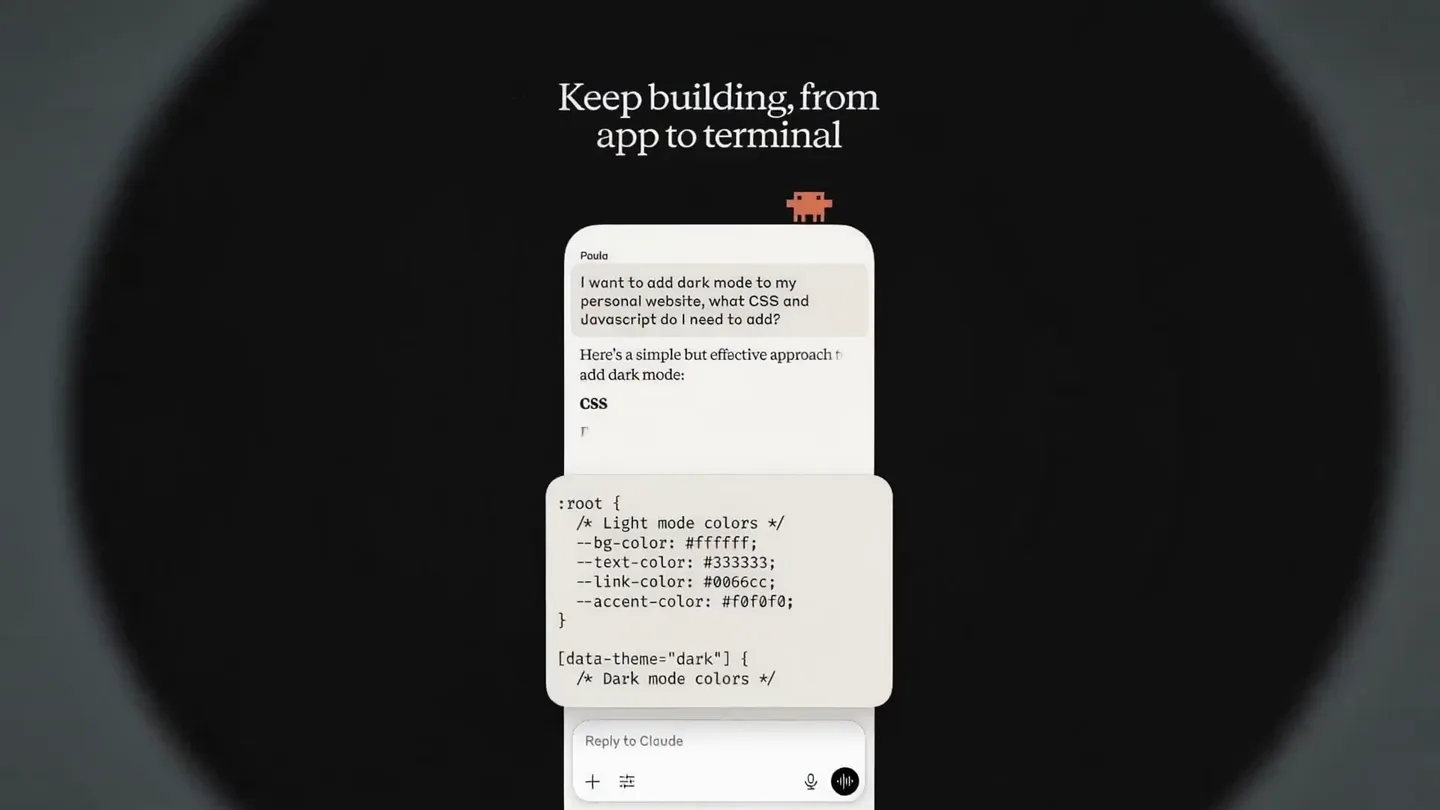
Code Generation & Integration
“(No spoken dialogue — The audio track maintains its suspenseful, futuristic feel with percussive elements and sub-bass drops emphasizing scene transitions.)”
- On screen
- Keep building, from app to terminal Paula I want to add dark mode to my personal website, what CSS and Javascript do I need to add? Here's a simple but effective app add dark mode: CSS First, you'll want to set up CSS variables for your color scheme: :root { /* Light mode colors */ --bg-color: #ffffff; --text-color: #333333; --link-color: #0066cc; --accent-color: #f0f0f0; } [data-theme="dark"] { /* Dark mode colors */ } Reply to Claude Zapier Notion Canva Nino Add this new lead from the conference to the CRM: BlueSky Logistics - Maria Rodriguez - maria@bluesky.com 1 New Client Entry Created BlueSky Logistics (CL-2025-049) Contact: Maria Rodriguez Email: maria@bluesky.com Status: Lead Source: Conference Added: October 22, 2025 View in Notion Connect the tools you already use Perfect! I've added the conference leads to your Notion CRM database. Reply to Claude
- Camera
- The camera rapidly cuts between different app screens, showcasing various functionalities. It maintains a consistent, slightly elevated perspective, focusing on the app's interface.
- Motion
- Fast cuts and screen transitions, with content dynamically expanding and collapsing within the app interface. This creates a sense of rapid information processing and multi-functionality.
Feature Teaser
Real-time Translation
“(No spoken dialogue — A riser builds tension, leading to a sub-bass drop as the scene transitions, maintaining the futuristic soundscape.)”
- On screen
- Translate like a pro, in real-time Cuturtouqitoh Chelsea I'm in Japan and need some help translating my train ticket instructions into English. Here are the key translations from the screen: 地下鉄 = Subway ニュートラム = Newtram 私鉄連絡 = Private Railway Connection Reply to Claude @icemnjpnhkroromrse
- Camera
- The camera focuses on the app interface, with a subtle circular glow effect emanating from the center. The background shifts from a solid color to a blurred, abstract pattern.
- Motion
- Circular glow effect and background color shifts, emphasizing the real-time processing and dynamic nature of the translation feature. Content expands and reveals progressively.
Call to Action
Brand Reveal & Coming Soon
“(No spoken dialogue — The audio track culminates with a final impactful sub-bass drop and a sustained pad, creating a sense of resolution and anticipation.)”
- On screen
- COMING SOON
- Camera
- The camera zooms out to reveal the app's icon centered on a black background. A subtle glow emanates from the icon, which then pulsates gently.
- Motion
- Icon reveal with a subtle glow and pulsation effect, creating a strong brand presence and a sense of anticipation for the product launch.
Motion design primitives
Synthesizable in Remotion · key components of the ai-agent-sizzle-reel template.
DynamicContentStack
Content cards dynamically stack and unstack, revealing new information or app interactions. New cards slide in from the bottom or side, pushing existing content upwards or sideways.
+ Code construction recipe
Use `interpolate` for `translateY` and `scale` properties. Implement `spring` for smooth, bouncy transitions between card states. Utilize `z-index` to manage stacking order and `overflow: hidden` on parent containers.
CircularGlowReveal
A circular glow effect emanates from a central point, expanding outwards to highlight specific content or transition between scenes. The glow can change color or intensity.
+ Code construction recipe
Employ `radial-gradient` or `box-shadow` with `filter: blur()` for the glow effect. Animate `scale` and `opacity` of a circular element. Use `canvas` or `SVG` for more complex, performant glow animations.
RapidScreenCut
Quick, abrupt cuts between different app screens or UI states, creating a sense of speed and showcasing multiple features in a short timeframe. Often accompanied by subtle camera shifts.
+ Code construction recipe
Utilize `Sequence` and `AbsoluteFill` components for precise timing of scene changes. Implement `spring` with low damping for subtle camera `translateX` or `translateY` on cuts to add dynamism. Ensure efficient rendering of each screen for seamless transitions.
Style DNA & aesthetic system
Visual aesthetic
Typography
Motion
Special effects
Pacing & rhythm
Conceptual story rhythm
- 1
Engage & Question
Purpose. Hook the viewer by posing a relatable question and immediately showing the app's conversational interface.
Execution. Close-up of the app on a phone, revealing 'What are you thinking?' and 'Chat with Claude' text, with a subtle camera tilt.
- 2
Demonstrate Core Capabilities
Purpose. Showcase the app's practical utility in coding and task automation through rapid, diverse examples.
Execution. Fast cuts between code generation and CRM integration examples, with dynamic content stacking and expanding.
- 3
Highlight Advanced Features
Purpose. Introduce a more advanced, 'wow' feature like real-time translation to impress and differentiate.
Execution. App screen showing real-time translation with a circular glow effect, emphasizing the AI's processing power.
- 4
Brand & Anticipate
Purpose. Conclude with a strong brand presence and a clear call to action, building excitement for the launch.
Execution. Full-screen app icon reveal with a pulsating glow and 'COMING SOON' text, leaving a lasting impression.
Remix in Animatiq Studio
Master remix prompt · agent-ready
Sample remix
Objective
Launch a new AI-powered project management tool called 'NexusFlow' that automates task assignments and optimizes team workflows.How the recipe adapts
The video would open with a close-up of the NexusFlow app, showing an AI agent asking 'What's on your plate today?'. This would transition into rapid demonstrations of task creation, automated assignment suggestions, and real-time progress tracking using DynamicContentStack. A CircularGlowReveal would highlight the AI's intelligent scheduling feature, showing optimized timelines. RapidScreenCuts would showcase integrations with popular communication tools. The video would maintain the fast-paced editing and futuristic sound design, concluding with the NexusFlow logo and 'Streamline Your Success' tagline.Remix blueprint · ai-agent-sizzle-reel
Scene durations (4 scenes, 15.1s)
Key Remotion components
Related AI Agents Product Launches
Explore all AI Agents launches →
To ensure that artificial general intelligence benefits all of humanity

Gopuff introduces Go, an AI shopping assistant built with SpaceXAI: say what you need and the order is placed.

Iliad (Troy) trailer made by Grok Imagine 1.5, which was just released