
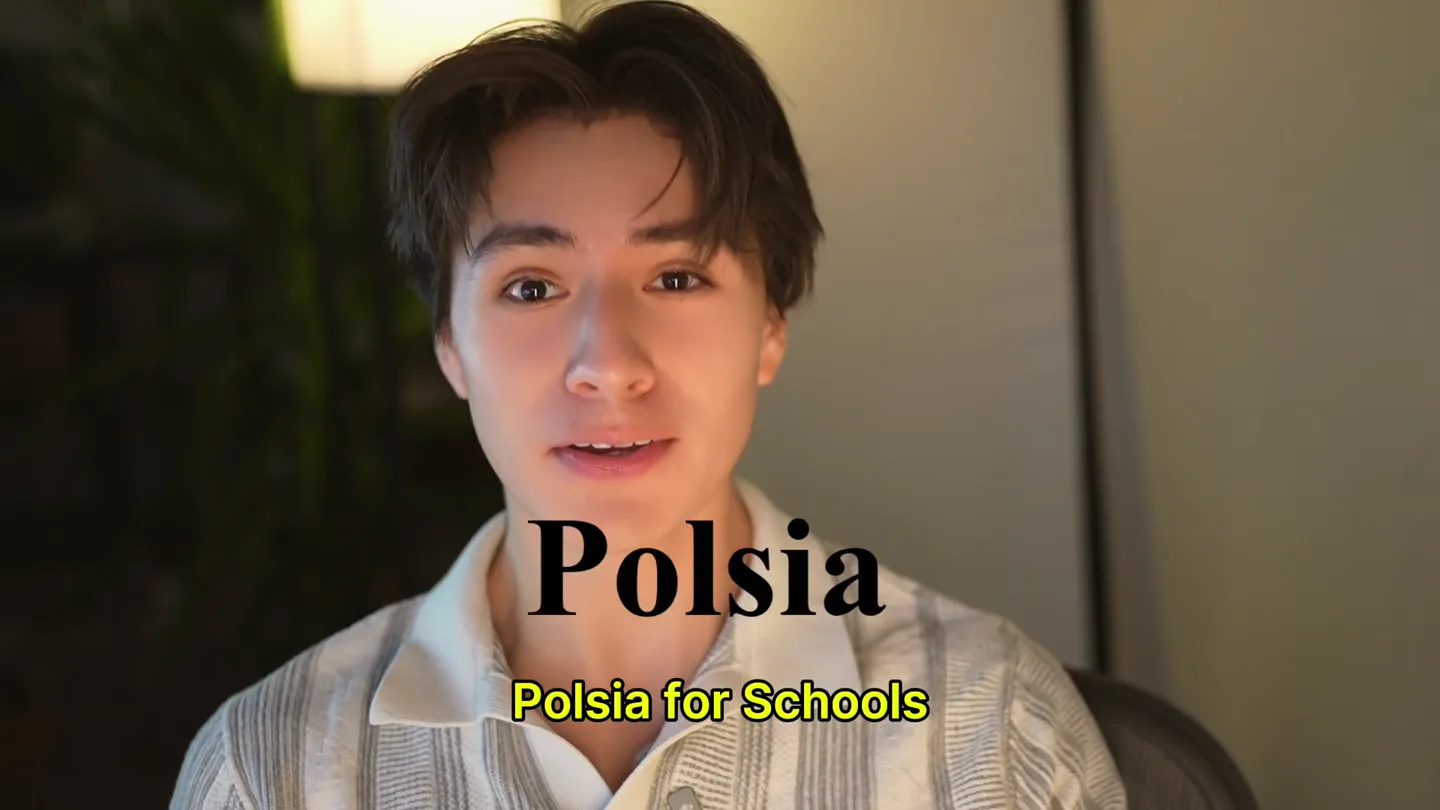
Polsia · Launch Video Breakdown: Hook, Pacing & Motion Design
Polsia for Schools gives teachers an AI agent team that grades student work instantly, already used in real classrooms for a year.
Scene-by-scene timeline & spoken transcript
The Hook
Introducing Polsia for Schools
“you can think of it as running your school”
- On screen
- you can think of it as running your school
- Camera
- Close-up on presenter, direct address to camera.
- Motion
- Static shot, presenter-focused, with on-screen text overlay.
Product Reveal
AI Agent Team for Grading
“say I'm an English teacher including documents videos produced on Canva and we can see a breakdown of all the sections we've already applied them over here or where they can improve attach it to a specific moment or we can make any adjustments more jolly with some emojis now again I'm just gonna on the student's document or images for AI analysis we can go in and say that so it actually analyzed an AI native world with these comments”
- On screen
- VibeGrade! AI Teachi... I don't know why they x link school of busines... x Units - Credit Review x Extensions x Units - Credit Review x Classic Learning Tex... x + Ask Gemini units Kenneth Zaharov Assessed - 84% - L4 AI in Schools — Personal Essay (OF Learning, 10%) - OF 10% Assignment brief Rubric Pre-Submission Self-Assessm... Job List + Skills Inventory (Mar... Anchor Sentences written BEFOR... Comments applied 3 AI inline comments ready for this doc - replaces the doc's existing comments. Share G Gilbert Feedback Kenneth Zaharov Written before any AI use, in my own voice. The Virtury The first time a nervous five-year-old did a skill on the beam because of how I walked her through it. I realized that good communication isn't about big words, it's about making someone feel safe enough to try. The Challenge I'm comfortable explaining things one-on-one, but speaking in front of a full room still makes me freeze up, and I know a cockpit briefing won't let me hide from that. The Goal My goal is to fly the Dash 8 Q400 as a commercial pilot, a job where one unclear radio call can put all of us at risk, so learning to communicate with total precision isn't optional for me; it's the whole job. This is a strong personal scene. It gives your essay proof that communication matters before you start arguing about AI. Cancel Comment G Gilbert Feedback This is honest and clear. To make it even stronger later, attach it to one specific moment where this happened. Cancel Comment Application 4/4 Criteria strands View full rubric > Ready for drafting This document does exactly what the assignment asked it to do. The anchors give you strong raw material for the essay and reflection. A little more scene detail in the challenge would make it even more useful later. Note to student You built a strong, personal argument about AI and assessment. Your best work shows real ownership, especially through the aviation and coaching examples. The biggest next step is making the AI-collaboration map fully visible. 2 of 6 confirmed Confirm G Gilbert Feedback Apply comments in doc. You're currently signed in as feedback@gradeassistai.com Change account OK Pre-Submission Self-Assessment (Google Doc) ENG4U - AI in Schools — Personal Essay (OF Learning, 10%) Fill in every section below before you submit. Identity & Course Info Basic metadata so the inspector can trace the submission. Full name: Kenneth Zaharov Student ID (AsyncAcademy/BSID 665288) Course code (e.g., ENG 3U, CHC 2D): ENG4U Unit number: 01 Ontario curriculum expectation codes this submission What is the strongest element of the submission? Be specific - point to a moment, line, or decision. My current argument section. Instead of using the weak "AI causes stealing" objection, I rephrased the strongest version, that writing is thinking, so letting AI write means letting it think for you, then answered it honestly by drawing the line between AI replacing thought and AI sharpening it. Taking the hardest objection seriously is what makes the argument hold up! What is the weakest element? If you had 2 more hours, what would you do first? My public-speaking reflection near the end. It's true but a little underdeveloped. With more time I would add a specific moment where freezing up in front of a room actually cost me something, so the point lands with a real scene instead of just a statement. Framework how analytical frameworks did the assignment require? (CRAP, RACRAB, Four Canons of Significance / Continuity & Change / Cause & Consequence). Steelmanning (presenting the strongest version of the opposing argument), and the personal essay show all of those. However, the essay is not perfect. List every analytical framework applied (Sift, CARS, CRAP, RACRAB, Four Canons of Significance / Continuity & Change / Cause & Consequence). Steelmanning (presenting the strongest version of the opposing argument), and the personal essay show all of those. However, the essay is not perfect. Anchor Sentences written BEFORE any AI use (Markdown) Voice sounds authentic The sentences sound natural and student-written. They are clear, memorable, and easy to carry into the essay. The strongest line is the goal sentence because it connects career ambition to communication stakes. Comments applied G Overall AP C T RU 84% Overall The Units Standard You added clear human value through personal examples, rejected AI filler, and defended real editing choices. Adjust all feedback Pre-Submission Self-Assessment (Google Doc) Knowledge & Understanding 4/4 Criteria strands Knowledge Excellent Strong personal anchors You clearly answer all three required parts: victory, challenge, and goal. The details are concrete, especially the five-year-old on the beam and the Dash 8 Q400. These details make the later essay feel grounded in your real life. Correct this feedback... Thinking 4/4 Criteria strands View full rubric > Strong idea generation You clearly answer all three required parts: victory, challenge, and goal. The details are concrete, especially the five-year-old on the beam and the Dash 8 Q400. These details make the later essay feel grounded in your real life. make the feedback more jolly
- Camera
- Screen capture of the Polsia Units interface, with the presenter in a small picture-in-picture window in the bottom right.
- Motion
- Picture-in-picture (PIP) overlay, screen recording with cursor interaction, highlighting text and UI elements. Subtle zoom and pan within the screen capture to focus on specific areas.
Feature Teaser
Better Feedback, Faster
“to build an assignment better feedback faster we using this internally at Units about the future of education”
- On screen
- units Students Resources About Help FOR Reading the Play — Design the Quiz (FOR Learning) Reading the Play — Design the Quiz (FOR Learning) Jun 26, 2026 > AS Pre-Reading Shakespeare (AS Learning) Pre-Reading Jun 26, 2026 > OF - 93% Assessed - 84% - L4 AI in Schools — Personal Essay (OF Learning, 10%) AI honesty: stated in self-assessment ✓ complete AI & Piracy - 60% original - self-assessment ✓ complete FOR AI & Piracy (FOR Learning) Jun 25, 2026 > AS Assessed - 83% - L4 Note: How is Units Different? (AS Learning) Jun 23, 2026 > https://units.school/review/39qk60704rZfduZfBwquP2iENXzXejcmqYQalw00004i5wqnk3k3
- Camera
- Screen capture of the Polsia Units assignment list, with the presenter in a small picture-in-picture window.
- Motion
- PIP overlay, screen recording showing navigation through the platform, emphasizing the breadth of assignments.
Call to Action
Visit Polsia.school
“(No spoken dialogue — The audio features an ambient electronic score with orchestral synth elements, including pizzicato synths and a prominent sub-bass. The tempo is consistent at 120 BPM. High-energy audio transitions, risers, sweeps, and sub-bass drops/impacts are strategically placed to emphasize key points and transitions in the presentation.)”
- On screen
- (No on-screen text)
- Camera
- The video transitions to a full-screen shot of the presenter, then likely to a final call-to-action screen (not visible in provided frames).
- Motion
- Direct address, likely followed by a graphic overlay for the call to action. The overall video has a low cut rate, suggesting longer takes and smooth transitions.
Motion design primitives
Synthesizable in Remotion · key components of the founder-authority-ui-showcase template.
PictureInPictureOverlay
A main screen recording or presentation is displayed, with a smaller, live-action video of the presenter positioned in a corner, typically the bottom right. The presenter's window maintains a consistent size and position.
+ Code construction recipe
Implement using Remotion's <AbsoluteFill> for the main content and a <Sequence> with <AbsoluteFill> and CSS positioning (e.g., `bottom: 20px`, `right: 20px`, `width: 200px`, `height: 150px`) for the presenter's video. Use `z-index` to ensure the presenter is on top. The presenter's video can be a pre-recorded MP4 or a live camera feed if using advanced Remotion features.
UIHighlightAndZoom
Specific elements within a screen recording, such as text, buttons, or sections of a document, are highlighted or subtly zoomed into to draw viewer attention. This often accompanies cursor movements.
+ Code construction recipe
For screen recordings, use <Video> and apply CSS `transform: scale()` and `transform: translate()` properties, interpolated over time, to simulate zoom and pan. For highlighting, use a semi-transparent <Rect> or <Div> element with a border, animated with `opacity` and `scale` to appear and disappear over the target UI element. Coordinate these animations with the `seek` property of the screen recording video.
DynamicTextOverlay
Key spoken phrases are transcribed and displayed as large, bold, yellow text overlays at the bottom of the screen, synchronized with the speaker's dialogue.
+ Code construction recipe
Utilize Remotion's <Text> component. Style with `font-size`, `font-weight`, `color: yellow`, and `text-shadow` for readability. Animate the `opacity` and `transform: translateY()` properties using `spring()` or `interpolate()` to make the text appear and disappear smoothly, timed precisely with the `spoken_script` timestamps. Ensure the text is positioned consistently at the bottom of the frame.
Style DNA & aesthetic system
Visual aesthetic
Typography
Motion
Special effects
Pacing & rhythm
Conceptual story rhythm
- 1
The Visionary Hook
Purpose. Immediately establish the product's grand ambition and scope, positioning it as a transformative solution for an entire system.
Execution. Direct address from the founder, close-up, with a concise, impactful statement about the product's overarching purpose.
- 2
Problem-Solution Demonstration
Purpose. Showcase the core problem (teacher workload, feedback quality) and demonstrate how the AI agent team directly solves it through a live product walkthrough.
Execution. Picture-in-picture screen recording of the UI, with the founder narrating and interacting with the software, highlighting key features like AI-generated comments and rubrics.
- 3
Feature Deep Dive & Validation
Purpose. Elaborate on specific, advanced capabilities of the AI (e.g., analyzing 'how' something is said, handling various media types) and reinforce its real-world effectiveness.
Execution. Continued detailed UI walkthrough, focusing on specific interaction points, data analysis, and showing the breadth of content the AI can process. Mention of internal usage for validation.
- 4
Future & Call to Action
Purpose. Broaden the perspective to the future impact of the technology and guide viewers on how to engage further.
Execution. Transition back to the founder for a concluding statement, followed by a clear, concise call-to-action screen with website details.
Remix in Animatiq Studio
Master remix prompt · agent-ready
Sample remix
Objective
Launch a new AI-powered legal document review platform for law firms.How the recipe adapts
The founder will introduce the legal AI platform directly, then transition to a picture-in-picture demonstration of the document review interface. The UI will show AI-generated summaries and clause comparisons, with subtle zooms highlighting specific legal terms and AI suggestions. Key benefits like 'Automate Contract Analysis' will appear as yellow text overlays. The video will conclude with the founder inviting law firms to a demo.Remix blueprint · founder-authority-ui-showcase
Scene durations (4 scenes, 201.3s)
Key Remotion components
Related AI Agents Product Launches
Explore all AI Agents launches →
To ensure that artificial general intelligence benefits all of humanity

Gopuff introduces Go, an AI shopping assistant built with SpaceXAI: say what you need and the order is placed.

Iliad (Troy) trailer made by Grok Imagine 1.5, which was just released