
Alibaba Qwen · Launch Video Breakdown: Hook, Pacing & Motion Design
Qwen3.7-Max as an advanced coworker for real-world productivity workflows.
Scene-by-scene timeline & spoken transcript
The Hook
Introducing the Cowork Agent
“(No spoken dialogue — Driving electronic beat with pizzicato synths and sub-bass intro.)”
- On screen
- Cowork Agent 生产力助手
- Camera
- Static, centered text reveal.
- Motion
- Text reveal with a subtle fade-in and scale-up effect, followed by a quick cut to a grid of application windows.
Product Reveal
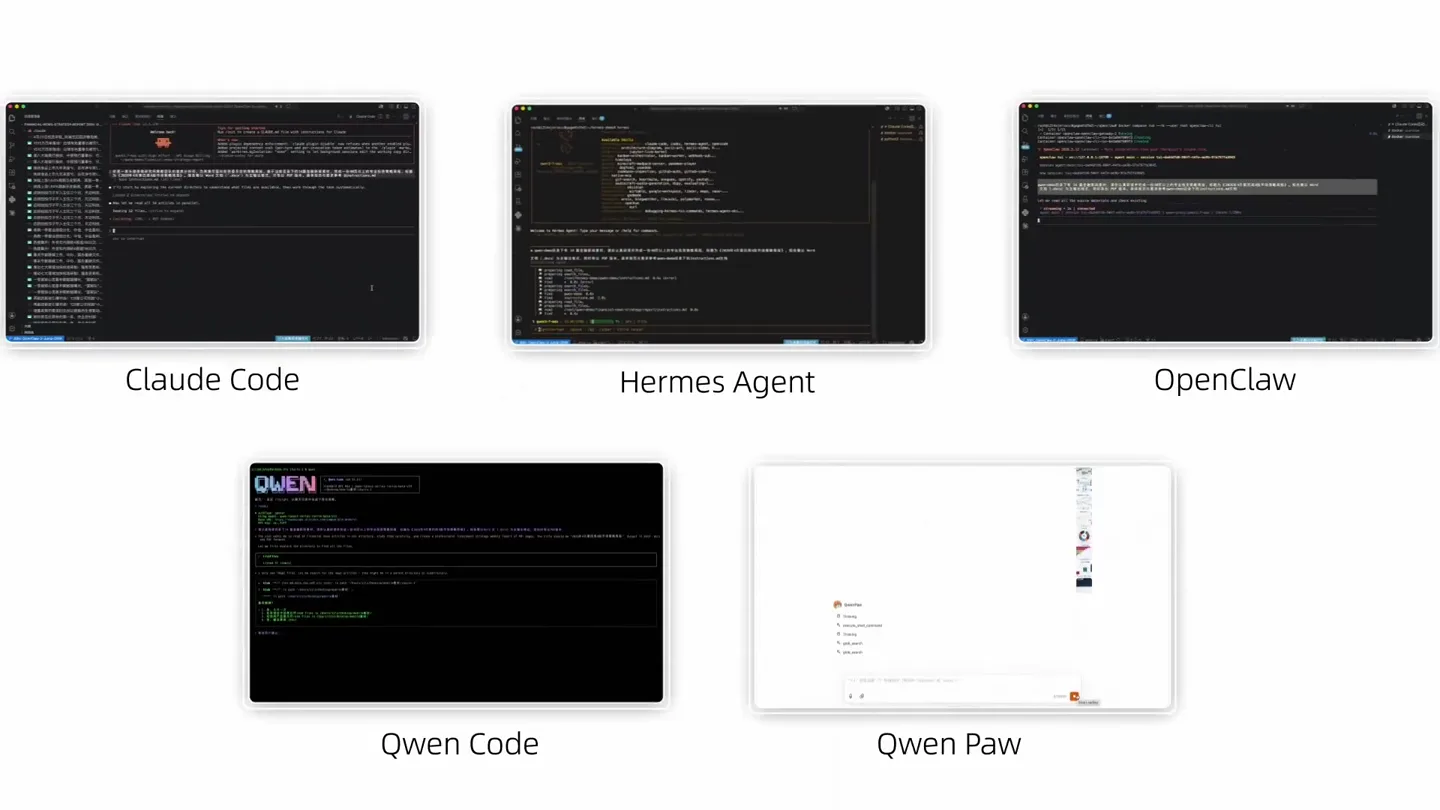
AI Agent Ecosystem Overview
“(No spoken dialogue — Electronic beat continues, building energy with subtle percussive layers.)”
- On screen
- Claude Code Hermes Agent OpenClaw Qwen Code Qwen Paw
- Camera
- Static overhead shot of multiple application windows, then a zoom-in on a specific application.
- Motion
- Grid layout of application windows with a smooth zoom transition into a single application view, showcasing dynamic content within the window.
Feature Teaser
Financial News Analysis & Strategy
“(No spoken dialogue — Riser at 0:13 leading into a sub-bass drop/impact at 0:14, maintaining high energy.)”
- On screen
- 分析本周财经新闻 提供投资策略 Analyze this week's financial news and provide investment strategies
- Camera
- Dynamic camera movement, panning and zooming across a digital document, then a rapid page-turn animation.
- Motion
- Fast-paced, multi-layered document animation with pages flipping and content dynamically updating, emphasizing data visualization.
Feature Teaser
Cross-Industry Transaction Dashboard
“(No spoken dialogue — Electronic beat with 808-style percussion, another riser at 0:25 followed by a subtle impact at 0:26.)”
- On screen
- 整合跨行业交易数据, 搭建可视化追踪看板 Integrate cross-industry transaction data and build a visual tracking dashboard
- Camera
- Close-up on a spreadsheet interface, with rapid scrolling and highlighting of data points.
- Motion
- Rapid data scrolling and highlighting within a spreadsheet interface, simulating real-time interaction and complex data processing.
Call to Action
Productivity Leap
“(No spoken dialogue — Energetic electronic beat fades out with a final synth flourish.)”
- On screen
- 高品质交付物 真实生产力跃升 High-quality deliverables, real productivity leap
- Camera
- Static, centered text reveal.
- Motion
- Clean text reveal with a subtle glow or shimmer effect, reinforcing the final message.
Motion design primitives
Synthesizable in Remotion · key components of the ai-agent-productivity-showcase template.
DynamicAppGridZoom
Multiple application windows are displayed in a grid, then one smoothly zooms into full screen while its internal content animates.
+ Code construction recipe
Use `spring` for the initial grid layout and subsequent zoom. Implement `interpolate` for content animations within the zoomed window, such as text typing or UI element reveals. Utilize `AbsoluteFill` for scene transitions.
InteractiveDataReport
Digital documents rapidly flip and animate, revealing complex charts, graphs, and text, simulating an AI-generated report.
+ Code construction recipe
Employ `Sequence` and `spring` for page turns. Use `Path` and `SVG` for dynamic chart drawing animations. Apply `interpolate` for text reveals and data point highlights, with `delay` for staggered effects.
RealtimeSpreadsheetScroll
A spreadsheet interface scrolls rapidly, highlighting specific rows and columns, demonstrating data integration and analysis capabilities.
+ Code construction recipe
Utilize `interpolate` for vertical and horizontal scrolling. Implement `spring` for highlighting effects on rows/columns. Use `Canvas` or `WebGL` for complex data visualization overlays if needed, otherwise standard DOM elements.
Style DNA & aesthetic system
Visual aesthetic
Typography
Motion
Special effects
Pacing & rhythm
Conceptual story rhythm
- 1
The Agent's Introduction
Purpose. To quickly establish the product's core identity and purpose.
Execution. A clean, direct text reveal of 'Cowork Agent' followed by a rapid transition to a multi-application overview.
- 2
Workflow Integration Showcase
Purpose. To demonstrate the AI agent's versatility across various digital tools and tasks.
Execution. A grid of diverse application windows, zooming into one to show dynamic content, illustrating seamless integration.
- 3
Deep Dive into Data Analysis
Purpose. To highlight the agent's capability in complex data processing and report generation.
Execution. Fast-paced animations of financial reports, charts, and spreadsheets, emphasizing detailed insights and rapid information synthesis.
- 4
The Productivity Promise
Purpose. To conclude with the ultimate benefit and impact of the product.
Execution. A final, impactful text reveal summarizing the high-quality deliverables and productivity leap.
Remix in Animatiq Studio
Master remix prompt · agent-ready
Sample remix
Objective
Launch video for 'TaskFlow AI', an intelligent project management platform.How the recipe adapts
The DynamicAppGridZoom primitive would show TaskFlow AI integrating with Slack, Jira, and Figma, then zoom into TaskFlow's dashboard. The InteractiveDataReport primitive would animate Gantt charts and resource allocation graphs. The RealtimeSpreadsheetScroll primitive would demonstrate dynamic task list updates and progress tracking. The color palette would shift to TaskFlow's brand colors, maintaining the clean, modern feel. Typography would remain a Grotesque Sans-serif for clarity.Remix blueprint · ai-agent-productivity-showcase
Scene durations (5 scenes, 30s)
Key Remotion components
Related AI Agents Product Launches
Explore all AI Agents launches →
To ensure that artificial general intelligence benefits all of humanity

Gopuff introduces Go, an AI shopping assistant built with SpaceXAI: say what you need and the order is placed.

Iliad (Troy) trailer made by Grok Imagine 1.5, which was just released