
Stripe · Launch Video Breakdown: Hook, Pacing & Motion Design
Agents can use Ramp cards to buy from businesses on Stripe via MPP. On screen, purchasing stays within policy.
Scene-by-scene timeline & spoken transcript
The Hook
AI-Powered Policy Check
“(No spoken dialogue — The audio features a driving electronic beat with pizzicato synth melodies and percussive 808-style drums. A riser builds at 0:07.)”
- On screen
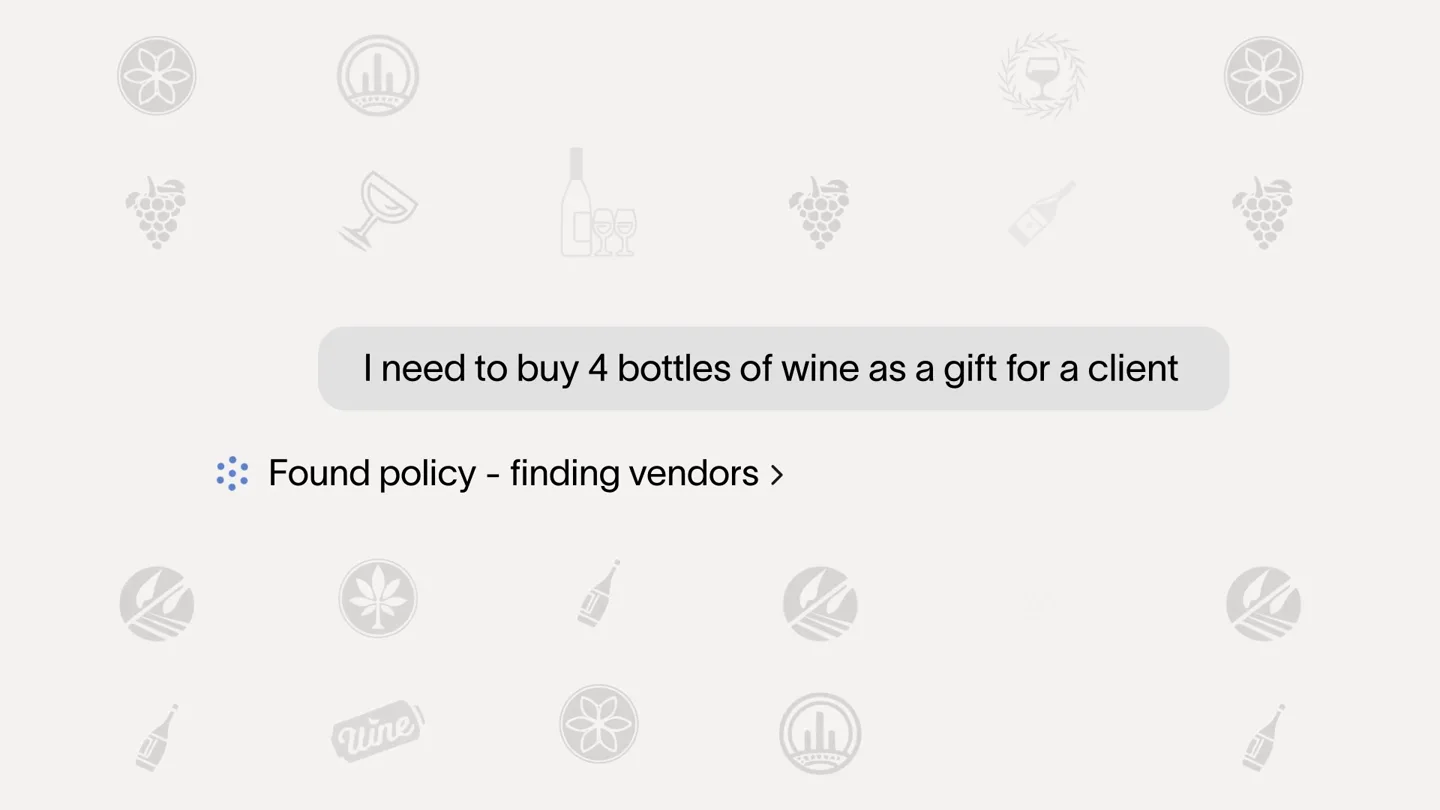
- I need to buy 4 bottles of wine as a gift for a client Thinking > Checking Ramp budgets > Found policy - finding vendors >
- Camera
- Static, centered view of a search bar and subsequent chat bubble UI elements. No camera movement.
- Motion
- Text typing animation, UI element reveals, loading spinners, and dynamic text updates within a chat interface.
Product Reveal
Seamless Product Selection & Policy Validation
“(No spoken dialogue — A sub-bass drop/impact occurs at 0:08, followed by the energetic electronic beat. A riser builds at 0:16.)”
- On screen
- American Wine - Cabernet Sauvignon Louis M Martini From the best vineyard blocks within Monte Rosso $110 / 750ml Martin Estate The flagship expression of Martin Estate $125 / 750ml Paul Hobbs Dense garnet color accompanies an alluring nose $132 / 750ml Checking policy > Adding to cart > Checking out > Ramp budget Shared - 3 members $1,567 / $2,000 Total Shannon Tyler, +2 others Wine Store Auto-coded 20014 - Gifts Pending Get $50.00 cashback when you pay with a Ramp card. Change payment method Single gift value under $500 Approved Gifts for US recipients only Four gifts within budget
- Camera
- Static, centered view of a product selection UI, then a wider view of a dashboard with multiple UI cards. No camera movement.
- Motion
- Product card highlight, loading animations, dynamic status updates (Pending, Approved), and budget bar filling.
Feature Teaser
Automated Purchase Confirmation
“(No spoken dialogue — A sub-bass drop/impact occurs at 0:17, maintaining the energetic electronic beat.)”
- On screen
- I need to buy 4 bottles of wine as a gift for a client Order Summary 4 Cabernet Sauvignon from Martin Estate $500 - ready for purchase Ordering > Purchase Confirmed Martin Estate Cabernet Sauvignon - 750ml Quantity: 4 Subtotal $500.00 Shipping Complimentary Estimated Tax $0.00 Total $500.00
- Camera
- Static, centered view of a chat interface transitioning to an order summary. No camera movement.
- Motion
- Text reveal, status updates (Ordering, Purchase Confirmed), and a detailed order summary table reveal.
Call to Action
Stripe x Ramp Integration & CTA
“(No spoken dialogue — The audio features a final build-up with a riser at 0:21 leading to a sub-bass drop/impact at 0:22, then fades out with the electronic beat.)”
- On screen
- Reliable agent purchasing, always within policy ramp x stripe agents.ramp.com
- Camera
- Static, centered view of text headlines and logos. No camera movement.
- Motion
- Text fade-in, logo reveal with a subtle cross dissolve, and URL display.
Motion design primitives
Synthesizable in Remotion · key components of the ai-expense-manager-launch template.
TypingChatBubble
Text appears character by character within a chat bubble, simulating real-time typing, followed by a dynamic loading indicator with text updates.
+ Code construction recipe
Use Remotion's <Sequence> and <AbsoluteFill> for layout. Implement character-by-character text reveal with `interpolate` on `opacity` and `width` for each character, triggered by `frame`. Use a `spring` animation for the chat bubble's initial appearance. Loading indicators can be SVG circles animated with `rotate` and `scale`.
ProductCardHighlight
Product cards subtly animate into focus with a slight scale and a background color change, while other cards dim, indicating selection or policy check.
+ Code construction recipe
Utilize `interpolate` for `scale` and `opacity` properties of product cards. Apply a `backgroundColor` transition using `interpolateColor` for the highlight effect. Use `spring` for a smooth, bouncy feel on the scale animation when a card is selected.
DynamicStatusUpdate
UI elements like budget bars and status badges (Pending, Approved) dynamically update with color changes, text reveals, and progress animations.
+ Code construction recipe
For budget bars, animate `width` property of a progress bar element using `interpolate`. Status badges can use `spring` for a pop-in effect and `interpolateColor` for color changes (e.g., orange for pending, green for approved). Text reveals within these elements can use `opacity` and `translateY` interpolation.
Style DNA & aesthetic system
Visual aesthetic
Typography
Motion
Special effects
Pacing & rhythm
Conceptual story rhythm
- 1
User Input & AI Processing
Purpose. Introduce the user's need and demonstrate the AI's immediate, intelligent response to policy and budget constraints.
Execution. Typing animation in a search bar, followed by a chat bubble displaying user query and AI processing messages with loading indicators.
- 2
Policy-Compliant Product Selection
Purpose. Showcase how the system guides the user to policy-approved products and manages budget in real-time.
Execution. Product browsing interface with highlighted, policy-compliant items, and a dashboard view showing budget allocation and policy approvals/denials.
- 3
Automated Purchase & Confirmation
Purpose. Illustrate the seamless, automated purchasing process and the final confirmation.
Execution. Transition from product selection to an 'Ordering' status, culminating in a detailed 'Purchase Confirmed' order summary.
- 4
Brand Integration & Call to Action
Purpose. Reinforce the core value proposition and clearly state the integrated brands and where to learn more.
Execution. A concise text headline summarizing the benefit, followed by a clear 'Ramp x Stripe' logo lockup and a website URL.
Remix in Animatiq Studio
Master remix prompt · agent-ready
Sample remix
Objective
A new AI-powered expense management tool for small businesses.How the recipe adapts
The TypingChatBubble primitive would adapt to show a user inputting an expense, with the AI processing and categorizing it. The ProductCardHighlight primitive would be repurposed for highlighting expense categories or policy-compliant vendors. DynamicStatusUpdate would show real-time budget tracking and approval statuses for expenses. The overall aesthetic would maintain the clean UI and sans-serif typography, with a similar light background and accent colors for approvals/denials.Remix blueprint · ai-expense-manager-launch
Scene durations (4 scenes, 31.7s)
Key Remotion components
Related Developer Tools Product Launches
Explore all Developer Tools launches →
Agentic CLI for coding, building apps, and automating workflows.

New in Claude Code: your sessions can now message each other. Tell Claude to send a summary (not your history or files), and the other session picks it up mid-task.

Meet Qwen3.8-Max: A New Bar for Coding and Cowork. https://t.co/mJaA8vr6xT