
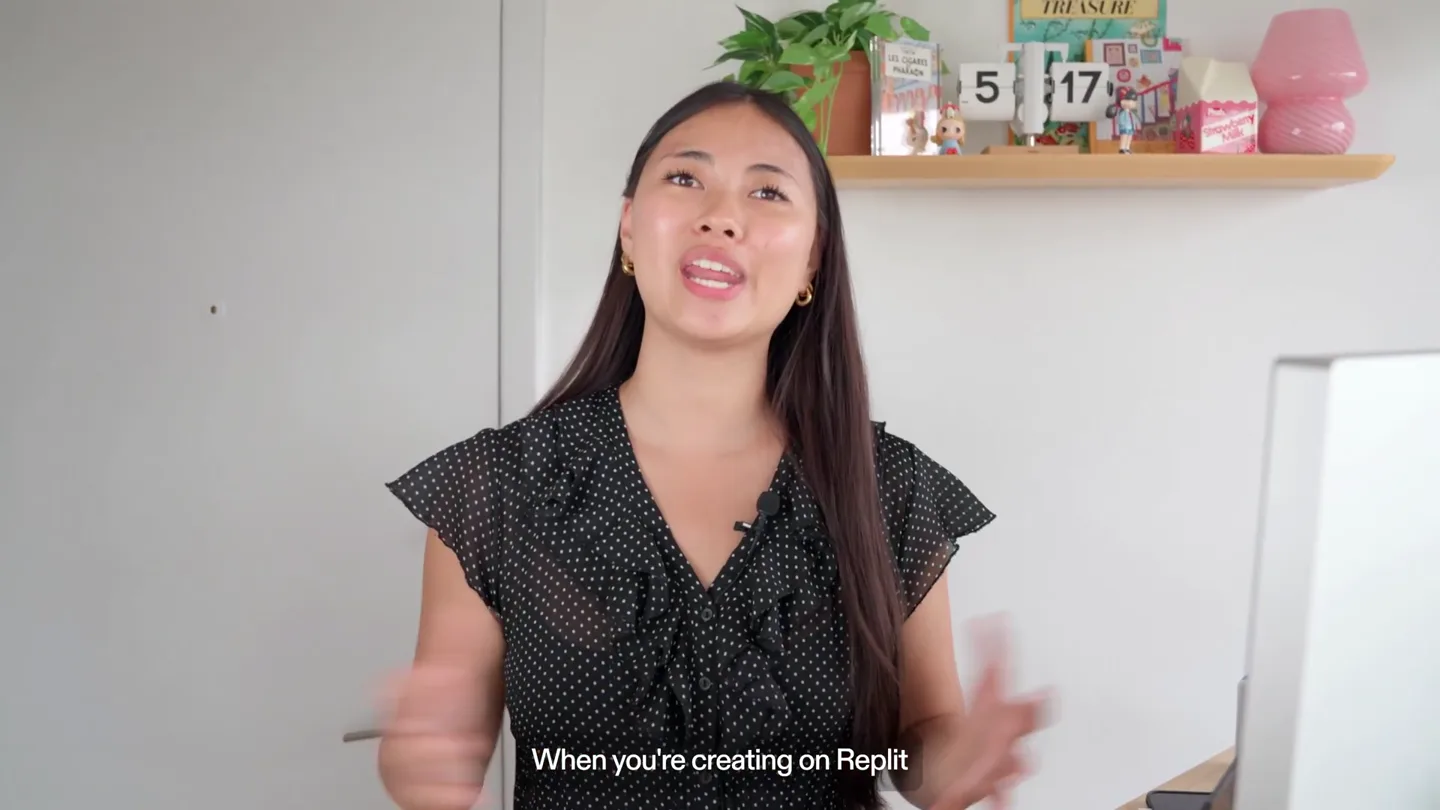
Replit · Launch Video Breakdown: Hook, Pacing & Motion Design
A longer walkthrough of Replit Intelligent Model Routing: the platform picks a model per task at no extra cost.
Scene-by-scene timeline & spoken transcript
The Hook
Introducing Intelligent Model Routing
“a whole range of models”
- On screen
- Personal workspace Sarah, what are we working on today? Suggested for you S Build a dashboard charting our Stripe revenue by month N Turn our Notion meeting notes into tasks with owners and due dates Build a chart that explains my findings to people who do not do data Start chatting or describe a task... Free
- Camera
- Close-up on UI elements, then a quick cut to a full-screen UI view, followed by a split-screen transition.
- Motion
- Rapid UI element highlighting and zooming, split-screen reveal with a hard cut, and a subtle gradient wipe transition.
Product Reveal
Understanding Replit's Agent Modes
“And if you've been using Replit for a while, one thing to make clear, this is where you typically start, and provide as much context as you can, how much you can do in Free Mode, and build slides, apps, designs, and the best balance of capability, and you don't have to guess, and is for genuinely hard problems, maximum capability.”
- On screen
- Free Mode Power Mode Max Mode Old Lite Economy Power New Free Power Max Agent modes Free Always uses free models Power Max Auto Auto Fast, lightweight models at no cost. Best mode for small changes and visual tweaks. Free model Auto Default Chooses the best model for the job Advanced settings Personal workspace Sarah, what are we working on today? Suggested for you S Build a dashboard charting our Stripe revenue by month N Turn our Notion meeting notes into tasks with owners and due dates Create slides for a pitch to investors about an AI tutoring app. I have: problem (students struggle with personalized help), solution (AI that adapts to learning style), market size (K-12 edtech is $100B+), and traction (500 beta users). Make it clean, professional, light theme with accent color in teal. Here are some reference imag Free morrow Join the beta A QUIETER WAY TO LEARN Learning that notices you. Morrow is an adaptive AI tutor for K-12 students. It pays attention to how you think, then changes the lesson around you. See the tutor at work Why this matters AM JR SK 500 students are learning with our beta. Agent modes Cycle Free Always uses free models Power Max Auto Auto Higher-performance models for more complex work. Best for larger changes, deeper reasoning, and longer builds. Primary Max model Auto Default Primary model used in this mode Advanced settings Personal workspace Real-time collaborative trip editing Preview Wanderlust Dash replit.dev/explore Wanderlust Discover your next destination. Search any city in the world - or browse our curated picks below Q Type any city - Tokyo, Honolulu, Reykjavik... All Asia Europe South America North America Africa CURATED DESTINATIONS SOUTH AMERICA Patagonia Argentina/Chile
- Camera
- Alternating between presenter mid-shot and screen recordings, with occasional UI zooms and highlights. The presenter maintains a direct address to the camera.
- Motion
- Dynamic screen recording overlays, text reveals with subtle fades, and a consistent split-screen layout when the presenter is on screen.
Feature Teaser
Intelligent Model Selection
“the best model for you to use. You would need a different model to choose the model yourself. Decide how much capability a task needs so go make something today”
- On screen
- Intelligent
- Camera
- Split-screen transition from a full-screen red gradient to the presenter, maintaining a mid-shot.
- Motion
- Gradient wipe transition, followed by a static presenter shot with a subtle zoom out, emphasizing the speaker's message.
Call to Action
Build with Replit
“(No spoken dialogue — A driving, rhythmic electronic score with pizzicato synths and a prominent sub-bass plays, building energy towards the brand reveal.)”
- On screen
- Replit
- Camera
- Static shot of the Replit logo on a light background.
- Motion
- Simple fade-in of the logo, holding for the remainder of the video.
Motion design primitives
Synthesizable in Remotion · key components of the intelligent-routing-showcase template.
UIModeSwitcher
A UI element that cycles through different modes (e.g., Free, Power, Max) with a clear visual indication of the currently selected mode and its description. Transitions involve highlighting and text changes.
+ Code construction recipe
Use `interpolate` for smooth opacity and scale changes on mode selection. Implement `spring` animations for button presses and hover states. Utilize `AbsoluteFill` and `Sequence` for layering UI elements and controlling their appearance order. Text content can be dynamically updated based on the active mode using `useCurrentFrame()` and `map` functions.
SplitScreenGradientWipe
A dynamic transition where the screen splits, revealing a new scene or text, often accompanied by a gradient fill that wipes across the screen.
+ Code construction recipe
Employ `AbsoluteFill` components with `LinearGradient` or `RadialGradient` for the wipe effect. Animate the `transform` property (e.g., `translateX` or `scaleX`) of these gradient layers using `interpolate` to create the wiping motion. Combine with `Sequence` to time the reveal of new content precisely with the wipe completion.
DynamicScreenOverlay
Screen recordings or UI elements are overlaid onto the presenter's video, often with subtle scaling, panning, or highlighting to draw attention to specific features.
+ Code construction recipe
Use `AbsoluteFill` to position the presenter video. Overlay `Video` or `Image` components for screen recordings. Animate `scale`, `x`, `y`, and `opacity` properties of the overlay using `interpolate` or `spring` to create dynamic focus. Implement `BoxShadow` or `Border` animations for highlighting specific UI regions.
Style DNA & aesthetic system
Visual aesthetic
Typography
Motion
Special effects
Pacing & rhythm
Conceptual story rhythm
- 1
The Intelligent Introduction
Purpose. Immediately showcase the core value proposition: intelligent model routing, setting the stage for the product's advanced capabilities.
Execution. Rapid cuts between UI elements demonstrating model selection, culminating in a split-screen reveal of the 'Intelligent' keyword.
- 2
Modes Explained
Purpose. Educate the user on the different operational modes (Free, Power, Max) and their respective use cases, clarifying the product's tiered functionality.
Execution. Presenter explaining modes with on-screen text overlays, intercut with detailed UI walkthroughs demonstrating each mode's interface and capabilities.
- 3
Problem & Solution
Purpose. Agitate the problem of manual model selection and present Replit's intelligent routing as the seamless, efficient solution.
Execution. Presenter directly addressing the camera, explaining the pain point, followed by UI demonstrations showing the automated model selection in action.
- 4
Empowerment & Call to Action
Purpose. Inspire users to start building with Replit, emphasizing ease of use and powerful capabilities, and directing them to the product.
Execution. Presenter delivering an encouraging message, leading into a clean brand logo reveal, reinforced by an energetic musical outro.
Remix in Animatiq Studio
Master remix prompt · agent-ready
Sample remix
Objective
Launch a new AI-powered project management tool called 'FlowState' that intelligently assigns tasks and optimizes workflows.How the recipe adapts
The 'FlowState' launch video would utilize the UIModeSwitcher primitive to demonstrate different workflow optimization levels (e.g., 'Focus Mode', 'Collaborate Mode', 'Automate Mode'). DynamicScreenOverlay would highlight intelligent task assignment algorithms and real-time progress tracking within the FlowState dashboard. SplitScreenGradientWipe transitions would introduce new features like AI-driven deadline predictions or resource allocation. The presenter would explain how FlowState eliminates manual task management, similar to how Replit explains intelligent model routing, maintaining the fast-paced, informative editing style.Remix blueprint · intelligent-routing-showcase
Scene durations (4 scenes, 171s)
Key Remotion components
Related Developer Tools Product Launches
Explore all Developer Tools launches →
xAI opens voice cloning on its API: build a custom voice in about two minutes or pick from 80+ voices in 28 languages.

Agentic CLI for coding, building apps, and automating workflows.
Sakana AI launches Fugu, a multi-agent orchestration system served through a single model API, led by its Fugu Ultra model.