
Scene-by-scene timeline & spoken transcript
The Hook
Parallel Agent Introduction
“(No spoken dialogue — Energetic electronic score with synth melodies and 808 drums. Sound design builds tension with risers and sub-bass drops.)”
- On screen
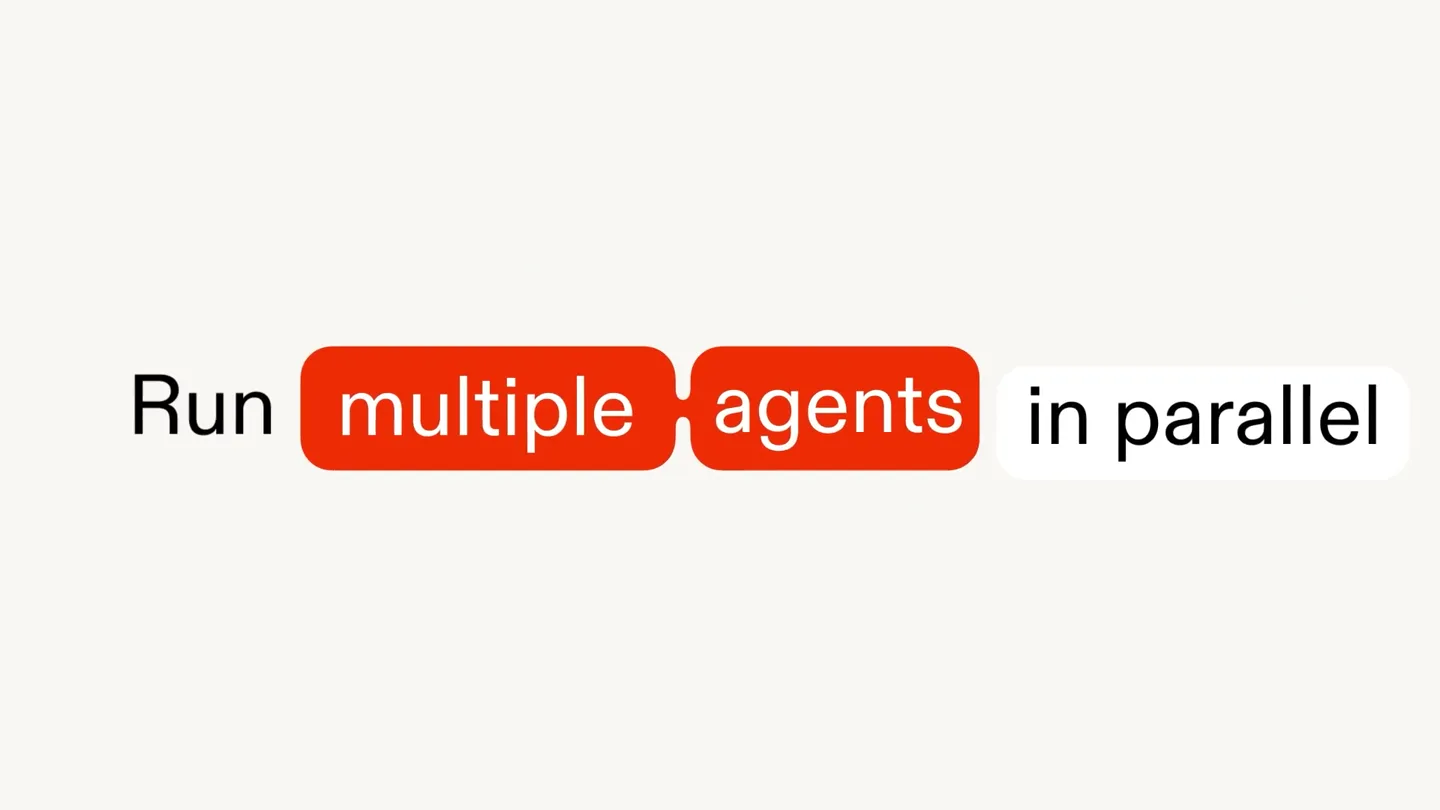
- Run multiple and build its own copy of your app then agents work independently Merged Automatically
- Camera
- Dynamic camera zooms and pans across a clean, minimalist UI, focusing on text and interactive elements.
- Motion
- Fast-paced text reveals, UI element pop-ins, and smooth camera movements to guide attention.
Problem Agitation
The Challenge of Solo Development
“(No spoken dialogue — The electronic score maintains its driving rhythm, with subtle sound effects accompanying visual transitions.)”
- On screen
- Human Developers work. Move Faster With parallel agents on Replit
- Camera
- Camera maintains a top-down perspective, revealing a network of connected nodes and then zooming out to show the broader system.
- Motion
- Node-based connection animations, radial expansion effects, and text scaling for emphasis.
Product Reveal
Replit Parallel Agents in Action
“(No spoken dialogue — The music intensifies with more prominent synth lines and percussive elements, building excitement.)”
- On screen
- Meet Replit Parallel Agents Build faster by running up to 10 agents in parallel Each agent gets its own copy of your app They work on their own computer Then merge their work agentically
- Camera
- Fluid camera movements, including sweeps and rotations, showcasing the multi-agent interface and their independent work streams.
- Motion
- Split-screen layouts, dynamic UI element animations, and synchronized text reveals with visual actions.
Feature Teaser
Seamless Merging and Collaboration
“(No spoken dialogue — The electronic score reaches a peak, with powerful sub-bass drops and energetic percussive hits, then fades out.)”
- On screen
- Replit Parallel Agents
- Camera
- Close-ups on specific UI interactions, followed by a wide shot of the integrated development environment.
- Motion
- Smooth merging animations, highlight effects on key features, and a final impactful logo reveal.
Motion design primitives
Synthesizable in Remotion · key components of the parallel-agents-design-tool-launch template.
DynamicTextReveal
Text appears rapidly, often one word at a time, with a slight bounce or scale animation, sometimes highlighted by a colored background shape.
+ Code construction recipe
Use `spring()` for a bouncy `scale` and `opacity` animation on individual words or phrases. Implement `Sequence` to stagger text reveals. Background shapes can animate `width` and `x` position using `interpolate()`.
MultiAgentGridExpansion
A central element expands into a grid or radial pattern of identical, independently animated UI cards or nodes, each representing an agent.
+ Code construction recipe
Utilize `map()` to render multiple instances of a component. Animate `x` and `y` positions for grid layout and `scale` for pop-in effects. Use `delay` in `Sequence` for staggered appearance of agents.
SeamlessUIMerge
Multiple distinct UI elements or application instances smoothly converge and integrate into a single, unified interface, often with a 'merged' label appearing.
+ Code construction recipe
Animate `x`, `y`, `width`, and `height` properties of multiple components using `interpolate()` to guide them into a final merged state. Use `AbsoluteFill` and `Layer` for precise positioning and z-indexing during the merge.
Style DNA & aesthetic system
Visual aesthetic
Typography
Motion
Special effects
Pacing & rhythm
Conceptual story rhythm
- 1
The Parallel Promise
Purpose. Introduce the core concept of parallel agents and their ability to multiply output.
Execution. Rapid-fire text reveals like 'Run multiple' and 'build' followed by the visual metaphor of a single task expanding into many.
- 2
The Agentic Advantage
Purpose. Explain how each agent works independently with its own app copy.
Execution. Visuals of multiple, identical app instances appearing, each with a distinct 'agent' label, working in parallel.
- 3
The Merged Masterpiece
Purpose. Demonstrate the seamless integration of agents' work back into a single, complete application.
Execution. Individual agent contributions visually merging into a polished, final application interface, highlighting the 'Merged' state.
- 4
The Replit Revolution
Purpose. Reinforce the product's name and its transformative impact on development speed.
Execution. A powerful final reveal of the Replit logo and tagline, emphasizing 'Move Faster' with parallel agents.
Remix in Animatiq Studio
Master remix prompt · agent-ready
Sample remix
Objective
Launch 'CanvasFlow', an AI design tool that automates design iterations and merges them into a final project.How the recipe adapts
The DynamicTextReveal primitive will be used for 'Automate Design', 'Generate Variations', and 'Merge Concepts'. The MultiAgentGridExpansion will show AI agents creating different design mockups in parallel. The SeamlessUIMerge will animate the convergence of these individual design variations into a single, polished CanvasFlow project. The color palette will adapt to CanvasFlow's branding, maintaining the clean, high-contrast look.Remix blueprint · parallel-agents-design-tool-launch
Scene durations (4 scenes, 76s)
Key Remotion components
Related AI Agents Product Launches
Explore all AI Agents launches →
To ensure that artificial general intelligence benefits all of humanity

Gopuff introduces Go, an AI shopping assistant built with SpaceXAI: say what you need and the order is placed.

Iliad (Troy) trailer made by Grok Imagine 1.5, which was just released