
Runway · Launch Video Breakdown: Hook, Pacing & Motion Design
Runway Enhance Frame Rate interpolates footage to 25, 30, 48, 60, or 120 fps, including NTSC 59.94.
Scene-by-scene timeline & spoken transcript
The Hook
Introducing Enhanced Frame Rate
“(No spoken dialogue — A distinct riser leads into a sub-bass drop/impact at 0:01, followed by a driving sub-bass line and crisp 808-style drum machine beats.)”
- On screen
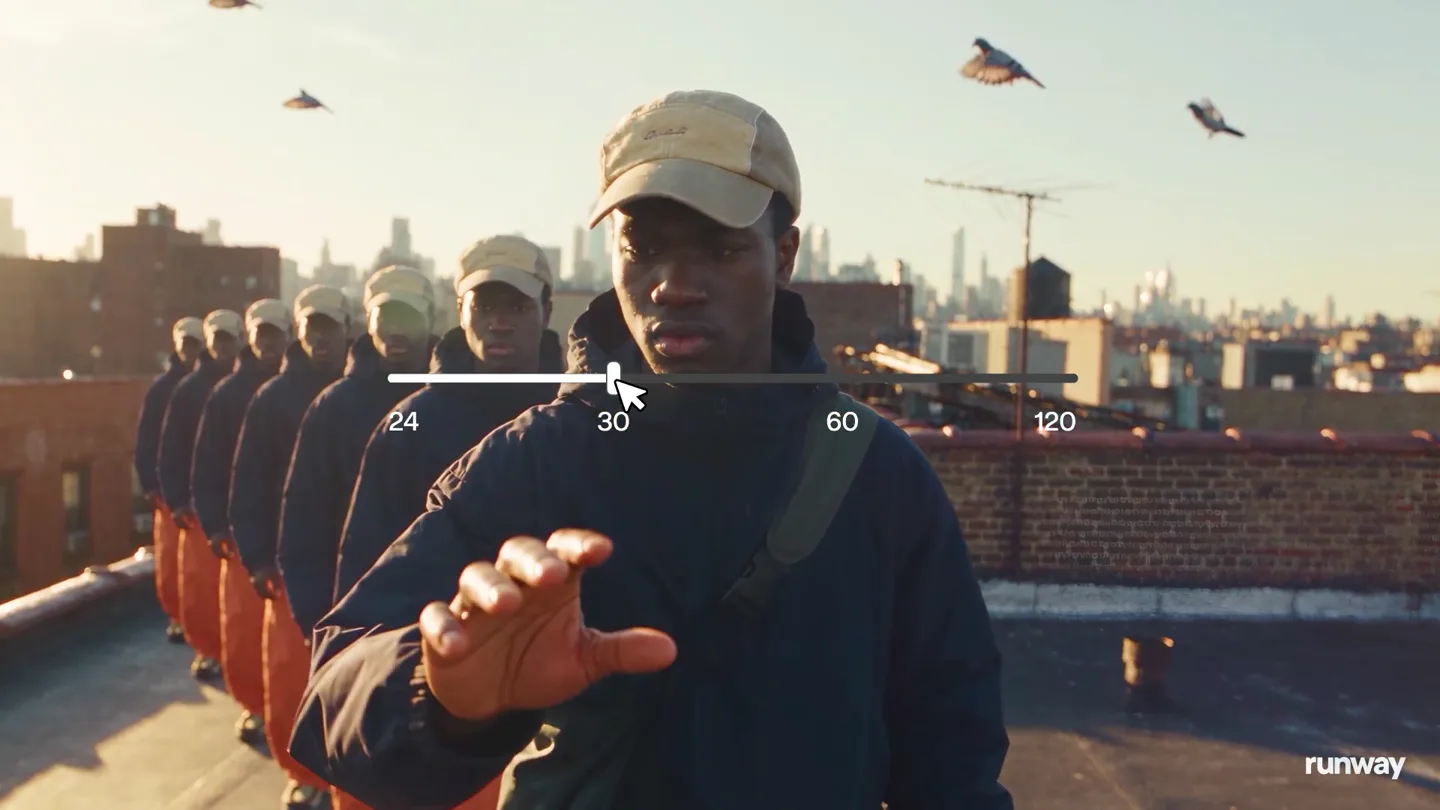
- 24 30 60 120 BEFORE 24 fps AFTER 60 fps Enhance Frame Rate
- Camera
- Dynamic handheld-style camera following a person jumping on a rooftop, then a static medium shot of the person with a slider UI overlay, transitioning to a split-screen comparison.
- Motion
- Motion blur on the subject, UI overlay animation (slider interaction), split-screen comparison with clear 'BEFORE' and 'AFTER' labels, demonstrating the core product benefit.
Problem Agitation
Versatility Across Content Types
“(No spoken dialogue — The driving electronic beat continues with a syncopated synth melody.)”
- On screen
- BEFORE 24 fps AFTER 60 fps BEFORE 24 fps AFTER 60 fps Any video Any model
- Camera
- Series of quick cuts showcasing different video scenarios (climbing, running, snowboarding) in split-screen 'BEFORE' and 'AFTER' comparisons, then a close-up of a UI menu.
- Motion
- Rapid-fire split-screen comparisons, text overlays ('Any video', 'Any model') appearing with a subtle fade-in, UI interaction simulation (mouse click on '60 fps').
Product Reveal
Precision and Detail at Higher Frame Rates
“(No spoken dialogue — The electronic track maintains its energetic rhythm, emphasizing the visual transitions.)”
- On screen
- BEFORE 30 fps AFTER 60 fps Any frame BEFORE 60 fps AFTER 120 fps
- Camera
- More split-screen comparisons, focusing on high-speed action (snowboarding, bullet impact, water splash) to highlight the detail and smoothness of higher frame rates.
- Motion
- Detailed split-screen comparisons, showcasing extreme slow-motion and high-speed events, with text overlays ('Any frame') appearing and fading.
Feature Teaser
Re-timing Anything You Generate
“(No spoken dialogue — A notable sub-bass drop/impact occurs at 0:21, marking a transition.)”
- On screen
- Re-time anything Re-time anything you generate
- Camera
- Dynamic camera movement following a person jumping through a library, with text overlays appearing and expanding, then a wide shot of the person on a rooftop with a 'ghosting' effect.
- Motion
- Text animation (scale and fade), 'ghosting' or 'echo' effect on the subject to visually represent frame interpolation, dynamic camera work.
Call to Action
Get Started with Runway Enhance Frame Rate
“(No spoken dialogue — The electronic track builds energy towards the end, concluding with a final beat.)”
- On screen
- Now on get started app.runway.com runway
- Camera
- Static wide shot of the person on the rooftop, then a clean white screen with call-to-action text, concluding with the Runway logo on a black screen.
- Motion
- Simple text fade-in for call-to-action, clean typography, and a strong brand logo reveal.
Motion design primitives
Synthesizable in Remotion · key components of the ai-upscale-fast-cut-reveal template.
SplitScreenComparison
Two video clips play side-by-side, clearly labeled 'BEFORE' and 'AFTER', demonstrating a visual transformation or enhancement. The transition between different comparison clips is rapid.
+ Code construction recipe
Use Remotion's <AbsoluteFill> for layout. Render two <Video> components side-by-side, each with a <Label> component for 'BEFORE'/'AFTER'. Control video playback and synchronization. Use <Sequence> for rapid scene changes.
GhostingTrailEffect
A moving subject leaves a series of semi-transparent, delayed copies of itself, creating a visual 'trail' that emphasizes motion and interpolation.
+ Code construction recipe
Render multiple instances of the subject's video layer, each with a slight delay and reduced opacity. Use Remotion's <Img> or <Video> components within a loop, adjusting `opacity` and `transform` (e.g., `translateX`) based on `interpolate` from `frame` to create the trail effect.
InteractiveUISlider
A horizontal slider UI element appears over live-action footage, with a cursor animating to select a specific value (e.g., frame rate), visually representing user interaction.
+ Code construction recipe
Overlay an SVG or styled `div` for the slider track and thumb. Animate the `left` property of the thumb and the cursor icon using `interpolate` to simulate movement. Text labels for values (24, 30, 60, 120) can be rendered as static text or animated to highlight the selected value.
Style DNA & aesthetic system
Visual aesthetic
Typography
Motion
Special effects
Pacing & rhythm
Conceptual story rhythm
- 1
The Visual Hook
Purpose. Immediately grab attention and introduce the core problem/solution visually without words.
Execution. Dynamic live-action footage with a 'ghosting' effect, quickly transitioning to a UI slider demonstrating frame rate adjustment, then a clear 'BEFORE/AFTER' split-screen.
- 2
Problem & Solution Showcase
Purpose. Demonstrate the product's effectiveness across various challenging scenarios and content types.
Execution. Rapid sequence of split-screen comparisons (24fps vs 60fps, 30fps vs 60fps, 60fps vs 120fps) across diverse footage (parkour, sports, high-speed physics).
- 3
Feature Expansion & Versatility
Purpose. Highlight the breadth of the product's application and its ability to 're-time anything'.
Execution. Text overlays like 'Any video', 'Any model', 'Any frame', and 'Re-time anything you generate' are paired with relevant visual examples, including a creative 'ghosting' effect in a library setting.
- 4
Call to Action
Purpose. Direct viewers on how to access and use the product.
Execution. Clear, minimalist text overlays ('Now on', 'get started', 'app.runway.com') on a clean background, followed by the brand logo reveal.
Remix in Animatiq Studio
Master remix prompt · agent-ready
Sample remix
Objective
Launch 'PixelPerfect AI', an AI image upscaling tool that enhances resolution and detail without artifacts.How the recipe adapts
The video would open with a blurry, low-resolution image of a cityscape, quickly transitioning to a UI slider showing resolution options (e.g., 720p, 1080p, 4K). This would be followed by rapid split-screen comparisons of 'BEFORE' (low-res, pixelated) and 'AFTER' (high-res, sharp) images across various subjects like portraits, landscapes, and product photography. Text overlays would read 'Any image', 'Any resolution', 'Enhance Detail'. The 'ghosting' effect could be adapted to show the AI 'filling in' pixels. The call to action would be 'get started' at 'pixelperfect.ai'.Remix blueprint · ai-upscale-fast-cut-reveal
Scene durations (5 scenes, 38s)
Key Remotion components
Related Creative AI & Video Product Launches
Explore all Creative AI & Video launches →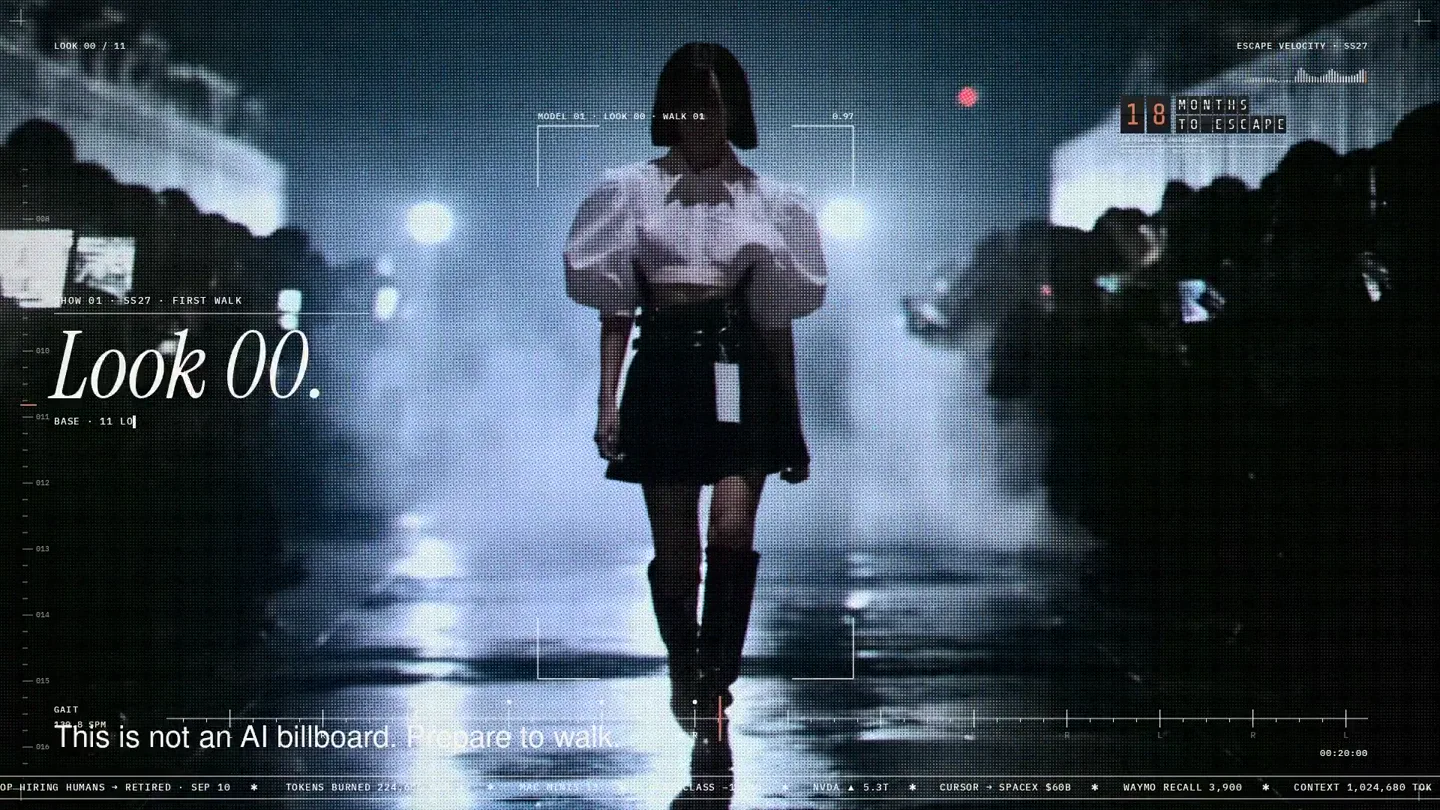
An overnight film made by giving Opus 5.5 Donald's prompt, Midjourney, and a moodboard. The piece is titled Look 00.

The new Grok Bot icon animated entirely in code — every state, shape and expression morphs smoothly into the next. Made with Grok Build.

The payment infrastructure for creators. Turn courses, ebooks, and apps into a live store in minutes.