
ImagineArt · Launch Video Breakdown: Hook, Pacing & Motion Design
Seedance 2.0, unrestricted, face reference, now in full 1080p. → consistent characters pulled straight from your references → faces, outfits, text hold across every shot → 9 images + 3 videos + 3 a…
Scene-by-scene timeline & spoken transcript
The Hook
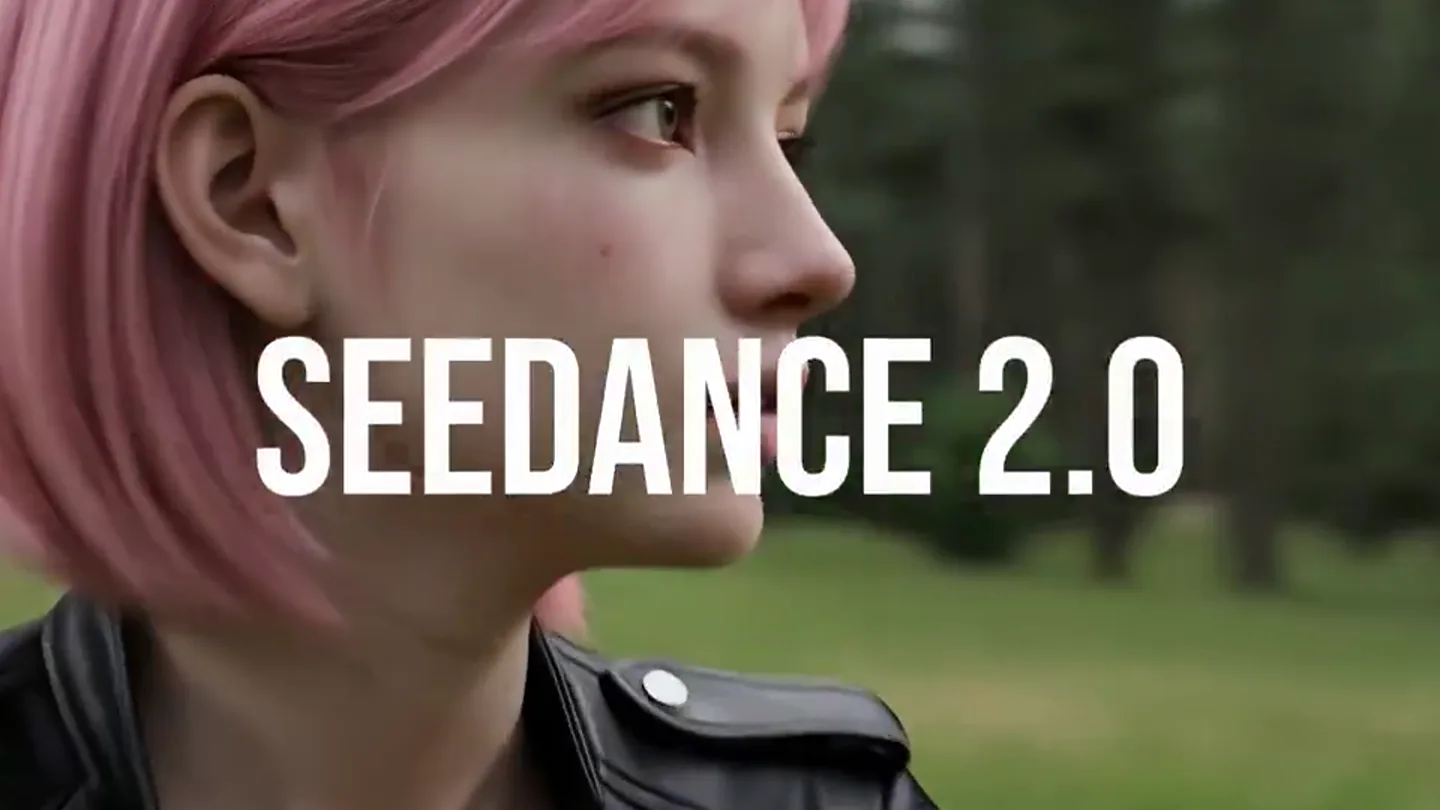
AI Character Introduction & Product Name Reveal
“Oh my god, everything, everything ting ting ting ting ting”
- On screen
- SEEDANCE 2.0
- Camera
- Close-up on an AI-generated character, slowly zooming in on her face, then a quick cut to a wider shot of her looking forward.
- Motion
- Subtle camera push-in, quick cuts, and text overlay with a slight scale animation.
Product Reveal
UI Walkthrough & Feature Highlight
“(No spoken dialogue — Driving electronic beat with pizzicato synth melody)”
- On screen
- ImagineArt 2.0 Gallery, Home, Assets, Search, Tools, Image, Video, Workflow, Edit, Upscale, Apps, All Tools, Community, Chatly, Video Tools, Features, Models, Create Videos, Generate AI videos, Animate Images, Add motion to images, Lipsync Studio, Create Talking Videos, Video Extend, Extend video duration, Video Edit, Edit video with prompts, Reference Img to Video, Powered by Kling o1, Reference Video to Video, Powered by Kling o1, Motion Control, Add controlled motion, Video Reframe, Reframe your videos, Seedance 2.0, Synced audio-visual output, Pixverse v6, Pixverse's Latest Video model, Google Veo 3.1 lite, Google's fastest Video model, Kling o3, Unified multimodal model by Kling, Kling 3.0 Pro, Kling's Latest Model, Runway 4.5, Latest Runway Video Model, Wan 2.6, Alibaba's latest model, Google VEO 3.1, Next-gen video generation, Hailuo 2.3 Pro, Hyper-realistic experessions, Create Video, Model, Seedance 2, Change, Select an effect (Optional), Seedance 2, Frames, References, Optional, Last Frame, or Select, Prompt, Describe the video you imagine, Enhancer, 16:9, 4s, 1080p, Generate, Girl fights a monster. Consistent references. No restrictions.
- Camera
- Screen capture of a UI, with a mouse cursor navigating through menus and inputting text. The camera remains static on the UI.
- Motion
- Screen recording with cursor interaction, highlighting key UI elements and text input.
Feature Teaser
Consistency & Unrestricted Creativity Demonstration
“I'm a star, I got a boat”
- On screen
- Seedance 2.0 Locks your character in., No drift. No surprises., Zero character restrictions.
- Camera
- Dynamic cuts between various action scenes featuring the AI character (running, fighting a giant crab, battling knights). Camera angles vary from medium shots to close-ups, often tracking the character's movement.
- Motion
- Fast-paced montage of AI-generated video clips, with text overlays appearing and disappearing quickly. Character motion is fluid and dynamic.
Call to Action
High-Resolution Output & Call to Action
“(No spoken dialogue — High-energy audio transition with risers and sweeps)”
- On screen
- All in 1080p., Go try it on
- Camera
- Medium shot of the AI character in a city setting, surrounded by a glowing blue network effect, then a wider shot of her fighting a monster with energy blasts.
- Motion
- Visual effects overlay (glowing network, energy blasts), text appearing with a subtle fade-in, and a final impactful action shot.
Call to Action
Brand Reveal & Outro
“(No spoken dialogue — Music fades out with a final beat)”
- On screen
- ImagineArt
- Camera
- Fade to black, then a white logo appears, followed by the company name.
- Motion
- Simple fade-in animation for the logo and text.
Motion design primitives
Synthesizable in Remotion · key components of the ai-product-dynamic-launch template.
CharacterRevealZoom
A close-up on an AI-generated character's face, slowly zooming in, then a quick cut to a wider shot as text appears.
+ Code construction recipe
Use `interpolate` for a slow `scale` and `translate` on the character image. Implement a `Sequence` for the quick cut and a `spring` animation for the text `opacity` and `scale`.
DynamicFeatureMontage
Rapid cuts between various AI-generated video clips showcasing character consistency and action, with quick text overlays.
+ Code construction recipe
Utilize `Sequence` for precise timing of video clips. Text overlays should use `spring` for `opacity` and `y-translation` for a quick reveal and hide, synchronized with audio beats.
UIInteractionHighlight
A screen recording of a UI, with a mouse cursor moving and clicking, highlighting specific menu items and text input fields.
+ Code construction recipe
Import a pre-recorded screen capture video. Overlay a custom SVG cursor that follows a predefined path using `interpolate` for `x` and `y` coordinates. Use `opacity` and `scale` animations for UI element highlights on click.
Style DNA & aesthetic system
Visual aesthetic
Typography
Motion
Special effects
Pacing & rhythm
Conceptual story rhythm
- 1
Intriguing Introduction
Purpose. Hook the viewer with a visually striking AI character and introduce the product name.
Execution. Close-up on the AI character, slow zoom, quick cut, and bold text overlay 'SEEDANCE 2.0'.
- 2
Problem/Solution Showcase
Purpose. Demonstrate the product's core functionality and ease of use through a UI walkthrough.
Execution. Screen recording of the ImagineArt UI, showing navigation to Seedance 2.0 and inputting a prompt.
- 3
Feature Validation
Purpose. Prove the product's key benefits: character consistency and unrestricted creativity.
Execution. Montage of dynamic AI-generated video clips featuring the same character in different scenarios, with text overlays like 'No drift. No surprises.' and 'Zero character restrictions.'
- 4
Impact & Call to Action
Purpose. Highlight the high-quality output and prompt users to try the product.
Execution. AI character in a high-energy action scene with visual effects, text 'All in 1080p.' and 'Go try it on', followed by brand logo reveal.
Remix in Animatiq Studio
Master remix prompt · agent-ready
Sample remix
Objective
Launch an AI-powered design tool called PixelFlow that generates unique graphic assets from text prompts.How the recipe adapts
The CharacterRevealZoom primitive would be adapted to 'AbstractElementReveal', focusing on a close-up of an evolving abstract design element before revealing the PixelFlow logo. The DynamicFeatureMontage would become 'GenerativeAssetShowcase', rapidly cutting between various AI-generated graphic assets (logos, illustrations, UI components) with text highlighting features like 'Infinite Variations' and 'Instant Mockups'. The UIInteractionHighlight would demonstrate the PixelFlow interface, showing a user typing a prompt and the AI generating diverse design options. The color palette would shift to vibrant, modern design tones, and the typography would remain a clean Grotesque Sans-serif.Remix blueprint · ai-product-dynamic-launch
Scene durations (5 scenes, 34.5s)
Key Remotion components
Related Tech & SaaS Product Launches
Explore all Tech & SaaS launches →
Against all odds. Congrats @elonmusk and @SpaceX.
Unreal Engine 6 has been announced with Rocket League.
Trade 24/7 with a social feed and onchain signals.