
David Ch · Launch Video Breakdown: Hook, Pacing & Motion Design
Big news, @claudeai in shipper just got a huge upgrade today and I'm very happy to be a part it. As of now, Claude Opus 4.8 can generate motion videos, demos, animations. We just launched Shipper as a tool that gives Claude the power of: → Generating videos → Prompting SaaS https://t.co/jQtn0sBgSL
Scene-by-scene timeline & spoken transcript
The Hook
Bold Claim Introduction
“(No spoken dialogue — Silent video with ambient visual tone.)”
- On screen
- Claude can now make videos.
- Camera
- Static, centered text on a solid background.
- Motion
- Simple text reveal, direct and impactful.
Product Reveal
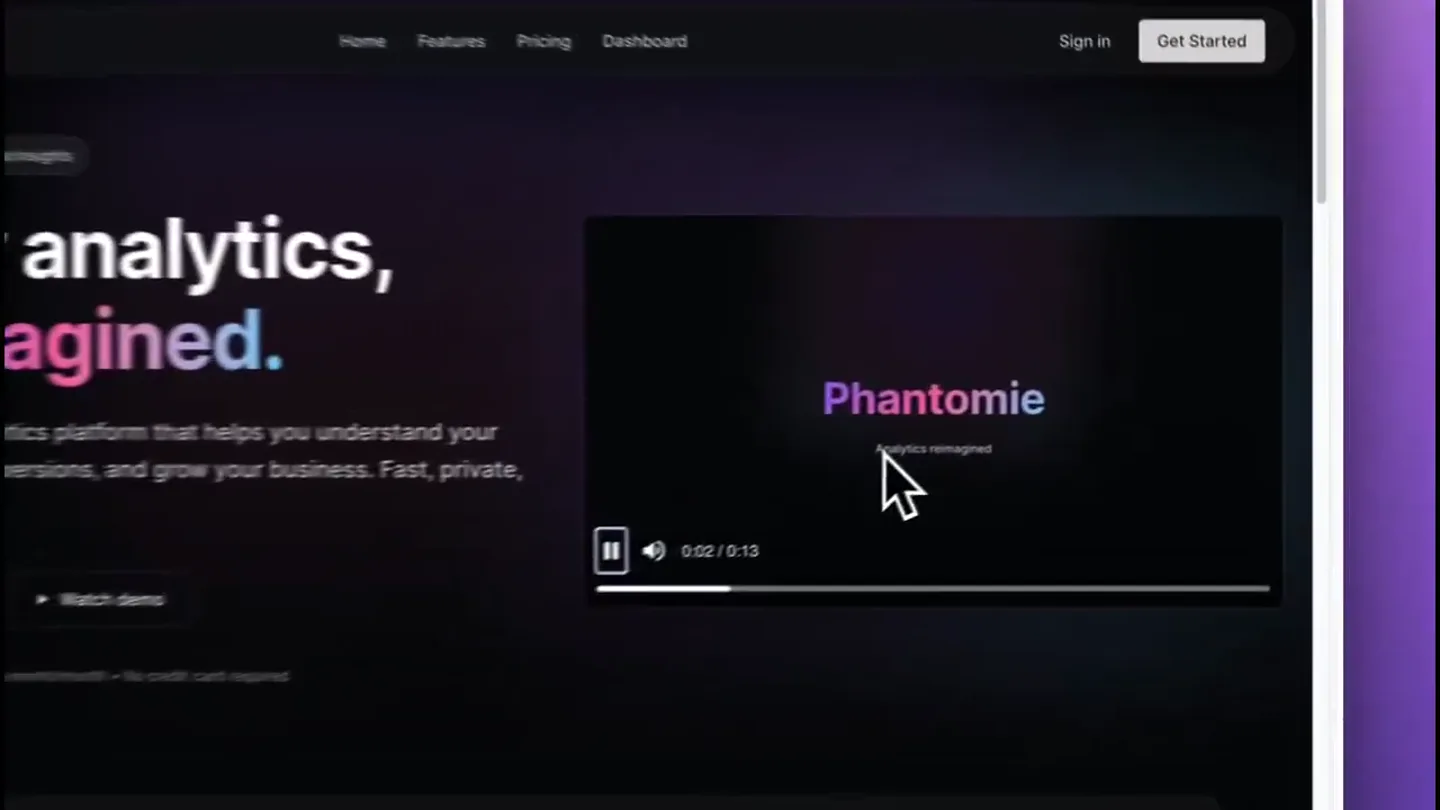
AI Agent in Action: Generating Video
“(No spoken dialogue — Silent video with ambient visual tone.)”
- On screen
- Home Features Pricing Dashboard Sign in Get Started analytics, reimagined. Phantome Analytics reimagined See your data as it happens Optimize your conversion paths Signup Funnel Landing Page Pricing Page Signup Form Email Verified Completed Setup Watch demo
- Camera
- Zoom-in on a web interface, focusing on a video player within the UI.
- Motion
- Screen recording with cursor interaction, demonstrating video generation and playback within a SaaS platform.
Feature Teaser
AI-Powered UI Editing
“(No spoken dialogue — Silent video with ambient visual tone.)”
- On screen
- Ebon Spire 1 edit made Perfect! I've updated the hero section with a split layout. Left side: Text content and CTA buttons aligned to the left Right side: Beautiful animated demo video showcasing: • Phantome branding intro with gradient logo • Real-time analytics with live visitor feed • Conversion funnel visualization with animated progress bars • AI-powered insights with glowing effects • Call-to-action outro The video uses cinematic motion graphics with particle effects, glassmorphism panels, and the purple-pink-blue gradient accent colors from the Raycast design system. It auto-plays and loops so visitors immediately see your product in action. The layout is responsive and maintains the dark theme aesthetic throughout. The video is positioned prominently to grab attention while keeping the messaging clear on the left. make the navbar full width. as right now the hero isn't aligned with it 1 edit made Done! The navbar is now full width and perfectly aligned with the hero section. Enable cloud data Build site switcher New Visual Edit Plan Publish Phantome Home Features Pricing Dashboard Sign in Get Started Dashboard Analytics Users Funnels Visitors Overview Total Visitors 24,521 +12.5% Page Views 89,432 +8.2% Bounce Rate 32.1% -2.4% Avg. Duration 4m 23s +18.7% 10M+ Events tracked daily 50ms Average response time 99.99% Uptime guaranteed 5,000+ Happy customers Now with AI-powered insights Your analytics, reimagined. A powerful analytics platform that helps you understand your users, track conversions, and grow your business. Fast, private, and beautiful. Start for free Watch demo Free forever for up to 10k events/month • No credit card required Command palette for power Navigate your analytics at the speed of thought. Press K to open the command palette and access any feature instantly. Jump to any dashboard or report Search through all your data Quick actions and shortcuts AI-powered query suggestions Loved by teams worldwide Join thousands of companies using Phantome to grow their business. "Phantome replaced 3 different analytics tools for us. The real-time data is incredibly accurate." Sarah Chen CTO at Mirose "The command palette is a game-changer. I can find any metric in seconds without clicking through menus." Marcus Johnson Growth Lead at Linear "Finally, an analytics tool that respects user privacy while still giving us the insights we need." Emma Williams CEO at Notion
- Camera
- Wider shot of the UI, showing a text-based AI prompt interface on the left and the resulting UI changes on the right.
- Motion
- Split-screen demonstration, highlighting AI-driven content generation and UI modification in real-time.
Call to Action
Seamless Media Integration
“(No spoken dialogue — Silent video with ambient visual tone.)”
- On screen
- Settings Overview Analytics Domains Multi-Language Media Library Shipper Cloud Project Settings Make your project go live and track performance Web Address Current Web Address https://ebon-spire Using Shipper subdomain + Add custom domains or switch primary Media Library Manage and organize your project files Search files phant... 2.1 MB phant... 2.1 MB phantome-demo.mp4 Type File Size Download Delete Item Your analytics, reimagined. Start for free Watch demo See your data as it happens
- Camera
- Close-up on a 'Media Library' section within the UI, demonstrating file upload and management.
- Motion
- Interactive UI walkthrough, showing drag-and-drop functionality and modal pop-ups for media handling.
Motion design primitives
Synthesizable in Remotion · key components of the ai-agent-3d-model-launch template.
TextFadeIn
Text appears smoothly from opacity 0 to 1, centered on a solid background.
+ Code construction recipe
Use `interpolate` for `opacity` from 0 to 1 over a short duration, with an `ease-in-out` curve. Position text using `flexbox` for centering.
UIDemoZoomPan
A screen recording of a web application, with the camera smoothly zooming and panning to highlight specific UI elements and interactions.
+ Code construction recipe
Implement `AbsoluteFill` with a `Video` component for the screen recording. Use `interpolate` on `scale` and `translateX`/`translateY` properties of a wrapper `View` to simulate camera zoom and pan, synchronized with cursor movements.
ModalOverlayReveal
A modal window appears over existing UI, often with a slight background blur or dimming, showcasing specific content or actions.
+ Code construction recipe
Create a `View` for the modal with `position: absolute` and `z-index`. Animate `opacity` and `scale` from 0 to 1 using `spring` for a natural bounce. Apply a `Blur` component or `backgroundColor` with `rgba` for the overlay effect.
Style DNA & aesthetic system
Visual aesthetic
Typography
Motion
Special effects
Pacing & rhythm
Conceptual story rhythm
- 1
The Bold Statement
Purpose. Immediately capture attention with a powerful, concise claim about the product's capability.
Execution. Single, centered serif text on a neutral background, direct and impactful.
- 2
Product in Context
Purpose. Showcase the product's core functionality within a realistic application environment.
Execution. Screen recording of a web UI, demonstrating video generation and playback, with cursor interaction.
- 3
AI-Powered Workflow
Purpose. Illustrate the advanced AI capabilities and how they streamline complex tasks.
Execution. Split-screen view of AI prompt input and real-time UI updates, emphasizing the generative aspect.
- 4
Seamless Integration & Control
Purpose. Highlight the ease of managing and integrating generated content within the platform.
Execution. Detailed UI walkthrough of media library features, showing file uploads and management.
Remix in Animatiq Studio
Master remix prompt · agent-ready
Sample remix
Objective
Launch an AI tool that generates interactive 3D models from text.How the recipe adapts
The initial text 'Your AI can now build 3D worlds.' will appear. This transitions to a screen recording of a web UI where a user types a prompt like 'a futuristic city at sunset' and a 3D model viewer populates with the generated scene. The camera will pan and zoom to highlight details of the 3D model and the UI controls for manipulation. Glowing effects will emanate from the 'Generate' button and the 3D model as it renders. The final scene will show the user exporting the 3D model or sharing a link to the interactive viewer.Remix blueprint · ai-agent-3d-model-launch
Scene durations (4 scenes, 18s)
Key Remotion components
Related AI Agents Product Launches
Explore all AI Agents launches →
To ensure that artificial general intelligence benefits all of humanity

Gopuff introduces Go, an AI shopping assistant built with SpaceXAI: say what you need and the order is placed.

Iliad (Troy) trailer made by Grok Imagine 1.5, which was just released