
Slashy · Launch Video Breakdown: Hook, Pacing & Motion Design
Slashy iMessage is an iMessage assistant for email: voice a draft, preview, edit in chat, polish with AI, and send.
Scene-by-scene timeline & spoken transcript
The Hook
Voice Command Initiation
“(No spoken dialogue — Subtle electronic riser building to a sub-bass drop/impact and metallic 'whoosh' at 0:01.)”
- On screen
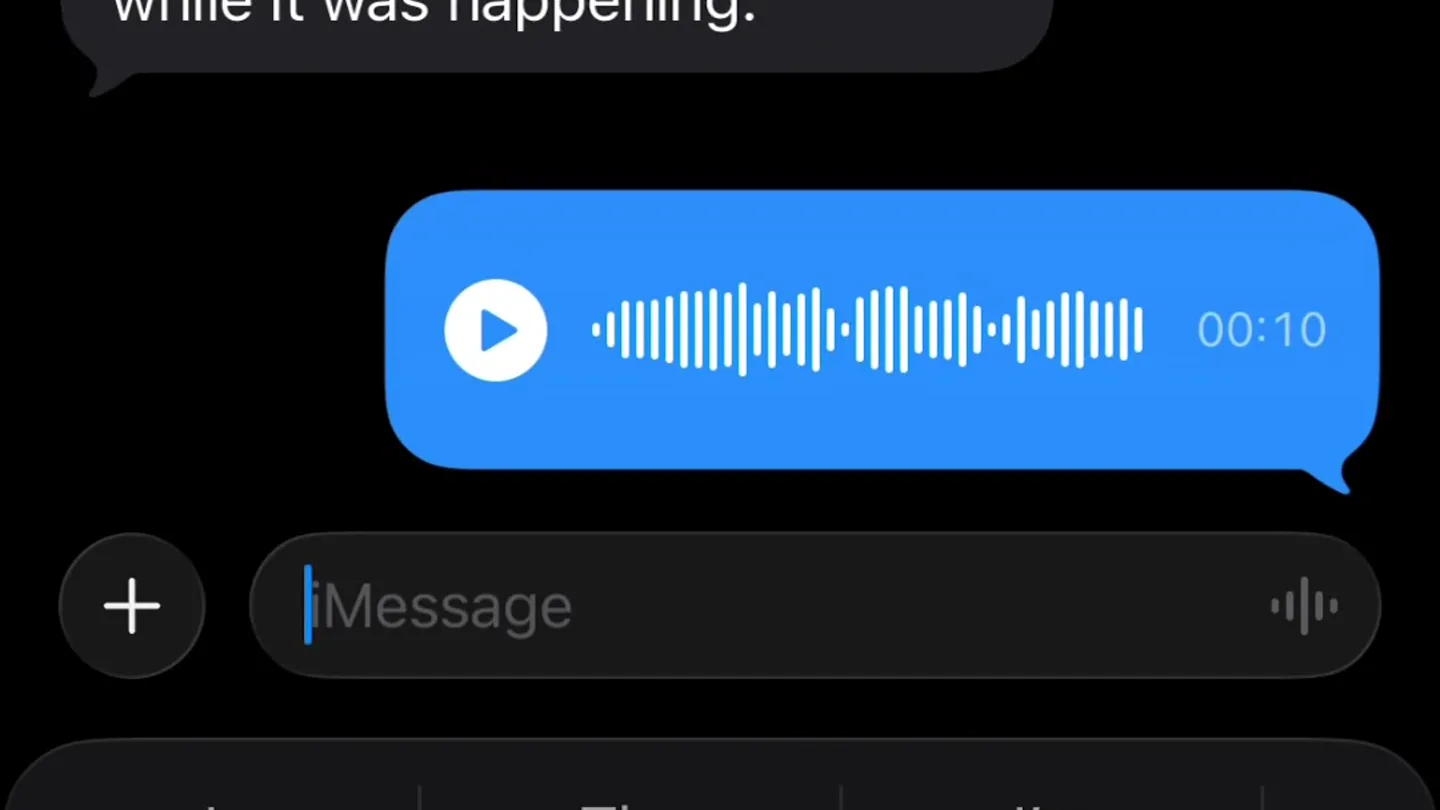
- 9:57 Slashy A good life is not optimized one. It has wasted afternoons, deep conversations, difficult choices, forgiveness, laughter, and work that feels worth doing. It makes room for ambition without sacrificing the people ambition was supposed to help. In the end, what matters is whether you loved people well, used your gifts honestly, stayed curious, and noticed your life while it was happening. 0:02
- Camera
- Static overhead shot of an iPhone screen, focusing on an iMessage conversation.
- Motion
- Subtle UI element animation, specifically the voice recording waveform expanding and contracting.
Product Reveal
AI Draft Generation
“(No spoken dialogue — Electronic riser leading to a pronounced sub-bass impact and bright, shimmering synth chord at 0:05.)”
- On screen
- 9:57 Slashy Can you draft an email to front of from browse just tight and I'... Show More Delivered Keep on it, checking the meeting details and drafting it From: harsha@slashy.com To: founders@browse.dev Hey Pranav, I'm going to be a little late for our meeting later today. If you'd rather reschedule, happy to do that too. Send Send later
- Camera
- Static overhead shot of an iPhone screen, focusing on an iMessage conversation.
- Motion
- Rapid text generation animation, simulating AI typing, followed by a smooth reveal of the email draft within the chat bubble.
Feature Teaser
Email Refinement & Send
“(No spoken dialogue — Extended electronic riser increasing in pitch and volume, leading to a powerful sub-bass impact and bright, sustained synth chord at 0:14.)”
- On screen
- 9:59 Slashy drafted the note to Pranav Madhukar at now Browse I couldn't find a matching cal... To Pranav Madhukar Cc/Bcc Running late today Hey Pranav, I'm going to be a little late for our meeting later today. If you'd rather reschedule, happy to do that too. Here's Sent with Slashy. link links linked 1 2 3 4 5 6 7 8 9 0 - / : ; ( ) $ & @ " #+= . , ? ! ' ABC 9:59 Running late today To Pranav Madhukar Cc/Bcc Running late today Hey Pranav, I'm going to be a little late for our meeting later today. If you'd rather reschedule, happy to do that too. Here's my calendar link: cal.com/slashy/30min Sent with Slashy. Proofread Rewrite
- Camera
- Zoom-in and pan across the iPhone screen, transitioning from iMessage to the email drafting interface.
- Motion
- Seamless UI transition, text input animation, and a subtle 'Proofread/Rewrite' button reveal, indicating AI assistance.
Call to Action
Final Polish & CTA
“(No spoken dialogue — Lingering synth chord and fading sub-bass.)”
- On screen
- 9:59 Running late today To Pranav Madhukar Cc/Bcc Running late today Hey Pranav, I'm going to be a little late for our meeting later today. If you'd rather reschedule, happy to do that too. Here's my calendar link: cal.com/slashy/30min Sent with Slashy. Ask Slashy to draft an email Can you ma
- Camera
- Static shot of the email interface, then a slight zoom out to reveal the 'Ask Slashy' input field.
- Motion
- Subtle UI element highlight and a final text input animation, prompting further interaction.
Motion design primitives
Synthesizable in Remotion · key components of the ios-productivity-ai-flow template.
VoiceWaveformExpand
A horizontal waveform visualizer expands and contracts, simulating active voice recording, then collapses into a static playback bar.
+ Code construction recipe
Utilize Remotion's `interpolate` and `spring` functions for smooth scaling and opacity changes of SVG path elements representing the waveform. Animate `stroke-dasharray` for the recording indicator.
AITextTypeReveal
Text appears character by character, mimicking a fast typing effect, often followed by a quick, subtle fade-in of a larger text block.
+ Code construction recipe
Implement a `Sequence` component with `AbsoluteFill` for text layers. Use `spring` for character-by-character opacity and slight Y-position animation, or `interpolate` for a typewriter effect on `text-content`.
SeamlessUIDrilldown
A smooth, rapid transition from one app interface to another, often involving a zoom-in or pan, maintaining context.
+ Code construction recipe
Employ `AbsoluteFill` for different UI states. Use `spring` for `scale` and `translate` properties to create a fluid zoom and pan effect between scenes, ensuring elements align correctly across transitions.
Style DNA & aesthetic system
Visual aesthetic
Typography
Motion
Special effects
Pacing & rhythm
Conceptual story rhythm
- 1
Voice Input
Purpose. Introduce the primary interaction method: voice command.
Execution. A user records a voice message within iMessage, with a dynamic waveform visualizer.
- 2
AI Draft
Purpose. Demonstrate the core AI capability: generating content from voice.
Execution. The voice message is processed, and an email draft instantly appears as a chat bubble.
- 3
Edit & Enhance
Purpose. Showcase the product's ability to refine and complete tasks.
Execution. The user transitions to an email interface, where AI assists in adding details like calendar links and offers proofreading/rewriting.
- 4
Seamless Integration
Purpose. Highlight the product's native feel and continuous workflow.
Execution. The video concludes with the user ready to send the email, with the 'Ask Slashy' prompt visible, reinforcing the assistant's omnipresence.
Remix in Animatiq Studio
Master remix prompt · agent-ready
Sample remix
Objective
A new productivity app, 'FlowState', that uses AI to help users manage tasks and focus.How the recipe adapts
The VoiceWaveformExpand primitive would be used for voice-creating a new task. AITextTypeReveal would show AI breaking down a complex task into sub-tasks. SeamlessUIDrilldown would transition from the task list to a calendar view for scheduling, maintaining the dark-mode iOS aesthetic and fast cuts. The overall pacing and sound design would mirror Slashy's, with impactful audio cues for AI actions.Remix blueprint · ios-productivity-ai-flow
Scene durations (4 scenes, 17s)
Key Remotion components
Related Productivity Product Launches
Explore all Productivity launches →
Don't type, just speak. Flawless voice-to-text across every app at 240 WPM.

One workspace for knowledge scattered across Slack, email, Docs, and Notion. Connect your tools and build apps and agents that stay live with your data.

Notion positions itself as the backbone of your dock — a brand film of the Notion icon among everyday apps, ending on “Works with everything.”