
Aakash Kanojiya · Launch Video Breakdown: Hook, Pacing & Motion Design
BREAKING: Big day for voice AI. @Cartesia just dropped Sonic 3.5 and @SarvamAI announced their $300M Series B - so I decided to put both to the test myself. Same scripts, side by side. The results…
Scene-by-scene timeline & spoken transcript
The Hook
Voice AI Comparison - Robotic
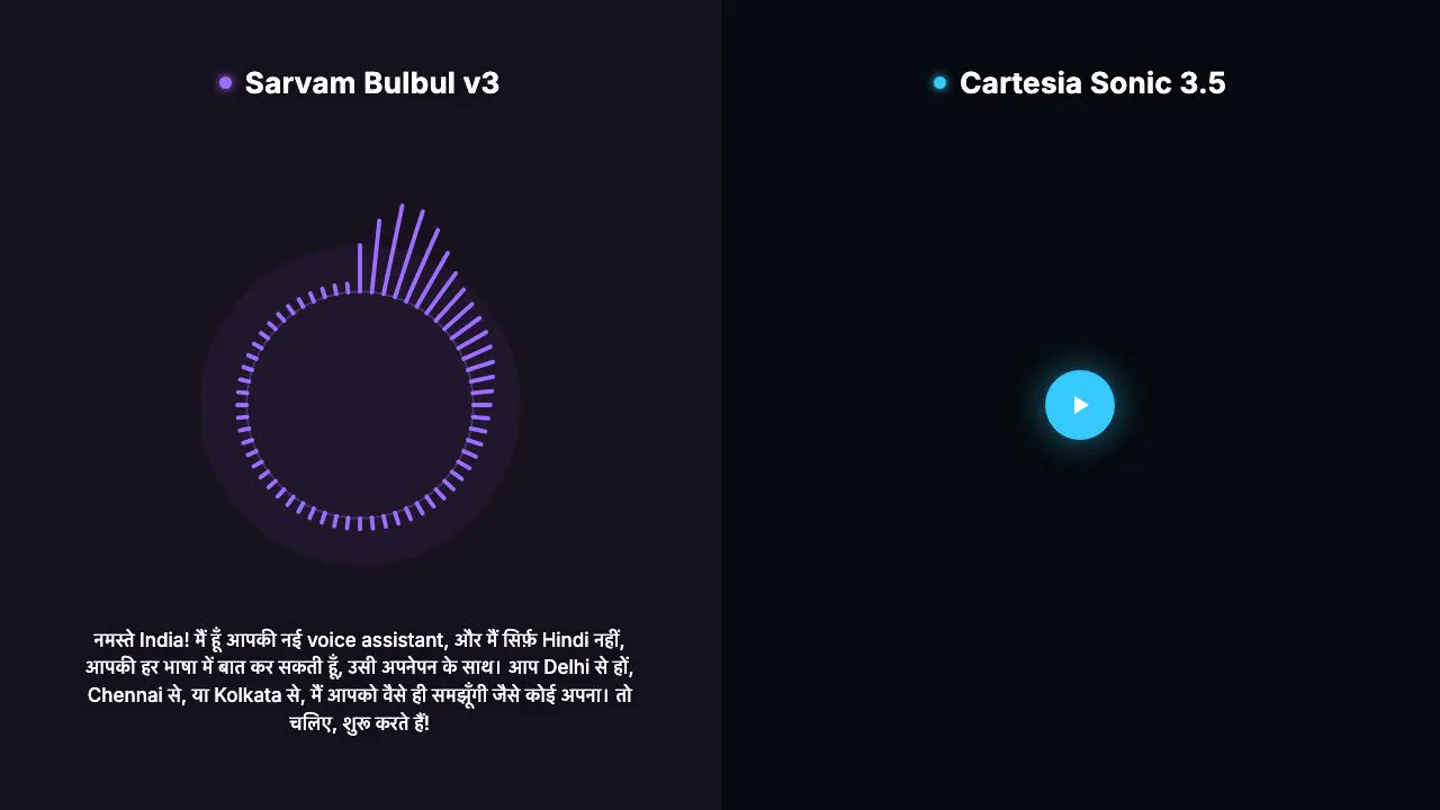
“नमस्ते India! मैं हूँ आपकी नई voice assistant, और मैं सिर्फ़ Hindi नहीं, आपकी हर भाषा में बात कर सकती हूँ, उसी अपनेपन के साथ। आप Delhi से हों, Chennai से, या Kolkata से, मैं आपको वैसे ही समझूँगी जैसे कोई अपना। तो चलिए, शुरू करते हैं।”
- On screen
- • Sarvam Bulbul v3 • Cartesia Sonic 3.5 नमस्ते India! मैं हूँ आपकी नई voice assistant, और मैं सिर्फ़ Hindi नहीं, आपकी हर भाषा में बात कर सकती हूँ, उसी अपनेपन के साथ। आप Delhi से हों, Chennai से, या Kolkata से, मैं आपको वैसे ही समझूँगी जैसे कोई अपना। तो चलिए, शुरू करते हैं।
- Camera
- Static, split-screen view with two distinct product interfaces.
- Motion
- Circular audio visualizer with dynamic bar height reacting to speech, accompanied by a static play button on the right.
Product Reveal
Voice AI Comparison - Natural
“नमस्ते India! मैं हूँ आपकी नई voice assistant, और मैं सिर्फ़ Hindi नहीं, आपकी हर भाषा में बात कर सकती हूँ, उसी अपनेपन के साथ। आप Delhi से हों, Chennai से, या Calcutta से, मैं आपको वैसे ही समझूँगी जैसे कोई अपना। तो चलिए, शुरू करते हैं।”
- On screen
- • Sarvam Bulbul v3 • Cartesia Sonic 3.5 नमस्ते India! मैं हूँ आपकी नई voice assistant, और मैं सिर्फ़ Hindi नहीं, आपकी हर भाषा में बात कर सकती हूँ, उसी अपनेपन के साथ। आप Delhi से हों, Chennai से, या Calcutta से, मैं आपको वैसे ही समझूँगी जैसे कोई अपना। तो चलिए, शुरू करते हैं।
- Camera
- Static, split-screen view. The left side shows a paused state, while the right side shows an active voice assistant.
- Motion
- Circular audio visualizer with dynamic bar height reacting to speech on the right, while the left displays a static pause icon.
Feature Teaser
Continued Voice AI Comparison
“(No spoken dialogue — The driving electronic beat with sub-bass and arpeggiated synths continues, maintaining an energetic and futuristic atmosphere.)”
- On screen
- • Sarvam Bulbul v3 • Cartesia Sonic 3.5 नमस्ते India! मैं हूँ आपकी नई voice assistant, और मैं सिर्फ़ Hindi नहीं, आपकी हर भाषा में बात कर सकती हूँ, उसी अपनेपन के साथ। आप Delhi से हों, Chennai से, या Calcutta से, मैं आपको वैसे ही समझूँगी जैसे कोई अपना। तो चलिए, शुरू करते हैं।
- Camera
- Static, split-screen view persists, showcasing the two AI interfaces.
- Motion
- The visualizers continue to react to the audio, demonstrating the AI's responsiveness, with the right side showing more dynamic activity.
Motion design primitives
Synthesizable in Remotion · key components of the split-screen-ai-comparison template.
SplitScreenAudioVisualizer
A vertical split screen divides the frame, with each side featuring a circular audio visualizer whose bars dynamically extend and retract based on audio input. Text overlays identify each product.
+ Code construction recipe
Utilize Remotion's <AbsoluteFill> for the split. Implement two <AudioVisualizer> components, each with a circular SVG mask and bars animated using `interpolate` based on `useCurrentFrame().getAudioData()`. Text elements are positioned with `absolute` styling.
DynamicPlayPauseButton
A circular button with a play or pause icon appears, changing state to reflect the audio playback status. It has a subtle glow or pulse effect.
+ Code construction recipe
Create a circular SVG or div with a background color. Use conditional rendering to switch between a play triangle SVG and a pause double-bar SVG. Apply a `spring` animation for scale and opacity on state change, and a `glow` CSS filter for the pulse.
ProductIdentifierDot
A small, colored dot precedes product names, providing a clean, minimalist visual identifier. It remains static throughout the scene.
+ Code construction recipe
Implement a simple `div` with `borderRadius: '50%'` and a fixed `backgroundColor`. Position it using `flexbox` or `absolute` positioning next to the product name text. No animation is applied to this primitive.
Style DNA & aesthetic system
Visual aesthetic
Typography
Motion
Special effects
Pacing & rhythm
Conceptual story rhythm
- 1
The Setup
Purpose. Introduce the two competing AI products and the premise of the comparison.
Execution. Split-screen with product names and initial static UI elements.
- 2
First AI Demonstration
Purpose. Showcase the first AI's voice capabilities and responsiveness.
Execution. Left screen's visualizer activates, displaying the 'robotic' voice.
- 3
Second AI Demonstration
Purpose. Showcase the second AI's voice capabilities, highlighting its naturalness.
Execution. Right screen's visualizer activates, displaying the 'natural' voice, while the left pauses.
- 4
Comparative Analysis
Purpose. Allow the viewer to directly compare the two AI performances.
Execution. Both visualizers continue to react, with the right side showing more dynamic activity, reinforcing the 'natural' voice.
Remix in Animatiq Studio
Master remix prompt · agent-ready
Sample remix
Objective
A new language learning app called 'LinguaFlow' wants to compare its 'Immersion Mode' with a 'Traditional Grammar' approach.How the recipe adapts
The split-screen layout will compare 'Traditional Grammar' on the left with 'Immersion Mode' on the right. Instead of audio visualizers, the left will feature a progress bar filling up, and the right will have a dynamic word cloud forming from spoken words. The product identifier dots will be replaced by small icons representing each learning method. The voiceover will explain the benefits of each method, followed by a visual demonstration of their respective UI elements in action, all set against the energetic electronic beat.Remix blueprint · split-screen-ai-comparison
Scene durations (3 scenes, 35.9s)
Key Remotion components
Related AI Agents Product Launches
Explore all AI Agents launches →
To ensure that artificial general intelligence benefits all of humanity

Gopuff introduces Go, an AI shopping assistant built with SpaceXAI: say what you need and the order is placed.

Iliad (Troy) trailer made by Grok Imagine 1.5, which was just released