
daniel petho · Launch Video Breakdown: Hook, Pacing & Motion Design
browsers mostly skip updating hover state while you scroll so I made super-hover, a tiny utility library that checks what's under your cursor every frame! `pnpm add super-hover`
Scene-by-scene timeline & spoken transcript
The Hook
Native Hover State Glitch
“(No spoken dialogue — Silent video with ambient visual focus.)”
- On screen
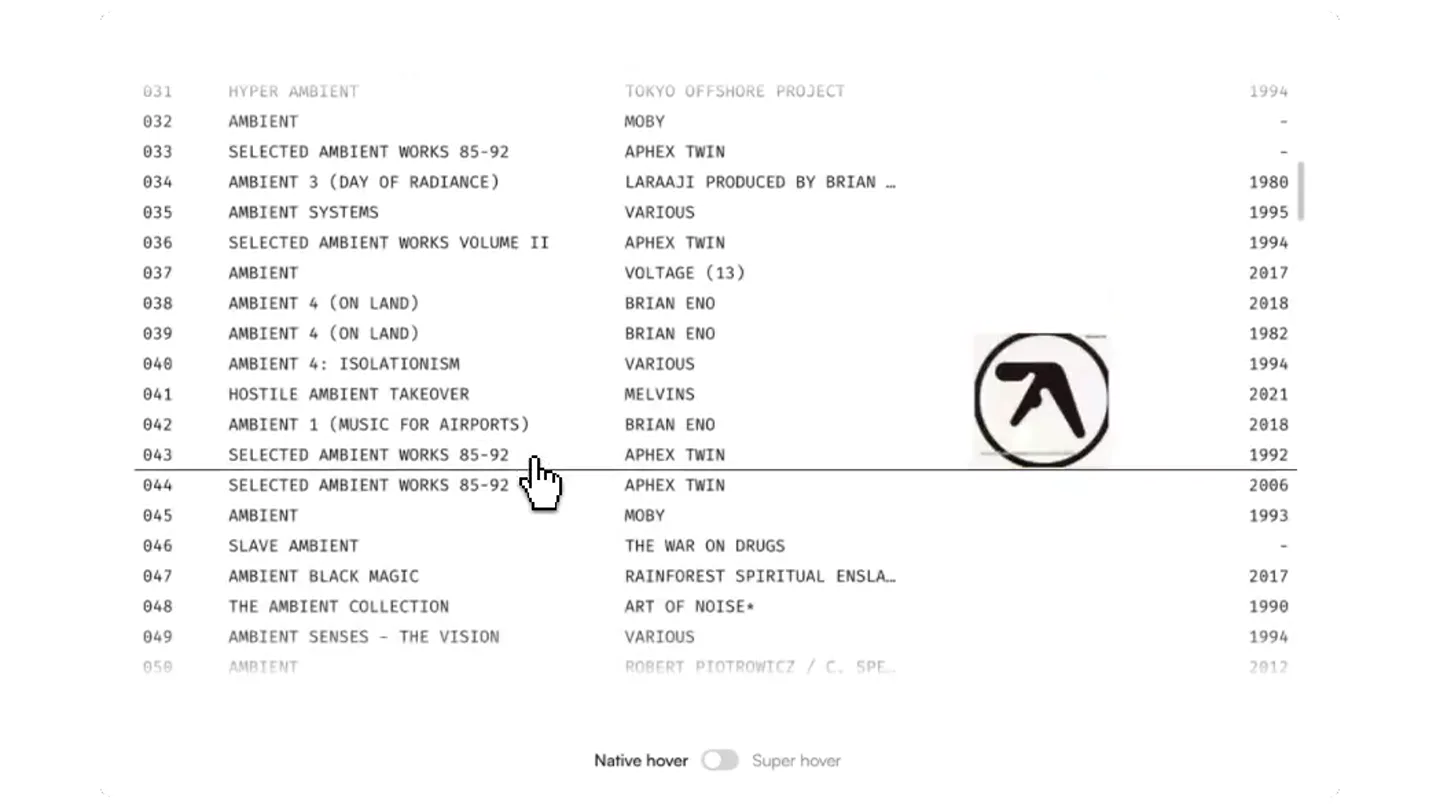
- 001 AMBIENT MOBY 1993 002 AMBIENT MOBY 1993 003 SLAVE AMBIENT THE WAR ON DRUGS 2011 004 DEATH AMBIENT DEATH AMBIENT 1995 005 SELECTED AMBIENT WORKS 85-92 APHEX TWIN 2013 006 AMBIENT MOBY 2022 007 AMBIENT MOBY - 008 SELECTED AMBIENT WORKS 85-92 APHEX TWIN 2021 009 AMBIENT 1 (MUSIC FOR AIRPORTS) BRIAN ENO 1979 010 AMBIENT 4 (ON LAND) BRIAN ENO 1982 011 SELECTED AMBIENT WORKS VOLUME II APHEX TWIN 2024 012 AMBIENT MOBY 1993 013 AMBIENT MOBY - 014 AMBIENT 1 (MUSIC FOR AIRPORTS) BRIAN ENO 2018 015 SELECTED AMBIENT WORKS 85-92 APHEX TWIN 1992 016 AMBIENT 1 (MUSIC FOR AIRPORTS) BRIAN ENO 1979 017 AMBIENT DUB VOLUME I DIVINATION 1993 018 SELECTED AMBIENT WORKS 85-92 APHEX TWIN 2018 019 AMBIENT 1 (MUSIC FOR AIRPORTS) BRIAN ENO 1982 020 AMBIENT MOBY 1997 Native hover Super hover
- Camera
- Static, top-down view of a web browser interface.
- Motion
- Cursor rapidly scrolls down a list, demonstrating inconsistent hover state updates on album art thumbnails.
Problem Agitation
The Frustration of Lagging Hovers
“(No spoken dialogue — Silent video with ambient visual focus.)”
- On screen
- 040 AMBIENT 4: ISOLATIONISM VARIOUS 1994 041 HOSTILE AMBIENT TAKEOVER MELVINS 2021 042 AMBIENT 1 (MUSIC FOR AIRPORTS) BRIAN ENO 1982 043 SELECTED AMBIENT WORKS 85-92 APHEX TWIN 1992 044 SELECTED AMBIENT WORKS 85-92 APHEX TWIN 2006 045 AMBIENT MOBY 1993 046 SLAVE AMBIENT THE WAR ON DRUGS 2011 047 AMBIENT BLACK MAGIC RAINFOREST SPIRITUAL ENSLA... 2017 048 THE AMBIENT COLLECTION ART OF NOISE* 1990 049 AMBIENT SENSES - THE VISION VARIOUS 1994 050 AMBIENT ROBERT PIOTROWICZ / C. SPE... 2012 051 SLAVE AMBIENT THE WAR ON DRUGS 2011 052 SELECTED AMBIENT WORKS 85-92 APHEX TWIN - 053 POP AMBIENT 2014 VARIOUS 2014 054 AMBIENT 2 (THE PLATEAUX OF MIRROR) HAROLD BUDD / BRIAN ENO 1980 055 SELECTED AMBIENT WORKS VOLUME II APHEX TWIN 1994 056 SELECTED AMBIENT WORKS 85-92 APHEX TWIN 2013 057 ARTCORE - AMBIENT / JUNGLE VARIOUS 1995 058 SELECTED AMBIENT WORKS VOLUME II APHEX TWIN 2017 Native hover Super hover
- Camera
- Static, top-down view. The cursor continues its erratic scrolling.
- Motion
- Continued rapid scrolling with delayed or incorrect hover states, emphasizing the problem. The 'Native hover' toggle is active.
Product Reveal
Introducing Super-Hover
“(No spoken dialogue — Silent video with ambient visual focus.)”
- On screen
- 069 AMBIENT SENSES (THE VISION) VARIOUS 1994 070 AMBIENT MOBY 1993 071 ERIK SATIE, ALDO CICCOLINI 2000 072 AMBIENT 4 (ON LAND) BRIAN ENO 1982 073 AMBIENT 1 (MUSIC FOR AIRPORTS) BRIAN ENO 1979 074 POP AMBIENT 2002 VARIOUS 2002 075 SELECTED AMBIENT WORKS 85-92 APHEX TWIN 2001 076 HOTEL : AMBIENT MOBY 2015 077 AMBIENT BLUE D JAY 1996 078 SELECTED AMBIENT WORKS 85-92 APHEX TWIN 2002 079 AMBIENT 3 (DAY OF RADIANCE) LARAAN PRODUCED BY BRIAN ... 2015 080 AMBIENT 1 (MUSIC FOR AIRPORTS) BRIAN ENO 1987 081 AMBIENT INTERMIX VARIOUS 1995 082 AMBIENT BLACK MAGIC RAINFOREST SPIRITUAL ENSLA... 2017 083 AMBIENT MOBY 1993 084 POP AMBIENT 2015 VARIOUS 2014 085 HOSTILE AMBIENT TAKEOVER MELVINS 2002 086 AMBIENT LIGHT / AMBIENT DARK VARIOUS 2024 087 AMBIENT 1 (MUSIC FOR AIRPORTS) BRIAN ENO 1979 088 UNLIMITED AMBIENT VARIOUS 1997 089 AMBIENT SYSTEMS II VARIOUS 1996 090 HOTEL : AMBIENT MOBY 2015 091 SELECTED AMBIENT WORKS 85-92 APHEX TWIN 1992 092 AMBIENT 4 (ON LAND) BRIAN ENO 1982 093 AMBIENT 1 (MUSIC FOR AIRPORTS) BRIAN ENO 1990 Native hover Super hover
- Camera
- Static, top-down view.
- Motion
- The cursor clicks the 'Super hover' toggle, instantly activating the solution. A subtle, quick visual confirmation of the toggle state change.
Feature Teaser
Seamless Super-Hover in Action
“(No spoken dialogue — Silent video with ambient visual focus.)”
- On screen
- 094 SELECTED AMBIENT WORKS 85-92 APHEX TWIN 1992 095 AMBIENT 4 (ON LAND) BRIAN ENO 2009 096 SELECTED AMBIENT WORKS VOLUME II APHEX TWIN 1994 097 SELECTED AMBIENT WORKS 85-92 APHEX TWIN - 098 AMBIENT 1 (MUSIC FOR AIRPORTS) BRIAN ENO 2006 099 SELECTED AMBIENT WORKS APHEX TWIN - 100 SELECTED AMBIENT WORKS APHEX TWIN - 101 SELECTED AMBIENT WORKS APHEX TWIN - 102 AMBIENT 1 (MUSIC FOR AIRPORTS) BRIAN ENO 1979 103 AMBIENT 1 (MUSIC FOR AIRPORTS) VARIOUS 1995 104 ARTCORE (AMBIENT/JUNGLE) VARIOUS 1993 105 AMBIENT DUB VOLUME 2. EARTHJUICE. VARIOUS 1993 106 POP AMBIENT 2002 VARIOUS 2001 107 SELECTED AMBIENT WORKS 85-92 APHEX TWIN - 108 AMBIENT 1 (MUSIC FOR AIRPORTS) BRIAN ENO 1999 109 POP AMBIENT 2003 VARIOUS 2002 110 4 AMBIENT TALES BILLIE RAY MARTIN 1993 111 AMBIENT 4 / ON LAND BRIAN ENO 1986 112 AMBIENT 1 (MUSIC FOR AIRPORTS) BRIAN ENO 2015 Native hover Super hover
- Camera
- Static, top-down view.
- Motion
- The cursor resumes rapid scrolling, but now the album art thumbnails instantly and correctly update their hover states, showcasing the product's effectiveness. The 'Super hover' toggle remains active.
Motion design primitives
Synthesizable in Remotion · key components of the super-hover-ui-fix-demo template.
ResponsiveHoverHighlight
As the cursor moves over list items, a corresponding visual element (e.g., album art) instantly appears or highlights without lag, even during rapid scrolling.
+ Code construction recipe
Utilize `useCurrentFrame` and `interpolate` for precise timing. Implement a `spring` animation for the hover state transition (e.g., opacity, scale, or position of the album art) with low damping to ensure snappiness. Use `measureText` or `getBoundingClientRect` to accurately position the hover element relative to the cursor's target.
ScrollSyncCursor
A custom cursor graphic moves smoothly and rapidly down a scrollable list, simulating user interaction with high fidelity.
+ Code construction recipe
Animate the cursor's `transform` property (translateY) using `interpolate` over the video's duration. Ensure the cursor's movement speed is consistent with the scrolling content. Consider a slight `spring` effect on the cursor's position for a more natural feel, especially when changing direction or stopping.
ToggleSwitchInteraction
A UI toggle switch animates from one state to another (e.g., 'Native hover' to 'Super hover') with a clear visual click and state change.
+ Code construction recipe
Use `interpolate` for the toggle's position and color change. A `spring` animation with a quick duration and moderate damping can simulate the physical click and slide. Ensure the text labels update or highlight to reflect the active state.
Style DNA & aesthetic system
Visual aesthetic
Typography
Motion
Special effects
Pacing & rhythm
Conceptual story rhythm
- 1
The Glitch
Purpose. Establish the core problem: inconsistent and lagging hover states in a typical browser environment.
Execution. Rapid cursor scrolling over a list, showing album art failing to appear or appearing incorrectly.
- 2
The Frustration
Purpose. Agitate the problem, making the viewer feel the pain point of a broken UI experience.
Execution. Continued erratic hover behavior, emphasizing the unreliability of the 'Native hover' state.
- 3
The Fix
Purpose. Introduce the product as the immediate and effective solution.
Execution. A clear, decisive click on the 'Super hover' toggle switch.
- 4
The Flow
Purpose. Demonstrate the product's seamless functionality and superior user experience.
Execution. Cursor resumes rapid scrolling, but now all hover states update perfectly and instantly.
Remix in Animatiq Studio
Master remix prompt · agent-ready
Sample remix
Objective
A browser extension that instantly loads images on hover for a product catalog, eliminating the typical loading spinner or delay.How the recipe adapts
The video would start by showing a user rapidly hovering over product listings in an online catalog. With the 'native' browser behavior, each hover would display a loading spinner or a blank space before the product image appears. Then, a toggle for 'InstantImageLoad' would be clicked. The subsequent rapid hovering would show product images appearing instantly without any loading delay, demonstrating the extension's efficiency. The visual text would be product names and prices, with small product image thumbnails.Remix blueprint · super-hover-ui-fix-demo
Scene durations (4 scenes, 22s)
Key Remotion components
Related Tech & SaaS Product Launches
Explore all Tech & SaaS launches →
Unreal Engine 6 has been announced with Rocket League.

announcing @cluely's $15M fundraise, led by @a16z. cheat on everything.
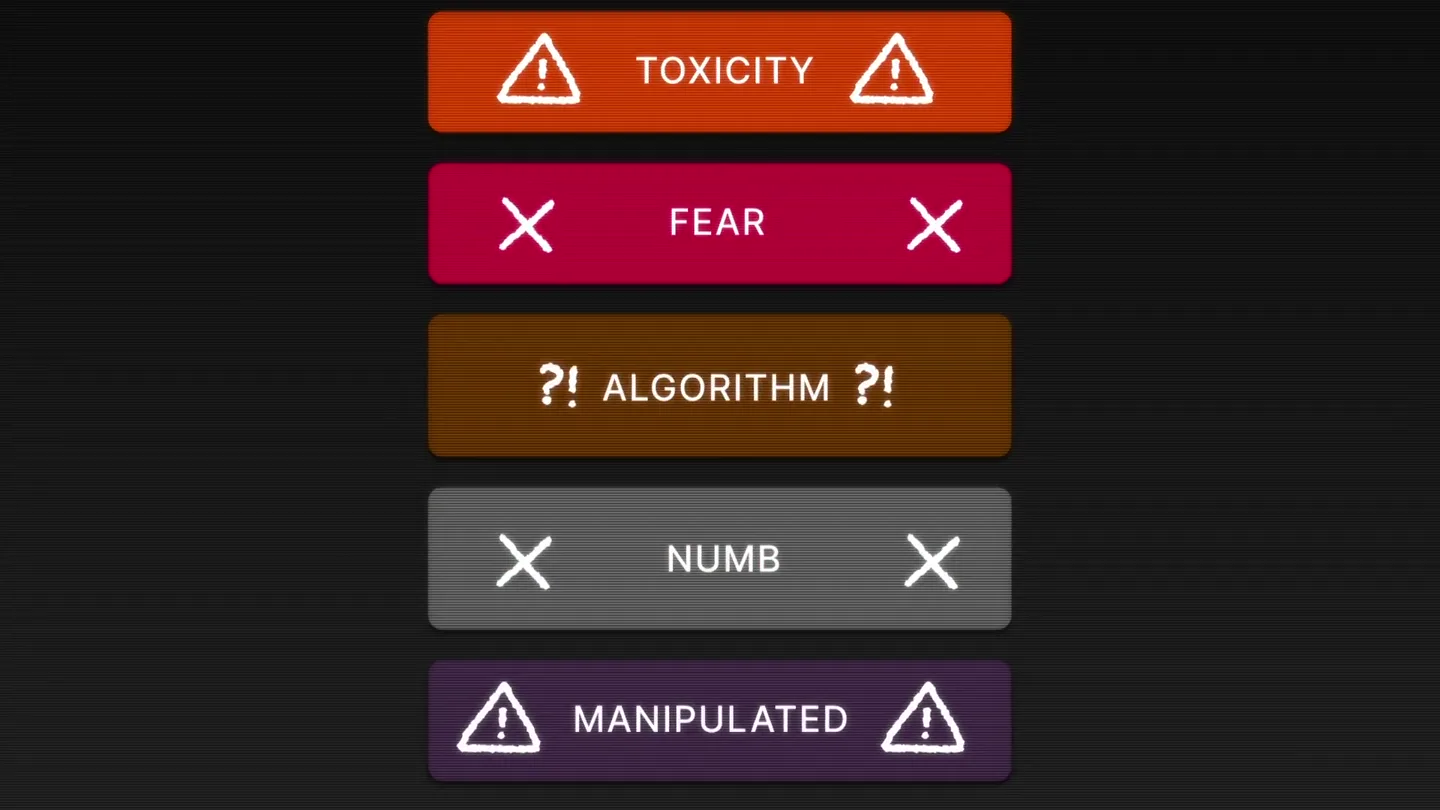
Yesterday we launched Bouncer to put users in control of their Twitter feed. Today, we open sourced the Chrome extension. We believe software should align with your interests, not the company that…