
Synara · Launch Video Breakdown: Hook, Pacing & Motion Design
Synara Docs are live: connecting your first coding agent, parallel agents, worktrees, browser verification, automations, and pull requests.
Scene-by-scene timeline & spoken transcript
The Hook
Synara Docs are Live
“Hello, I'm here to talk about the new product. It's amazing.”
- On screen
- DOCUMENTATION The docs are live Every feature, every workflow, every provider — written down, cross-linked, and searchable. trysynara.com/docs
- Camera
- Static wide shot, focusing on central text and logo. No camera movement.
- Motion
- Text reveal animation (typewriter effect for 'are live', fade-in for supporting text), logo appears with a subtle scale-in.
Product Reveal
Interactive Documentation Walkthrough
“(No spoken dialogue — A sub-bass drop/impact at 0:03 transitions into a driving electronic beat with pizzicato synths.)”
- On screen
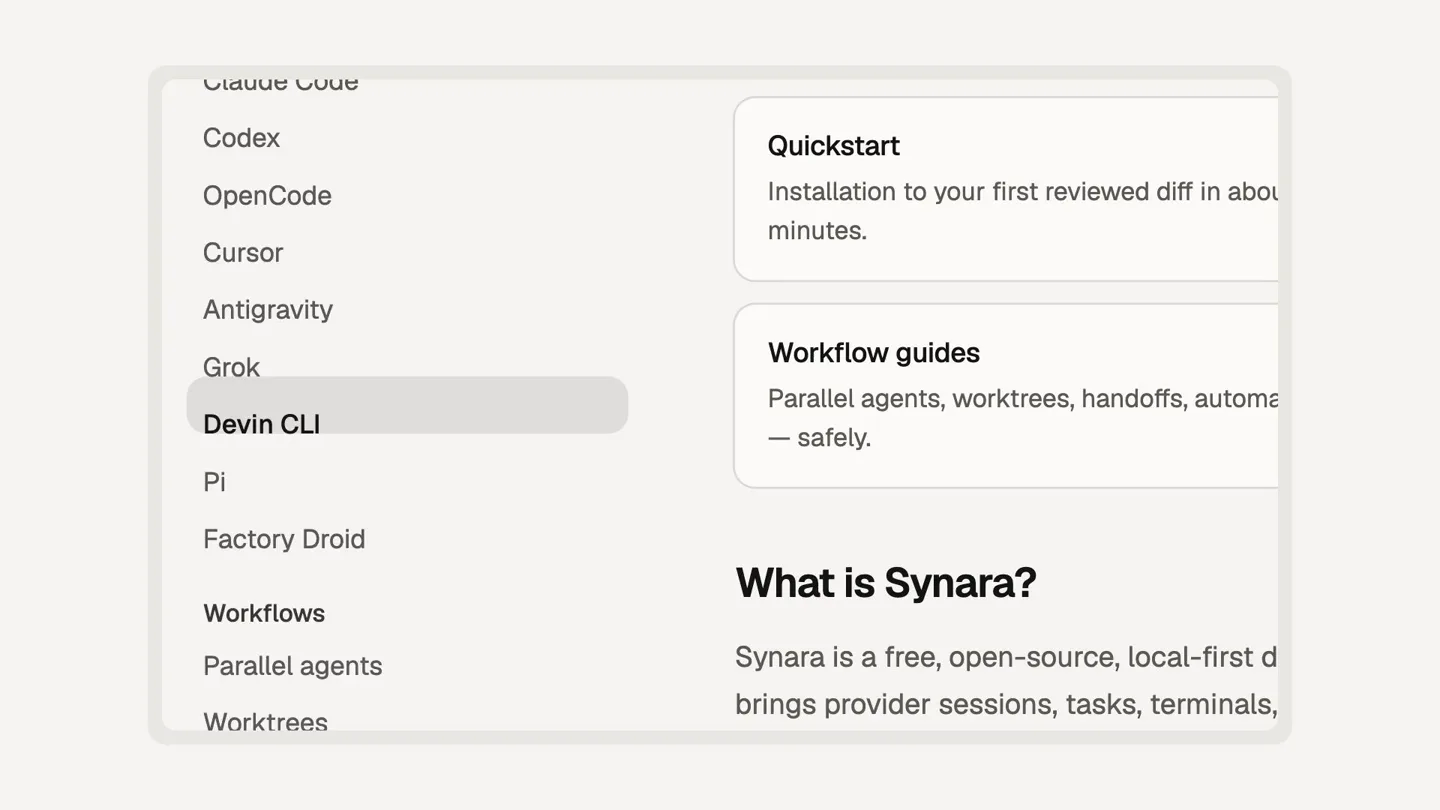
- Synara Documentation Getting started Quickstart Core concepts Installation Providers Your first task Providers Claude Code Codex OpenCode Cursor Antigravity Grok Devin CLI Quickstart Installation to your first reviewed diff in about five minutes. Workflow guides Parallel agents, worktrees, handoffs, automations — safely. What is Synara? Synara is a free, open-source, local-first desktop workspace and brings provider sessions, tasks, terminals, browser work, diffs, Git and pull-request delivery into one application. Workflows Parallel agents Worktrees Handoffs Pull requests Automations Studio Features Composer
- Camera
- Close-up on a UI element, panning and zooming to highlight different sections of the documentation interface.
- Motion
- Smooth, controlled camera pan and zoom (Ken Burns effect) across the documentation UI, with highlight animations on menu items and content cards.
Feature Teaser
Intelligent Search & Workflow Overview
“(No spoken dialogue — The driving electronic beat continues, with a subtle riser from 0:10-0:11.)”
- On screen
- SEARCH Whatever you were about to ask How it works, what it does, what the options are — every answer has a page. Search the docs| START HERE Worktree orchestration Every task gets its own working directory and branch, so parallel agents never collide. Workflows > Worktrees Browser verification A shared in-app Chromium the agent and you both drive — snapshots, console logs. Workflows > Browser verification Nine coding agents, one workspace Claude Code, Codex, OpenCode, Cursor, Antigravity, Grok, Devin CLI, PI, Factory Droid. Providers > Overview to navigate 6 sections • 45+ pages • 9 providers
- Camera
- Static shot of a search interface, with a subtle highlight animation on search results.
- Motion
- Text input simulation, highlight animation on search results, and a subtle fade-in for the navigation summary.
Call to Action
Final Call to Action
“(No spoken dialogue — The electronic beat and synth patterns continue, maintaining a modern, clean sound.)”
- On screen
- THE LOCAL-FIRST WORKSPACE AND CONTROL PLANE FOR CODING AGENTS trysynara.com/docs Start with the quickstart. Add providers, parallel agents, worktrees, handoffs, and pull-request delivery when the work requires them. Read the docs Free and open source • 6 sections • 45+ pages • 9 providers
- Camera
- Static wide shot, centered on the call to action text and button.
- Motion
- Icon array reveal (fade-in/scale-in), main URL text scale-in, supporting text fade-in, and a button highlight/hover state animation.
Motion design primitives
Synthesizable in Remotion · key components of the developer-docs-launch-template template.
TextRevealTypewriter
Text appears character by character or word by word, simulating a typewriter effect, often with a subtle cursor or highlight. This is used for headlines and key phrases.
+ Code construction recipe
Use Remotion's 'Sequence' and 'spring' for character/word-level opacity and position interpolation. Implement a 'delay' prop for staggered reveals. A 'Cursor' component can be animated with 'interpolate' for blinking.
UIDocumentationPanZoom
A smooth, controlled camera movement that pans and zooms across a user interface, highlighting specific elements like menu items, content cards, or search results.
+ Code construction recipe
Utilize Remotion's 'AbsoluteFill' with 'scale' and 'translateX/Y' properties animated using 'spring' or 'interpolate' with custom easing curves (e.g., 'easeOutCubic'). Use 'ClipPath' or 'maskImage' for focused highlights.
IconArrayFadeScale
An array of icons or small graphical elements appears sequentially or simultaneously, scaling up slightly and fading in to draw attention to a set of features or integrations.
+ Code construction recipe
Map over an array of icon components. For each icon, apply 'spring' to 'opacity' and 'scale' properties. Stagger the 'delay' for a sequential reveal or use a single 'Sequence' for simultaneous animation.
Style DNA & aesthetic system
Visual aesthetic
Typography
Motion
Special effects
Pacing & rhythm
Conceptual story rhythm
- 1
The Grand Unveiling
Purpose. Immediately announce the product's core offering and its availability, creating excitement and setting the stage.
Execution. Bold, large typography revealing 'The docs are live' with a typewriter effect, accompanied by the brand logo and a concise value proposition.
- 2
Deep Dive into Functionality
Purpose. Showcase the product's intuitive interface and comprehensive documentation, demonstrating ease of use and depth of information.
Execution. Dynamic pan and zoom across the documentation UI, highlighting navigation, quickstart guides, and key feature descriptions with smooth transitions.
- 3
Problem Solved, Questions Answered
Purpose. Emphasize the product's ability to quickly provide solutions and information through an intelligent search, addressing potential user pain points.
Execution. Simulation of a search query and results, with specific features like 'Worktree orchestration' and 'Browser verification' being highlighted.
- 4
Empowerment & Next Steps
Purpose. Reinforce the product's value proposition and guide users to take the next step, solidifying the call to action.
Execution. A clean, final screen with the product's core benefits, a prominent URL, and a clear 'Read the docs' button, surrounded by an array of feature icons.
Remix in Animatiq Studio
Master remix prompt · agent-ready
Sample remix
Objective
Launch a new API management platform called 'NexusFlow' that simplifies microservice orchestration and deployment.How the recipe adapts
The 'TextRevealTypewriter' primitive would introduce 'NexusFlow: Orchestrate Your Microservices'. The 'UIDocumentationPanZoom' would showcase NexusFlow's dashboard, highlighting features like 'Service Discovery', 'API Gateway Configuration', and 'Deployment Pipelines'. The 'IconArrayFadeScale' would display icons for supported cloud providers and integration partners. The final call to action would be 'nexusflow.com/platform' with a 'Get Started' button.Remix blueprint · developer-docs-launch-template
Scene durations (4 scenes, 14.1s)
Key Remotion components
Related Developer Tools Product Launches
Explore all Developer Tools launches →
Agentic CLI for coding, building apps, and automating workflows.

New in Claude Code: your sessions can now message each other. Tell Claude to send a summary (not your history or files), and the other session picks it up mid-task.

Meet Qwen3.8-Max: A New Bar for Coding and Cowork. https://t.co/mJaA8vr6xT