
Tangerine · Launch Video Breakdown: Hook, Pacing & Motion Design
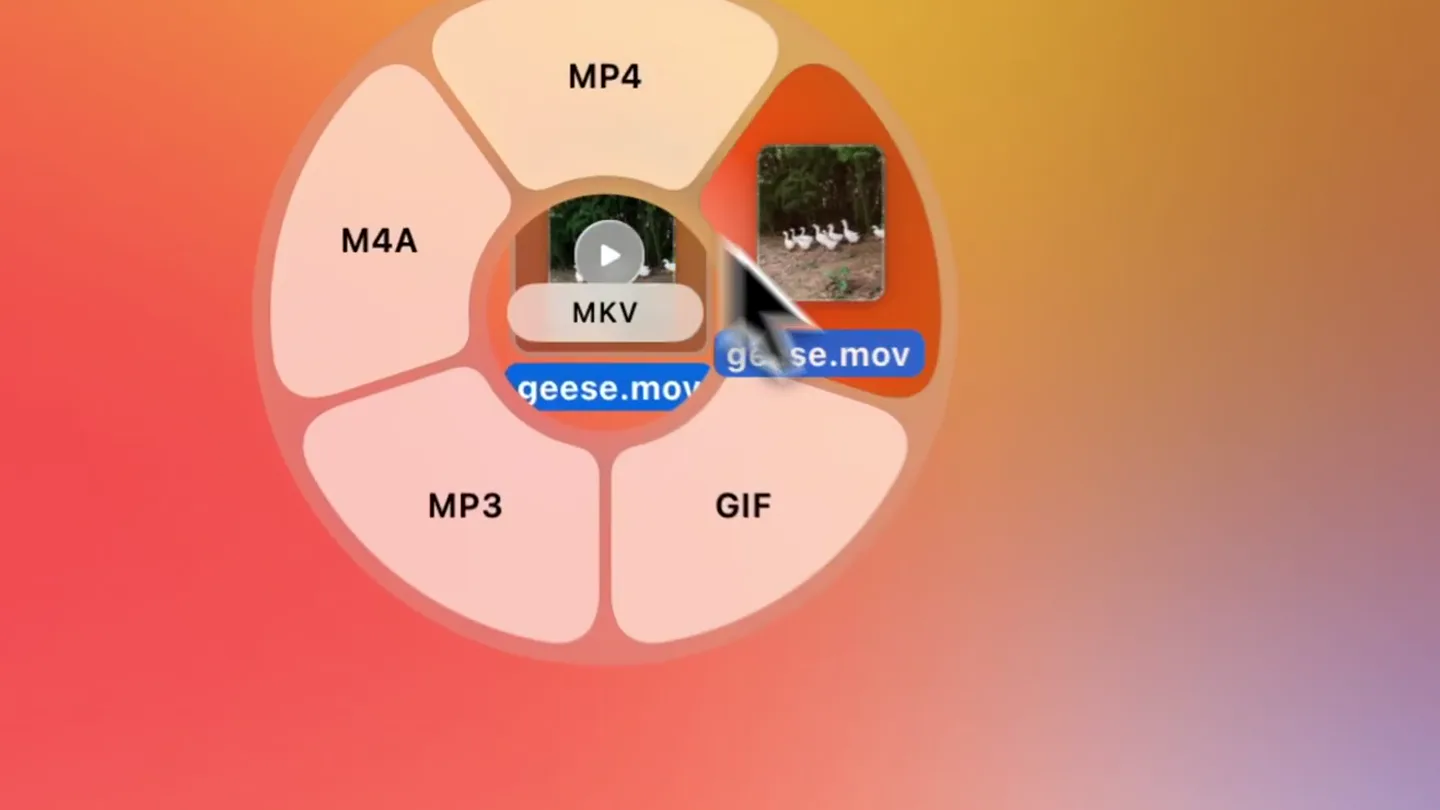
Tangerine is a Mac app that converts files with zero clicks: hold Shift and drag. It also includes other file modification tools.
Scene-by-scene timeline & spoken transcript
The Hook
Effortless File Conversion
“(No spoken dialogue — ambient visual with mouse clicks and UI sounds implied)”
- On screen
- geese.mov, MP4, M4A, MP3, GIF, MKV, shift
- Camera
- Static overhead view of a Mac desktop, focusing on file interaction.
- Motion
- Radial menu reveal with smooth scaling and opacity transitions for menu items. Mouse cursor animation guides user attention.
Product Reveal
Instant Conversion Feedback
“(No spoken dialogue — ambient visual with progress bar sound implied)”
- On screen
- Converting to MP4, geese.mov, geese.mp4
- Camera
- Static overhead view, focusing on a progress bar overlay.
- Motion
- Progress bar animation with a subtle bounce effect upon completion. File icon morphs from .mov to .mp4.
Feature Teaser
Advanced File Modification
“(No spoken dialogue — ambient visual with mouse clicks and UI sounds implied)”
- On screen
- geese.mov, geese.mp4, MOV, M4A, MP3, GIF, MKV, shift, option, SPLIT, COMPRESS, REMOVE META, TRIM, MUTE, SNAPSHOT, SPEED, CROP, Crop Video, Aspect ratio, Freeform, Reset, Width, Height, Apply, Cropping video, geese Cropped.mp4
- Camera
- Static overhead view, with UI elements appearing and disappearing.
- Motion
- Nested radial menu reveal, followed by a modal window animation with sliders and interactive cropping. Progress bar for cropping.
Call to Action
Seamless Workflow Integration
“(No spoken dialogue — ambient visual with mouse clicks and UI sounds implied)”
- On screen
- geese.mov, geese.mp4, geese Cropped.mp4, MOV, M4A, MP3, GIF, MKV, SPLIT, COMPRESS, REMOVE META, TRIM, MUTE, SNAPSHOT, SPEED, CROP, option, shift
- Camera
- Static overhead view, showcasing multiple file operations.
- Motion
- Rapid sequence of radial menu interactions, highlighting various tools. Emphasizes speed and ease of use through quick UI transitions.
Motion design primitives
Synthesizable in Remotion · key components of the tangerine-mac-app-showcase template.
RadialMenuReveal
A central element expands into a circular arrangement of options, with each option appearing with a slight delay and springy animation. The mouse cursor interacts with these options.
+ Code construction recipe
Use `interpolate` for opacity and scale, combined with `spring` for a bouncy effect on each menu item as it appears. Calculate item positions using trigonometry for radial distribution. Implement `useCurrentFrame` to sequence the appearance of each item.
ProgressCompletionBar
A horizontal bar fills from left to right, indicating a process completion. Upon completion, the associated file icon subtly transforms or a new file appears.
+ Code construction recipe
Animate the `width` property of a div using `interpolate` from 0 to 100%. Use a `spring` animation for the final 'pop' of the new file icon or a smooth `transition` for the file name change.
InteractiveModalOverlay
A modal window slides in from the top or fades in, containing interactive elements like sliders and draggable crop handles. User interaction is simulated with a moving cursor.
+ Code construction recipe
Implement a `spring` animation for the modal's `y` position or `opacity`. Use `interpolate` for slider values and `SVG` paths or `div` transformations for draggable crop handles, simulating user input via `useCurrentFrame`.
Style DNA & aesthetic system
Visual aesthetic
Typography
Motion
Special effects
Pacing & rhythm
Conceptual story rhythm
- 1
The 'Zero-Click' Hook
Purpose. Immediately demonstrates the core value proposition: effortless file conversion.
Execution. A file is dragged, a radial menu appears, and a format is selected with minimal effort, leading to a quick conversion.
- 2
Beyond Conversion
Purpose. Expands on the product's capabilities beyond simple conversion, showcasing other powerful tools.
Execution. A second radial menu reveals advanced options like crop, trim, and compress, demonstrating versatility.
- 3
Precision & Control
Purpose. Highlights the granular control users have over file modifications.
Execution. The cropping feature is demonstrated with interactive sliders and a visual crop box, showing precise adjustments.
- 4
Seamless Integration
Purpose. Reinforces the product's ease of use and integration into a user's workflow.
Execution. Multiple operations are shown in quick succession, emphasizing the fluid and intuitive nature of the app.
Remix in Animatiq Studio
Master remix prompt · agent-ready
Sample remix
Objective
A user wants to quickly organize a folder of unsorted photos by dominant color.How the recipe adapts
A folder of photos is dragged onto the SpectraSync icon. A radial menu appears, offering options like 'Sort by Dominant Color', 'Tag by Palette', or 'Apply Preset Filter'. The user selects 'Sort by Dominant Color', and a progress bar quickly fills, followed by the photos instantly rearranging into new, color-coded subfolders on the desktop. The 'zero-click' aspect is emphasized by the automatic tagging and sorting after the initial drag.Remix blueprint · tangerine-mac-app-showcase
Scene durations (4 scenes, 22.5s)
Key Remotion components
Related Productivity Product Launches
Explore all Productivity launches →
Don't type, just speak. Flawless voice-to-text across every app at 240 WPM.

One workspace for knowledge scattered across Slack, email, Docs, and Notion. Connect your tools and build apps and agents that stay live with your data.

Notion positions itself as the backbone of your dock — a brand film of the Notion icon among everyday apps, ending on “Works with everything.”