
Trancy · Launch Video Breakdown: Hook, Pacing & Motion Design
Trancy Air adds one-hotkey translation to every app on Mac and Windows: see it, write it, say it. Available now for macOS and Windows.
Scene-by-scene timeline & spoken transcript
The Hook
Seamless In-App Translation & Dictionary
“(No spoken dialogue — Sparse, arpeggiated synth melody over a deep sub-bass.)”
- On screen
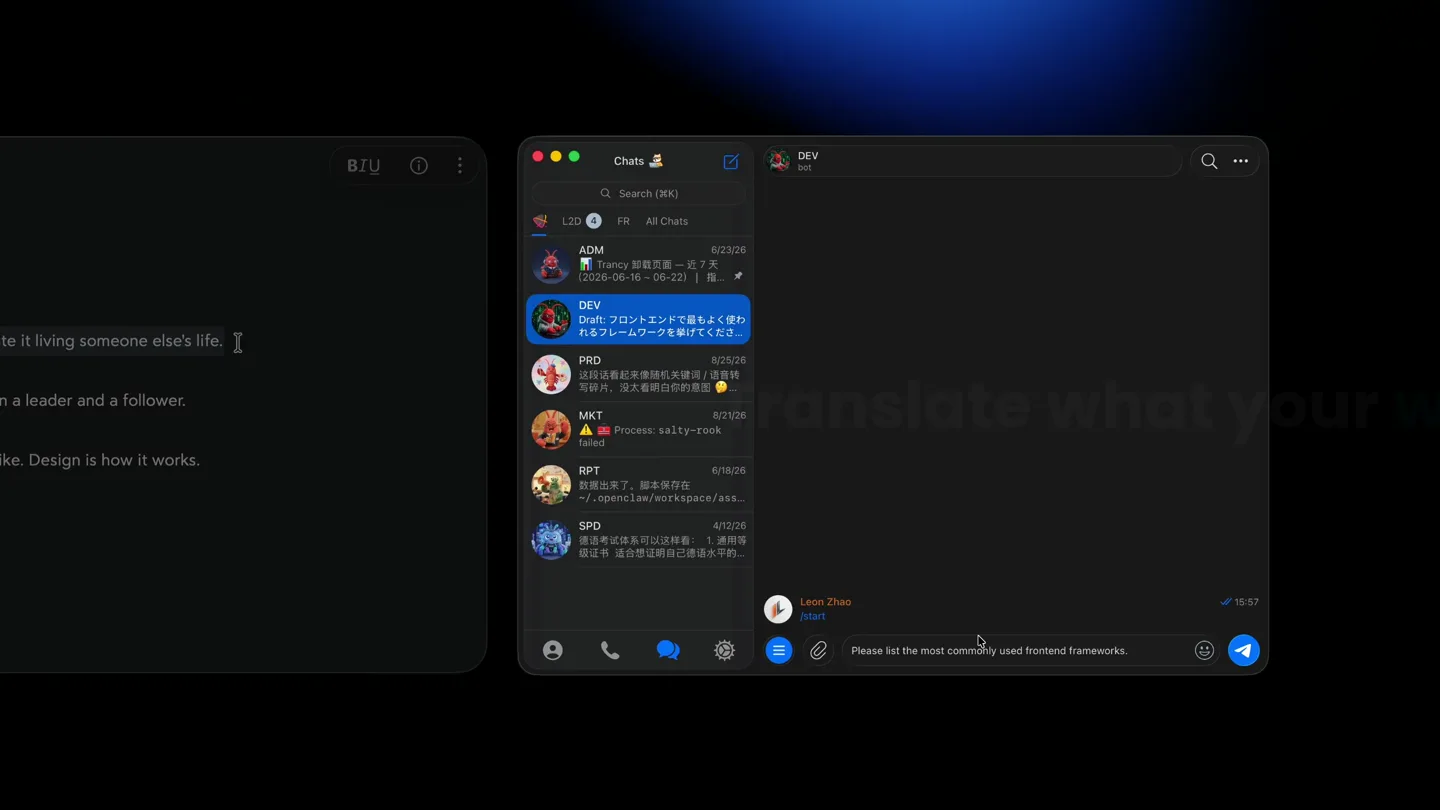
- Stay hungry. Stay foolish. Your time is limited, so don't waste it living someone else's life. Innovation distinguishes between a leader and a follower. Design is not just what it looks like. Design is how it works. 请输入文本 brave Yesterday I received a message from my colleague, but I didn't have enough time to answer it, so she called me twice this morning. 已全部处理 Type in your language. Send in theirs. Translate Sentences Switch Engine Look Up Words
- Camera
- Static wide shot of multiple application windows, then zooms into a single application window. Subtle camera push-ins and pans to highlight UI elements.
- Motion
- UI element highlighting with subtle glows, text typing animation, smooth modal transitions, and content reveal animations. Focus on demonstrating core translation features.
Feature Teaser
Advanced AI & Voice Features
“(No spoken dialogue — High-energy audio transition with a rising synth sweep and a sub-bass drop/impact, leading into a more intense, driving section with a prominent synth lead and rhythmic percussion.)”
- On screen
- Trans| Trancy Air also provides voice transcription and voice translation features, which greatly increase input speed 转写中 今天我需要做三件事情: 1. 到公司回复邮件。 2. 解决手上的 bug。 3. 提交新版本并发布。 已转写并复制 Today's tasks are very busy. I need your help with operations, and we have a meeting in the conference room in two hours. Compare Engines & AI Definitions AI 词典 Design de-sign US /dɪˈzaɪn/ GB /dɪˈzaɪn/ n. 设计; 图案; 方案 a plan or drawing produced to show the look and function or workings of a building, garment, or other object before it is built or made The architect showed us the design for the new building. 意思; 目的; 企图 purpose, planning, or intention that exists or is thought to exist behind an action, fact, or material object The accident happened by design, not by chance. 这次事故是带有为之, 不是偶然发生的。 图案; 花纹; 装饰 decorative pattern or artistic arrangement The carpet has a beautiful floral design. 这张地毯有美丽的花卉图案。 Pronunciation Practice 3/9 Your time is limited, so don't waste it living someone else's life. 你的时间有限, 所以不要浪费在别人的生活上。 跟读 跟读 退出 Esc 93 准确度 92 完整度 92 流利度 80 韵律 your time is limited so don't waste it living someone else's life 你的时间有限, 所以不要浪费在别人的生活上。
- Camera
- Dynamic camera movements, including quick zooms and pans, to highlight specific UI interactions and feature demonstrations. Focus on the voice transcription and pronunciation practice.
- Motion
- Text-to-speech visualization, real-time transcription, and interactive pronunciation feedback. Use of animated waveforms and score indicators to convey progress and accuracy.
Call to Action
Trancy Air: Available Now
“(No spoken dialogue — Significant sub-bass drop/impact, followed by a return to a more ambient, sustained synth texture.)”
- On screen
- Trancy Air
- Camera
- Slow zoom out from the product logo, revealing a subtle animated background texture.
- Motion
- Logo reveal with a subtle glow and atmospheric background animation. Smooth, sustained animation to convey finality and brand presence.
Motion design primitives
Synthesizable in Remotion · key components of the trancy-air-productivity-launch template.
TypingCursorReveal
Text appears character by character, mimicking real-time typing, accompanied by a blinking cursor. This is often followed by a smooth transition to translated text.
+ Code construction recipe
Use `interpolate` to animate the `opacity` and `width` of a text layer, revealing characters sequentially. A separate `spring` animation can control the blinking cursor's `opacity`.
ModalSlideUp
Application modals or pop-up windows smoothly slide up from the bottom of the screen, often with a slight overshoot, and fade in.
+ Code construction recipe
Implement with `spring` for `translateY` and `opacity` properties. Define a custom spring configuration for a subtle bounce effect on arrival.
TextHighlightGlow
Specific words or phrases within a text block are highlighted with a subtle, pulsing glow or a color change to draw attention.
+ Code construction recipe
Apply a `box-shadow` or `text-shadow` with a `color` and `blur` property, animating its `opacity` or `color` using `interpolate` or `spring` for a soft, pulsing effect.
Style DNA & aesthetic system
Visual aesthetic
Typography
Motion
Special effects
Pacing & rhythm
Conceptual story rhythm
- 1
The Everyday Problem
Purpose. Establish the common pain points of language barriers in digital communication and productivity.
Execution. Show various applications (chat, text editor) with untranslated foreign text, creating a sense of frustration or inefficiency.
- 2
The Seamless Solution
Purpose. Introduce Trancy Air as the intuitive, integrated solution to these problems.
Execution. Demonstrate the one-hotkey translation, dictionary lookup, and in-app integration with smooth, responsive UI animations.
- 3
Beyond Basic Translation
Purpose. Showcase advanced features that differentiate Trancy Air, like voice transcription and pronunciation practice.
Execution. Dynamic sequences highlighting real-time voice input, transcription, and interactive learning tools with visual feedback.
- 4
Empowering Communication
Purpose. Conclude by reinforcing the product's value proposition: enabling effortless global communication.
Execution. A clean brand reveal, emphasizing the product name and its availability, leaving a lasting impression of empowerment.
Remix in Animatiq Studio
Master remix prompt · agent-ready
Sample remix
Objective
An AI-powered code completion tool called 'CodeFlow AI' that integrates into IDEs to provide real-time suggestions, refactoring, and documentation lookup.How the recipe adapts
The dark-mode UI will be adapted to an IDE theme. TypingCursorReveal will show code being written, with CodeFlow AI suggestions appearing via ModalSlideUp. TextHighlightGlow will draw attention to the suggested code snippets. The overall flow will demonstrate a developer's workflow, showing how CodeFlow AI seamlessly integrates to boost productivity, culminating in the CodeFlow AI logo reveal.Remix blueprint · trancy-air-productivity-launch
Scene durations (3 scenes, 75s)
Key Remotion components
Related Productivity Product Launches
Explore all Productivity launches →
Don't type, just speak. Flawless voice-to-text across every app at 240 WPM.

One workspace for knowledge scattered across Slack, email, Docs, and Notion. Connect your tools and build apps and agents that stay live with your data.

Notion positions itself as the backbone of your dock — a brand film of the Notion icon among everyday apps, ending on “Works with everything.”