
Ubuntu · Launch Video Breakdown: Hook, Pacing & Motion Design
Ubuntu 26.04 LTS, codenamed #ResoluteRaccoon, is now available to download. Resolute Raccoon builds on the resilience-focused improvements introduced in interim releases, with TPM-backed full-disk…
Scene-by-scene timeline & spoken transcript
The Hook
Product Unveiling & Core Value Proposition
“(No spoken dialogue — Ethereal synth pad and rhythmic arpeggiated synth melody establish a futuristic and dynamic tone.)”
- On screen
- (No on-screen text)
- Camera
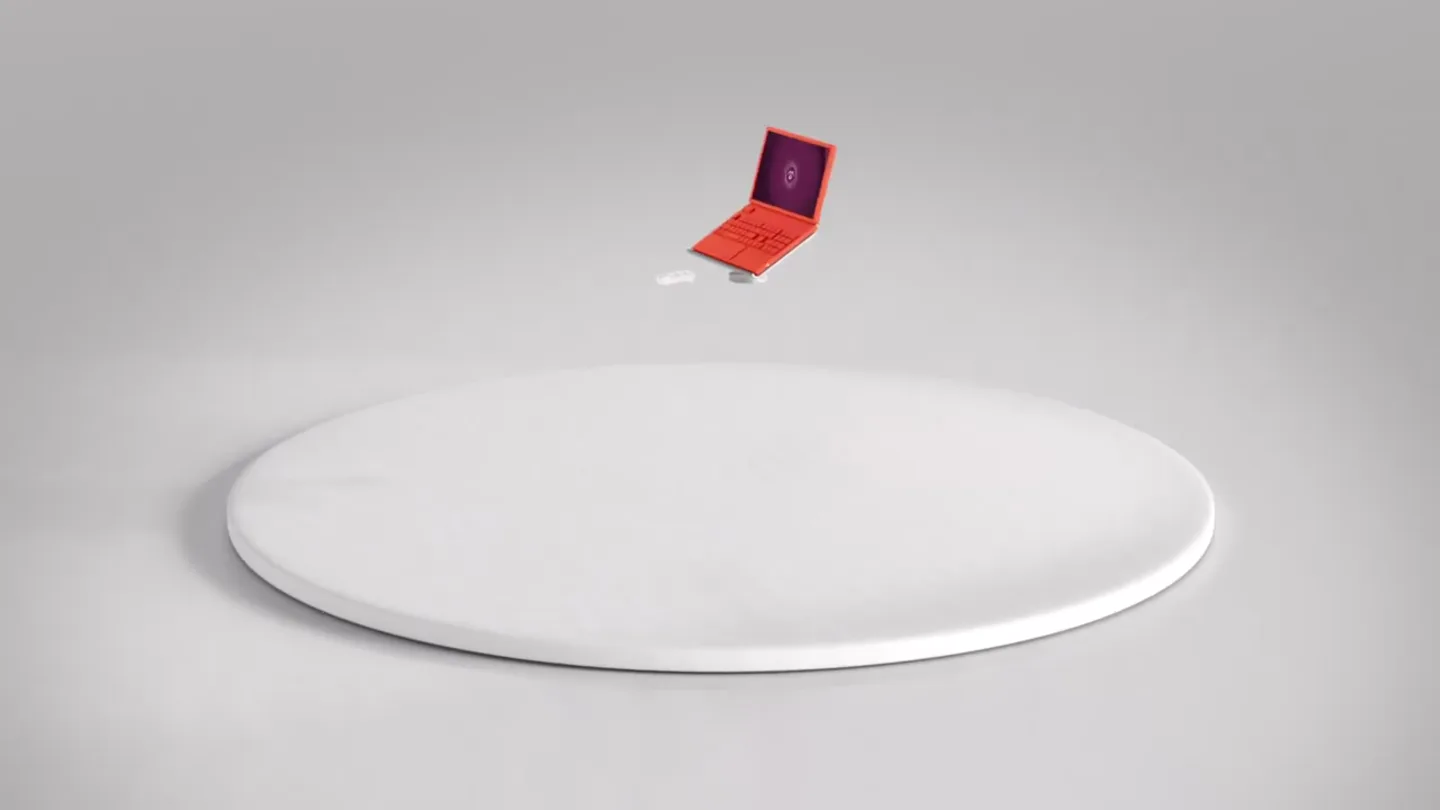
- Camera rotates around a central white circular platform, revealing a stylized 3D laptop and then a full desktop setup. It then zooms into the laptop screen.
- Motion
- 3D object reveal, camera orbit, screen zoom-in, UI animation.
Product Reveal
Productivity & Installation Showcase
“(No spoken dialogue — Percussive synth hits drive the rhythm, maintaining a high-energy feel.)”
- On screen
- Type of installation How would you like to install Ubuntu? Interactive installation For users who want to be guided step by step through the installation. Automated installation For advanced users who have an autoinstall.yaml for consistent and repeatable system setups. Back Next Made for productivity
- Camera
- Camera pans across a stylized desktop environment, then zooms into a UI element, and later pulls back to reveal the full desktop setup with text overlay.
- Motion
- UI walkthrough animation, text overlay, 3D environment reveal.
Feature Teaser
Versatility & Command Line Power
“(No spoken dialogue — Sub-bass elements provide depth, and high-energy risers build tension.)”
- On screen
- ubuntu@nuc11:~ sudo snap install gemma3 Download snap "gemma3" (163) from channel "stable" 76% 12.1MB/s 4.37s ubuntu@nuc11:~ sudo snap install gemma3 gemma3 v3+b73d030 from Canonical IoT Labs installed ubuntu@nuc11:~ $ ubuntu@resolute:~ sudo pro enable livepatch One moment, checking your subscription first Installing Livepatch Installing canonical-livepatch snap Setting up Livepatch Livepatch enabled ubuntu@resolute:~ canonical-livepatch status last check: 13 seconds ago kernel: 7.0.0-10.10-generic kernel state: kernel series 7.0 is covered by Livepatch patch state: no livepatches available for kernel 7.0.0-10.10-generic tier: updates (Free usage; this machine beta tests new patches.) machine id: 19d770d0c7d24242b860284ba374767e ubuntu@resolute:~ $
- Camera
- Camera rotates around a segmented circular platform, revealing different stylized environments (office, kitchen, factory). It then zooms into a terminal window.
- Motion
- Segmented environment reveal, terminal command simulation, 3D object interaction.
Call to Action
Global Reach & Brand Identity
“(No spoken dialogue — Impactful sub-bass drops punctuate the end, concluding with a futuristic and dynamic sound.)”
- On screen
- For everyone Ubuntu www.ubuntu.com Icons by the Yaru Team (CC BY-SA 4.0). Icons by Laura Kormolis and Atheros (GNU GPL v3.0). Firefox and the Firefox logo are trademarks of the Mozilla Foundation in the U.S. and other countries. Ubuntu and Canonical are trademarks of Canonical Ltd. All other trademarks are the property of their respective owners.
- Camera
- Camera pulls back to reveal a stylized satellite orbiting a glowing globe, then zooms into a laptop screen, and finally displays the brand logo and website.
- Motion
- Global scale visualization, brand logo reveal, website display, legal text overlay.
Motion design primitives
Synthesizable in Remotion · key components of the ubuntu-resolute-raccoon-remix template.
CircularPlatformReveal
A central circular platform rotates and segments, revealing different stylized 3D environments or objects on each segment. Objects animate into place as their segment is revealed.
+ Code construction recipe
Utilize `interpolate` for rotation and opacity of platform segments. Use `spring` animations for the entrance and subtle bounce of 3D objects (e.g., laptop, desk, kitchen elements) as they appear on their respective segments. Implement a `Sequence` to orchestrate the segment reveals and object animations.
DynamicTerminalWindow
A stylized terminal window appears with a subtle perspective shift, displaying simulated command-line input and output, including progress bars and installation confirmations.
+ Code construction recipe
Create a `Composition` for the terminal window with a `spring` animation for its initial appearance and slight rotation. Use `Sequence` and `interpolate` for typing animation of commands and output. Implement a custom `Text` component that simulates typing speed and includes a blinking cursor. Progress bars can be animated using `interpolate` on width.
ProductUIZoom
The camera smoothly zooms into a specific area of a product's user interface (e.g., an installation dialog or application launcher), highlighting key features or interactions.
+ Code construction recipe
Employ `interpolate` for camera position (x, y, z) and field of view to create a smooth zoom effect. UI elements within the zoomed area can have subtle `spring` animations for their appearance or state changes (e.g., radio button selection, icon hover effects). Use `AbsoluteFill` for the UI elements to ensure precise positioning during the zoom.
Style DNA & aesthetic system
Visual aesthetic
Typography
Motion
Special effects
Pacing & rhythm
Conceptual story rhythm
- 1
Introduction & Setup
Purpose. To introduce the product in a clean, engaging way and establish its core environment.
Execution. A stylized 3D laptop and desktop setup are revealed on a rotating platform, immediately showcasing the product's context.
- 2
Feature Exploration
Purpose. To demonstrate key functionalities and user interactions within the operating system.
Execution. UI walkthroughs of installation options, application launchers, and command-line operations are presented with dynamic zooms and text animations.
- 3
Versatility & Impact
Purpose. To illustrate the broad applicability and power of the product across different use cases.
Execution. The rotating platform reveals diverse environments (office, kitchen, factory) and a global satellite, symbolizing widespread utility.
- 4
Brand & Call to Action
Purpose. To reinforce brand identity and guide the viewer to the next step.
Execution. The Ubuntu logo and website URL are prominently displayed, concluding the narrative with clear branding.
Remix in Animatiq Studio
Master remix prompt · agent-ready
Sample remix
Objective
Launch a new AI-powered data analytics platform called 'InsightEngine'.How the recipe adapts
The CircularPlatformReveal primitive would showcase different data visualization modules (e.g., a dashboard, a report generator, a predictive model interface) on each segment. The DynamicTerminalWindow would be adapted to show simulated data queries and real-time analytics processing. The ProductUIZoom would highlight specific interactive charts and AI-driven insights within the InsightEngine dashboard. The color palette would shift to cool blues and vibrant purples, maintaining the clean 3D aesthetic.Remix blueprint · ubuntu-resolute-raccoon-remix
Scene durations (4 scenes, 80s)
Key Remotion components
Related Tech & SaaS Product Launches
Explore all Tech & SaaS launches →
Against all odds. Congrats @elonmusk and @SpaceX.
Unreal Engine 6 has been announced with Rocket League.

Trade 24/7 with a social feed and onchain signals.