
Unity · Launch Video Breakdown: Hook, Pacing & Motion Design
Unity launched an official first-party plugin for Claude Code with 29 native Unity skills, CLI workflows, and direct Editor control from a single install.
Scene-by-scene timeline & spoken transcript
The Hook
Unity x Claude Integration Reveal
“(No spoken dialogue — A minimalist, ambient electronic score begins with a digital click sound.)”
- On screen
- Unity® | Claude
- Camera
- Static shot, centered logos.
- Motion
- Instant cut to logos, then a subtle fade out of the '®' symbol and vertical separator.
Product Reveal
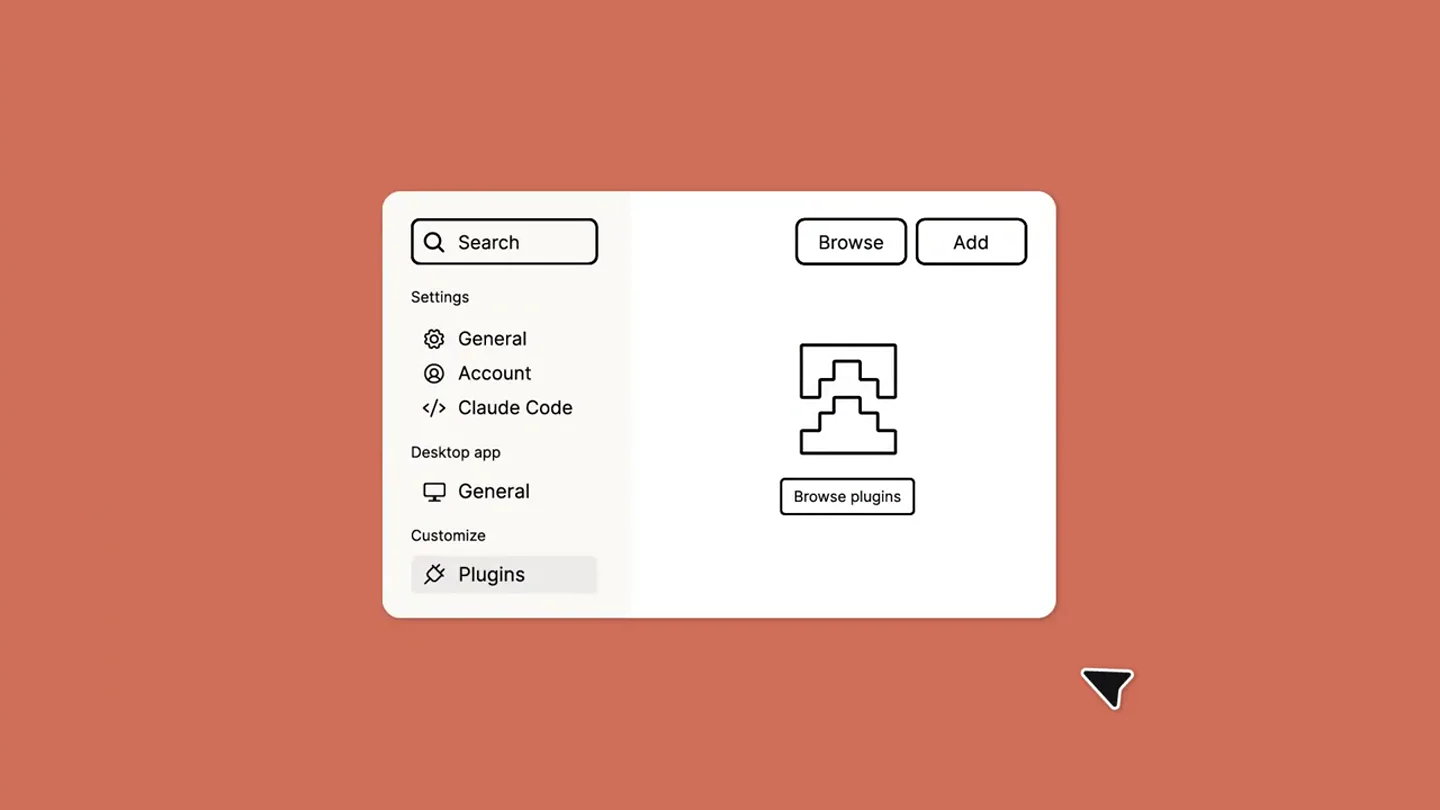
Plugin Installation Workflow
“(No spoken dialogue — Digital clicks and glitches accompany UI interactions.)”
- On screen
- Search Browse Add Settings General Account Claude Code Desktop app Customize Plugins Browse plugins
- Camera
- Top-down, isometric perspective on a UI window, then a slight zoom out as a second window slides in.
- Motion
- UI elements animate in with a clean, crisp reveal. A cursor interaction simulates real-time user input, followed by a smooth slide-in of a new UI panel.
Feature Teaser
Discovering the Unity Plugin
“(No spoken dialogue — A 'whoosh' sound at 0:05, followed by more digital clicks and glitches as text is typed and elements appear.)”
- On screen
- Search Browse Add Settings Directory Skills Connectors Plugins Your organization Anthropic Partners Unity Unity Technologies Install
- Camera
- Static shot, focusing on the UI interaction within the second panel.
- Motion
- Simulated typing animation, highlighting of UI elements, and a smooth reveal of search results and an 'Install' button. The cursor animates to click the button.
Call to Action
Simplicity & Support
“(No spoken dialogue — Digital clicks and glitches continue, culminating in a high-energy sub-bass drop/impact at 0:13.)”
- On screen
- One install, One install, no configuration, One install, no configuration, supported by Unity
- Camera
- Static, centered text on a black background.
- Motion
- Text appears sequentially with a subtle fade-in and scale, building anticipation. The final line appears with a strong, impactful reveal synchronized with the audio drop.
Call to Action
Final Brand Lockup
“(No spoken dialogue — The sub-bass impact resonates and fades out with the ambient score.)”
- On screen
- (No on-screen text)
- Camera
- Static shot, centered logos.
- Motion
- Logos animate back in with a subtle, clean reveal, reinforcing the partnership.
Motion design primitives
Synthesizable in Remotion · key components of the minimalist-devtool-launch template.
UISlideIn
A UI panel or element slides into view from an edge (e.g., right or bottom) with a slight overshoot and settle, mimicking a natural application interaction.
+ Code construction recipe
Use `interpolate` with an `easeOutBack` or `spring` easing function for position (translateX/Y) and opacity. Combine with `delay` for sequential element reveals within the panel.
CursorInteraction
A mouse cursor animates across the screen, hovering over and clicking UI elements, simulating user input and guiding the viewer's eye.
+ Code construction recipe
Animate `x` and `y` coordinates of an SVG cursor path using `interpolate` with `easeInOutQuad` for smooth movement. Trigger `scale` and `opacity` changes on target UI elements when the cursor 'clicks' them.
SequentialTextReveal
Lines of text appear one after another, often with a subtle fade-in and scale, building a narrative or emphasizing key points.
+ Code construction recipe
Apply `opacity` and `scale` animations to individual text lines using `interpolate`. Stagger the `delay` for each line to create the sequential effect. Use `easeOutCubic` for a clean, impactful reveal.
Style DNA & aesthetic system
Visual aesthetic
Typography
Motion
Special effects
Pacing & rhythm
Conceptual story rhythm
- 1
Partnership Introduction
Purpose. Immediately establish the key players and the nature of the announcement.
Execution. Direct display of Unity and Claude logos, signifying a collaboration.
- 2
Problem/Solution Setup
Purpose. Showcase the ease of integrating the new plugin within an existing workflow.
Execution. Animated UI demonstrating the navigation and discovery of the Unity plugin within the Claude Code interface.
- 3
Value Proposition
Purpose. Highlight the core benefits of the plugin: simplicity and official support.
Execution. Sequential text reveal emphasizing 'One install, no configuration, supported by Unity'.
- 4
Reinforcement & Call to Action
Purpose. Reiterate the brand partnership and leave a lasting impression of ease and reliability.
Execution. Return to the Unity and Claude logos, reinforcing the joint offering.
Remix in Animatiq Studio
Master remix prompt · agent-ready
Sample remix
Objective
Launch a new 'Animatiq Remotion Plugin for Figma' that simplifies design-to-code animation workflows.How the recipe adapts
The video would open with Animatiq and Figma logos. The UI demonstration would show a user navigating Figma's plugin menu, searching for 'Animatiq Remotion', and clicking 'Install'. Sequential text would highlight 'Instant sync, live preview, zero code setup'. The background color would shift to a Figma-esque purple, maintaining the warm, inviting feel. Digital clicks and a 'whoosh' would accompany UI actions, culminating in a powerful sub-bass drop as the final text appears.Remix blueprint · minimalist-devtool-launch
Scene durations (5 scenes, 15.1s)
Key Remotion components
Related Developer Tools Product Launches
Explore all Developer Tools launches →
Agentic CLI for coding, building apps, and automating workflows.

New in Claude Code: your sessions can now message each other. Tell Claude to send a summary (not your history or files), and the other session picks it up mid-task.

Meet Qwen3.8-Max: A New Bar for Coding and Cowork. https://t.co/mJaA8vr6xT