
VisuallyAI · Launch Video Breakdown: Hook, Pacing & Motion Design
Paste a product link and a description. VisuallyAI turns it into an agency-level launch or demo video in about 10 minutes.
Scene-by-scene timeline & spoken transcript
The Hook
Subtle Product Introduction & Core Value Proposition
“(No spoken dialogue — The track opens with a subtle, high-pitched electronic hum and a distinct 'click' sound at [00:00]. A prominent sub-bass drop/impact occurs at [00:02], followed by a rising synth sweep and a percussive 'thump' at [00:03].)”
- On screen
- Upwork How work gets down
- Camera
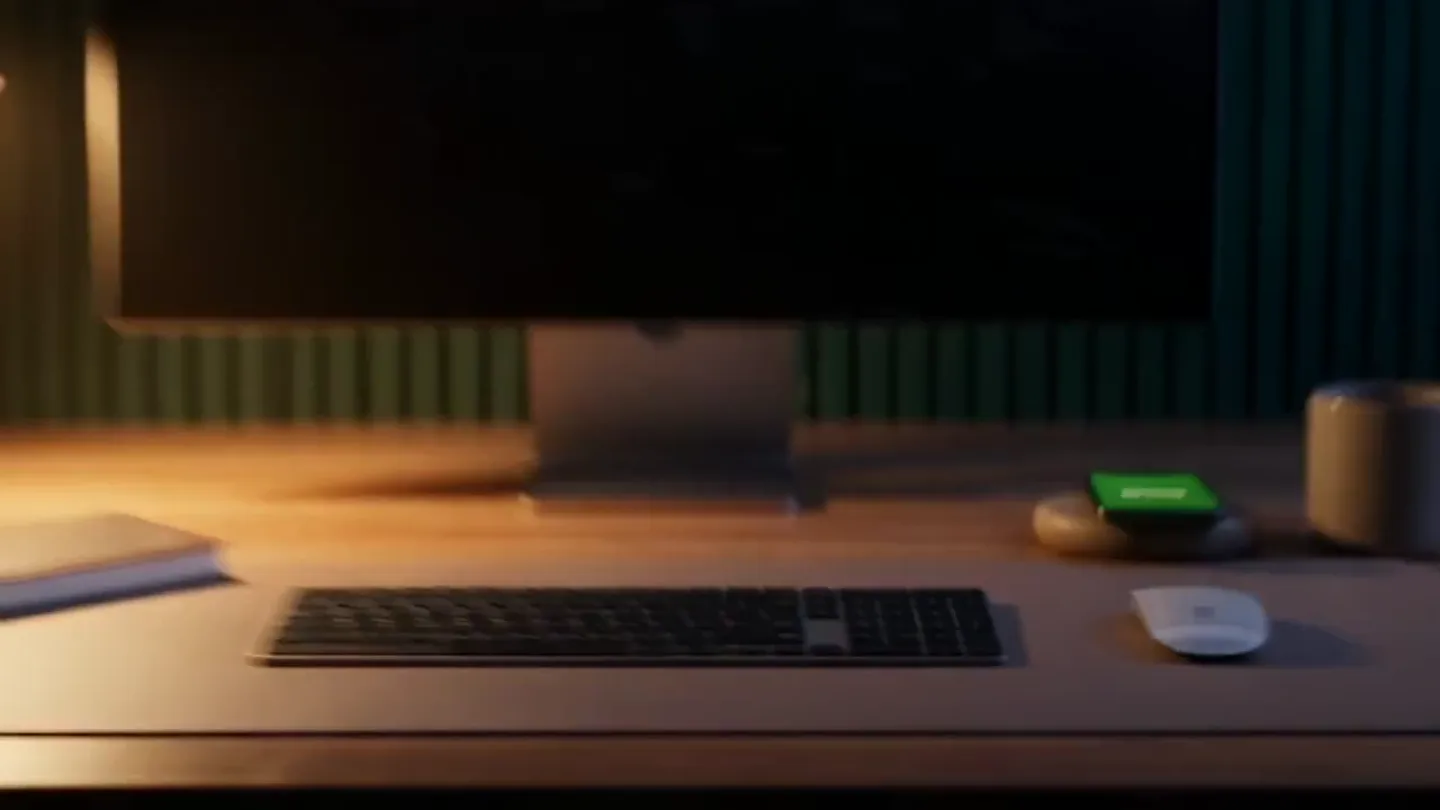
- Close-up on a smartphone, then a wide shot of a desk with a monitor. Camera subtly zooms out and pans slightly.
- Motion
- Focus pull, subtle camera movement, text reveal with blur/fade, screen content animation.
Problem Agitation
Key Solution Elements & Workflow Visualization
“(No spoken dialogue — A rhythmic, arpeggiated synth pattern begins at [00:04], establishing a driving pulse. Another sub-bass impact is heard at [00:06], accompanied by a metallic 'clink'. A high-energy riser builds from [00:07] to [00:08], culminating in a powerful sub-bass drop and a shimmering synth chord.)”
- On screen
- talent projects teams Find talent Delivered
- Camera
- Static wide shot, then a close-up on a smartphone, followed by a static shot of a floating UI element.
- Motion
- Text pop-in with spatial arrangement, screen content animation, UI element reveal with subtle bounce.
Product Reveal
Seamless Collaboration & Task Completion
“(No spoken dialogue — A distinct 'whoosh' sound is present at [00:12], followed by another sub-bass impact at [00:13]. A sustained, evolving synth pad creates an atmospheric backdrop throughout.)”
- On screen
- Proposal Upwork Work together Upwork million careers millions
- Camera
- Static shot of floating UI elements, then a wide shot of a tablet on a desk, followed by a close-up on a smartphone, then back to the wide shot of the tablet.
- Motion
- Layered UI element reveal, text reveal with blur, circular loading animation, checkmark confirmation animation, numerical counter.
Call to Action
Final Value Proposition & Brand Reinforcement
“(No spoken dialogue — A final, significant sub-bass drop/impact occurs at [00:22], leading into a more melodic, yet still ambient, synth progression. The track concludes with a fading electronic hum.)”
- On screen
- Get great work done Upwork Work, beautifully done
- Camera
- Static shot of a monitor, then a full-screen brand logo and tagline. Camera remains static.
- Motion
- Text reveal with subtle glow, logo reveal with gradient background, tagline fade-in.
Motion design primitives
Synthesizable in Remotion · key components of the tech-product-fast-cut-reveal template.
ScreenContentReveal
Content on a device screen (phone, monitor, tablet) animates into view, often with a subtle blur or scale effect, mimicking app or website loading.
+ Code construction recipe
Use <AbsoluteFill> for device screen, apply <Sequence> for content elements. Animate opacity and scale using <interpolate> with 'easeOutCubic' for a smooth reveal. Implement a blur effect with CSS filters or SVG filters for initial state.
FloatingUIStack
Multiple UI elements (e.g., 'Proposal' cards) appear layered and slightly offset, then animate into a stacked or sequential arrangement, often with a subtle depth effect.
+ Code construction recipe
Render multiple <AbsoluteFill> or custom components for each UI element. Use <spring> for position (y-axis) and rotation (z-axis) to create a layered, bouncy effect. Apply CSS 'box-shadow' for depth and 'transform: translateZ()' for perceived 3D.
CircularProgressConfirm
A circular dotted line animates around a central point, indicating progress, then transforms into a checkmark or confirmation icon upon completion.
+ Code construction recipe
Utilize an SVG <circle> with 'stroke-dasharray' and 'stroke-dashoffset' animated via <interpolate> to create the progress effect. Transition to a checkmark SVG path using opacity and scale animations, potentially with a 'spring' for the final pop.
Style DNA & aesthetic system
Visual aesthetic
Typography
Motion
Special effects
Pacing & rhythm
Conceptual story rhythm
- 1
The Digital Glimmer
Purpose. Immediately captures attention with a mysterious, tech-infused opening, hinting at digital interaction.
Execution. A glowing dot on a dark phone screen, quickly resolving to a brand logo, followed by a blurred text reveal on a monitor.
- 2
Workflow Unveiled
Purpose. Introduces the core components and ease of the product's workflow through abstract and direct UI elements.
Execution. Keywords 'talent', 'projects', 'teams' appearing spatially, followed by a phone screen showing 'Find talent' and a floating 'Delivered' UI element.
- 3
Seamless Integration & Scale
Purpose. Demonstrates the product's ability to handle complex tasks and large-scale operations efficiently.
Execution. Layered 'Proposal' cards, a tablet showing 'Work together' with a circular loading animation, and a numerical counter for 'million careers'.
- 4
Empowering Conclusion
Purpose. Reinforces the ultimate benefit and leaves a lasting impression of efficiency and quality.
Execution. A monitor displaying 'Get great work done', culminating in the brand logo and tagline 'Work, beautifully done' on a gradient background.
Remix in Animatiq Studio
Master remix prompt · agent-ready
Sample remix
Objective
Create a launch video for 'CodeFlow', an AI-powered code generation and review platform.How the recipe adapts
The video would open with a glowing cursor on a dark IDE screen, resolving to the CodeFlow logo. Instead of 'talent', 'projects', 'teams', keywords like 'code', 'review', 'deploy' would appear. UI elements would show snippets of generated code and pull request approvals. The circular progress animation would represent AI processing, followed by a checkmark for successful code generation. The final message would be 'Build faster, smarter' with the CodeFlow logo and tagline 'Intelligent Code, Effortless Flow'.Remix blueprint · tech-product-fast-cut-reveal
Scene durations (4 scenes, 30s)
Key Remotion components
Related AI Agents Product Launches
Explore all AI Agents launches →
To ensure that artificial general intelligence benefits all of humanity

Gopuff introduces Go, an AI shopping assistant built with SpaceXAI: say what you need and the order is placed.

Iliad (Troy) trailer made by Grok Imagine 1.5, which was just released