
CopyRebeldia · Launch Video Breakdown: Hook, Pacing & Motion Design
Today an entire industry stopped making sense. A guy posted a repo on GitHub that turns any photo into an explorable 3D world: meshes with physics, background splats, ambient audio. Everything. An…
Scene-by-scene timeline & spoken transcript
The Hook
Interactive 3D World Generation from Single Image
“Today an entire industry stopped making sense. A guy posted a repo on GitHub that turns any photo into an explorable 3D world: meshes with physics, background splats, ambient audio. Everything. An agent can generate individual objects and the static environment, including colliders. It also incorporates object sound effects, ambient sound effects, and lighting information. The generated scene can then be duplicated, edited, and manipulated.”
- On screen
- (No on-screen text)
- Camera
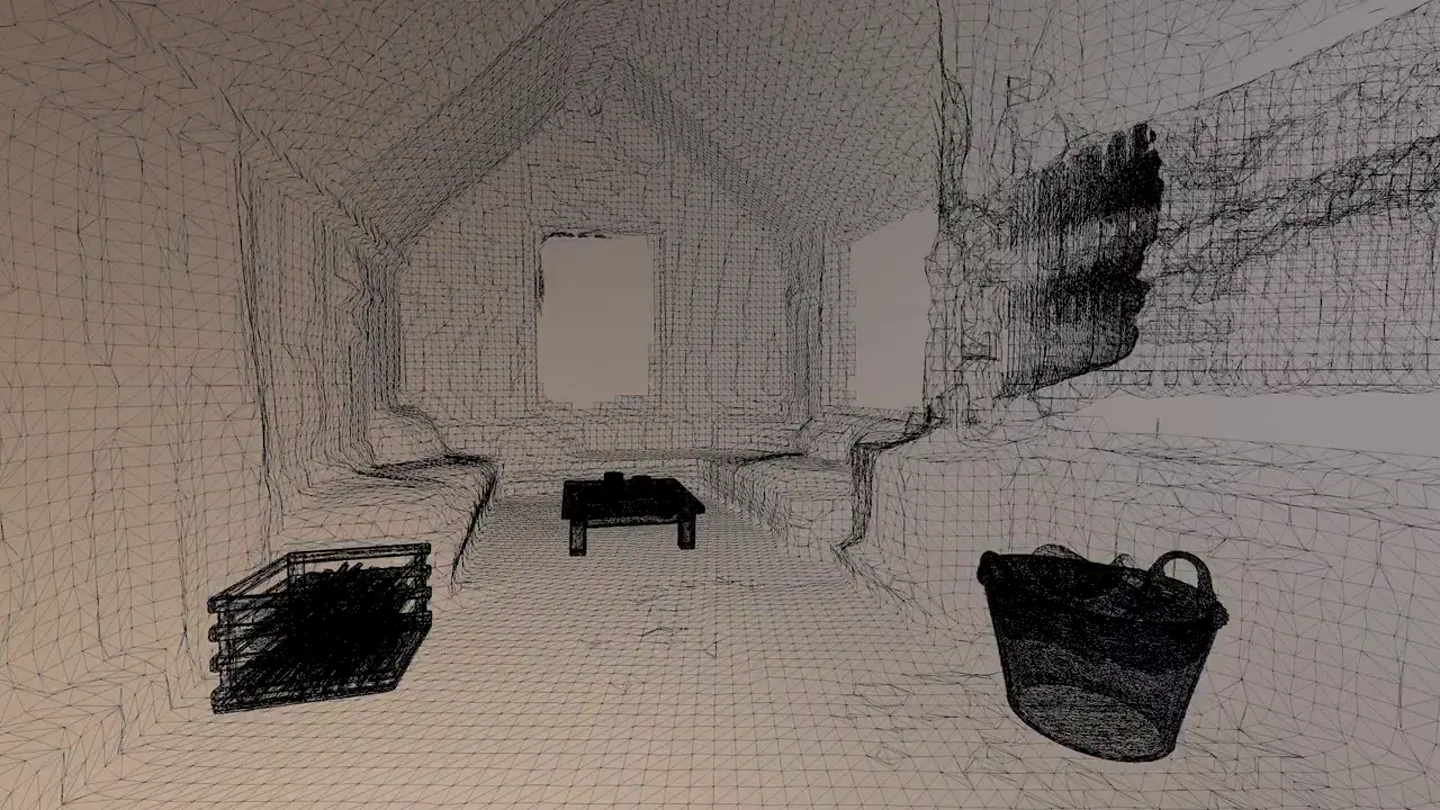
- Dynamic, first-person perspective navigating various generated 3D environments, often with a smaller reference image inset in the bottom right. The camera moves through rooms, outdoor scenes, and studio setups, demonstrating object interaction and environment exploration.
- Motion
- Real-time 3D environment walkthroughs, object manipulation (picking up, dropping), split-screen comparison with source image, wireframe/mesh overlay for technical demonstration.
Product Reveal
Workflow: From Image to GLB & PBR
“The workflow is simple. The system recommends objects from the source image, creates images for each object, and sends them to a 3D generation model. These models create GLB files and PBR materials. Users can then remove objects from the source image to create a clean static environment, which is sent to World Lab for generating static Gaussian splats, a panoramic environment map, and a mesh collider.”
- On screen
- image.json, output, bentwood-chair, bistro-table, patio-umbrella, potted-plant, red-mailbox, sfx, world, project.json, scene.json, source, 0-neilson-sunlight-b...-47fd.png, 1-neilson-sunlight-b...-plate.png, 0-potted-plant.png, 0-red-mailbox.glb, 0-red-mailbox.obj, 0-red-mailbox-thumbnail.png, 0-red-mailbox.png, object.json, sfx, world, project.json, scene.json, source, 0-neilson-sunlight-b...-47fd.png, 1-neilson-sunlight-b...-plate.png, neilsonkoerner-safrata — Create a new scene — caffeinaie — 83x23, Write (world/quiet-stone-fountain-courtyard/output/round-side-table/object.json), Write 20 lines to, world/quiet-stone-fountain-courtyard/output/round-side-table/object.json, object:, name: "round wooden side table", description: "low round side table with a flat circular woode, n top and a thin base. It has a smooth, natural wood texture.", source_images: ["world/quiet-stone-fountain-courtyard/source/, 0-neilson-quiet-little-stone-garden-small-fountain-stone-coffee-2d, bc808-c0b0-4d6d.png"], evidence: [], (16 lines omitted to expand), + Razzmatazzing: (17s - 1.2k tokens - thought for 5s), L Tip: Use /config to change your default permission mode (including Plan Mode), > |, auto mode on (shift+tab to cycle) — esc to interrupt, Agent 'SFX side table impact' completed, Side table thunks done - 4 hollow wooden hits. All SFX is wrapped. 4 agents still, running (world + 3 meshes)., Brewed for 2s - 4 local agents still running, > |, Hit on the world, > |, auto mode on | 1 local agent | to manage, main, O Image-blast-world World generation, 40s 40s — 14.5k tokens
Feature Teaser
Wildcard Skills & External Integrations
“We also have a wildcard skill for generative models, a small app for staging objects, and the ability to import the entire project into Blender, Unreal, or Unity. These tools work out of the box and are just files on your computer.”
- On screen
- image-blaster, FPS, Low, Scene Graph, 1 selected, square wooden basket, low wooden coffee table, small ceramic mug, small shallow bowl, woven basket, Assets, World, All, small ceramic mug, low wooden coffee table, low wooden coffee table, square wooden slat bas..., small shallow bowl, woven basket, Position, Rotation, Scale, Drop, Rigidbody, Pos, 0.30, 0.001, 1.075, Rot, 0, 0, 0, Scale, 2.5, 2.5, 2.5, Rigidbody, 0, -32.23, -40.56, 2, 0.428, 0.240, 1.369, 0, Collider off, image-blaster, FPS, Low, blacksmith-studio, concrete-lobby-desk-groupings, elaborate-old-study, italian-village-sidestreet, medieval-apothecary-room, roman-amphora-storeroom, sound-stage-cyc-chair, stone-plant-garden-courtyard, wooden-cabin-winter, scene.json, wooden-cabin-winter, low wooden coffee table, low wooden coffe..., small ceramic mug, small shallow bowl, woven basket, image-blaster, FPS, Low, Scene Graph, 1 selected, ceramic jug, copper cauldron, small clay pot, stacked parchment sheets, wooden barrel, small wooden crate, Assets, World, All, ceramic jug, copper cauldron, small clay pot, stacked parchment sheets, wooden barrel, small wooden crate, Position, Rotation, Scale, Drop, Rigidbody, Pos, 0.021, 0, -4.947, Rot, 0, 0, 0, Scale, 1, 1, 1, Rigidbody, 0, -3.789, -63.34, 3, 0.530, 0.240, 1.297, 0, Collider off, image-blaster, FPS, Low, Scene Graph, 1 selected, ceramic jug, copper cauldron, small clay pot, stacked parchment sheets, wooden barrel, small wooden crate, Assets, World, All, ceramic jug, copper cauldron, small clay pot, stacked parchment sheets, wooden barrel, small wooden crate, Position, Rotation, Scale, Drop, Rigidbody, Pos, 1.91, 0, -0.5, Rot, 0, 0, 0, Scale, 1, 1, 1, Rigidbody, 0, -3.789, -63.34, 3, 0.530, 0.240, 1.297, 0, Collider off
Call to Action
Open Source & Community Driven
“You can ask the system to change the web app. This project is open source and available on GitHub.”
- On screen
- (No on-screen text)
- Camera
- Continues dynamic first-person exploration of various generated 3D environments, showcasing object interaction and environment manipulation. The camera often highlights the seamless integration of generated elements into a cohesive scene.
- Motion
- Real-time 3D environment walkthroughs, object manipulation, and environment editing, emphasizing the fluidity and responsiveness of the system.
Motion design primitives
Synthesizable in Remotion · key components of the ai-3d-world-builder-launch template.
Realtime3DExploration
Seamless, dynamic first-person camera movement through highly detailed, generated 3D environments, showcasing physics-based object interaction and environmental elements like lighting and sound.
+ Code construction recipe
Utilize a 3D engine integration (e.g., Three.js, R3F) within Remotion. Implement camera controls for smooth navigation (interpolate camera position/rotation). Integrate physics engine for object interaction (e.g., Rapier.js). Use GLB models for objects and Gaussian splats for environments. Implement ambient audio spatialization.
SplitScreenReference
A main, full-screen view of a generated 3D environment or UI, with a smaller, inset window in the bottom right displaying the original reference image or a different perspective of the scene.
+ Code construction recipe
Employ Remotion's <AbsoluteFill> for the main scene and a <View> component with absolute positioning and a border-radius for the inset. Use <Img> or a separate 3D scene for the inset content. Animate the inset's opacity or scale for subtle transitions.
CodeTerminalOverlay
A split-screen layout where one side displays a file browser or visual content, and the other side features a dark-themed terminal with auto-typing code and command output.
+ Code construction recipe
Use two <View> components side-by-side. For the terminal, render text character by character using `interpolate` and `split()` on a string. Implement a blinking cursor animation. Use a monospace font and dark background with green/white text for authenticity.
Style DNA & aesthetic system
Visual aesthetic
Typography
Motion
Special effects
Pacing & rhythm
Conceptual story rhythm
- 1
The 'Wow' Moment
Purpose. Immediately captivate the audience by showcasing the product's core magic: turning a 2D image into an explorable 3D world.
Execution. Rapid cuts between diverse, highly realistic 3D environments, demonstrating object interaction and physics, often with a small reference image inset.
- 2
The 'How' Breakdown
Purpose. Demystify the process, explaining the underlying technology and workflow in a clear, step-by-step manner.
Execution. Split-screen views showing file directories, code terminals with auto-typing, and the resulting 3D object generation, linking the input to the output.
- 3
The 'What Else' Expansion
Purpose. Highlight advanced features, customization options, and integration capabilities to demonstrate versatility and power.
Execution. Interactive 3D UI demonstrations, showcasing object staging, environment editing, and the ability to import into professional 3D software.
- 4
The 'Join Us' Call
Purpose. Encourage engagement by emphasizing the open-source nature and accessibility of the project.
Execution. Continued exploration of diverse 3D worlds, reinforcing the product's capabilities, culminating with a clear call to action for GitHub.
Remix in Animatiq Studio
Master remix prompt · agent-ready
Sample remix
Objective
Generate a photorealistic 3D interior design for a modern minimalist living room from a single mood board image.How the recipe adapts
The Realtime3DExploration primitive would showcase a smooth camera pan through the generated living room, highlighting textures and lighting. The SplitScreenReference primitive would display the original mood board image alongside the evolving 3D scene. The CodeTerminalOverlay primitive would show AI prompts being entered to refine furniture styles or wall colors, with the 3D scene updating in real-time.Remix blueprint · ai-3d-world-builder-launch
Scene durations (4 scenes, 127s)
Key Remotion components
Related Developer Tools Product Launches
Explore all Developer Tools launches →
xAI opens voice cloning on its API: build a custom voice in about two minutes or pick from 80+ voices in 28 languages.

Claude can now operate your Mac, opening apps, browsing and filling spreadsheets, as a research preview in Cowork and Claude Code.

Agentic CLI for coding, building apps, and automating workflows.