
cocktail peanut · Launch Video Breakdown: Hook, Pacing & Motion Design
AI4AnimationPy 1-Click Launcher --- Every frame is generated, not authored. An animation engine that uses AI to GENERATE every next pose in realtime, instead of human animators having to build fram…
Scene-by-scene timeline & spoken transcript
The Hook
AI-Powered Character Animation Showcase
“(No spoken dialogue — Silent video with ambient visual focus.)”
- On screen
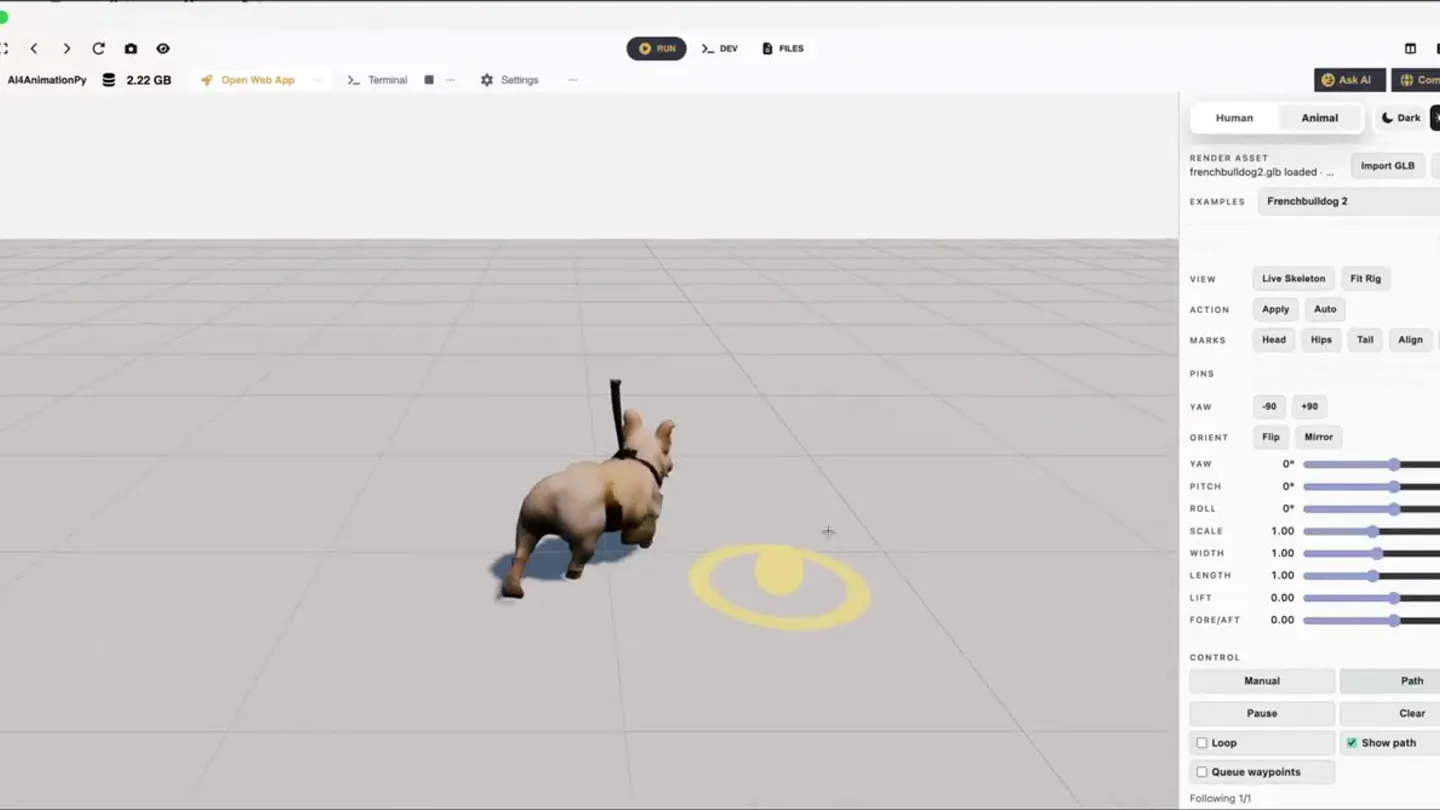
- AI4AnimationPy 2.22 GB Open Web App Terminal Settings Run DEV FILES Ask AI Community Human Animal Dark Light RENDER ASSET frenchbulldog2.glb loaded ... Import GLB Default EXAMPLES Frenchbulldog 2 Reset VIEW Live Skeleton Fit Rig ACTION Apply Auto MARKS Head Hips Tail Align Clear PINS YAW -90 +90 ORIENT Flip Mirror YAW 0° PITCH 0° ROLL 0° SCALE 1.00 WIDTH 1.00 LENGTH 1.00 LIFT 0.00 FORE/AFT 0.00 CONTROL Manual Path Play Clear Loop Show path Queue waypoints Paused 1/1 Following 1/1 dachshund.glb loaded ... Dachshund Catbus Corgi Frenchbulldog Frenchbulldog 2 Whitecat Built-in Geno Body - GL... Import a rigged/texturized GLB. Texturizer outputs should preserve the Geno rig. Choose example Style: Dinosaur BigSteps Chicken Dinosaur DragLeftLeg HandsBetweenLegs Idle Connected 68 FPS 38 srv 8 ms Inf 59:51 HandsBetweenLegs LegsApart LeanRight Neutral OnHeels Star Zombie INPUT: PATH KEYBOARD L R Move
- Camera
- Static, wide shot of a 3D animation workspace, focusing on the central character model. Slight camera pan and zoom to highlight UI interactions.
- Motion
- Rapid-fire sequence of UI interactions (dropdowns, button clicks) demonstrating quick model and animation style changes. Characters instantly re-rig and animate.
Product Reveal
Diverse Character Rigging & Animation
“(No spoken dialogue — Silent video with ambient visual focus.)”
- On screen
- Human Animal Dark Light RENDER ASSET Skeleton editing disabled Import a rigged/texturized GLB. Texturizer outputs should preserve the Geno rig. EXAMPLES Chucky 3 Reset VIEW Show Skeleton Edit Skeleton ACTION Apply Auto YAW -90 +90 ORIENT Flip Mirror YAW 0° PITCH 0° ROLL 0° SCALE 1.00 WIDTH 1.00 LENGTH 1.00 LIFT 0.00 FORE/AFT 0.00 GUIDE CONTROL Manual Path Play Clear Loop Show path Homer Lego Lego 2 Nezuko Person Pragmata Pragmata 3 Pragmatat 2 Standing Cat
- Camera
- Consistent static wide shot, maintaining focus on the central 3D viewport.
- Motion
- Seamless, instant swapping of diverse 3D character models (Chucky, Homer, Lego, Cat) demonstrating the tool's versatility in rigging and applying animations across different forms.
Feature Teaser
Real-time AI Pose Generation
“(No spoken dialogue — Silent video with ambient visual focus.)”
- On screen
- (No on-screen text)
- Camera
- Static wide shot, occasionally zooming slightly to highlight specific character movements or UI elements.
- Motion
- Demonstration of real-time pose generation. A character follows a user-drawn path, with AI instantly generating natural-looking poses and movements. Smooth, continuous animation.
Call to Action
Advanced Control & Customization
“(No spoken dialogue — Silent video with ambient visual focus.)”
- On screen
- (No on-screen text)
- Camera
- Static wide shot, with occasional close-ups on UI sliders and controls to emphasize granular adjustments.
- Motion
- Interactive manipulation of character attributes (e.g., limb length, body proportions) and real-time application of various animation styles (e.g., 'BigSteps', 'Zombie'). The character adapts instantly to changes, showcasing the AI's flexibility.
Motion design primitives
Synthesizable in Remotion · key components of the ai-realtime-design-showcase template.
InstantModelSwap
A 3D character model is instantly replaced by another, completely different model, maintaining its position and often immediately adopting an animation. This happens without any transition effect, appearing as a hard cut.
+ Code construction recipe
Utilize Remotion's `Sequence` component with `from` and `duration` props set to create hard cuts. Render different 3D models (e.g., using `ThreeCanvas` or `GLTFModel` components) at the exact same screen position for each sequence segment.
RealtimePathFollow
A 3D character moves along a dynamically drawn path on a grid, with its body and limbs animating fluidly in real-time to follow the path and maintain balance.
+ Code construction recipe
Implement a `Canvas` or `ThreeCanvas` component. Use `interpolate` to map mouse/touch input coordinates to the 3D character's position. For animation, use a physics-based engine or pre-defined animation states triggered by path changes, applying `spring` or `tween` for smooth transitions between poses.
DynamicSliderMorph
A 3D character's physical attributes (e.g., limb length, body scale) or animation style smoothly transforms in response to UI slider adjustments, demonstrating real-time parameter control.
+ Code construction recipe
Bind UI slider values to `interpolate` functions that control 3D model properties (e.g., scale, rotation, bone lengths within a rigged model). Use `spring` or `tween` for smooth, continuous visual feedback as the slider value changes, ensuring the morphing effect is fluid.
Style DNA & aesthetic system
Visual aesthetic
Typography
Motion
Special effects
Pacing & rhythm
Conceptual story rhythm
- 1
The Instant Transformation
Purpose. Immediately showcase the core value proposition: effortless, AI-driven character animation and model swapping.
Execution. Rapid-fire switching between diverse 3D models (animals, humans, stylized characters) that instantly adopt different animation styles, all within a clean UI.
- 2
Path to Life
Purpose. Demonstrate the intuitive control and real-time generation capabilities of the AI.
Execution. A character follows a user-drawn path, with its poses and movements generated on-the-fly, highlighting the AI's responsiveness and natural motion.
- 3
Granular Control, Global Impact
Purpose. Illustrate the depth of customization and the AI's ability to adapt to specific user inputs.
Execution. Sliders and dropdowns are manipulated to change character proportions, animation styles, and other parameters, with the 3D model instantly reflecting these changes.
- 4
The Creative Playground
Purpose. Inspire users by showing the breadth of creative possibilities and ease of use.
Execution. A montage of various characters performing different actions and styles, emphasizing the tool's versatility for diverse animation needs.
Remix in Animatiq Studio
Master remix prompt · agent-ready
Sample remix
Objective
Launch an AI-powered interior design tool that generates room layouts and furniture arrangements in real-time.How the recipe adapts
Remix blueprint · ai-realtime-design-showcase
Scene durations (4 scenes, 204s)
Key Remotion components
Related Creative Tools Product Launches
Explore all Creative Tools launches →
Anthropic Labs launches Claude Design, which turns conversation into prototypes, slides and one-pagers, powered by Claude Opus 4.7.

A vibe design partner with an AI-native canvas for turning ideas into UI.

Your work tools in Claude are now available on mobile. Explore Figma designs, create Canva slides, check Amplitude dashboards, all from your phone. Give it a try: