
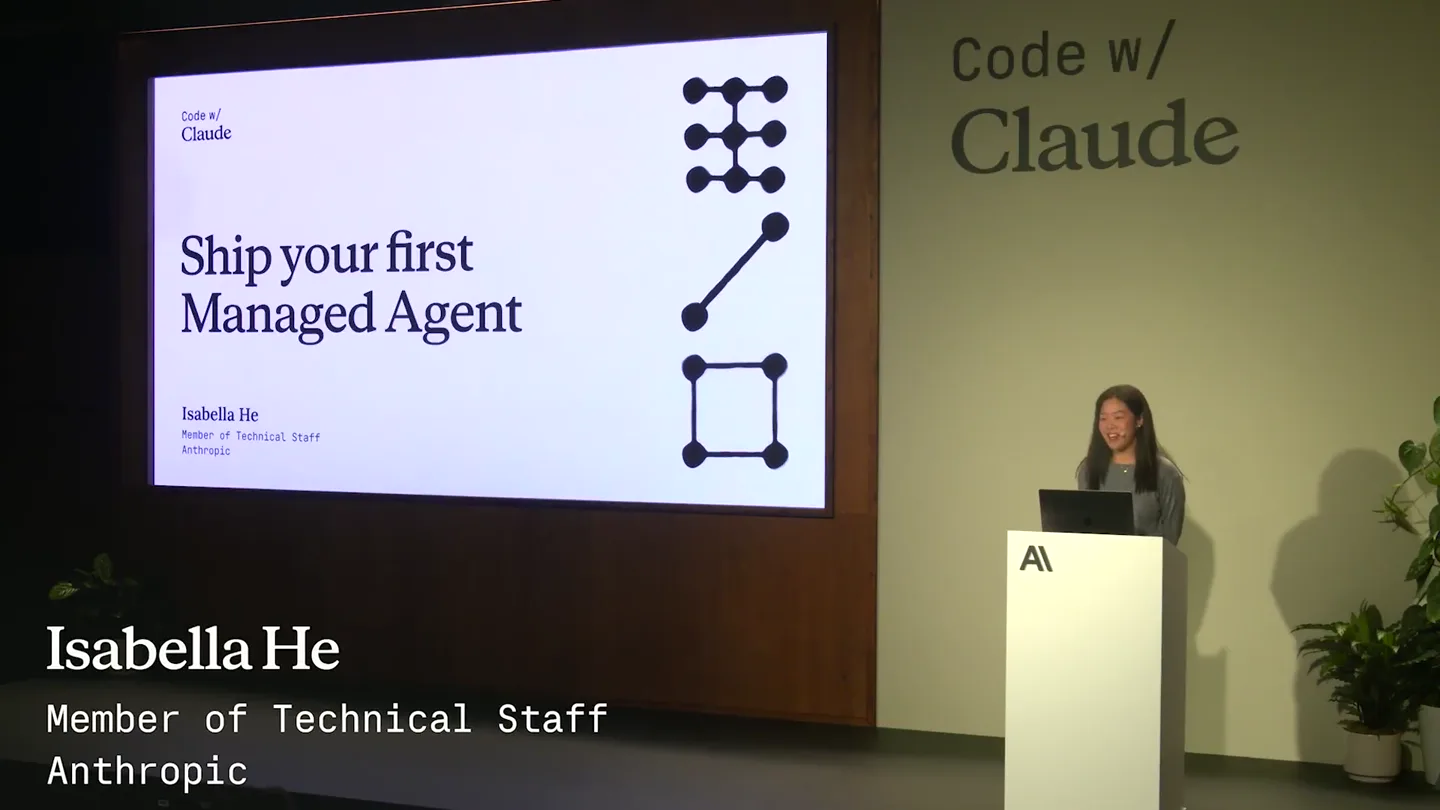
Movez · Launch Video Breakdown: Hook, Pacing & Motion Design
Anthropic AI engineer just dropped a live masterclass on how to ship a team of production‑ready AI agents. 37 minutes. Free. From the Anthropic team. here’s what she covers: • 3 building blocks: br…
Scene-by-scene timeline & spoken transcript
The Hook
Introduction to Managed Agents & Core Concepts
“(No spoken dialogue — Driving electronic rhythm and ambient sound design.)”
- On screen
- What we'll cover 01 Core concepts A quick refresher — what Managed Agents are, the server-side loop, and the three resources. 02 Hands-on workshop Build a working incident-investigator agent end to end — six functions in agent.py. 03 Beyond the basics What else is in the box — vaults, subagents, memory, webhooks — and where to go next.
- Camera
- Static wide shot of presenter on stage with a large screen displaying presentation slides. Occasional close-ups on the slides.
- Motion
- Simple slide transitions, text reveals, and presenter gestures. Focus on clear information delivery.
Problem Agitation
Architectural Shift & Agent Building Blocks
“(No spoken dialogue — Driving electronic rhythm and ambient sound design.)”
- On screen
- Evolution of interfaces used to build agents Messages API Agent SDK Managed Agents Production agent infrastructure YOU MANAGE YOU MANAGE YOU PROVIDE Agent loop + context management Hosting & scaling Tool execution runtime Session state & observability Session persistence & checkpointing Auth (vaults) + credential vault Hosting, auth, observability Custom tool logic Hosting, scaling, observability Tool runtime & sandbox Custom tool logic (MCP) ANTHROPIC HANDLES Purpose-built harness + context mgmt. Tool runtime & sandbox Session persistence & checkpointing Auth (vaults) + credential vault Hosting, scaling, observability Tokens in / out Tokens in / out Tokens in / out Code w/ Claude
- Camera
- Alternating between wide shots of the presenter and close-ups of the presentation slides, highlighting key diagrams and text.
- Motion
- Animated diagrams illustrating the 'before' and 'now' states of agent architecture, with elements highlighting and fading to draw attention to changes.
Product Reveal
Hands-on Workshop: Building an SRE Agent
“(No spoken dialogue — Driving electronic rhythm and ambient sound design.)”
- On screen
- Part two Hands-on workshop Laptops open — head to the link below. https://cwc26.short.gy/workshops Code w/ Claude INCIDENT-2277 CRITICAL checkout - p99 latency 10x baseline triggered 2020-04-22 14:32:07 UTC policy: bug-oncall - ack - P99 latency 3,638 ms ↑ +572% ERROR RATE 21.9 % ↑ +21.9 pp DB pool 100 % ↑ +90 pp DURATION 28 min ↑ ongoing AFFECTED SERVICE checkout auth inventory SIGNAL 14:32:11 paged 14:32:14 ack 14:32:07 alert fired checkout.p99_latency_ms > 500 for 5m @oncall-platform
- Camera
- Dynamic screen recordings of a VS Code environment and a web application, interspersed with shots of the presenter coding live.
- Motion
- Rapid cuts between code editor, terminal, and web UI. Code highlighting, cursor movements, and text input are animated to simulate live coding. UI elements animate to show data updates and agent interactions.
Feature Teaser
Deep Dive into Agent Functionality & Architecture
“(No spoken dialogue — Driving electronic rhythm and ambient sound design.)”
- On screen
- The cloud agent calls a function on your laptop Cloud agent loop running on Anthropic agent.custom_tool_use over the SSE stream you hold open user.custom_tool_result POST the result back Your script handle_tool(name, args) No inbound networking. You hold the pipe open; the request rides it back. Swap json.load("data/metrics.json") for a Datadog client — same wire protocol. tool schema (in agents.create) {"type": "custom", "name": "get_metrics", "input_schema": {"type": "object", "properties": {}}} handle_tool() body def handle_tool(name, args): if name == "get_metrics": return json.load(open("data/metrics.json")) if name == "get_recent_deploys": return json.load(open("data/deploys.json")) if name == "get_diff": return open( "f"data/diffs/{args['sha']}.diff").read() → agent.py : handle_tool() : 7 lines
- Camera
- Focus on detailed diagrams and code snippets, with a static camera on the screen. Occasional presenter shots for context.
- Motion
- Flowchart animations, highlighting of code blocks, and animated text overlays to explain complex interactions between components. Elements slide in and out to reveal information.
Call to Action
Beyond the Basics: Advanced Agent Capabilities
“(No spoken dialogue — Driving electronic rhythm and ambient sound design.)”
- On screen
- Beyond the basics Subagents callable_agents — agents that spawn and coordinate other agents. Memory Persistent agent memory mounted into the container. Outcomes A structured artifact of what the agent produced, separate from events. Vaults Per-user credentials registered once, referenced via vault_ids. MCP servers Attach remote tool servers via mcp_toolsetentries. Webhooks Console → Settings → Webhooks. Fires on session_status_idled. Permission policies always_ask on a tool → loop pauses for user.tool_confirmation. Interrupt Postuser.interrupt mid-run to force the agent to idle. Console agent builder Iterate on agent configs interactively before dropping to the API.
- Camera
- Wide shots of the presenter and the screen, showcasing a grid of advanced features. Zoom-ins on individual feature descriptions.
- Motion
- Grid layout with animated icons and text descriptions for each feature. Highlight animations on individual features as they are discussed. Smooth transitions between features.
Motion design primitives
Synthesizable in Remotion · key components of the developer-tool-masterclass template.
CodeEditorSplitView
Displays two side-by-side code editor panes, often showing a 'before' and 'after' or related files, with synchronized scrolling and highlighting of changes or relevant lines.
+ Code construction recipe
Utilize Remotion's <AbsoluteFill> and <Sequence> components. Implement two <CodeBlock> components (or custom text rendering) side-by-side. Use `useCurrentFrame()` and `interpolate()` to control `scrollTop` for synchronized scrolling and `opacity` or `backgroundColor` for line highlighting based on a timeline.
InteractiveDashboardOverlay
A dynamic web dashboard UI with real-time data updates, animated metrics, and interactive elements like dropdowns and chat inputs, simulating user interaction.
+ Code construction recipe
Build the dashboard UI using standard React components. Animate numerical values with `spring()` for a bouncy effect. Simulate text input and chat responses using `Sequence` and `delay` for character-by-character reveals. Use `interpolate()` for progress bars and status indicators.
FeatureGridReveal
A grid of feature cards, each with an icon and descriptive text, that animates into view and highlights individually as the presenter discusses them.
+ Code construction recipe
Create a grid of `<div>` elements for each feature. Use `spring()` or `interpolate()` for `opacity` and `transform` (e.g., `translateY`) to animate cards into view. Implement a `hover` or `active` state animation (e.g., `scale`, `boxShadow`) for individual card highlights, triggered by `Sequence` and `delay`.
Style DNA & aesthetic system
Visual aesthetic
Typography
Motion
Special effects
Pacing & rhythm
Conceptual story rhythm
- 1
Setting the Stage
Purpose. Introduce the topic and outline the learning objectives.
Execution. Static slides with clear, numbered agendas and presenter introduction.
- 2
Conceptual Foundation
Purpose. Explain the underlying architecture and key components of the product.
Execution. Animated diagrams and flowcharts illustrating system interactions and architectural shifts.
- 3
Live Demonstration
Purpose. Showcase the product's functionality through a practical, real-world example.
Execution. Screen recordings of live coding, terminal interactions, and dynamic UI updates.
- 4
Expanding Horizons
Purpose. Detail advanced features and future possibilities.
Execution. Grid-based feature displays with animated icons and concise descriptions, often with the presenter providing commentary.
Remix in Animatiq Studio
Master remix prompt · agent-ready
Sample remix
Objective
Launch a new API gateway product called 'ConnectFlow' that simplifies microservice orchestration.How the recipe adapts
The 'ConnectFlow' launch video would adapt the Movez style by featuring a presenter explaining the core concepts of API routing and service mesh. The 'CodeEditorSplitView' primitive would show configuration files for the gateway alongside a simulated terminal deploying new services. The 'InteractiveDashboardOverlay' would display real-time traffic metrics and error rates for microservices, demonstrating ConnectFlow's observability. Finally, the 'FeatureGridReveal' would highlight advanced features like rate limiting, authentication, and circuit breaking, all presented with a dark, high-contrast UI and a driving electronic soundtrack.Remix blueprint · developer-tool-masterclass
Scene durations (5 scenes, 2209s)
Key Remotion components
Related Developer Tools Product Launches
Explore all Developer Tools launches →
xAI opens voice cloning on its API: build a custom voice in about two minutes or pick from 80+ voices in 28 languages.

Claude can now operate your Mac, opening apps, browsing and filling spreadsheets, as a research preview in Cowork and Claude Code.

Agentic CLI for coding, building apps, and automating workflows.