
Base44 · Launch Video Breakdown: Hook, Pacing & Motion Design
Your app can now pick up a design from a URL. Paste it into Base44 and it just… adapts. We also added a full asset library and app-wide theme controls. Fonts, colors, everything.
Scene-by-scene timeline & spoken transcript
The Hook
The Design Adaptation Breakthrough
“(No spoken dialogue — The track begins with a sustained, evolving pad sound, creating an atmospheric and slightly mysterious mood. At [00:09], a subtle, high-frequency riser begins, building tension. This culminates in a significant sub-bass drop/impact at [00:11].)”
- On screen
- New, Say hello to your real Personal Agent, Try it now, What will you build next?, Describe your app idea below or get inspired by our templates, Describe the app you want to create..., +, Attach, Add from Google Drive, Start from URLs, CRM, Environmental, Entertainment, Dev Productivity, Plan, More ideas, Start from URL, Use any website as a starting point for your new site., Website URL, Content & Design, Build a similar site., Design only, Create a new site in the same style., Only use URLs where you have rights to the content., Learn about creating from a URL, Cancel, Add, Design only, Create a new site inspired by this design for... my home, Health And Wellness, CRM, Environmental, Entertainment, Dev Productivity, Plan, More ideas
- Camera
- Close-up on a UI element, then a smooth zoom out to reveal the full application interface. The camera remains static, focusing on UI interactions.
- Motion
- Seamless UI element transitions, cursor interaction, modal pop-up animations, and text input with a subtle typing effect.
Product Reveal
Instant Design Import & AI-Powered Refinement
“(No spoken dialogue — A rhythmic, pulsing synth bass and a driving, arpeggiated synth melody begin. Another high-energy riser starts at [00:21], leading to a more pronounced sub-bass impact and a broader, more open synth sound at [00:23].)”
- On screen
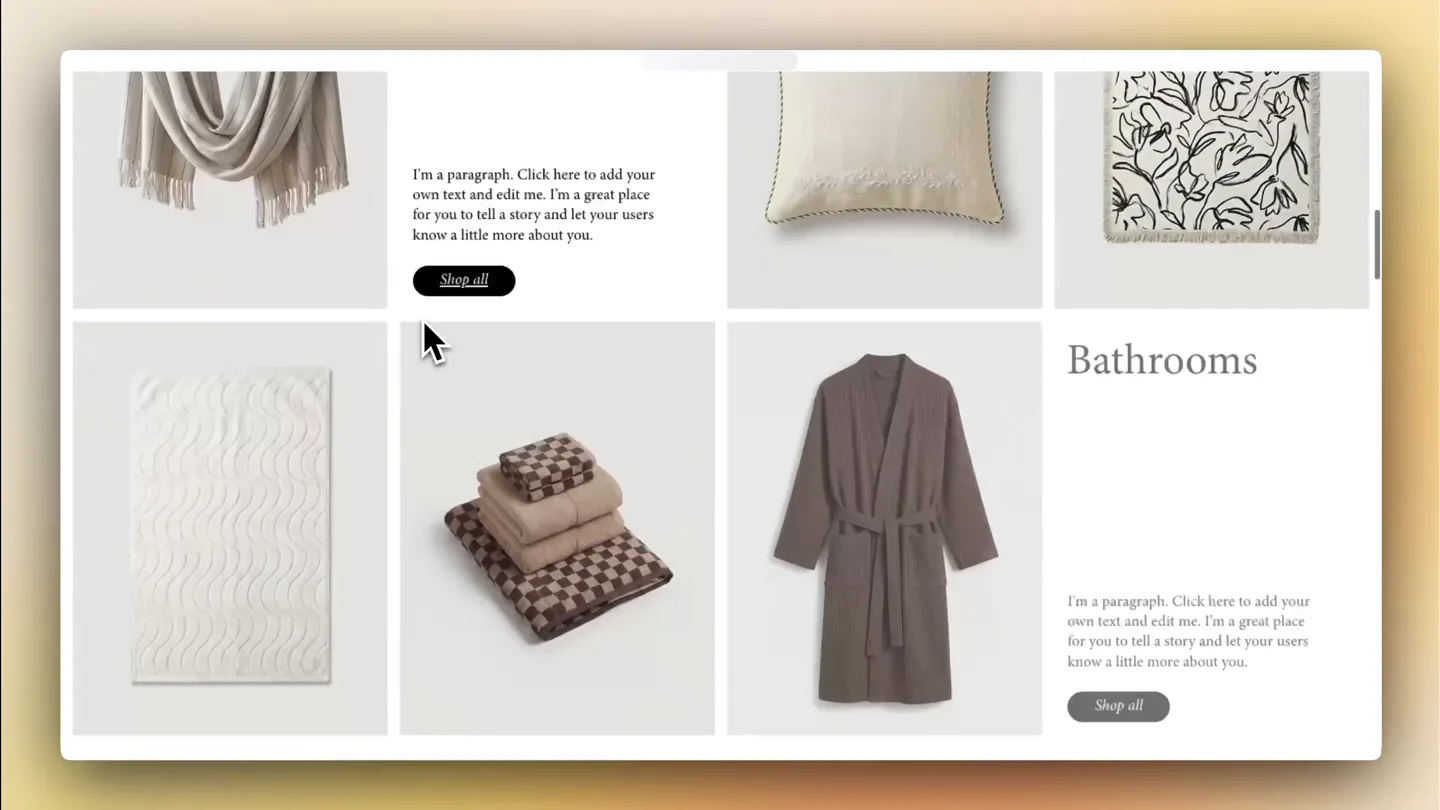
- "Claude" started debugging this browser, Cancel, Inspired by My Site 18, Wix Workspace, Preview, Dashboard, Code, Edit, Upgrade, Publish, Verdana, All Plants, Living, Bathrooms, Bedrooms, New Arrivals, Sale, Tailor-Made Botanicals, Naturally Grown for Living, Design highlights:, Clean minimal aesthetic inspired by the original -- high white space, editorial serif typography (minipron-pro headings), uppercase tracking labels, Full-bleed parallax hero with useScroll / useTransform depth effect, Shimmer CTA buttons, gradient text headings, ambient glow orbs, Every section uses AnimatedElement with staggered scroll reveals, Dark footer with newsletter signup form, Responsive mobile menu via Sheet component, Adding the finishing touches..., Created 3 pages: Home, Shop, About. 2 data entities., Suggestions, Add Plant Care Quiz, Build Product Categorization, Add, What would you like to change?, The Botanist Edit Sale, Save 20% on hand-selected rare specimens from our grower network., SHOP NOW, ALL BOTANICALS, JUST ARRIVED, Captured url, Zachim.wixsite.com/my-site-18, Your app is ready!, Files have been manually edited., Revert this, Suggestions, Add Plant Care Quiz, Build Product Categorization, Add, What would you like to change?, +, Edit, Discuss
- Camera
- Static wide shot of the application interface, with subtle camera shakes on impactful moments. Focus on the generated website preview.
- Motion
- Content loading animations, dynamic text generation, and smooth scrolling within the preview window. Cursor interactions highlight key features.
Feature Teaser
Asset Management & Global Theme Controls
“(No spoken dialogue — A distinct sweep effect is heard at [00:34], transitioning into a more intense, layered synth texture with a faster arpeggio. A final, powerful riser builds from [00:45] to [00:48].)”
- On screen
- upload to asset manager, Suggestions, Add Plant Care Quiz, Build Product Categorization, Add, What would you like to change?, Inspired by My Site 18, Wix Workspace, Preview, Dashboard, Code, Edit, Upgrade, Publish, Verdana, All Plants, Living, Bathrooms, Bedrooms, New Arrivals, Sale, Monstera Deliciosa, Fiddle Leaf Fig, Living Spaces, Bold, architectural plants that command attention and create living focal points., SHOP ALL, upload to asset manager, a few seconds ago, Revert, Thinking..., Continue in background, What would you like to change?, img, Search files by name..., All, Uploads, Generated Images, Newest first, Upload, Shop_Owner.jpg, 08_Discover.jpg, 06_Cactus.jpg, 10_Plant_Parent_Box.jpg, 11_Beginners_Journey...., 07_Monstera.jpg, 05_Sansevieria.jpg, Cancel, Replace, Inspired by My Site 18, Wix Workspace, Preview, Dashboard, Code, Edit, Upgrade, Publish, Verdana, All Plants, Living, Bathrooms, Bedrooms, New Arrivals, Sale, Shop Owner, Plant Parent Box, Monstera, Cactus, Sansevieria, Your images are uploaded and ready to use anywhere in the app – just let me know if you’d like to swap them into any page or plant records!, a few seconds ago, You have 1 unsaved change, Discard, Save, Suggestions, Save changes before typing, +, Edit, Discuss, img, Edit Element, Replace, img, Theme, These colors and fonts make up your theme. Any changes apply everywhere., AaBb, Colors, Custom, Palette, Primary, Primary Foregr..., Background, Border, Card, Q Search fonts..., Sora, IBM Plex Sans, Overpass, Albert Sans, Urbanist, Apply, Naturally Grown for Living, Thoughtfully curated plants that bring calm, texture, and life into every room., SHOP NOW, BEST SELLERS
- Camera
- Dynamic camera movements, including quick zooms and pans to highlight specific UI elements and their immediate impact on the design. The camera often follows the cursor.
- Motion
- Drag-and-drop animations, image replacement with instant visual updates, color picker interactions, and real-time font changes with smooth interpolation.
Call to Action
The Future of App Design
“(No spoken dialogue — A grand, sustained synth chord and a deep sub-bass impact signify a climax. The track then slowly fades out with ambient synth pads.)”
- On screen
- Inspired by My Site 18, Wix Workspace, Preview, Dashboard, Code, Edit, Upgrade, Publish, Verdana, All Plants, Living, Bathrooms, Bedrooms, New Arrivals, Sale, Tailor-Made Botanicals, Naturally Grown for Living, Thoughtfully curated plants that bring calm, texture, and life into every room., SHOP NOW, BEST SELLERS, The Botanist Edit Sale, Save 20% on hand-selected rare specimens from our grower network., SHOP NOW, UP TO 50% OFF ALL BOTANICALS, JUST ARRIVED
- Camera
- Sweeping camera movements across the fully customized application, showcasing the breadth of changes. Ends with a wide, stable shot of the final design.
- Motion
- Fluid scrolling, parallax effects, and subtle element animations to emphasize the polished final product. The overall motion is confident and expansive.
Motion design primitives
Synthesizable in Remotion · key components of the base44-design-adapt-launch template.
URLToAppAdaptation
A user pastes a URL, and the system instantly processes it, extracting design elements and generating a new application interface that visually adapts to the source URL's aesthetic. This is shown through a modal input, a loading state, and then a full UI reveal.
+ Code construction recipe
Use `interpolate` for modal opacity and scale. Implement a `spring` animation for the UI elements appearing after the 'Add' button click. Utilize `Sequence` and `AbsoluteFill` for scene transitions. SVG filters for subtle blur/glow on loading states.
DynamicAssetSwap
Images and assets are replaced in real-time within the application preview. A file selection modal appears, an asset is chosen, and the corresponding image on the live preview updates instantly with a smooth transition.
+ Code construction recipe
Employ `spring` for the image replacement animation, ensuring a natural bounce. Use `measureText` for dynamic text resizing if needed. Implement `AbsoluteFill` for the modal overlay and `interpolate` for its entrance/exit.
GlobalThemeControl
A theme panel allows users to change colors and fonts. As a color or font is selected, the entire application interface updates in real-time, demonstrating global style changes with smooth visual feedback.
+ Code construction recipe
Utilize `interpolateColor` for smooth color transitions across the UI. For font changes, use `spring` for a subtle scale/fade effect on text elements. Implement `Sequence` to orchestrate multiple property changes simultaneously.
Style DNA & aesthetic system
Visual aesthetic
Typography
Motion
Special effects
Pacing & rhythm
Conceptual story rhythm
- 1
The Vision
Purpose. Introduce the core problem: the difficulty of translating design inspiration into a functional app.
Execution. Starts with a generic e-commerce site, then transitions to the Base44 interface asking 'What will you build next?'
- 2
The Breakthrough
Purpose. Demonstrate the unique URL-to-app design adaptation feature.
Execution. User pastes a URL, selects 'Design only', and Base44 instantly generates a new app based on that design, showcasing the AI's power.
- 3
The Refinement
Purpose. Showcase the ease of customizing assets and global themes.
Execution. User uploads new images, replaces existing ones, and then changes the app's primary color and font, with real-time updates.
- 4
The Result
Purpose. Present the fully customized, high-quality application.
Execution. A final, sweeping view of the polished application, highlighting its responsiveness and aesthetic appeal, reinforcing the product's value.
Remix in Animatiq Studio
Master remix prompt · agent-ready
Sample remix
Objective
A user wants to create a 'Recipe Sharing App' using CodeCanvas.How the recipe adapts
The video would start with a user typing 'Create a recipe sharing app with user profiles and ingredient search' into CodeCanvas. A loading animation would show the AI processing. Then, a full-stack application UI would appear, demonstrating generated code components like a recipe card and search bar. The user would then interact with a 'Theme' panel to change the app's primary color to a warm orange and switch the font to a friendly sans-serif, with the entire app updating instantly. Finally, the user would drag and drop a new 'Featured Recipe' image, showcasing the dynamic asset swap. The camera would follow these interactions closely, ending with a polished view of the customized recipe app.Remix blueprint · base44-design-adapt-launch
Scene durations (4 scenes, 63s)
Key Remotion components
Related Creative Tools Product Launches
Explore all Creative Tools launches →
Anthropic Labs launches Claude Design, which turns conversation into prototypes, slides and one-pagers, powered by Claude Opus 4.7.

A vibe design partner with an AI-native canvas for turning ideas into UI.

Your work tools in Claude are now available on mobile. Explore Figma designs, create Canva slides, check Amplitude dashboards, all from your phone. Give it a try: