
Bolt · Launch Video Breakdown: Hook, Pacing & Motion Design
Every skill your teammates build is now yours too — and they stack: one prompt triggers all of them, automatically.
Scene-by-scene timeline & spoken transcript
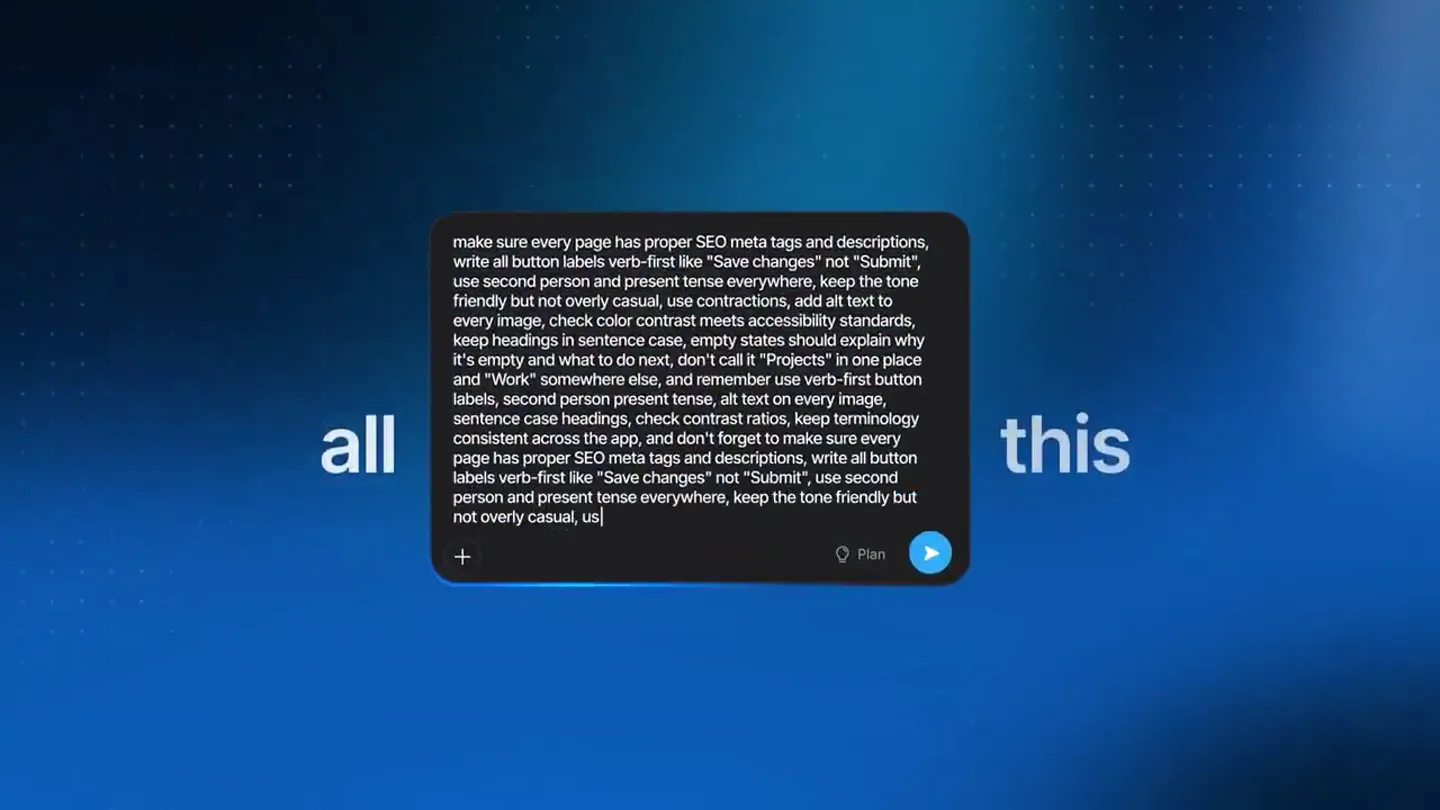
The Hook
The Problem of Manual Guidelines
“(No spoken dialogue — A driving, rhythmic synth bassline with crisp hi-hats and atmospheric pads creates an anticipatory mood.)”
- On screen
- of writing| all this Introducing Skills
- Camera
- Static, then a subtle zoom out revealing more text, followed by a quick cut to a full-screen blue background with text fading in.
- Motion
- Text reveal with typing cursor effect, quick cuts, and a smooth fade-in for the title.
Product Reveal
Introducing Bolt Skills
“(No spoken dialogue — The electronic score maintains its driving rhythm, with a high-energy audio transition and sub-bass hit at the cut.)”
- On screen
- Attach file Import from Figma Enhance prompt Search Help Center Database Connectors Skills Skill Creator Seo Geo Web Design Guidelines Writing Guidelines Manage Skills /writing-guidelines Bolt kno Just tell it once
- Camera
- Close-up on UI elements, panning and zooming to highlight menu selections and text input fields. The camera follows the user's interaction.
- Motion
- UI element reveals, nested menu animations, text input simulation, and a smooth pan to follow the cursor.
Feature Teaser
Creating and Importing Skills
“(No spoken dialogue — The music continues with arpeggiated synth melodies, building tension with risers and sweeps during transitions.)”
- On screen
- Add skills Skill Name brand-color-system Description Use when styling any UI element, page, or component that involves color. Covers backgrounds, text, buttons, borders, and states like hover, active, and disabled. Doesn't apply to illustrations, photography, or user-uploaded content colors. Start with "Use when" and name the trigger, scope, and boundary so bolt recalls it at the right time. Instructions # Brand color system Read this skill before applying color to any UI element. Use it to keep every screen visually consistent with the brand palette. ## Core palette - Primary: deep indigo (#4F46E5) — used for primary buttons, links, and active states. - Secondary: warm amber (#F59E0B) — used sparingly, for highlights and calls to attention only. - Neutral background: near-black (#0B0BDF) for dark mode, off-white (#FAFAFA) for light mode. - Text: high-contrast white/near-black — never pure #000 or #FFF. ## Usage rules - Never use more than one accent color (secondary) per screen. - Primary color is reserved for the single most important action B I Text Cancel Create Or import a Skill from GitHub Or Upload Or Upload a File .MD Browse through Writing Guidelines Bolt Curated Skills or you can just Let's build a prototype... /brand-color-system
- Camera
- Zoomed-in view of a form, then quick cuts between different text overlays and UI elements, simulating various input methods.
- Motion
- Form field population animation, icon-based transitions, and text overlays that appear and disappear with a subtle glow.
Call to Action
Bolt Automates Your Workflow
“(No spoken dialogue — The music reaches a peak with a final impactful sub-bass drop and a clean, modern outro.)”
- On screen
- b 3D Cylindr... Implement Phantom Studi... Version 27 at Mar 04 11:15 AM bolt I've restored your project to the version: "Untitled" (Restored) Untitled Version 28 at Mar 04 7:48 PM Let's build a prototype... Add now Preview Upgrade Share Publish Kozmo.Kitchen Recipes Market List You next masterpiece awaits. Curated flavors for your kitchen. Choose your meals and let the planning begin. All recipes Breakfast Quick Meals Vegetarian High Protein Low Carb Let Bolt take it from there. /skills Now in Bolt.new
- Camera
- Wide shot of the Bolt UI, with a focus on the output of the 'skill' application, then a fade to black with a final text reveal.
- Motion
- UI blur and unblur effect, content generation simulation, and a clean text fade-in for the call to action.
Motion design primitives
Synthesizable in Remotion · key components of the bolt-skills-ai-code-review template.
TypingCursorReveal
Text appears character by character with a blinking vertical line cursor, simulating real-time typing. The text often has a subtle glow.
+ Code construction recipe
Use `interpolate` for character opacity and position, `spring` for cursor blink animation. Implement a `Sequence` component to control character reveal timing. Apply a `Text` component with a `linear-gradient` for the glow effect.
NestedMenuCascade
Menu items slide in from the side, and selecting an item triggers a new sub-menu to slide out, creating a cascading effect.
+ Code construction recipe
Utilize `spring` for the slide-in/out animations of menu containers. Manage visibility and position with `AbsoluteFill` and `interpolate` based on user interaction or timeline events. Use `map` to render menu items dynamically.
UIBlurToFocus
A section of the UI starts blurred and then smoothly transitions to sharp focus, often revealing generated content or a completed task.
+ Code construction recipe
Apply an SVG `filter` with `feGaussianBlur` to the target UI element. Animate the `stdDeviation` attribute of the blur filter using `interpolate` from a high value to zero. Combine with `Opacity` and `Scale` for a more dynamic reveal.
Style DNA & aesthetic system
Visual aesthetic
Typography
Motion
Special effects
Pacing & rhythm
Conceptual story rhythm
- 1
The Manual Burden
Purpose. Establish the pain point of repetitive, manual tasks and the complexity of managing guidelines.
Execution. Rapid text reveals of 'all this writing' followed by a glimpse of a dense, overwhelming document, creating a sense of information overload.
- 2
The Skill Solution
Purpose. Introduce Bolt's 'Skills' feature as the elegant solution to automate and centralize knowledge.
Execution. Clean UI walkthrough demonstrating how to select and apply a 'skill' with smooth menu animations and text input simulations.
- 3
Effortless Creation & Integration
Purpose. Showcase the ease of creating new skills or importing existing ones from various sources.
Execution. Dynamic form filling animations, quick cuts between import options (GitHub, file upload), and a visual representation of a skill being defined.
- 4
Automated Excellence
Purpose. Demonstrate the immediate, tangible benefit of Bolt's automation in a real-world application.
Execution. A blurred UI coming into sharp focus as a 'skill' is applied, instantly transforming a generic design into a polished, on-brand output, followed by a clear call to action.
Remix in Animatiq Studio
Master remix prompt · agent-ready
Sample remix
Objective
Showcase 'CodeFlow AI', an automated code review tool that instantly identifies and fixes bugs and style issues.How the recipe adapts
The 'TypingCursorReveal' primitive will be used to show code being written, followed by 'NestedMenuCascade' to select a 'CodeFlow AI' skill like 'BugFix' or 'StyleGuide'. The 'UIBlurToFocus' primitive will then demonstrate a messy code block instantly becoming clean and optimized, with the AI's suggestions highlighted in vibrant blue. The overall pacing will remain fast, with quick cuts between code editor views and a final reveal of the 'CodeFlow AI' logo and website.Remix blueprint · bolt-skills-ai-code-review
Scene durations (8 scenes, 43s)
Key Remotion components
Related Developer Tools Product Launches
Explore all Developer Tools launches →
xAI opens voice cloning on its API: build a custom voice in about two minutes or pick from 80+ voices in 28 languages.

Claude can now operate your Mac, opening apps, browsing and filling spreadsheets, as a research preview in Cowork and Claude Code.

Agentic CLI for coding, building apps, and automating workflows.