
Brave · Launch Video Breakdown: Hook, Pacing & Motion Design
We're excited to introduce Ocelot, an open-source and Brave-trained AI model built specifically to summarize web content. Ocelot is now available in Leo, our browser's AI assistant, and as an open-…
Scene-by-scene timeline & spoken transcript
The Hook
AI Assistant Introduction
“(No spoken dialogue — Silent video with ambient visual cues.)”
- On screen
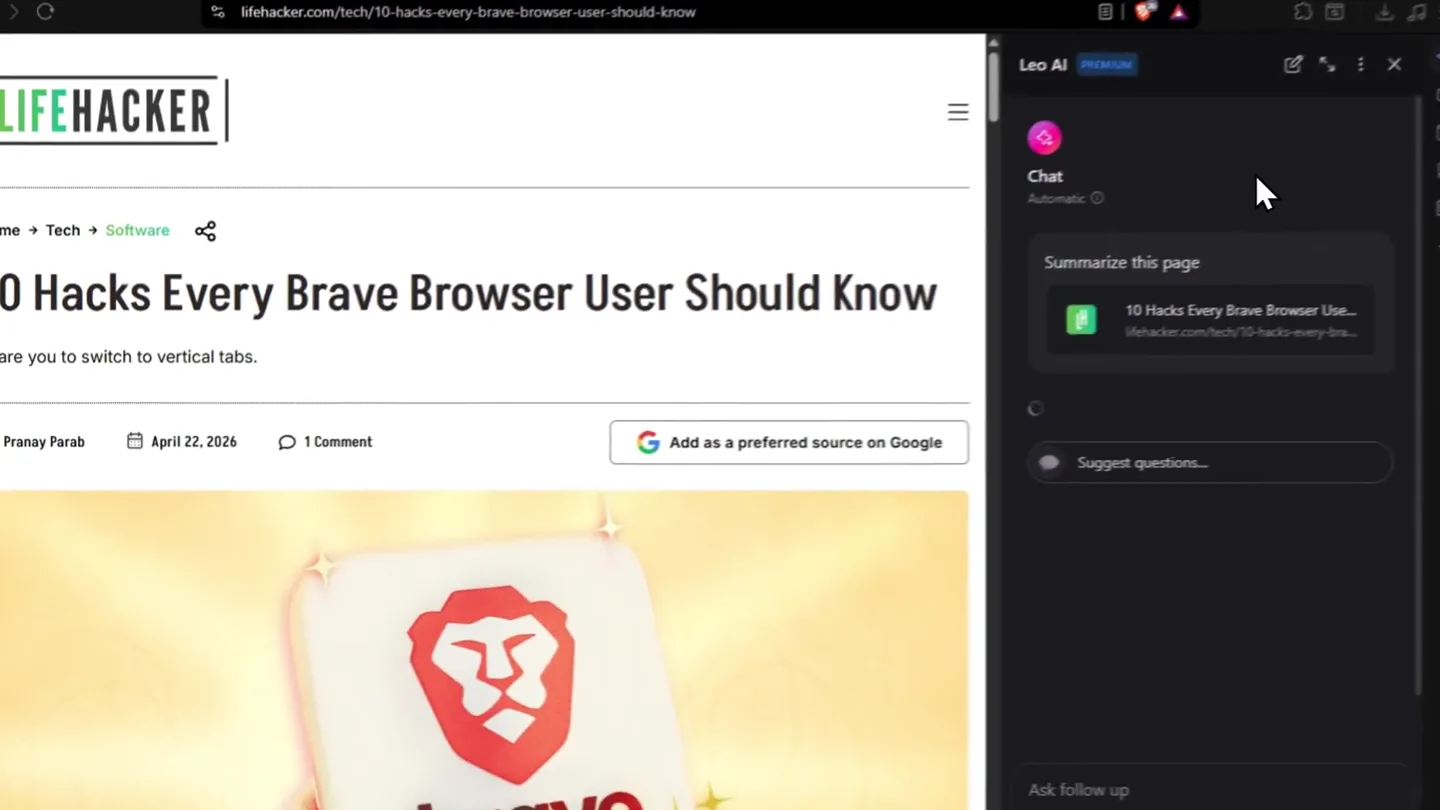
- Leo AI PREMIUM, Chat, Automatic, Summarize this page, Suggest questions...
- Camera
- Static wide shot of a browser window, focusing on the AI assistant sidebar.
- Motion
- Cursor hover and click animation, revealing interactive UI elements.
Product Reveal
Instant Page Summary
“(No spoken dialogue — Silent video with ambient visual cues.)”
- On screen
- 10 Hacks Every Brave Browser Use..., lifehacker.com/tech/10-hacks-every-brave-..., 10 Essential Hacks for Brave Browser Users, This article provides 10 practical tips and configuration settings to optimize the Brave browser experience, focusing on privacy, performance, and customization. Key Benefits: Remove built-in ads and promotional elements from the browser, Customize the appearance and functionality through settings
- Camera
- Static wide shot, with the AI assistant sidebar expanding to display summarized content.
- Motion
- Smooth UI expansion and text generation animation, simulating real-time AI output.
Feature Teaser
Key Benefits & Hacks Overview
“(No spoken dialogue — Silent video with ambient visual cues.)”
- On screen
- Remove built-in ads and promotional elements from the browser, Customize the appearance and functionality through settings, Enhance privacy with built-in ad blockers and content filters, Optimize performance with memory management features, Eliminate unwanted AI features and distractions, The 10 Hacks: Hack: 1. Remove Ads & Promotions Description: Clean up new tab page by disabling Brave's default ads and services Key Settings: Disable: Show new tab page ads, Brave stats, Brave VPN, Brave Rewards, Brave Talk, Brave News, Show top sites
- Camera
- Static wide shot, with the AI assistant sidebar scrolling down to reveal more content.
- Motion
- Smooth vertical scroll animation within the AI assistant panel, revealing a list of features/hacks.
Call to Action
Detailed Hacks & Call to Action
“(No spoken dialogue — Silent video with ambient visual cues.)”
- On screen
- Hack: 4. Enable Memory Sa Description: Improve performance by suspending inactive tabs Key Settings: Brave settings → System → Enable Memory Saver; add sites to prevent suspension Hack: 5. Use Vertical Tabs Description: Save screen space by stacking tabs vertically Key Settings: Brave settings → Appearance → Tabs → Enable Use vertical tabs; disable Show title bar Hack: 6. Use Task Manager Description: Identify and close resource-hungry tabs Key Settings: Press Shift+Esc or Settings → More Tools → Task Manager Hack: 7. Copy Clean Links Description: Remove tracking parameters from URLs Key Settings: Right-click link → Copy Clean Link, or enable tracking URL blocker in Shields Hack: 8. Force Paste on Restricted Sites Description: Bypass copy-paste blocks on websites Key Settings: Right-click form → Force Paste; use Enable right click extension for sites blocking right-cl... Hack: 9. Get YouTube Premium for Free Description: Access YouTube Premium features on mobile Key Settings: Use Brave mobile app (iOS/Android) - no ads, picture-in-picture, background playback Hack: 10. Enable Dark Mode Description: Apply dark theme to all websites Key Settings: Navigate to brave://flags/#enable-force-dark in address bar Why It Matters: These configurations help Brave users customize their browsing experience, enhance privacy by removing third-party tracking and ads, improve performance through memory management, and eliminate unwanted features that may not align with users' preferences. Suggest questions...
- Camera
- Static wide shot, continuing the vertical scroll within the AI assistant sidebar.
- Motion
- Continued smooth vertical scroll, showcasing the depth of the AI's summarization and utility.
Motion design primitives
Synthesizable in Remotion · key components of the brave-ocelot-ui-demo template.
UICursorClick
A mouse cursor animates to a specific UI element, performs a click, and triggers a state change or content reveal. The cursor has a subtle glow or highlight effect.
+ Code construction recipe
Use `AbsoluteFill` for the browser frame. Implement cursor movement with `interpolate` for `translateX` and `translateY` over time. Simulate click with a `spring` animation for scale and opacity on a small circle element at the click point. Use `BoxShadow` for the glow.
DynamicTextReveal
Text content appears progressively, character by character or line by line, simulating real-time AI generation. The text has a clean, modern appearance.
+ Code construction recipe
Render text using a `Sequence` of `Text` components. Each character or line's `opacity` and `transform` (e.g., `translateY`) can be `interpolate`d from 0 to 1 over a short duration, with a slight delay for each subsequent element. Use a monospace font for a code-like feel.
SmoothPanelScroll
A UI panel scrolls vertically to reveal more content, maintaining a consistent speed and smooth easing. The scroll is initiated by an implied user action.
+ Code construction recipe
Wrap the scrollable content in a `View` with `overflow: 'hidden'`. Animate the `translateY` property of the inner content `View` using `interpolate` with an `easing` function like `easeOutCubic` to achieve a smooth, natural scroll effect.
Style DNA & aesthetic system
Visual aesthetic
Typography
Motion
Special effects
Pacing & rhythm
Conceptual story rhythm
- 1
Problem Identification
Purpose. Showcases the initial user interaction with the AI assistant, implying a need for quick information retrieval.
Execution. Cursor hovers over 'Summarize this page' button.
- 2
Solution Demonstration
Purpose. Reveals the AI's core capability: instant, concise summarization of web content.
Execution. AI panel expands, displaying a generated summary of the webpage.
- 3
Feature Deep Dive
Purpose. Highlights the detailed utility and benefits of the AI, showcasing its ability to extract key information and 'hacks'.
Execution. AI panel scrolls to reveal 'Key Benefits' and a list of '10 Hacks'.
- 4
Empowerment & Utility
Purpose. Reinforces the value proposition by demonstrating the breadth of practical applications and user control.
Execution. Continued scrolling through detailed hacks, emphasizing user customization and performance improvements.
Remix in Animatiq Studio
Master remix prompt · agent-ready
Sample remix
Objective
Launch a new browser extension called 'CineFlow' that enhances online video streaming.How the recipe adapts
The CineFlow demo would feature a browser window playing a video. The AI assistant panel would be replaced by the CineFlow extension sidebar. A cursor would click on 'Enhance Video Quality', triggering dynamic text generation that lists features like 'Ad-Free Playback', '4K Upscaling', and 'Floating Player Mode'. Smooth panel scrolling would reveal detailed settings and customization options for video enthusiasts, all within a dark-mode UI.Remix blueprint · brave-ocelot-ui-demo
Scene durations (4 scenes, 12.6s)
Key Remotion components
Related Developer Tools Product Launches
Explore all Developer Tools launches →
xAI opens voice cloning on its API: build a custom voice in about two minutes or pick from 80+ voices in 28 languages.

Claude can now operate your Mac, opening apps, browsing and filling spreadsheets, as a research preview in Cowork and Claude Code.

Agentic CLI for coding, building apps, and automating workflows.