
Anthropic · Launch Video Breakdown: Hook, Pacing & Motion Design
Claude artifacts are now even better. Upload PDFs, images, code files, and more to AI-powered apps that work with your data.
Scene-by-scene timeline & spoken transcript
The Hook
Introducing AI-Powered App Creation
“(No spoken dialogue — Mellow electronic beat with sub-bass and pizzicato synth melodies. Gentle riser at 0:09.)”
- On screen
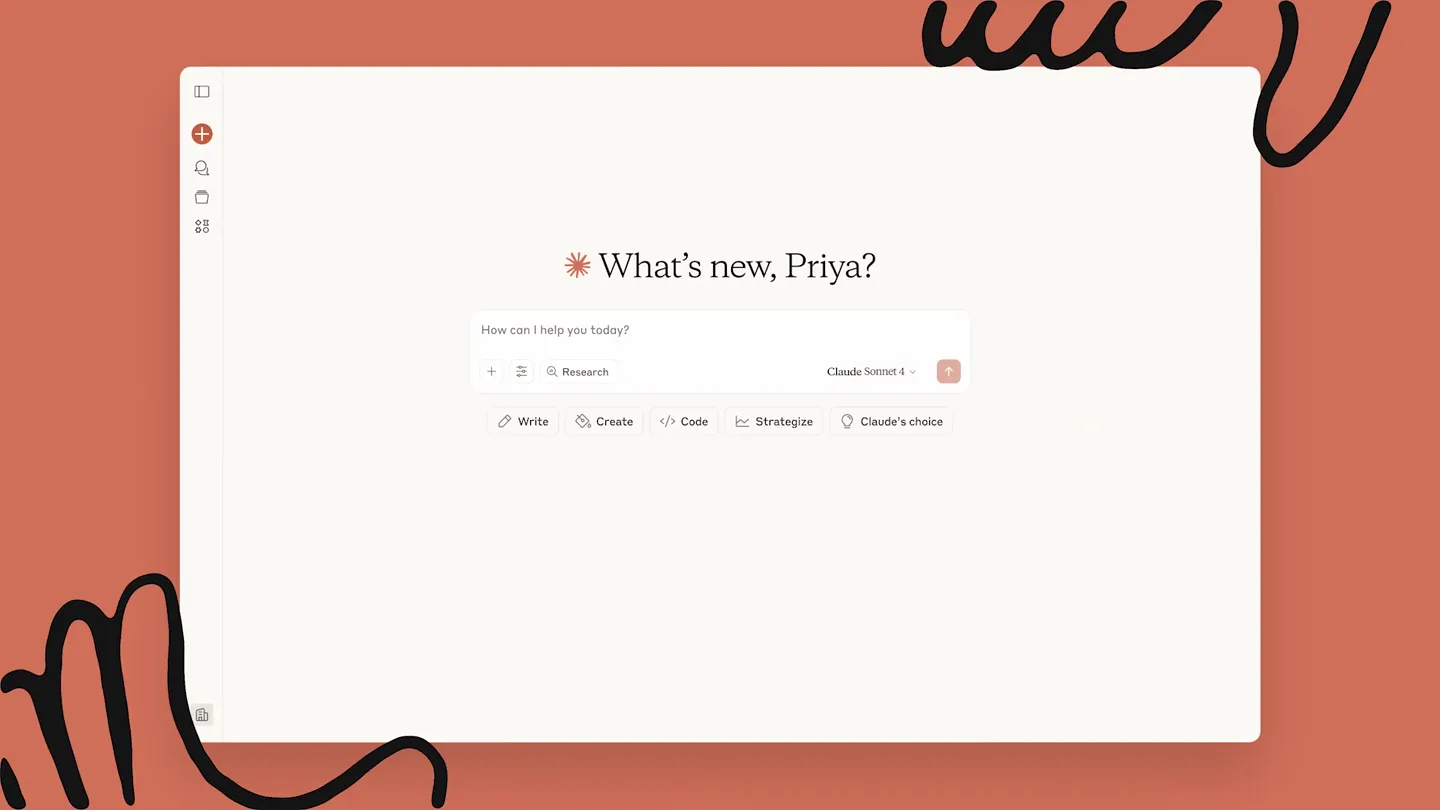
- What's new, Priya? How can I help you today? Research Claude Sonnet 4 Write Create Code Strategize Claude's choice
- Camera
- Static, top-down view of a desktop application interface.
- Motion
- UI element reveals, text typing animation, and subtle cursor interaction.
Product Reveal
Effortless Data Visualization with AI
“(No spoken dialogue — The mellow electronic beat continues, building subtly with synth layers. A more pronounced sweep with a sub-bass drop/impact occurs at 0:20.)”
- On screen
- CSV Data Visualizer Upload your CSV file to get started. Then simply describe what you want to know in plain English: ask questions like "What's the total revenue?", request charts like "Show me sales trends over time", or create tables like "List top 10 customers by order value". We'll automatically answer the question, create charts, tables, etc. No formulas or coding required, just ask naturally and we'll handle the rest. Don't have a CSV? Click here to download some sample data to try Drop CSV file here or click to upload housing_sales_2024.csv Data Preview (First 5 Rows) Date Agent Property_Address City Property_Type Bedrooms Bathrooms Square_Feet List_Price 2024-01-03 Sarah 1234 Oak St Austin Single Family 3 2 1850 485000 2024-01-05 Marcus 567 Pine Ave Austin Condo 2 2 1200 380000 2024-01-08 Isabella 890 Elm Dr Round Rock Single Family 4 3 2400 520000 2024-01-10 David 321 Maple St Austin Townhouse 3 2.5 1650 425000 2024-01-12 Priya 654 Cedar Ln Pflugerville Single Family 4 2 2100 395000 Analysis Request Describe the analysis you want to run... Run Analysis Show me sales trends over time Processing... Average Sales Price Trends by Month 600000 450000 300000 150000 January February March April May June July August September Let's see a table comparing agent performan Agent Performance Sales Count Total Sales ($) Avg Sales Price ($) Total Commission ($) Avg Days on Market Avg Satisfaction Sarah 16 7,606,000 475,375 228,180 15.8 4.8 Marcus 14 6,761,000 482,929 202,830 19.2 4.7 Priya 14 6,260,000 448,571 188,400 17.9 4.9 Amanda 14 5,657,000 404,071 169,710 20.1 4.5 Jamal 10 4,135,000 413,500 124,050 21.0 4.4 Zoe 10 3,954,000 395,400 118,620 22.3 4.3 Kai 8 3,508,000 438,500 105,240 23.1 4.5 Carlos 8 3,490,000 436,250 104,700 25.1 4.2 Isabella 7 3,215,000 459,286 96,450 27.1 4.7 David 6 3,146,000 524,333 94,380 29.3 4.6 Can you chart the sales by city? Sales by City 40 30 20 10 Austin Round Rock Pflugerville Cedar Park Leander Georgetown Buda Dripping Springs Kyle Bastrop Manor
- Camera
- Static, top-down view of a desktop application interface, with occasional slight zooms to highlight specific UI elements.
- Motion
- Rapid UI interaction, data input, processing animations, and dynamic chart/table generation. Cursor movements guide the viewer's eye.
Feature Teaser
Seamless Sharing and Collaboration
“(No spoken dialogue — The electronic beat continues, becoming slightly more dynamic with additional synth layers. A subtle riser is present at 0:30.)”
- On screen
- Share artifact Unshared Only you have access Share & copy link Shared Anyone in your organization can view this artifact Unshare
- Camera
- Static, top-down view of the application, focusing on a modal dialog.
- Motion
- Modal dialog reveal, state changes (Unshared to Shared), and cursor interaction to demonstrate sharing functionality.
Call to Action
Anthropic: Claude - AI for Your Data
“(No spoken dialogue — The electronic beat maintains its dynamic feel, leading to a final, sustained atmospheric synth chord.)”
- On screen
- Claude
- Camera
- Zoom out from the application interface to reveal the Anthropic logo and product name.
- Motion
- Logo animation, text reveal, and a smooth transition to a brand identity screen.
Motion design primitives
Synthesizable in Remotion · key components of the anthropic-claude-ui-showcase template.
TypewriterCursorInput
Text appears character by character as if being typed, accompanied by a blinking cursor that follows the text input. This simulates real-time user interaction within an input field.
+ Code construction recipe
Utilize `interpolate` for character opacity and position, combined with a `spring` animation for the blinking cursor's opacity. Use `sequence` to control the timing of character reveals.
DynamicChartGeneration
Data visualizations (line graphs, bar charts, tables) animate into existence, populating with data points or rows. This conveys the AI's ability to instantly generate insights.
+ Code construction recipe
Employ `interpolate` for scaling and positioning of chart elements (bars, lines, table rows). Use `delay` and `stagger` to create a sequential, organic build-up of data visualization components. SVG path animations for line graphs.
ModalOverlayReveal
A modal dialog smoothly fades in and scales up from the center of the screen, overlaying the existing UI. This highlights important user actions or information.
+ Code construction recipe
Combine `spring` animations for `opacity` and `scale` properties of the modal container. Ensure a slight overshoot for a natural, bouncy feel. Use `z-index` to correctly layer the overlay.
Style DNA & aesthetic system
Visual aesthetic
Typography
Motion
Special effects
Pacing & rhythm
Conceptual story rhythm
- 1
Problem Introduction & AI Prompt
Purpose. Showcases the initial user interaction, demonstrating how easily a user can define a task for the AI.
Execution. Typing animation in an input field, followed by the AI's immediate understanding and setup of a 'mini app'.
- 2
Data Ingestion & AI Analysis
Purpose. Highlights the core capability of uploading data and receiving instant, intelligent analysis.
Execution. Drag-and-drop file upload, rapid data table display, and dynamic generation of charts and tables based on natural language queries.
- 3
Collaboration & Sharing
Purpose. Emphasizes the product's utility in a team environment, allowing easy sharing of AI-generated artifacts.
Execution. A modal dialog demonstrating the sharing options, with a clear visual change from 'Unshared' to 'Shared'.
- 4
Brand Reinforcement
Purpose. Concludes by clearly associating the demonstrated capabilities with the Anthropic Claude brand.
Execution. A clean, animated reveal of the Anthropic Claude logo and product name.
Remix in Animatiq Studio
Master remix prompt · agent-ready
Sample remix
Objective
Demonstrate a new AI-powered financial forecasting tool that takes user-uploaded spreadsheets and generates interactive reports.How the recipe adapts
The TypewriterCursorInput primitive would be used for typing in financial queries. DynamicChartGeneration would animate the creation of forecast graphs and budget tables. ModalOverlayReveal would be used for sharing the generated financial reports with team members. The overall aesthetic would retain the warm, minimalist feel, adapting the color palette to suit a financial theme, perhaps with cooler blues and greens, while keeping the responsive UI interactions.Remix blueprint · anthropic-claude-ui-showcase
Scene durations (4 scenes, 43s)
Key Remotion components
Related Developer Tools Product Launches
Explore all Developer Tools launches →
xAI opens voice cloning on its API: build a custom voice in about two minutes or pick from 80+ voices in 28 languages.

Claude can now operate your Mac, opening apps, browsing and filling spreadsheets, as a research preview in Cowork and Claude Code.

Agentic CLI for coding, building apps, and automating workflows.