
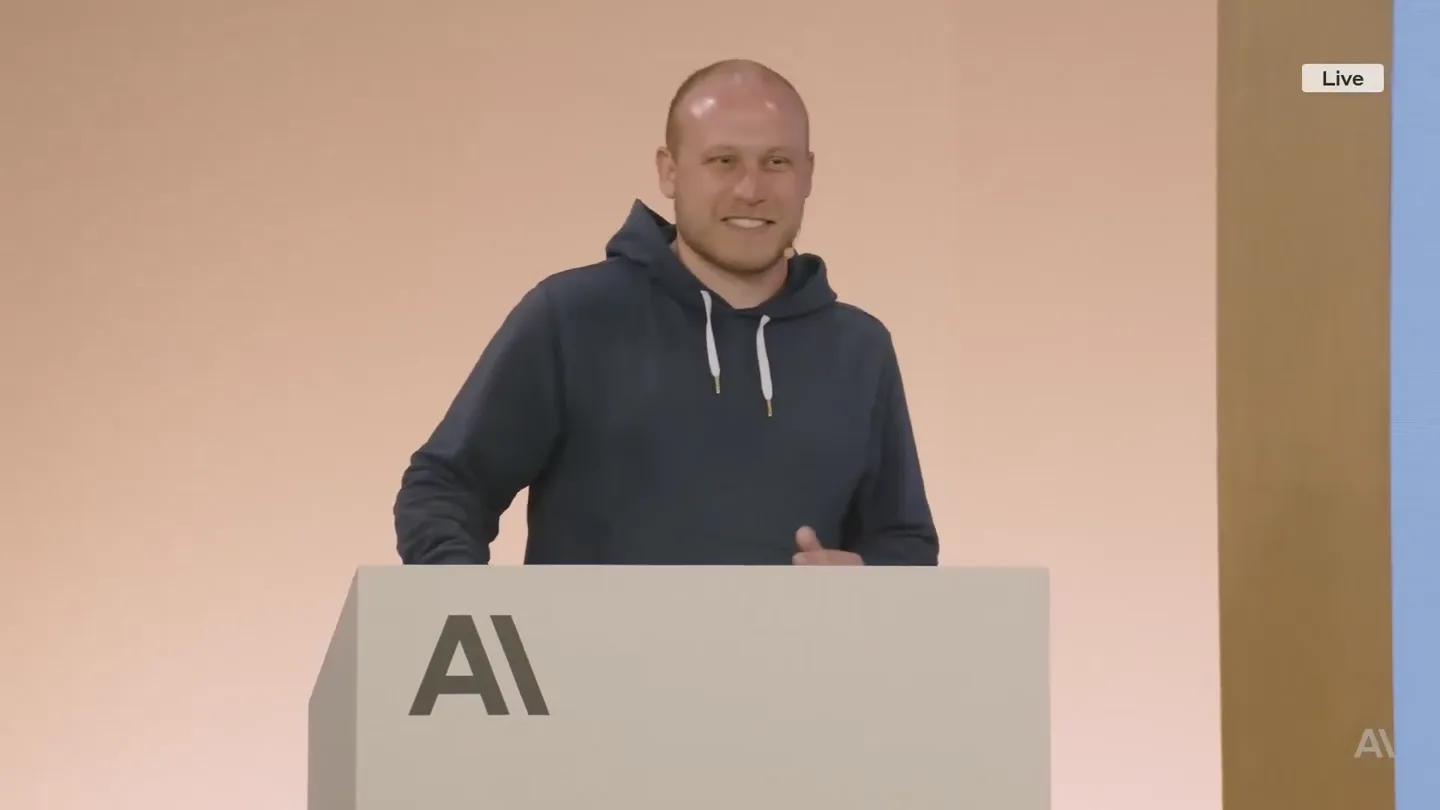
Rahul · Launch Video Breakdown: Hook, Pacing & Motion Design
the engineer who built Claude Code just dropped a 28-minute video on how to write prompts that actually work I've seen $300 courses that don't cover what he shows in the first 10 minutes CLAUDE.md…
Scene-by-scene timeline & spoken transcript
The Hook
Installation & Initial Setup
“(No spoken dialogue — Driving electronic rhythm and ambient sound design.)”
- On screen
- Follow along: npm install -g @anthropic-ai/claude-code
- Camera
- Wide shot of presenter on stage with a large screen displaying code. Camera slowly zooms in.
- Motion
- Subtle camera zoom, static text display.
Product Reveal
Claude Code Introduction & Benefits
“(No spoken dialogue — Driving electronic rhythm and ambient sound design.)”
- On screen
- Use Claude Code to answer questions about your codebase 1 The easiest way for new users to start with Code 2 Zero setup needed 3 Your data stays local Code w/ Claude
- Camera
- Alternating between medium shot of presenter and wide shot of screen. Screen content animates in.
- Motion
- Text wipe-in animation, animated cursor icon, list item reveal.
Feature Teaser
Contextual Understanding & Workflows
“(No spoken dialogue — Driving electronic rhythm and ambient sound design.)”
- On screen
- Common workflows Explore > plan > confirm > code > commit > Figure out the root cause for issue #983, then propose a few fixes. Let me choose an approach before you code. ultrathink Write tests > commit > code > iterate > commit > Write tests for @utils/markdown.ts to make sure links render properly (note the tests won't pass yet, since links aren't yet implemented). Then commit. Then update the code to make the tests pass. Write code > screenshot result > iterate > Implement [mock.png]. Then screentshot it with Puppeteen and iterate till it looks like the mock. Give Claude more context Auto-add common bash commands, files, and style conventions to every session: */<enterprise root>/CLAUDE.md ~/.claude/CLAUDE.md * project-root/ CLAUDE.md .claude.local.md (Shortcut: type #) Shared across all projects Shared across all projects Checked in Not checked in
- Camera
- Wide shot of presenter and screen. Screen content transitions between different slides.
- Motion
- Slide transition with content fading in, hierarchical list reveal.
Call to Action
Advanced Features & Q+A
“(No spoken dialogue — Driving electronic rhythm and ambient sound design.)”
- On screen
- Share permissions, memory, and MCP servers with your team Enterprise policy Global (just me) Project (checked in) Project (just me) Welcome to Claude Code! Memory Files L managed: /Library/Application Support/ClaudeCode/CLAUDE.md L user: ~/.claude/CLAUDE.md L project: CLAUDE.md L vendor/CLAUDE.md Learn more: https://docs.anthropic.com/en/docs/claude-code/memory Select memory to edit: 1 Project memory 2 Project memory (local) 3 User memory 4. [ANT-ONLY] Ultra memory ~/.claude/ultraclaude.md 38 memories in ~/.claude.md Checked in at ~/.CLAUDE.md Gitignored in .claude.local.md Saved in ~/.claude/CLAUDE.md Critical instructions in Interlude: Keybindings Key combos for common tasks: 1 Shift+tab to auto-accept edits 2 # to create a memory 3 ! to enter bash mode 4 @ to add a file/folder to context 5 Esc to cancel 6 Double-esc to jump back in history, --resume to resume 7 ctrl-r for verbose output 8 /vibe Use the SDK for programmatic, low-level access to Claude Code Useful for CLI and non-interactive contexts, automation, and a building block for interactive apps Currently supports CLI (TypeScript & Python SDKs coming soon) $ Claude -c I "What did I do this week?" \ --allowed-to-fail $(git log) \ --output-format json Claude Code SDK Anthropic, Bedrock, or Vertex API Claude models Your agentic application Interlude: Multi-claude There are many ways to run more claudes in parallel: 1 Use multiple checkouts in separate terminal tabs 2 Use one checkout with git worktrees 3 SSH + TMUX 4 Github Actions, launch jobs in parallel Q+A We hope you enjoyed this session! Please let us know your thoughts.
- Camera
- Dynamic camera movements, including pans and zooms, following the presenter and focusing on screen details. Final shot is a static QR code.
- Motion
- Complex screen transitions, animated diagrams, terminal-like text reveals, and a final static call to action with a QR code.
Motion design primitives
Synthesizable in Remotion · key components of the developer-tool-launch-presentation template.
CodeBlockReveal
A block of code or text appears on screen, often with a subtle wipe or fade-in effect, mimicking a terminal output or presentation slide reveal.
+ Code construction recipe
Use `interpolate` for opacity and `translateY` for a subtle upward motion. Combine with `Sequence` and `AbsoluteFill` for precise timing and positioning of text elements. Consider `typewriter` effect for individual lines.
HierarchicalListExpand
List items or nested information are revealed sequentially, often with a slight delay and a subtle animation, emphasizing structure and flow.
+ Code construction recipe
Implement with `spring` for a bouncy entrance of each list item. Use `map` over an array of data to render items, applying `delay` based on index for sequential reveal. `Opacity` and `scale` can be animated.
DiagramNodeConnect
Abstract or conceptual diagrams animate into view, with nodes appearing and connecting lines drawing between them, illustrating relationships or processes.
+ Code construction recipe
Utilize SVG paths for connecting lines, animating `strokeDashoffset` to create a drawing effect. Nodes can appear with `scale` and `opacity` animations using `spring` or `interpolate`.
Style DNA & aesthetic system
Visual aesthetic
Typography
Motion
Special effects
Pacing & rhythm
Conceptual story rhythm
- 1
The Setup
Purpose. Introduce the product and its immediate utility, setting the stage for a technical deep dive.
Execution. Presenter on stage, screen displaying initial setup instructions and core benefits with simple text animations.
- 2
Core Functionality
Purpose. Demonstrate the primary use cases and how the product solves common developer problems.
Execution. Screen transitions to example prompts and common workflows, using hierarchical lists and code block reveals.
- 3
Advanced Capabilities
Purpose. Showcase more complex features, integrations, and customization options for power users.
Execution. Animated diagrams illustrating context management, memory, and SDK usage, with dynamic camera work.
- 4
Engagement & Next Steps
Purpose. Conclude the presentation with a call to action and resources for further engagement.
Execution. Final slides with keybindings, multi-Claude options, and a clear QR code for feedback, maintaining a clean, direct visual.
Remix in Animatiq Studio
Master remix prompt · agent-ready
Sample remix
Objective
Launch a new API gateway called 'NexusFlow' that simplifies microservice orchestration.How the recipe adapts
The 'NexusFlow' launch video would feature a presenter explaining the API gateway's benefits. CodeBlockReveal would animate command-line installations and configuration snippets. HierarchicalListExpand would detail features like traffic routing, authentication, and rate limiting. DiagramNodeConnect would visually explain how NexusFlow orchestrates microservices, showing data flow and connection points. The color palette would shift to reflect NexusFlow's branding, but the clean typography and motion language would remain consistent, providing a professional and technical presentation.Remix blueprint · developer-tool-launch-presentation
Scene durations (166 scenes, 136972.3s)
Key Remotion components
Related Developer Tools Product Launches
Explore all Developer Tools launches →
xAI opens voice cloning on its API: build a custom voice in about two minutes or pick from 80+ voices in 28 languages.

Claude can now operate your Mac, opening apps, browsing and filling spreadsheets, as a research preview in Cowork and Claude Code.

Agentic CLI for coding, building apps, and automating workflows.