
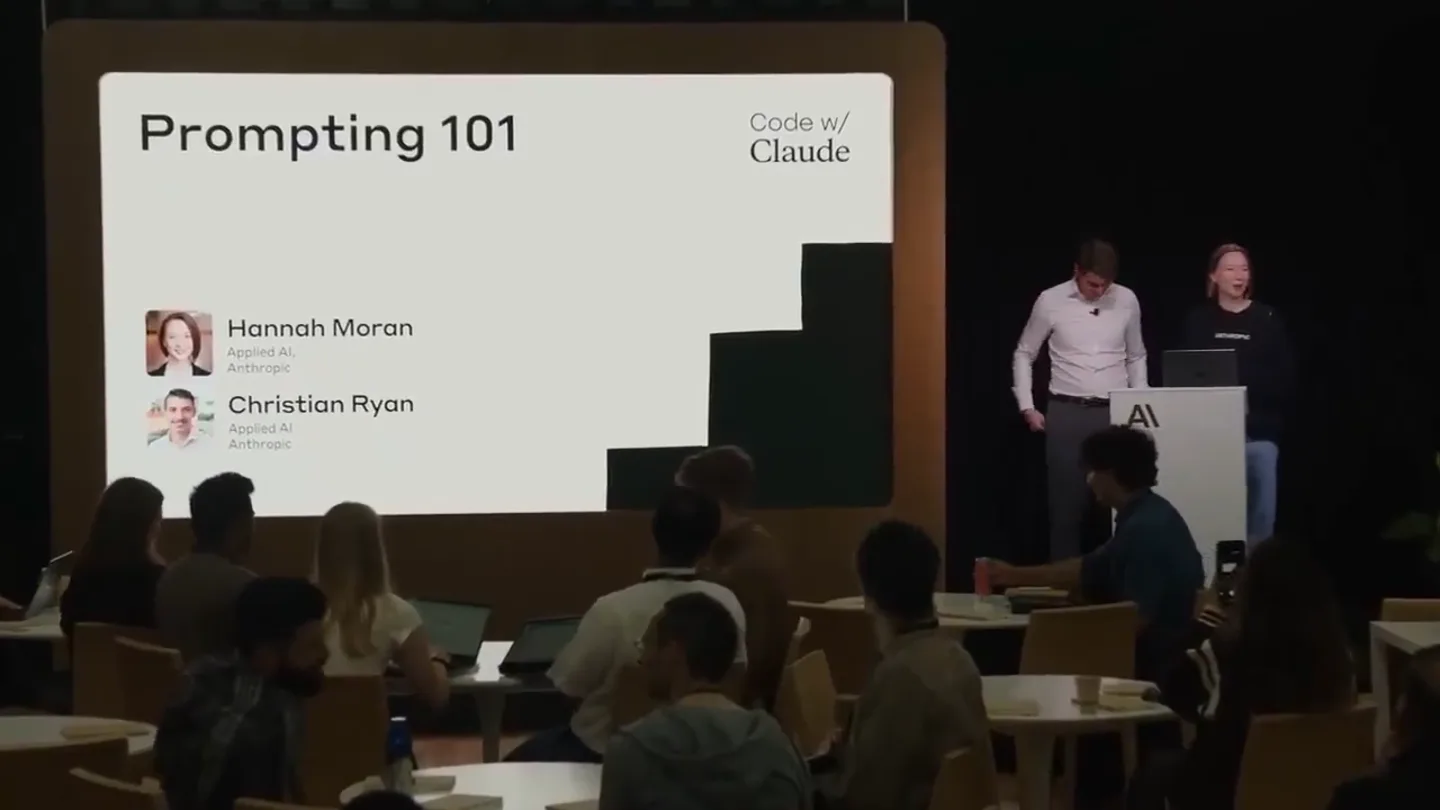
Rahul · Launch Video Breakdown: Hook, Pacing & Motion Design
Two Anthropic engineers spent 24 minutes exposing every Claude Code feature you didn't know existed. Most people will scroll past this. Don't be most people.
Scene-by-scene timeline & spoken transcript
The Hook
Introduction to Prompt Engineering & Claude's Capabilities
“What is prompt engineering anyway? The practice of systematically improving prompts for LLM applications through testing, evaluation, analysis, and optimization of prompts. Skills involved: Programming in natural language, clear, unambiguous, precise writing, conceptual engineering, creating evals with a scientific mindset, product thinking - what is the ideal model behavior for your product?, testing, understanding the LLMs, aggregating and analyzing failure modes - thinking of ways to fix, making LLMs scale to a wide range of inputs. Let's build a great prompt from scratch in the console. 1. Task context. You are an AI assistant helping a human claims adjuster review car accident reporting documentation written in Swedish. Your task is to review a standard accident report form as well as human-drawn sketch of the incident, and determine what information you can confidently conclude from these documents. After that, you should be able to state whether or not you can fully confidently determine that one vehicle was clearly at fault or if the human adjuster needs to follow up for more information. Based on my review of these Swedish accident report documents, here's what I can confidently conclude: Information from the Documents: From the Standard Form: This is section 12 of a standard accident report asking "How did the accident happen? (Hur kom det sig att olyckan hände?)" Vehicle A has marked option 1: "parkerade / stannade till" (was parking/stopping) Vehicle B has marked option 12: "tog av till höger" (turned off to the right) From the Sketch: Shows two vehicles (A and B) at what appears to be an intersection Vehicle A is marked as stationary ("still stående") The street is labeled "KÖPMANGATAN" Vehicle B appears to be making a turning movement. Add to Conversation. Let's build a great prompt from scratch in the console. 1. Task context. 2. Tone context. 3. Background data, documents, and images. 4. Detailed task description & rules. 5. Examples. 6. Conversation history. 7. Immediate task description or request. 8. Thinking step by step / take a deep breath. 9. Output formatting. 10. Prefilled response (if any).”
- On screen
- What is 'prompt engineering' anyway? The practice of systematically improving prompts for LLM applications through testing, evaluation, analysis, and optimization of prompts. Skills involved: Programming in natural language Clear, unambiguous, precise writing Conceptual engineering Creating evals with a scientific mindset Product thinking - what is the ideal model behavior for your product? Testing Understanding the LLMs Aggregating and analyzing failure modes - thinking of ways to fix Making LLMs scale to a wide range of inputs ANTHROPIC Console Workbench Batches System Prompt Define a role, tone or context (optional) User You are an AI assistant helping a human claims adjuster review car accident reporting documentation written in Swedish. Your task is to review a standard accident report form as well as human-drawn sketch of the incident, and determine what information you can confidently conclude from these documents. After that, you should be able to state whether or not you can fully confidently determine that one vehicle was clearly at fault or if the human adjuster needs to follow up for more information. form-numbered.jpg IMG_8157.jpg Pre-fill response Add message pair Prompt Evaluate Get Code Run + Templatize Response Preview API type: "message", "role": "assistant", "content": [ { "type": "text", "text": "Based on my review of this Swedish accident report form and diagram, here's what happened:\n\nAccording to the form selections:\n1. Person A was stationary/standing still (\"parkerade/stannade till\") - marked with a checkmark\n2. Person B was turning to the right (\"tog av till höger\") - marked with a checkmark\n\nThe diagram shows Person A was stationary on the Add to Conversation Christian Ryan Anthropic (Normal Acc...) Prompt structure 1-2 sentences to establish role and high level task description 2 Dynamic / retrieved content 3 Detailed task instructions 4 Examples-to-shot (optional) 5 Repeat critical instructions (particularly for very long prompts) Let's build a great prompt from scratch in the console 1. Task context ANTHROPIC Console Workbench Batches System Prompt Define a role, tone or context (optional) User You are an AI assistant helping a human claims adjuster review car accident reporting documentation written in Swedish. Your task is to review a standard accident report form as well as human-drawn sketch of the incident, and determine what information you can confidently conclude from these documents. After that, you should be able to state whether or not you can fully confidently determine that one vehicle was clearly at fault or if the human adjuster needs to follow up for more information. form-numbered.jpg IMG_8157.jpg Pre-fill response Add message pair Prompt Evaluate Get Code Run + Templatize Response Preview API Based on my review of these Swedish accident report documents, here's what I can confidently conclude: Information from the Documents: From the Standard Form: This is section 12 of a standard accident report asking "How did the accident happen? (Hur kom det sig att olyckan hände?)" Vehicle A has marked option 1: "parkerade / stannade till" (was parking/stopping) Vehicle B has marked option 12: "tog av till höger" (turned off to the right) From the Sketch: Shows two vehicles (A and B) at what appears to be an intersection Vehicle A is marked as stationary ("still stående") The street is labeled "KÖPMANGATAN" Vehicle B appears to be making a turning movement. Add to Conversation Christian Ryan Anthropic (Normal Acc...) ANTHROPIC Console Workbench Batches System Prompt Define a role, tone or context (optional) User You are an AI assistant helping a human claims adjuster review car accident reporting documentation written in Swedish. Your task is to review a standard accident report form as well as human-drawn sketch of the incident, and determine what information you can confidently conclude from these documents. After that, you should be able to state whether or not you can fully confidently determine that one vehicle was clearly at fault or if the human adjuster needs to follow up for more information. Here is the form: <form_image> form-numbered.jpg </form_image> Pre-fill response Add message pair Prompt Evaluate Get Code Run + Templatize Response Preview API <sketch_interpretation> stationary Vehicle A Conclusion I can confidently determine fault in this accident. Vehicle B is clearly at fault because: 1. Vehicle A was parked/stopped (stationary) as indicated by the checked box and confirmed by the sketch notation "still stående" 2. Vehicle B was actively turning right when the collision occurred 3. A moving vehicle that strikes a stationary vehicle is typically at fault, especially when the stationary vehicle was properly parked/stopped Add to Conversation Christian Ryan Anthropic (Normal Acc...) Let's build a great prompt from scratch in the console 1. Task context 2. Tone context 3. Background data, documents, and images 4. Detailed task description & rules 5. Examples 6. Conversation history 7. Immediate task description or request 8. Thinking step by step / take a deep breath 9. Output formatting 10. Prefilled response (if any)
- Camera
- Alternates between wide shots of the presenters and audience, close-ups of the presenters, and screen recordings of the Anthropic console. The camera occasionally zooms in slightly on the presenters.
- Motion
- Seamless transitions between live presentation footage and screen recordings. Text highlights and cursor movements within the console are animated to draw attention to key features. On-screen text elements appear with a subtle fade-in or slide-in effect.
Problem Agitation
Refining Prompts for Accuracy and Confidence
“So we're going to start with a very simple prompt. We're going to add a little bit of context. We're going to add some detailed instructions. We're going to add some examples. We're going to add some conversation history. We're going to add an immediate task description. We're going to add some thinking step by step. We're going to add some output formatting. And we're going to add some pre-filled response. And we're going to see how that changes the output of Claude. So let's start with a very simple prompt. You are an AI assistant helping a human claims adjuster review car accident reporting documentation written in Swedish. Your task is to review a standard accident report form as well as human-drawn sketch of the incident, and determine what information you can confidently conclude from these documents. After that, you should be able to state whether or not you can fully confidently determine that one vehicle was clearly at fault or if the human adjuster needs to follow up for more information. So this is our initial prompt. And we're going to run this. And we're going to see what Claude says. So Claude says, based on my review of these Swedish accident report documents, here's what happened. According to the form selections, Person A was stationary/standing still, marked with a checkmark. Person B was turning to the right, marked with a checkmark. The diagram shows Person A was stationary on the street labeled KÖPMANGATAN. Person B appears to be making a turning movement. So Claude is doing a pretty good job of summarizing the information. But it's not making a clear determination of fault. So we want to add some more context to this prompt. So we're going to add some tone context. We're going to say, you are an AI assistant helping a human claims adjuster review car accident reporting documentation written in Swedish. Your task is to review a standard accident report form as well as human-drawn sketch of the incident, and determine what information you can confidently conclude from these documents. After that, you should be able to state whether or not you can fully confidently determine that one vehicle was clearly at fault or if the human adjuster needs to follow up for more information. And we're going to add some background data, documents, and images. So we're going to add the form-numbered.jpg and IMG_8157.jpg. And we're going to add some detailed task description and rules. So we're going to say, important guidelines: Base your analysis solely on the information visible in the images. Do not make assumptions or add details not explicitly shown. If certain information is unclear or not provided, state this in your summary. Ensure your summary is clear, concise, and accurate. If you cannot access or view the image for any reason, please state so immediately and do not proceed with the analysis. If you cannot make a clear determination about what boxes are checked or what numbers are written, please state so immediately and do not proceed with the analysis. Now, please start your step by step analysis. Wrap your final verdict in <final_verdict> XML tags. So we're going to run this again. And we're going to see what Claude says. So Claude says, examining the form carefully for Vehicle A (left column) and Vehicle B (right column): Vehicle A: Box 1: There is a clear diagonal line/mark across this checkbox, indicating it is checked. Boxes 2-17: All appear to be empty with no markings. Vehicle B (Right Column): Box 12: There appears to be a diagonal line/mark across this checkbox, indicating it is checked. Boxes 1-11, 13-17: All appear to be empty with no markings. Bottom Section: The total count boxes at the bottom appear to have some markings but are not clearly legible in this image quality. So Claude is doing a much better job of breaking down the information. But it's still not making a clear determination of fault. So we want to add some examples.”
- On screen
- ANTHROPIC Console Workbench Batches System Prompt Define a role, tone or context (optional) User You are an AI assistant helping a human claims adjuster review car accident reporting documentation written in Swedish. Your task is to review a standard accident report form as well as human-drawn sketch of the incident, and determine what information you can confidently conclude from these documents. After that, you should be able to state whether or not you can fully confidently determine that one vehicle was clearly at fault or if the human adjuster needs to follow up for more information. form-numbered.jpg IMG_8157.jpg Pre-fill response Add message pair Prompt Evaluate Get Code Run + Templatize Response Preview API type: "message", "role": "assistant", "content": [ { "type": "text", "text": "Based on my review of these Swedish accident report documents, here's what happened:\n\nAccording to the form selections:\n1. Person A was stationary/standing still (\"parkerade/stannade till\") - marked with a checkmark\n2. Person B was turning to the right (\"tog av till höger\") - marked with a checkmark\n\nThe diagram shows Person A was stationary on the street labeled KÖPMANGATAN. Person B appears to be making a turning movement." } ] Add to Conversation Christian Ryan Anthropic (Normal Acc...) Let's build a great prompt from scratch in the console 1. Task context 2. Tone context 3. Background data, documents, and images 4. Detailed task description & rules 5. Examples 6. Conversation history 7. Immediate task description or request 8. Thinking step by step / take a deep breath 9. Output formatting 10. Prefilled response (if any) ANTHROPIC Console Workbench Batches System Prompt Define a role, tone or context (optional) User You are an AI assistant helping a human claims adjuster review car accident reporting documentation written in Swedish. Your task is to review a standard accident report form as well as human-drawn sketch of the incident, and determine what information you can confidently conclude from these documents. After that, you should be able to state whether or not you can fully confidently determine that one vehicle was clearly at fault or if the human adjuster needs to follow up for more information. Here is the form: <form_image> form-numbered.jpg </form_image> Pre-fill response Add message pair Prompt Evaluate Get Code Run + Templatize Response Preview API <tasks id="4"> Important guidelines: - Base your analysis solely on the information visible in the images. Do not make assumptions or add details not explicitly shown. - If certain information is unclear or not provided, state this in your summary. - Ensure your summary is clear, concise, and accurate. - If you cannot access or view the image for any reason, please state so immediately and do not proceed with the analysis. - If you cannot make a clear determination about what boxes are checked or what numbers are written, please state so immediately and do not proceed with the analysis. - Now, please start your step by step analysis. - Wrap your final verdict in <final_verdict> XML tags. Examining the form carefully for Vehicle A (left column) and Vehicle B (right column): Vehicle A: Box 1: There is a clear diagonal line/mark across this checkbox, indicating it is checked. Boxes 2-17: All appear to be empty with no markings. Vehicle B (Right Column): Box 12: There appears to be a diagonal line/mark across this checkbox, indicating it is checked. Boxes 1-11, 13-17: All appear to be empty with no markings. Bottom Section: The total count boxes at the bottom appear to have some markings but are not clearly legible in this image quality. Add to Conversation Christian Ryan Anthropic (Normal Acc...)
- Camera
- Similar to the previous beat, with frequent cuts between the presenters and the Anthropic console. The console view often highlights specific text inputs or outputs as the speakers discuss prompt refinements.
- Motion
- Animated text highlighting and cursor movements within the console. On-screen bullet points and numbered lists animate in sequentially to match the spoken dialogue. Subtle camera pushes into the console screen to emphasize details.
Product Reveal
Advanced Prompt Engineering Techniques with Claude
“So we're going to add some examples. And we're going to add some conversation history. And we're going to add an immediate task description. And we're going to add some thinking step by step. And we're going to add some output formatting. And we're going to add some pre-filled response. And we're going to see how that changes the output of Claude. So let's add some examples. So we're going to add an example of a prompt where Claude correctly identifies fault. And we're going to add an example of a prompt where Claude correctly identifies that more information is needed. And we're going to add some conversation history. So we're going to add a previous turn where Claude asked for more information. And we're going to add an immediate task description. So we're going to say, now, please provide a final verdict. And we're going to add some thinking step by step. So we're going to say, think step by step. And we're going to add some output formatting. So we're going to say, wrap your final verdict in <final_verdict> XML tags. And we're going to add some pre-filled response. So we're going to pre-fill the response with a confident determination of fault. So we're going to run this again. And we're going to see what Claude says. So Claude says, examining the form carefully for Vehicle A (left column) and Vehicle B (right column): Vehicle A: Box 1: There is a clear diagonal line/mark across this checkbox, indicating it is checked. Boxes 2-17: All appear to be empty with no markings. Vehicle B (Right Column): Box 12: There appears to be a diagonal line/mark across this checkbox, indicating it is checked. Boxes 1-11, 13-17: All appear to be empty with no markings. Bottom Section: The total count boxes at the bottom appear to have some markings but are not clearly legible in this image quality. Thinking Process: 1. Analyze the form data for Vehicle A and Vehicle B. 2. Analyze the sketch for Vehicle A and Vehicle B. 3. Compare the form data and sketch to determine if there is a clear fault. 4. If a clear fault is determined, state it confidently. 5. If more information is needed, state that. Final Verdict: I can confidently determine fault in this accident. Vehicle B is clearly at fault because: 1. Vehicle A was parked/stopped (stationary) as indicated by the checked box and confirmed by the sketch notation "still stående" 2. Vehicle B was actively turning right when the collision occurred 3. A moving vehicle that strikes a stationary vehicle is typically at fault, especially when the stationary vehicle was properly parked/stopped So Claude is now making a clear determination of fault. And it's providing a clear explanation for why it's making that determination. So this is a much better response. And this is what we're trying to achieve with prompt engineering. So we're going to talk about some advanced techniques now. We're going to talk about using XML tags. We're going to talk about prompt caching. And we're going to talk about extended thinking. So let's start with XML tags. So XML tags are a way to structure your prompts so that Claude can better understand the different parts of your prompt. So for example, you can use <task> tags to define the task that you want Claude to perform. You can use <context> tags to provide context to Claude. You can use <instructions> tags to provide detailed instructions to Claude. And you can use <examples> tags to provide examples to Claude. So XML tags are a very powerful way to structure your prompts. And they can help Claude to better understand your prompts and to produce better responses. So let's talk about prompt caching. So prompt caching is a way to store your prompts so that you don't have to re-type them every time you want to use them. So for example, if you have a prompt that you use frequently, you can save it as a cached prompt. And then you can just load it whenever you want to use it. So prompt caching can save you a lot of time and effort. And it can help you to be more efficient with your prompt engineering. So let's talk about extended thinking. So extended thinking is a way to get Claude to think step by step through a problem. So for example, if you have a complex problem, you can ask Claude to think step by step through the problem. And Claude will then break down the problem into smaller steps and will provide a detailed explanation of how it's solving each step. So extended thinking can help Claude to solve complex problems and to produce more accurate responses. So these are some advanced techniques that you can use with Claude. And they can help you to be more effective with your prompt engineering. So we're going to open it up for Q&A now. And we're going to take some questions from the audience. And then we're going to do a demo where Claude plays Pokémon.”
- On screen
- ANTHROPIC Console Workbench Batches System Prompt Define a role, tone or context (optional) User You are an AI assistant helping a human claims adjuster review car accident reporting documentation written in Swedish. Your task is to review a standard accident report form as well as human-drawn sketch of the incident, and determine what information you can confidently conclude from these documents. After that, you should be able to state whether or not you can fully confidently determine that one vehicle was clearly at fault or if the human adjuster needs to follow up for more information. Here is the form: <form_image> form-numbered.jpg </form_image> Pre-fill response Add message pair Prompt Evaluate Get Code Run + Templatize Response Preview API <tasks id="4"> Important guidelines: - Base your analysis solely on the information visible in the images. Do not make assumptions or add details not explicitly shown. - If certain information is unclear or not provided, state this in your summary. - Ensure your summary is clear, concise, and accurate. - If you cannot access or view the image for any reason, please state so immediately and do not proceed with the analysis. - If you cannot make a clear determination about what boxes are checked or what numbers are written, please state so immediately and do not proceed with the analysis. - Now, please start your step by step analysis. - Wrap your final verdict in <final_verdict> XML tags. Examining the form carefully for Vehicle A (left column) and Vehicle B (right column): Vehicle A: Box 1: There is a clear diagonal line/mark across this checkbox, indicating it is checked. Boxes 2-17: All appear to be empty with no markings. Vehicle B (Right Column): Box 12: There appears to be a diagonal line/mark across this checkbox, indicating it is checked. Boxes 1-11, 13-17: All appear to be empty with no markings. Bottom Section: The total count boxes at the bottom appear to have some markings but are not clearly legible in this image quality. Thinking Process: 1. Analyze the form data for Vehicle A and Vehicle B. 2. Analyze the sketch for Vehicle A and Vehicle B. 3. Compare the form data and sketch to determine if there is a clear fault. 4. If a clear fault is determined, state it confidently. 5. If more information is needed, state that. Final Verdict: I can confidently determine fault in this accident. Vehicle B is clearly at fault because: 1. Vehicle A was parked/stopped (stationary) as indicated by the checked box and confirmed by the sketch notation "still stående" 2. Vehicle B was actively turning right when the collision occurred 3. A moving vehicle that strikes a stationary vehicle is typically at fault, especially when the stationary vehicle was properly parked/stopped Add to Conversation Christian Ryan Anthropic (Normal Acc...) Let's build a great prompt from scratch in the console 1. Task context 2. Tone context 3. Background data, documents, and images 4. Detailed task description & rules 5. Examples 6. Conversation history 7. Immediate task description or request 8. Thinking step by step / take a deep breath 9. Output formatting 10. Prefilled response (if any)
- Camera
- Continues to alternate between presenters and console views. The console view often zooms in on specific XML tags or sections of the prompt and response to highlight the impact of advanced techniques.
- Motion
- Animated text highlighting, cursor movements, and scrolling within the console. On-screen bullet points and numbered lists animate in sequentially. Subtle camera pushes and pulls to emphasize different parts of the console interface.
Feature Teaser
Q&A and Future Demos
“So we're going to open it up for Q&A now. And we're going to take some questions from the audience. And then we're going to do a demo where Claude plays Pokémon.”
- On screen
- (No on-screen text)
- Camera
- Primarily wide shots of the presenters and the audience, with occasional close-ups of the presenters as they interact with the audience. The camera remains relatively static during the Q&A portion.
- Motion
- Minimal motion graphics, focusing on the live interaction. Simple cuts between speakers and audience members asking questions. No on-screen text animations or console demonstrations.
Motion design primitives
Synthesizable in Remotion · key components of the founder-tech-demo-breakdown template.
ConsoleTextHighlight
Specific lines or blocks of text within the Anthropic console are highlighted with a subtle background color change or a thin underline, drawing the viewer's eye to the spoken content.
+ Code construction recipe
Use Remotion's <Sequence> and <AbsoluteFill> components. Animate the 'backgroundColor' or 'borderBottom' CSS property of a <Text> component using `interpolate` or `spring` with a short duration and ease-in-out curve. Overlay a transparent div with a changing background color.
SequentialBulletPointReveal
Bullet points or numbered list items appear one by one on the presentation slides, often accompanied by a slight scale-up or fade-in animation.
+ Code construction recipe
Implement with Remotion's <Series> or <Sequence> for each list item. Use `spring` for 'opacity' and 'transform: scale' properties, with a slight delay for each subsequent item. Ensure `durationInFrames` and `from` props are set for staggered appearance.
DynamicConsoleScroll
The Anthropic console interface scrolls smoothly to reveal new sections of code, prompt inputs, or AI responses, mimicking natural user interaction.
+ Code construction recipe
Utilize Remotion's `useCurrentFrame` and `interpolate` to animate the 'scrollTop' CSS property of a scrollable container. Define keyframes for scroll positions and durations to match the spoken narrative. Can also use `spring` for a more natural, physics-based scroll.
Style DNA & aesthetic system
Visual aesthetic
Typography
Motion
Special effects
Pacing & rhythm
Conceptual story rhythm
- 1
Foundational Concepts
Purpose. Introduce the core problem (prompt engineering) and the basic solution (Claude's console) to establish context.
Execution. Alternating between wide shots of presenters explaining concepts on slides and initial, simple screen recordings of the console.
- 2
Iterative Refinement
Purpose. Demonstrate the process of improving prompts through trial and error, highlighting Claude's evolving capabilities.
Execution. Frequent cuts to the console, showing incremental changes to prompts and immediate, improved AI responses, with animated text highlights.
- 3
Advanced Techniques Showcase
Purpose. Unveil sophisticated features like XML tags and extended thinking, showcasing the product's depth.
Execution. Detailed console demonstrations focusing on specific syntax and structural elements, with close-ups and scrolling animations to reveal complex outputs.
- 4
Engagement & Future Vision
Purpose. Conclude with audience interaction and hint at exciting future applications to maintain interest.
Execution. Return to live presentation footage for Q&A, with a verbal teaser for an upcoming, more playful demo.
Remix in Animatiq Studio
Master remix prompt · agent-ready
Sample remix
Objective
Launch a new API gateway product called 'NexusFlow' that simplifies microservice orchestration for developers.How the recipe adapts
The video would open with a founder on stage introducing NexusFlow, followed by a screen recording of the NexusFlow dashboard. The ConsoleTextHighlight primitive would be used to emphasize key API configuration lines. SequentialBulletPointReveal would introduce the benefits of microservice orchestration. DynamicConsoleScroll would demonstrate the flow of data through the gateway, showing real-time logs and metrics. The overall pacing would remain educational, guiding developers through the setup and advanced features of NexusFlow.Remix blueprint · founder-tech-demo-breakdown
Scene durations (4 scenes, 1487s)
Key Remotion components
Related Developer Tools Product Launches
Explore all Developer Tools launches →
xAI opens voice cloning on its API: build a custom voice in about two minutes or pick from 80+ voices in 28 languages.

Claude can now operate your Mac, opening apps, browsing and filling spreadsheets, as a research preview in Cowork and Claude Code.

Agentic CLI for coding, building apps, and automating workflows.