
darkzodchi · Launch Video Breakdown: Hook, Pacing & Motion Design
Anthropic engineer: "You're not supposed to watch Claude Code work. You're supposed to wake up and review what it shipped." In 22 minutes she builds the entire workflow live on camera. Most people…
Scene-by-scene timeline & spoken transcript
The Hook
Proactive Agent Workflow Introduction
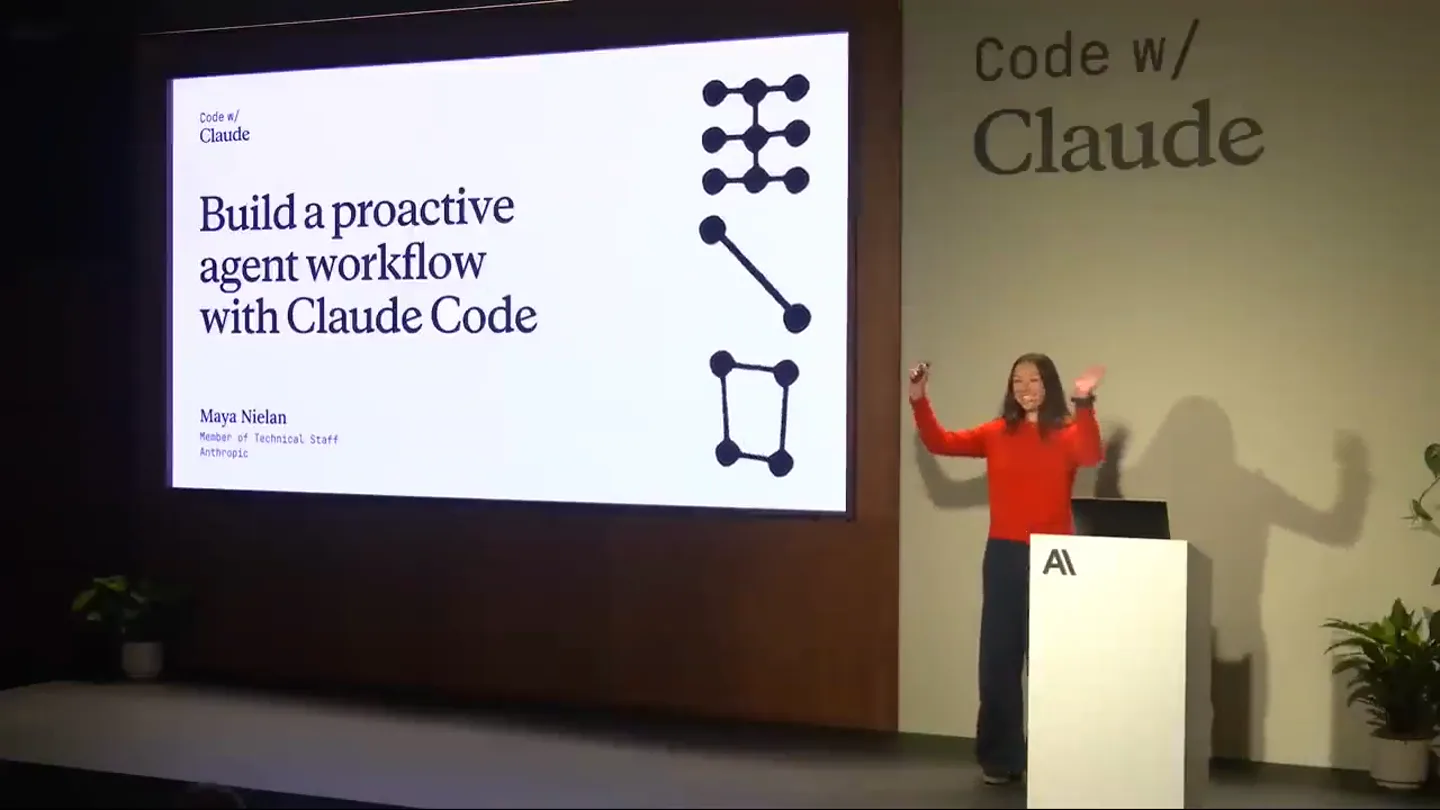
“Hi everyone. Welcome to the last workshop session of the day. I'm Maya. I'm on the Applied AI team at Anthropic. And today we're going to be talking about Code with Claude.”
- On screen
- Code w/ Claude Build a proactive agent workflow with Claude Code Maya Nielan Member of Technical Staff Anthropic
- Camera
- Wide shot of presenter on stage with a large screen displaying the title slide. Camera is static.
- Motion
- Static title slide with presenter introduction. Simple fade-in for text elements.
Problem Agitation
Challenges with Proactive Agents
“So we've been building Code with Claude for a while now, and we've been thinking about how to evolve it from a powerful coding tool into a coding teammate. And what does that mean? That means that it proactively notices issues and addresses them. So who here has tried to run Code with Claude on a cron?”
- On screen
- Who has tried to run Claude Code on a cron?
- Camera
- Static wide shot of presenter and screen. The screen transitions between agenda and problem statements.
- Motion
- Slide transitions with a subtle horizontal wipe or dissolve. Text elements appear with a quick, clean fade-in.
Product Reveal
Introducing Routines
“Okay, so a few of you. So you'll know that it's a little bit of a pain. And that's why we're introducing routines. Routines are a new feature in Code with Claude that allows you to kick off remote Code with Claude sessions by defining a prompt, connecting to repos, specifying connectors, and setting a trigger.”
- On screen
- Routines Always available with managed infrastructure Work proactively with customizable triggers Interactive and steerable agent teammates
- Camera
- Static wide shot. The screen displays key features of 'Routines' with icons.
- Motion
- Bullet points and icons animate in sequentially with a quick, subtle bounce or spring effect. Text appears with a soft fade and slight scale.
Feature Teaser
Routine Creation Decisions
“So there are three main considerations for creating routines. First, when should the routine trigger? Is it time-based or event-based? Second, what context or information does Claude need to be successful? Does it need access to docs, tools? And third, how do you steer Claude in the session to ensure quality outputs?”
- On screen
- Three decisions for any routine 1 Trigger When does it run? 2 Context What does it know? 3 Steering How do you keep it honest?
- Camera
- Static wide shot. The screen highlights the three decision points for routines.
- Motion
- Numbered points and their descriptions animate in one by one, using a quick slide-in from the left with a slight overshoot.
Call to Action
Automating Workflows with Routines
“So let's dive into an example. How can we automate docs creation? So at Anthropic, we use routines internally to automate documentation creation. Let's create a routine. So here we're defining a schedule-based routine. Once a week, review all the new changes merged to main against Claude-code-docs and create a PR to update docs. This is a simple example, but it demonstrates the power of routines. We can also create event-based routines, for example, triggering a routine when a new issue is opened in GitHub. This allows Claude to proactively investigate and address issues. Routines can be used for various software engineering challenges like deploy verifiers, on-call investigators, and backlog triagers. The key takeaway is that proactive agents beat reactive agents. Routines allow developers to concentrate on their domain expertise, not infrastructure maintenance. So build a routine yourself today. It's a single /schedule command away from your first routine.”
- On screen
- Let's create a routine Claude Code /anthropic/docs Welcome to Claude Code. /schedule Once a week review all the new changes merged to main against claude-code-docs and create a PR to update docs. auto mode on · shift+tab to cycle How would you turn these into routines? Deploy verifier On-call investigator Backlog triager Takeaways 1 Proactive beats reactive 2 Concentrate on your domain and process expertise, not the infra 3 Build a routine yourself today
- Camera
- Alternates between wide shots of the presenter and close-ups of the screen demonstrating the Claude Code interface. Screen content includes code editor, routine configuration, and workflow examples.
- Motion
- Screen recordings are integrated with UI elements highlighting and text appearing as if typed. Transitions between screen views are quick cuts or subtle fades. Final takeaway points animate in with a clean, staggered reveal.
Motion design primitives
Synthesizable in Remotion · key components of the developer-tool-launch-presentation template.
StaggeredBulletReveal
Textual bullet points and associated icons appear sequentially, often with a slight delay between each item, creating a sense of progressive disclosure. Each item typically slides in or fades up.
+ Code construction recipe
Utilize `Sequence` and `spring` or `interpolate` for `opacity` and `translateY` properties. Apply a `delay` prop to each child component within the sequence to achieve the staggered effect.
CodeEditorTypewriter
Text appears character by character within a code editor interface, simulating live typing. This is often accompanied by a blinking cursor.
+ Code construction recipe
Implement `interpolate` on the `substring` of the text content based on time. A `blink` animation for the cursor can be achieved with `keyframes` animating `opacity`.
IconFeaturePop
Small, illustrative icons representing features or concepts appear with a quick, energetic animation, often involving a slight scale-up or bounce, drawing attention to the associated text.
+ Code construction recipe
Use `spring` for `scale` and `opacity` properties. A slight `overshoot` in the spring configuration can give it a 'pop' feel. Combine with a `delay` for sequential reveals.
Style DNA & aesthetic system
Visual aesthetic
Typography
Motion
Special effects
Pacing & rhythm
Conceptual story rhythm
- 1
Setting the Stage
Purpose. Introduce the presenter, the product, and the core problem it solves, establishing context and relevance.
Execution. Presenter on stage with a clear title slide, followed by a problem statement slide. Static camera, clean text reveals.
- 2
The Solution Unveiled
Purpose. Introduce 'Routines' as the core solution, highlighting its key benefits and capabilities.
Execution. Slide detailing 'Routines' features with icons and bullet points animating in sequentially, reinforcing key messages.
- 3
Deep Dive & Demonstration
Purpose. Provide a practical, real-world example of the product in action, demonstrating its functionality and ease of use.
Execution. Transition to screen-share, showing the Claude Code interface, live typing of commands, and configuration of routines. UI elements highlight and animate.
- 4
Impact & Call to Action
Purpose. Summarize the broader implications and benefits, encouraging viewers to adopt the product.
Execution. Slides outlining various use cases and key takeaways, with a final prompt to try the product. Staggered text reveals for emphasis.
Remix in Animatiq Studio
Master remix prompt · agent-ready
Sample remix
Objective
Launch video for 'DataFlow Pro', a new data pipeline orchestration tool.How the recipe adapts
The 'StaggeredBulletReveal' would be used for listing DataFlow Pro's integration capabilities. The 'CodeEditorTypewriter' would demonstrate writing a new data transformation script within the tool's IDE. 'IconFeaturePop' would highlight features like 'Automated Scaling' or 'Real-time Monitoring'. The color palette would shift to reflect DataFlow Pro's branding, perhaps using blues and greens, while maintaining the high contrast and readability. The overall pacing would remain calm and informative, suitable for a technical audience.Remix blueprint · developer-tool-launch-presentation
Scene durations (5 scenes, 1302s)
Key Remotion components
Related Developer Tools Product Launches
Explore all Developer Tools launches →
xAI opens voice cloning on its API: build a custom voice in about two minutes or pick from 80+ voices in 28 languages.

Claude can now operate your Mac, opening apps, browsing and filling spreadsheets, as a research preview in Cowork and Claude Code.

Agentic CLI for coding, building apps, and automating workflows.