
Claude · Launch Video Breakdown: Hook, Pacing & Motion Design
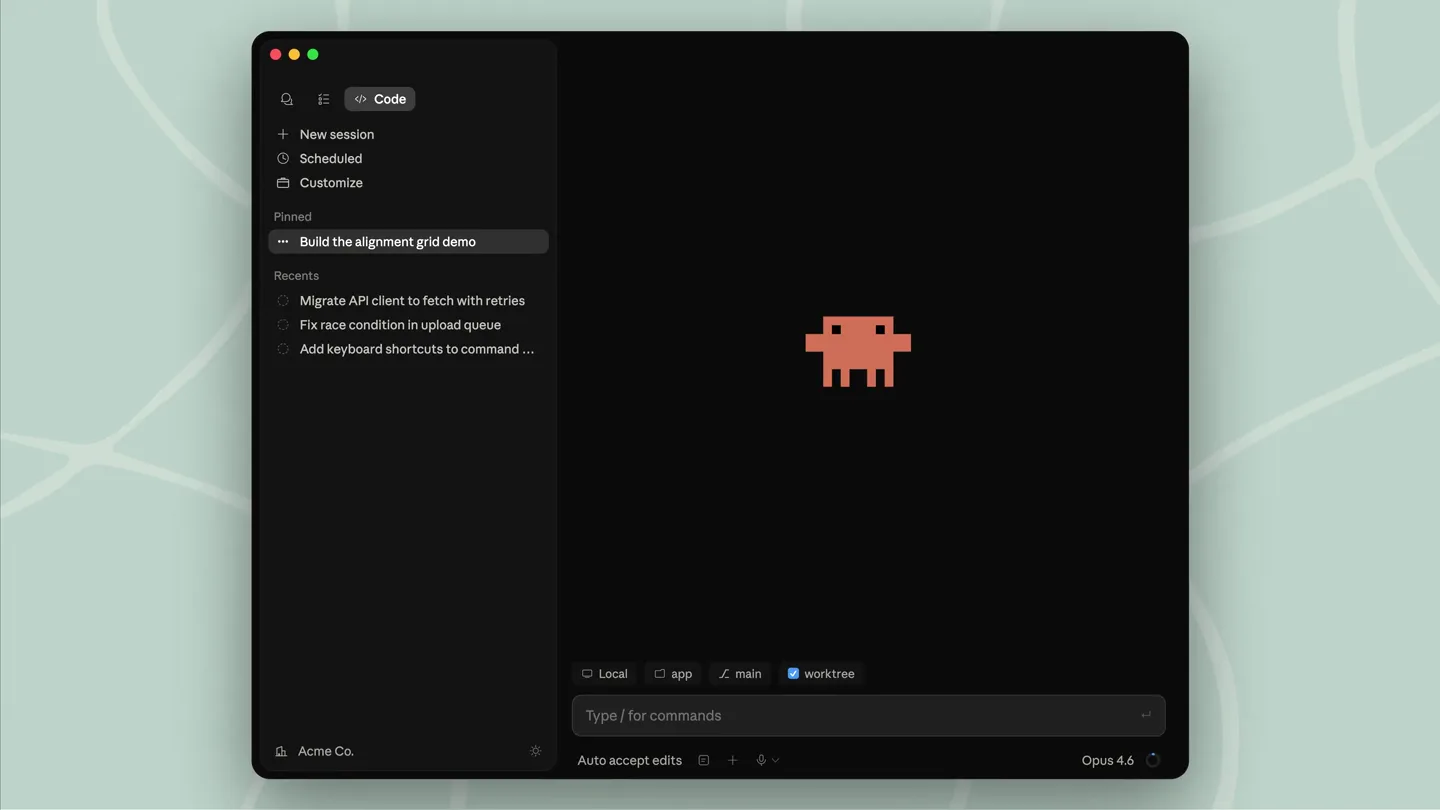
We've redesigned Claude Code on desktop. You can now run multiple Claude sessions side by side from one window, with a new sidebar to manage them all.
Scene-by-scene timeline & spoken transcript
The Hook
Initial UI Expansion & Code Session Setup
“check one two”
- On screen
- Code + New session New session Scheduled Customize Pinned Build the alignment grid demo Recents Migrate API client to fetch with retries Fix race condition in upload queue Add keyboard shortcuts to command ... Acme Co. Type / for commands Opus 4.6
- Camera
- Static, then a smooth zoom out revealing more of the desktop application window.
- Motion
- UI element reveal, smooth scaling, and content pop-in.
Product Reveal
Multi-Panel Workflow Demonstration
“(No spoken dialogue — The driving electronic beat continues, with synthesized melodies and percussive hi-hats.)”
- On screen
- build the alignment grid demo — geometric shapes that snap to a constraint system, spring physics on settle I'll set up a constraint solver for the grid and drive each shape's po Updated todos 4 items > Write src/components/AlignmentGrid.tsx +534 > 6s ↓ 6.3k tokens 8s ↓ 13.3k tokens constraint stiffness rect-a align-left(grid) 0.85 rect-b center-x(rect-a) 0.70 circle tangent(rect-b) 0.60 bar-h baseline(grid, 8) 1.00 bar-v right(grid) 1.00 Type / for commands Auto accept edits Opus 4.6 Preview acme-web localhost:5173 / View session logs main → claude/alignment-grid src/components/AlignmentGrid.tsx 1 // Snap easing — fast attack, hard stop, no overshoot. 2 const backOut = (t) => 1 + 2.7*Math.pow(t-1,3) + 1.7*Math. 2 const snap = (t: number) => 1 - Math.pow(1 - t, 6); 38 unmodified lines +798 -38 Create PR Opus 4.6 +85 -12 41 const SHOTS: Shot[] = [ 42 { at: B.intro[0], fx: 0.50, fy: 0.50, z: 1.00 }, 43 { at: B.thread[0], fx: 0.40, fy: 0.86, z: 1.85 }, 44 { at: B.preview[0], fx: 0.78, fy: 0.22, z: 2.10 }, 45 { at: B.settle[0], fx: 0.50, fy: 0.50, z: 0.95 } 46 ]; 47 48 function cameraAt(p: number) { Terminal alex@mbp acme-web % npm run dev VITE v5.4.2 ready in 187 ms → Local: http://localhost:5173/ 9:58:18 PM [vite] Internal server error: AlignmentGrid.tsx(424,41): Property 'stiffness' is missing in type 'Shape' but required in 'ConstrainedShape'. 9:58:20 PM [vite] hmr update /src/components/AlignmentGrid.tsx 9:58:20 PM [vite] error resolved alex@mbp acme-web % git push Enumerating objects: 23, done. To github.com/acme/acme-web.git 6cf0462..4090830 claude/alignment-grid → origin Tasks Running Verify constraint solver convergence Running · 1m 12s npm run dev (background) Running · 8m 03s Completed npx tsc --noEmit Agent Bash Bash Start the dev server Write src/components/AlignmentGrid.tsx +52 > the easing feels bouncy — make it snap instead of oversh Swapping the back-out curve for a hard-stop snap. Edit src/components/AlignmentGrid.tsx +42 -38 > Lint > Edit src/components/index.ts +28 -9 > Edit src/lib/easing.ts +6 > Typescheck > Edit src/components/AlignmentGrid.tsx +4 -4 > Edit src/lib/spring.ts +21 > Edit src/styles/shapes.css +47 -4 > Build > Edit src/components/AlignmentGrid.tsx +12 > Updated todos 22 items > Done. Solver converges, springs settle without oscillation, reduced motion respected. panel preview diff terminal tasks plan state live-localhost:5173 +1069 -71 running 4 completed shipped! main → claude/alignment-grid +964 -55 Create PR Type / for commands Auto accept edits Opus 4.6 Migrate API client to fetch with retries Write src/api/retry.ts +112 +4 > Swapped axios for native fetch with a U19Retry wrapper—exponential backoff, jitter, capped at 3 attempts on 420503. Run tests > 2m 14s ↓ 10.6k tokens Alignment grid Geometric shapes positioned by a constraint solver — each My next task is to fet... Open split Add split
- Camera
- Dynamic camera movements, including pans, zooms, and rapid cuts between different sections of the desktop UI, simulating user interaction.
- Motion
- Split-screen reveals, rapid UI element transitions, text typing animation, and contextual pop-ups.
Feature Teaser
Multi-Session Split View
“everything”
- On screen
- List Edit src/components/AlignmentGrid.tsx +28 -9 > Search Edit src/lib/easing.ts +6 > Typescheck Edit src/components/AlignmentGrid.tsx +4 -4 > Edit src/lib/spring.ts +21 > Edit src/styles/shapes.css +47 -4 > Build Edit src/components/AlignmentGrid.tsx +12 > Updated todos 22 items > Done. Solver converges, springs settle without oscillation, reduced motion respected. panel preview diff terminal tasks plan state live-localhost:5173 +1069 -71 running 4 completed shipped! main → claude/alignment-grid +964 -55 Create PR Type / for commands Auto accept edits Opus 4.6 Preview acme-web localhost:5173 / main → claude/alignment-grid src/components/AlignmentGrid.tsx 1 // Snap easing — fast attack, hard stop, no overshoot. 2 const backOut = (t) => 1 + 2.7*Math.pow(t-1,3) + 1.7*Math. 2 const snap = (t: number) => 1 - Math.pow(1 - t, 6); 38 unmodified lines Terminal alex@mbp acme-web % npm run dev VITE v5.4.2 ready in 187 ms → Local: http://localhost:5173/ 9:58:18 PM [vite] Internal server error: AlignmentGrid.tsx(424,41): Property 'stiffness' is missing in type 'Shape' but required in 'ConstrainedShape'. 9:58:20 PM [vite] hmr update /src/components/AlignmentGrid.tsx 9:58:20 PM [vite] error resolved alex@mbp acme-web % git push Enumerating objects: 23, done. To github.com/acme/acme-web.git 6cf0462..4090830 claude/alignment-grid → origin Tasks Running Verify constraint solver convergence Running · 1m 12s npm run dev (background) Running · 8m 03s Completed npx tsc --noEmit Agent Bash Bash Migrate API client to fetch with retries Write src/api/retry.ts +112 +4 > Swapped axios for native fetch with a U19Retry wrapper—exponential backoff, jitter, capped at 3 attempts on 420503. Run tests > 2m 14s ↓ 10.6k tokens Alignment grid Geometric shapes positioned by a constraint solver — each
- Camera
- A wide shot of the desktop application, showcasing multiple panels and split views, followed by a quick zoom into a specific interaction.
- Motion
- Dynamic window resizing, panel splitting, and content rearrangement, emphasizing the multi-tasking capabilities.
Call to Action
Brand Reveal & Availability
“(No spoken dialogue — A sub-bass drop/impact marks a shift in energy, followed by a sustained electronic beat and processed vocal snippets.)”
- On screen
- New desktop app now available Claude Code
- Camera
- Static, centered framing on text and logo, with subtle background animation.
- Motion
- Text reveal with a typewriter effect, subtle pixel art animation, and a clean logo reveal.
Motion design primitives
Synthesizable in Remotion · key components of the claude-code-dev-tool-launch template.
DynamicPanelSplit
A single application window dynamically splits into multiple, independently scrollable and resizable panels, each displaying different content or sessions.
+ Code construction recipe
Utilize Remotion's <AbsoluteFill> and <Sequence> components. Implement `interpolate` for `width`, `height`, and `x`/`y` positions of child components to simulate panel resizing and repositioning. Use `spring` for smooth, responsive transitions between split states. Content within panels can be rendered using `OffthreadVideo` or `Img` for static elements, with `Text` components for dynamic text.
ContextualPopIn
Small, interactive UI elements or text snippets appear and disappear rapidly, often in response to a simulated user action like typing or clicking, providing immediate feedback.
+ Code construction recipe
Employ `spring` animations for `opacity`, `scale`, and `translateY` properties to create a quick, bouncy pop-in effect. Use `Sequence` with `from` and `duration` props to time these elements precisely with simulated user input. Text can be animated with a character-by-character reveal using `map` over string characters and `delay`.
RetroPixelArtReveal
A pixel art character or icon animates with subtle movements, followed by a text reveal using a classic typewriter effect.
+ Code construction recipe
Render the pixel art as an SVG or a series of PNGs within an `Img` component, animating `x` position or `src` for frame-by-frame animation. For the typewriter effect, use `Text` and `interpolate` the `clipPath` or `width` property of a container div to reveal text character by character. A subtle `spring` on the text's `opacity` can add polish.
Style DNA & aesthetic system
Visual aesthetic
Typography
Motion
Special effects
Pacing & rhythm
Conceptual story rhythm
- 1
The Interactive Hook
Purpose. Immediately immerse the viewer in the product's core interaction, showcasing its dynamic UI.
Execution. Starts with a focused UI element, then expands to reveal the full application window with initial user input.
- 2
Problem-Solving Flow
Purpose. Demonstrate how the product streamlines complex developer workflows through its multi-panel capabilities.
Execution. Rapid cuts and dynamic panel splitting illustrate a developer debugging, coding, and previewing simultaneously.
- 3
Feature Highlight
Purpose. Emphasize a key differentiator: the ability to run multiple sessions side-by-side.
Execution. A clear visual sequence of splitting the workspace to manage different tasks concurrently.
- 4
Brand & Call to Action
Purpose. Conclude with brand reinforcement and a clear message of availability.
Execution. A clean, impactful reveal of the product name and a 'now available' message, incorporating brand iconography.
Remix in Animatiq Studio
Master remix prompt · agent-ready
Sample remix
Objective
Launch an AI-powered design tool called 'CanvasFlow' that enables real-time collaborative design across multiple canvases.How the recipe adapts
The DynamicPanelSplit primitive will be used to show multiple design canvases opening and resizing, demonstrating collaborative editing. ContextualPopIn will highlight AI suggestions appearing next to design elements. The RetroPixelArtReveal will be replaced by an animated abstract SVG icon for CanvasFlow, followed by the 'CanvasFlow' logo in a serif font and a 'Try it Free' call to action, all against a dark UI with a similar electronic soundtrack.Remix blueprint · claude-code-dev-tool-launch
Scene durations (4 scenes, 37s)
Key Remotion components
Related Developer Tools Product Launches
Explore all Developer Tools launches →
xAI opens voice cloning on its API: build a custom voice in about two minutes or pick from 80+ voices in 28 languages.

Claude can now operate your Mac, opening apps, browsing and filling spreadsheets, as a research preview in Cowork and Claude Code.

Agentic CLI for coding, building apps, and automating workflows.